
DOOGEE Note 58
DOOGEE Note 58 Android 15 Unlocked Cellphone User Manual
Model: Note 58
1. Introducció
This manual provides essential information for setting up, operating, and maintaining your DOOGEE Note 58 Android 15 Unlocked Cellphone. Please read this guide thoroughly to ensure proper usage and to maximize your device's capabilities.

Figura 1.1: Davant i darrere view of the DOOGEE Note 58 cellphone.
2. Contingut del paquet
Verifiqueu que tots els elements siguin presents al paquet del producte:
- DOOGEE Note 58 Cellphone
- Adaptador d'alimentació
- Cable USB
- Manual d'usuari
- Screen Protector Accessories

Figure 2.1: Included accessories with the DOOGEE Note 58 cellphone.
3. Dispositiu acabatview
3.1 Disseny físic
The DOOGEE Note 58 features a slim design, measuring approximately 8.66mm in thickness, making it lightweight and comfortable to hold.

Figura 3.1: lateral view il·lustrant el Slim Profile del dispositiu.

Figure 3.2: Visual representation of the phone's 8.6mm ultra-thin body.
3.2 Ports i botons
The device includes standard ports and buttons for connectivity and control:
- Port USB-C: Per a càrrega i transferència de dades.
- Ranura per a targetes SIM/TF: Supports dual SIM cards and expandable storage.
- Botó d'encesa: To turn the device on/off and lock/unlock the screen.
- Botons de volum: Per ajustar els nivells d'àudio.

Figura 3.3: A baix view of the device, detailing the USB-C port and speaker grille.
4. Configuració inicial
4.1 Inserció de targetes SIM i TF
The DOOGEE Note 58 supports two Nano-SIM cards and one TF (microSD) card for expanded storage. Use the provided SIM ejector tool to open the card tray.

Figure 4.1: The SIM card tray, designed for dual SIM and TF card expansion.
4.2 Engegada i configuració bàsica
Press and hold the power button to turn on your device. Follow the on-screen prompts to select your language, connect to a Wi-Fi network, and complete the initial setup process.
Vídeo 4.1: Un overview of the DOOGEE Note 58, including initial boot-up and setup screens.
5. Funcionament del vostre dispositiu
5.1 Android 15 System
The DOOGEE Note 58 operates on the Android 15 system, offering enhanced security, privacy controls, and a user-friendly interface. Key features include:
- Superporta-retalls: Advanced clipboard functionalities.
- Split-screen Mode: Multitask efficiently by running two apps simultaneously.
- Mode de sistema dual: Provides separate environments for different uses.

Figura 5.1: Examples of Android 15 system features on the DOOGEE Note 58.
5.2 Pantalla
The device features a 6.75-inch HD+ IPS Waterdrop display with a 90Hz refresh rate for smooth visuals. The 720 x 1600 resolution and in-cell technology provide clear and vibrant images.
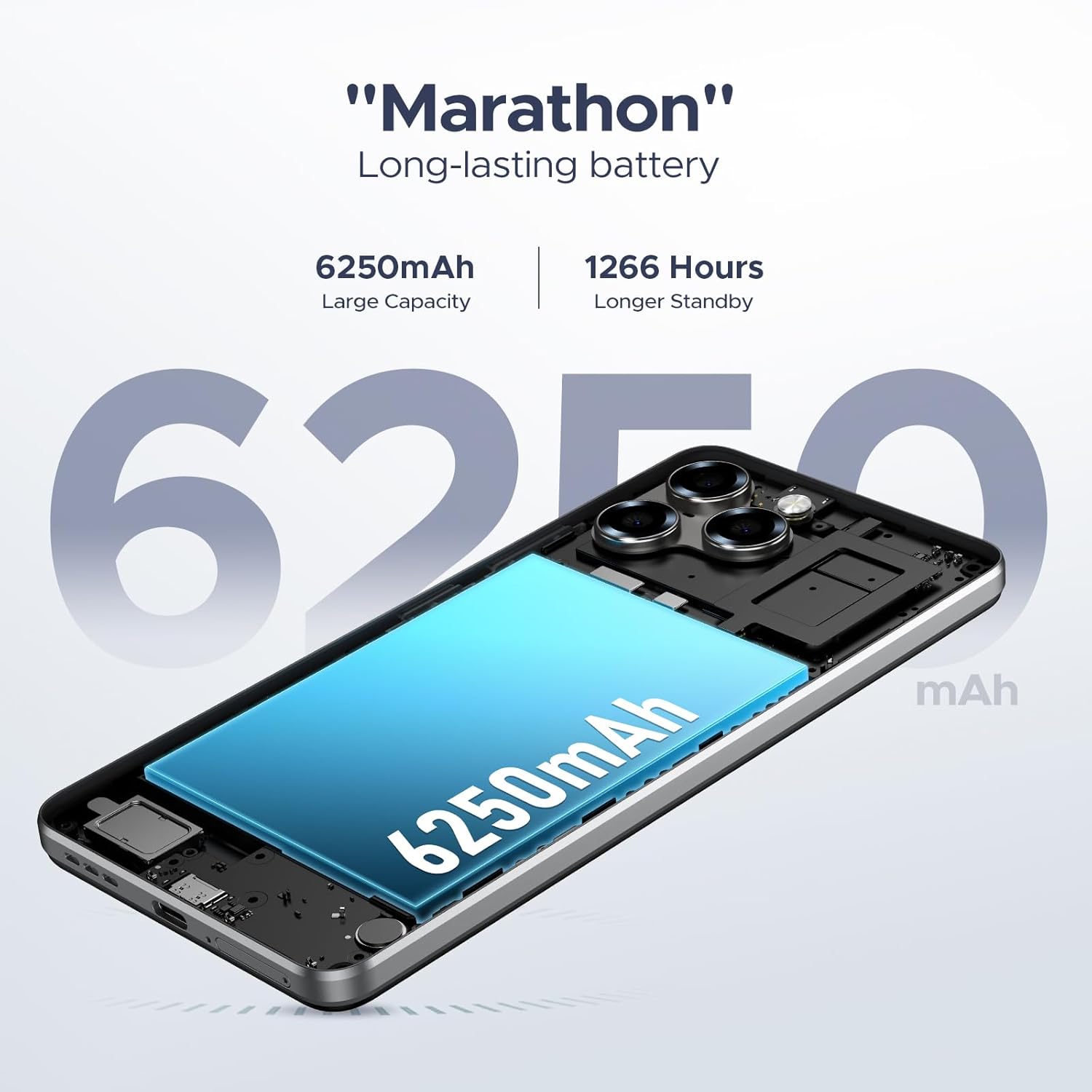
Figure 5.2: The 6.75-inch HD+ display in use.

Figure 5.3: Detailed specifications of the device's display.
5.3 Rendiment i emmagatzematge
Powered by the UNISOC T7250 octa-core processor, the device ensures efficient performance. It comes with 32GB RAM (8GB physical + 24GB expandable) and 128GB of internal storage, expandable up to 2TB via a TF card.

Figure 5.4: The UNISOC T7250 Octa-core processor, central to the phone's performance.

Figure 5.5: Illustration of the 32GB RAM configuration, including extended RAM.

Figure 5.6: Storage options, including 128GB internal and up to 2TB expandable storage.
6. Característiques de la càmera
The DOOGEE Note 58 is equipped with a 16MP AI main camera and an 8MP front camera, supporting various photography modes for diverse shooting conditions.
- Càmera principal: 16MP with AI enhancements, supporting autofocus and rear flashes.
- Càmera frontal: 8MP per a selfies i videotrucades.
- Modes de tir: HDR, Night Mode, Time-Lapse, Portrait, Panorama, Pro Mode, Beauty Mode, Filters, Smile Shutter, Audio Note.
- Gravació de vídeo: Supports 1080p video capture.

Figure 6.1: The rear camera module of the DOOGEE Note 58.

Figure 6.2: Specifications of the 16MP main camera.

Figure 6.3: Specifications of the 8MP front-mounted camera.
Video 6.1: Demonstration of the 16MP AI main camera and its versatile photography modes.
7. Connectivitat i seguretat
7.1 Network and Wireless
The DOOGEE Note 58 supports 4G dual SIM functionality, allowing for two SIM cards to be active simultaneously. It is compatible with GSM carriers like T-Mobile and supports various network bands (GSM:B2/3/5/8, WCDMA: B1/2/4/5/8, TDD: B38/40/41, EDGE/GPRS, FDD: B1/2/3/4/5/7/8/18/19/20/25/26/28A/28B/6). Wi-Fi connectivity is also available.
7.2 Navigation and NFC
The device includes GPS, GLONASS, Galileo, and Beidou for precise navigation. NFC with Google Pay enables convenient contactless payments.

Figure 7.1: Using NFC for mobile payments.

Figure 7.2: The device's navigation capabilities.
7.3 Funcions de seguretat
The device supports Face Unlock for quick and secure access. It also features Widevine L1 support, enabling high-quality 1080P streaming for various content platforms.

Figura 7.3: Desbloqueig facial en acció.
8. Gestió de la bateria
The DOOGEE Note 58 is equipped with a 6250mAh long-lasting battery. It also supports OTG reverse charging, allowing you to use your phone to power other compatible devices.

Figure 8.1: Estimated battery life for various activities.

Figure 8.2: The OTG reverse charging feature.
9. Manteniment
To ensure the longevity and optimal performance of your DOOGEE Note 58, follow these maintenance guidelines:
- Neteja: Feu servir un drap suau i sense borrissol per netejar la pantalla i la carcassa. Eviteu productes químics agressius.
- Actualitzacions de programari: Comproveu i instal·leu regularment si hi ha actualitzacions del sistema per aprofitar les darreres funcions, pegats de seguretat i millores de rendiment.
- Gestió d'emmagatzematge: Periòdicament review i gestiona l'emmagatzematge del teu dispositiu. Elimina el contingut innecessari files and apps, or utilize the expandable TF card slot for additional space.
- Temperatura: Avoid exposing the device to extreme temperatures, direct sunlight, or very humid conditions.
10. Solució De Problemes
If you encounter issues with your DOOGEE Note 58, refer to the following common solutions:
- El dispositiu no s'encén: Ensure the battery is charged. Connect the device to its charger for at least 30 minutes before attempting to power it on again.
- La pantalla no respon: Try restarting the device by holding down the power button for approximately 10-15 seconds until it reboots.
- Bloqueig de l'aplicació: Clear the cache and data for the problematic app in the device settings, or uninstall and reinstall the app.
- Mala connectivitat de xarxa: Check if your SIM card is properly inserted. Ensure you are within network coverage. Try toggling Airplane Mode on and off.
- Esgotament ràpid de la bateria: Reduce screen brightness, close unused apps running in the background, and disable unnecessary features like GPS or Wi-Fi when not in use.
Per a problemes més complexos, poseu-vos en contacte amb l'atenció al client.
11. Especificacions
| Característica | Especificació |
|---|---|
| Nom del model | DOOGEE Note 58 Phone |
| Sistema operatiu | Android 15 |
| Processador | UNISOC T7250 Octa-core |
| RAM | 32GB (8GB + 24GB expandable) |
| Emmagatzematge intern | 128 GB |
| Emmagatzematge ampliable | Fins a 2 TB mitjançant targeta TF |
| Mida de la pantalla | 6.75 polzades |
| Tipus de visualització | HD+ IPS Waterdrop Display |
| Freqüència d'actualització | 90 Hz |
| Càmera principal | 16MP AI |
| Càmera frontal | 8MP |
| Capacitat de la bateria | 6250 mAh |
| Connectivitat | 4G Dual SIM, Wi-Fi, NFC, GPS, GLONASS, Galileo, Beidou |
| Característiques especials | Face Unlock, OTG Reverse Charging, Widevine L1 |
| Dimensions (paquet) | 7.6 x 4.06 x 2.13 polzades |
| Pes de l'article | 14.9 unces |
12. Garantia i Suport
Your DOOGEE Note 58 comes with a limited warranty. Please refer to the warranty card included in your package for specific terms and conditions. For technical support, service inquiries, or further assistance, please visit the official DOOGEE weblloc o poseu-vos en contacte amb el seu servei d'atenció al client.
Recursos en línia:
- Official DOOGEE Store: DOOGEE Store on Amazon
Ask a question about this manual
Ask about setup, troubleshooting, compatibility, parts, safety, or missing instructions. Manuals+ will review the question and use this page’s manual context to help answer it.