
1. Introducció
Gràcies per la compraasing the AGPTEK A02XT MP3 Player. This device is designed to provide a high-quality audio experience with its HIFI lossless sound and Bluetooth 5.3 connectivity. It features a compact design, button operation, and various functions including FM radio, voice recording, and a pedometer. This manual will guide you through the setup, operation, and maintenance of your new MP3 player.

Figure 1.1: AGPTEK A02XT MP3 Player with accessories.
2. Producte acabatview
2.1 Contingut del paquet
- AGPTEK A02XT MP3 Player (1)
- Cable de càrrega USB-C (1)
- Manual d'usuari (1)
- Earphones (1 pair) - May vary by region/package

Figure 2.1: Contents of the AGPTEK A02XT package.
2.2 Disposició i controls del dispositiu
Familiarize yourself with the buttons and ports on your A02XT MP3 player.

Figura 2.2: Frontal view of the A02XT MP3 Player.
- Pantalla: Displays menus, music information, and settings.
- Botó M: Menu/Back button. Long press to lock/unlock the screen.
- Botó Reproduir/Pausa: Inicia o posa en pausa la reproducció.
- Botons anterior/següent: Navega per pistes o opcions de menú.
- Botó VOL: Control de volum.
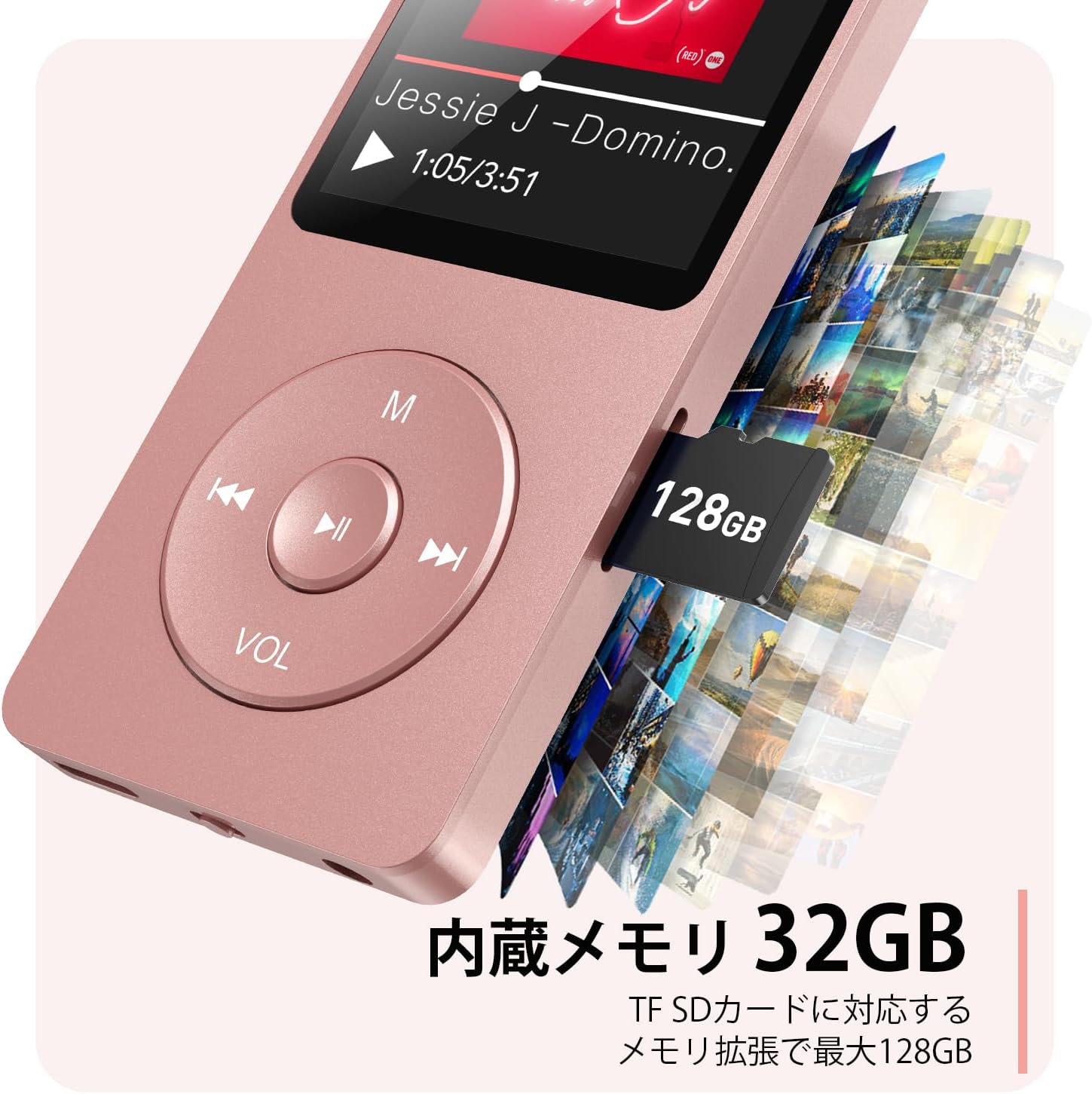
Figura 2.3: lateral view with microSD card slot.
- Port USB-C: Per a càrrega i transferència de dades.
- Presa d'auriculars de 3.5 mm: Per a sortida d'àudio amb cable.
- Ranura per a targeta MicroSD: Per a emmagatzematge ampliable fins a 64 GB.
3. Configuració
3.1 Càrrega del dispositiu
Before first use, fully charge the MP3 player. Connect the provided USB-C cable to the player's USB-C port and the other end to a USB power adapter (not included) or a computer's USB port. The screen will indicate charging status. A full charge takes approximately 2 hours and provides up to 40 hours of music playback.

Figure 3.1: MP3 Player charging indication.
3.2 Inserció d'una targeta MicroSD
The player has 32GB of internal storage. To expand storage, insert a microSD card (up to 64GB, not included) into the microSD card slot until it clicks into place. Ensure the card is inserted correctly to avoid damage.
3.3 Transferència de música Files
- Connect the MP3 player to your computer using the USB-C cable.
- The player will appear as a removable disk on your computer.
- Arrossegueu i deixeu anar la vostra música files (MP3, WMA, OGG, WAV, APE, FLAC, AAC, ACELP) into the 'Music' folder on the player or microSD card.
- Expulseu el dispositiu de l'ordinador de manera segura abans de desconnectar el cable.
4. Instruccions de funcionament
4.1 Encès/Apagat
- Encès: Long press the Power button (usually on the side or top edge) until the screen lights up.
- Apagar: Long press the Power button until the 'Power Off' option appears, then select it.
4.2 Navegació bàsica
Use the navigation buttons (Previous, Next, Play/Pause, M) to move through menus and select options. The Play/Pause button often acts as a 'Confirm' button in menus.

Figure 4.1: Main menu interface with various functions.
4.3 Reproducció de música
- Al menú principal, seleccioneu "Música".
- Browse by Artist, Album, Songs, Playlists, etc.
- Seleccioneu una cançó per començar la reproducció.
- Use the Previous/Next buttons to skip tracks, and Play/Pause to control playback.
- Ajusteu el volum amb el botó VOL.
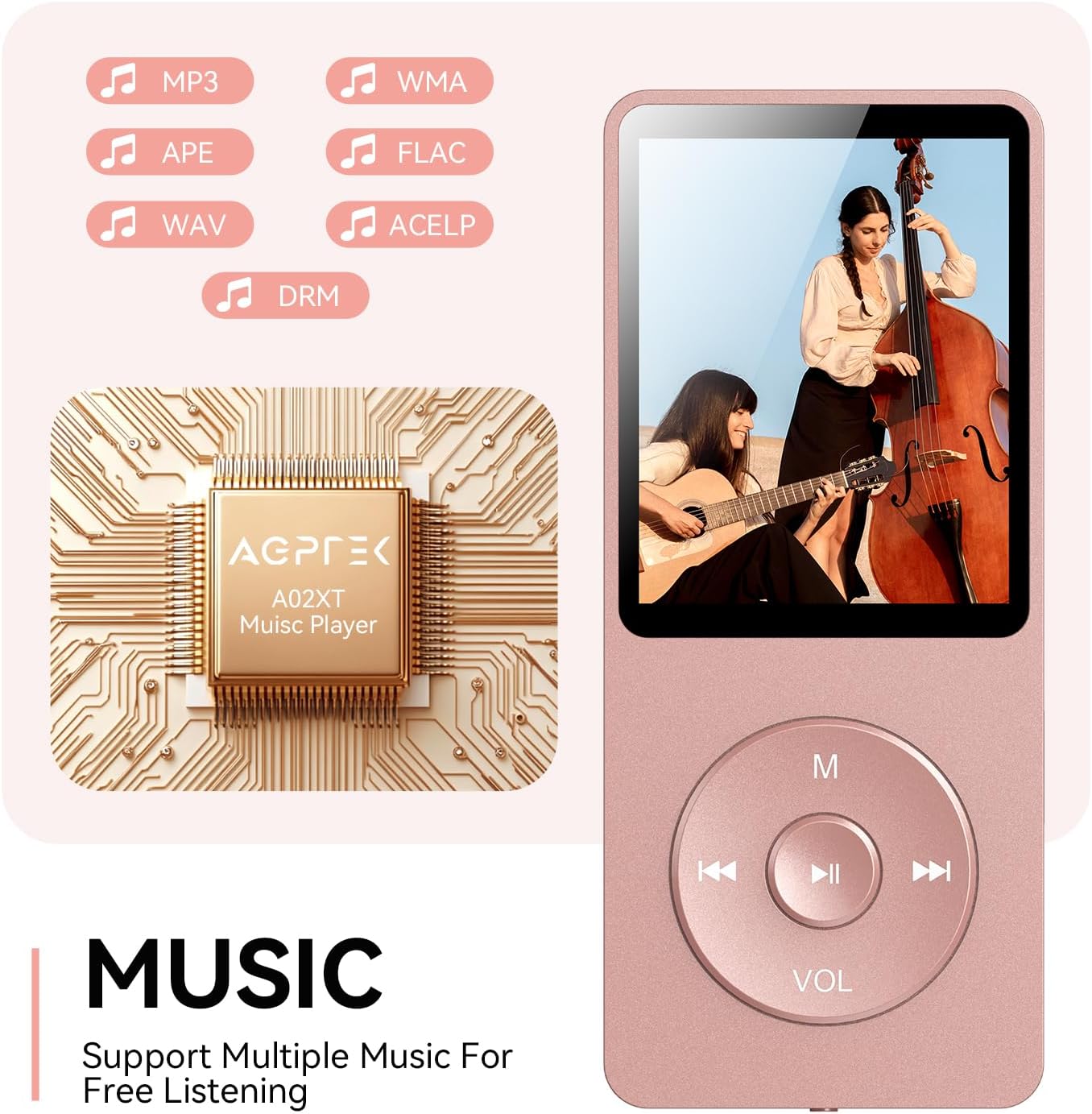
Figure 4.2: Music playback screen and supported formats.
4.4 Connexió Bluetooth
The A02XT supports Bluetooth 5.3 for wireless audio output to headphones or speakers.
- From the main menu, select 'Bluetooth'.
- Turn on Bluetooth on the player.
- Assegureu-vos que els vostres auriculars/altaveu Bluetooth estiguin en mode d'emparellament.
- The player will search for nearby devices. Select your device from the list to pair.
4.5 Ràdio FM
- Connect wired earphones to the 3.5mm jack; they act as the antenna.
- Al menú principal, seleccioneu "Ràdio FM".
- Feu servir els botons de navegació per cercar emissores o sintonitzar-les manualment.
4.6 Enregistrament de veu
- From the main menu, select 'Record'.
- Seleccioneu "Inicia la gravació de veu" per començar.
- Press Play/Pause to stop and save the recording.
4.7 Bloqueig de pantalla
To prevent accidental button presses, long press the 'M' button to lock the screen. Repeat the action to unlock.
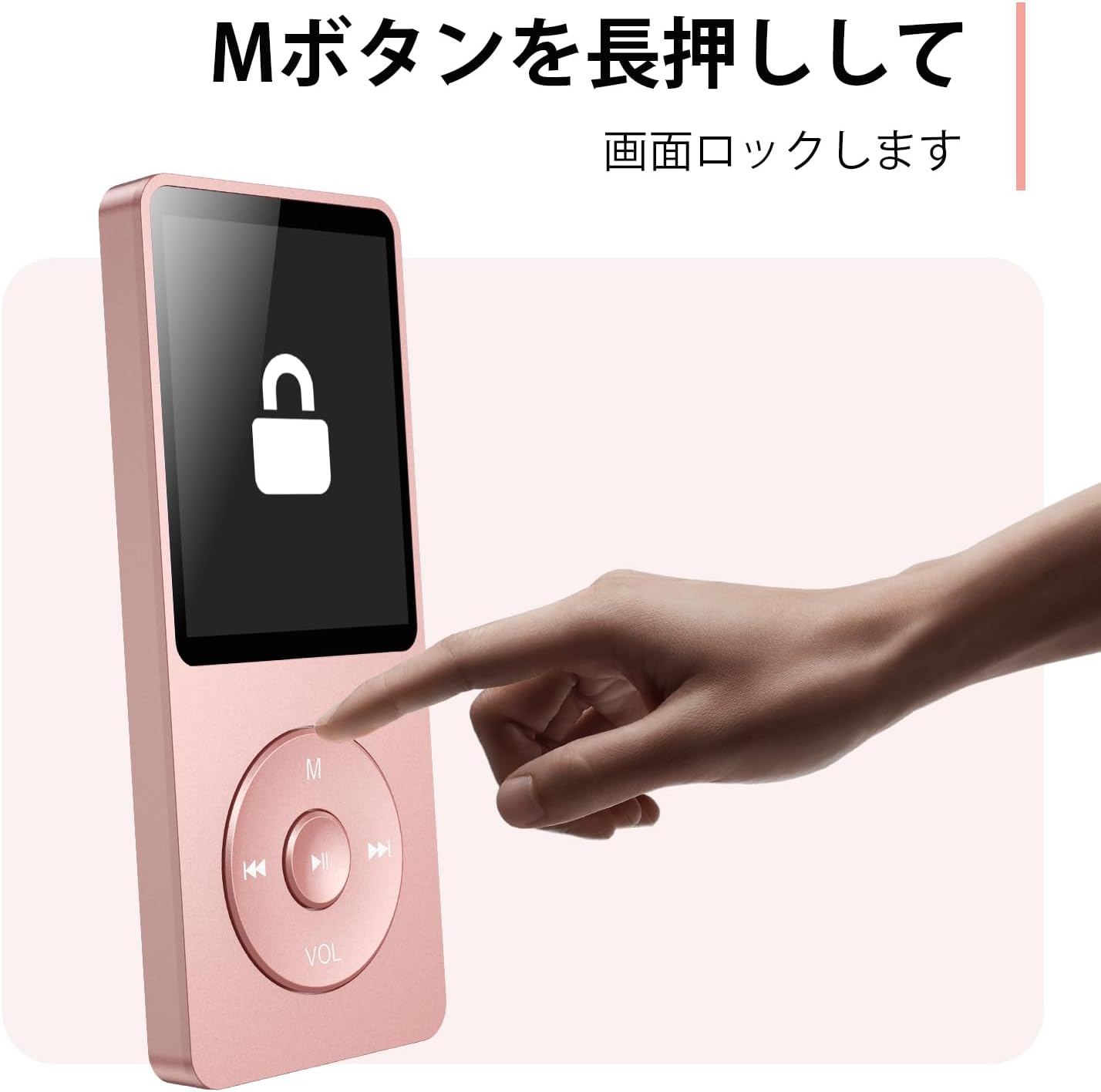
Figure 4.3: Screen lock function using the M button.
5. Manteniment
5.1 Neteja
- Netegeu el dispositiu amb un drap suau i sec.
- No utilitzeu netejadors líquids ni dissolvents.
5.2 Emmagatzematge
- Guardeu el reproductor en un lloc fresc i sec, allunyat de la llum solar directa i de temperatures extremes.
- Eviteu deixar caure o sotmetre el dispositiu a forts impactes.
5.3 Cura de la bateria
- Carregueu la bateria regularment, fins i tot si no l'utilitzeu, per mantenir-ne l'estat.
- Eviteu esgotar completament la bateria amb freqüència.
6. Solució De Problemes
6.1 El dispositiu no s'encén
- Assegureu-vos que la bateria estigui carregada. Connecteu-la a una font d'alimentació i torneu-ho a provar.
- Perform a hard reset by pressing and holding the power button for 10-15 seconds.
6.2 No es pot transferir Files
- Check the USB-C cable connection. Try a different cable or USB port.
- Ensure the device is properly recognized by your computer.
- Comproveu que el file el format és compatible amb el reproductor.
6.3 Problemes d'emparellament Bluetooth
- Ensure both the player and the Bluetooth device are in pairing mode and within range.
- Desactiva i activa el Bluetooth en tots dos dispositius.
- Suprimeix els emparellaments anteriors i intenta emparellar-los de nou.
6.4 Sense so
- Comproveu el nivell de volum.
- Ensure headphones are properly connected or Bluetooth device is paired.
- Test with different headphones or Bluetooth device.
7. Especificacions
| Marca | AGPTEK |
| Nom del model | A02XT |
| Capacitat d'emmagatzematge de memòria | 32 GB (expandable up to 64 GB via microSD card) |
| Color | Rosa |
| Mida de la pantalla | 8.9 centímetres (aproximadament 3.5 polzades) |
| Tipus de suport | targeta microSD |
| Tecnologia de visualització | LCD |
| Formats d'àudio compatibles | MP3, WMA, OGG, WAV, APE, FLAC, AAC, ACELP |
| Durada de la bateria | Fins a 40 hores |
| Pes de l'article | 130 grams |
8. Garantia i Suport
8.1 Informació de la garantia
This AGPTEK A02XT MP3 Player comes with a 1 any de garantia des de la data de compra. Aquesta garantia cobreix els defectes de fabricació i els mals funcionaments en condicions d'ús normal. No cobreix els danys causats per un mal ús, accidents, modificacions no autoritzades o desgast normal.
8.2 Atenció al client
If you encounter any issues or have questions regarding your AGPTEK A02XT MP3 Player, please refer to the troubleshooting section of this manual first. If the problem persists, contact AGPTEK customer support through the official website or your retailer's support channels. Please have your purchase receipt and product model number (A02XT) ready when contacting support.