
Yakry Y13
Yakry 2-Kids Baby Car Camera System Y13 Instruction Manual
Model: Y13 | Brand: Yakry
1. Producte acabatview
The Yakry 2-Kids Baby Car Camera System Y13 provides a comprehensive solution for monitoring children in rear-facing car seats. This system includes a 6.9-inch split-screen display and two 1080P HD cameras equipped with night vision, ensuring clear visibility day and night. Its design prioritizes ease of installation and versatile placement to suit various vehicle types and family needs.
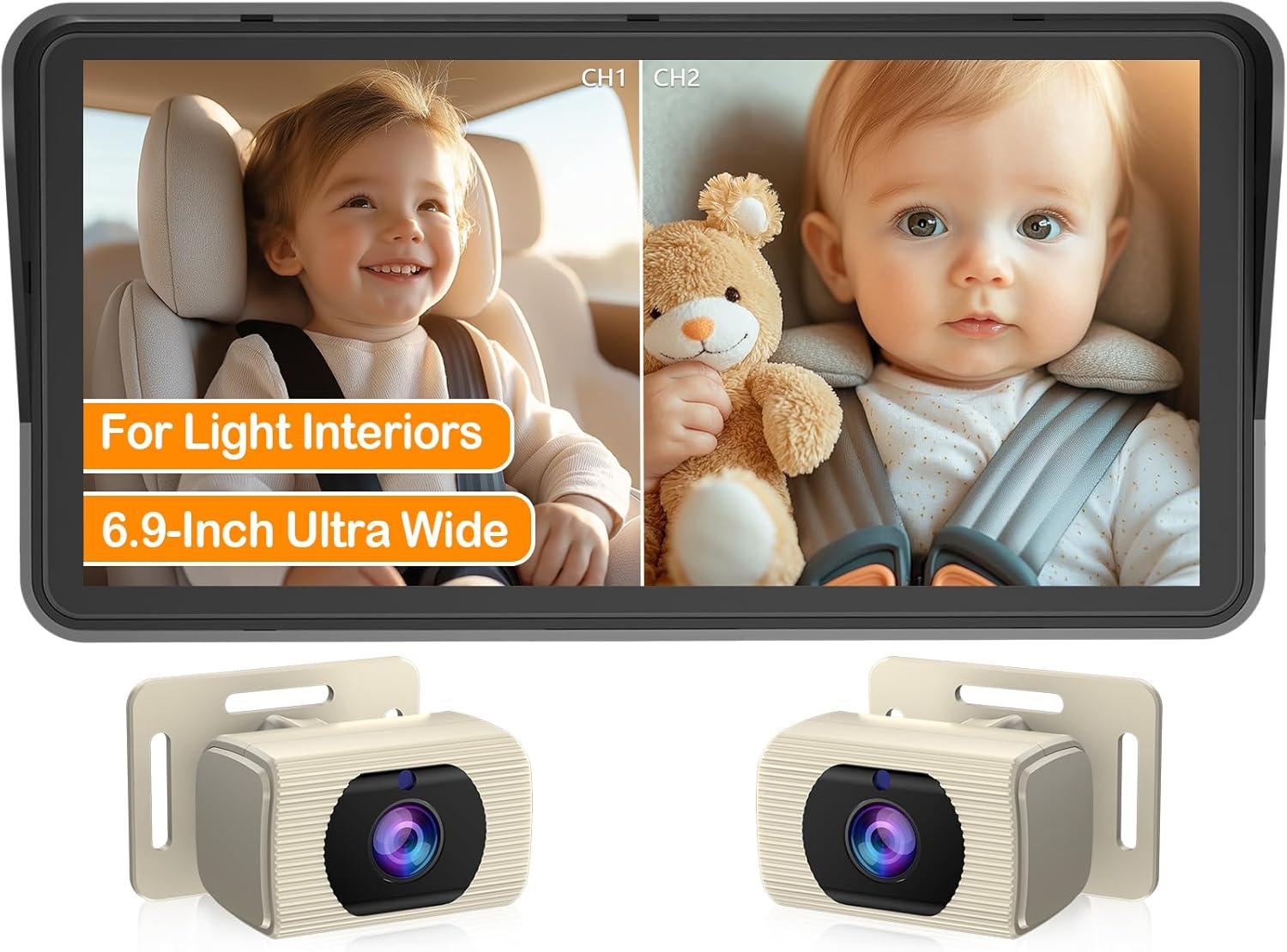
Image: Yakry 2-Kids Baby Car Camera System showing the 6.9-inch split screen monitor and two cameras.
2. Què hi ha a la caixa
- 1x 6.9 Inch Monitor
- 2x White Baby Car Camera
- 1x Monitor Bracket
- 1 adaptador per encenedor de cigarrets
- 1x cable d'alimentació USB
- 4x corretges
- 1 x manual d'usuari
- Several Cable Clips
3. Configuració i instal·lació
The Yakry Y13 system is designed for tool-free, plug-and-play installation. Follow these steps for proper setup:
- Prepareu la superfície de muntatge: Ensure the dashboard or windshield area where the monitor will be placed is clean and dry for optimal suction cup adhesion.
- Attach Monitor Bracket: Secure the monitor to its bracket. The newly upgraded suction cups provide strong adhesion and can withstand high temperatures.
- Muntar el monitor: Place the monitor on your dashboard or windshield in a position that does not obstruct your view of the road. The monitor is 360° rotatable for optimal viewangles d'ajust.
- Instal·lar càmeres: Attach the two baby car cameras to the headrests of the rear seats using the provided straps. The cameras are 360° rotatable and feature a 150° wide-angle lens to capture a broad view of your children. The white cameras and straps are designed to blend with lighter vehicle interiors.
- Connectar l'alimentació: Connect the monitor to a power source using either the cigarette lighter adapter or the USB power cord. Both options are provided for compatibility with various vehicle types.
- Connecteu les càmeres al monitor: Route the 16.5-foot cables from the cameras to the monitor. Use the included cable clips to manage and secure the cables, preventing clutter and ensuring a tidy installation.

Image: Visual guide for tool-free installation, showing camera attachment, cable routing, and power connection.

Image: Illustration of flexible mounting options for the monitor, suitable for dashboard or windshield placement.
4. Instruccions de funcionament
The Yakry Y13 monitor offers various features to enhance your child monitoring experience:
- Dual Camera Split Screen: The 6.9-inch HD display provides a clear, real-time split view of both cameras simultaneously, allowing you to monitor two children at once without compromising image ratio.
- Night Vision with Auto Brightness: Infrared night vision technology ensures clear visibility in low-light conditions. The automatic brightness adjustment dims the screen at night to prevent distraction while maintaining a sharp image of your child.
- Càmera ajustable Views: The cameras are 360° rotatable, allowing you to adjust the viewing angle to perfectly capture your child in their car seat.
- Image Customization: Use the buttons on the back of the monitor to adjust brightness, contrast, and saturation to your preference.
- Switchable Image Modes: The system supports switchable mirror/normal image modes, offering versatility beyond just baby monitoring.

Image: The 6.9-inch ultra-wide display showing simultaneous views from two cameras, providing comprehensive coverage.

Image: The monitor in 'Night Guardian Mode', illustrating auto-dimming for comfort and clear night vision.
5. Manteniment
- Neteja: Regularly wipe the monitor screen and camera lenses with a soft, dry cloth to ensure clear visibility. Avoid abrasive cleaners.
- Cura de la ventosa: Periodically check the monitor's suction cup for secure attachment. Clean the suction cup and mounting surface if adhesion weakens.
- Gestió de cables: Ensure all cables are securely routed and clipped to prevent damage or entanglement.
6. Solució De Problemes
- Sense imatge/Pantalla negra: Check all power connections to ensure the monitor and cameras are receiving power. Verify the cigarette lighter adapter or USB power cord is fully inserted and functional.
- Unclear Image/Glitches: Ensure camera lenses are clean and free from obstructions. Check cable connections between cameras and the monitor. Adjust brightness, contrast, and saturation settings on the monitor.
- Screen Visibility with Polarized Sunglasses: Some polarized sunglasses may affect screen visibility. Adjust the monitor's angle or brightness, or temporarily remove sunglasses for a clearer view.
- Camera Not Staying in Place: Re-tighten the headrest straps or re-apply the monitor's suction cup to a clean, dry surface.
7. Especificacions
- Número de model: Y13
- Dimensions del producte: 7.7 x 5.3 x 3.4 polzades
- Pes de l'article: 1.79 lliures
- Mida de la pantalla: 6.9 polzades
- Tecnologia del sensor òptic: CMOS
- Tipus de lent: Gran Angular
- Angle real de View: 150°
- Tipus d'instal·lació: Dashboard Mount / Windshield Mount
- Voltage: 12 Volts
- Tipus de connector: USB (per alimentació)
8. Garantia i Suport
Yakry offers comprehensive support for its products:
- Suport: Hi ha atenció al client disponible les 24 hores.
- Substitució: Enjoy a 24-month replacement policy.
- Contacte: For after-sales service issues, please contact the seller directly on Amazon.

Image: Yakry customer support details, highlighting 24-hour support and 24-month replacement.
Ask a question about this manual
Ask about setup, troubleshooting, compatibility, parts, safety, or missing instructions. Manuals+ will review the question and use this page’s manual context to help answer it.