
1. Introducció
Thank you for choosing the Auusda T156A 15.6-inch Business Laptop. This manual provides essential information for setting up, operating, and maintaining your new laptop. Please read this manual thoroughly before using the device to ensure proper function and longevity. This laptop is designed for productivity and portability, featuring a 4-core processor, 8GB DDR4 RAM, and a 512GB M.2 PCIe NVMe SSD, all running on Windows 11 Pro.
2. Contingut del paquet
Verifiqueu que tots els elements siguin presents al paquet:
- Auusda T156A Laptop
- Adaptador d'alimentació i cable
- Transparent Keyboard Cover
- Spanish Keyboard Cover
- Manual d'instruccions (aquest document)

Image: The laptop, power adapter, and keyboard covers as included in the package.
3. Producte acabatview
3.1 Característiques clau
- Rendiment potent: Equipped with a 4-core N95 processor (1.7-3.4 GHz) and 8GB DDR4 RAM for efficient multitasking.
- AmpEmmagatzematge: Features a 512GB M.2 PCIe NVMe SSD for fast data access and sufficient storage.
- Vibrant Full HD Display: A 15.6" Full HD IPS LCD screen offers clear visuals with wide viewangles d'ajust.
- Característiques convenients: Includes a backlit keyboard for low-light use and a fingerprint reader for secure access.
- Connectivity & Versatility: Offers Bluetooth, an SD card reader, and essential ports for various devices.

Imatge: Un cop mésview of the Auusda T156A laptop with its main features labeled.
3.2 Processador i memòria
The laptop is powered by an Intel N95 4-core processor, capable of speeds up to 3.4 GHz, ensuring smooth operation for business and academic tasks. It comes with 8GB of DDR4 RAM and a 512GB M.2 PCIe NVMe Solid State Drive (SSD) for quick boot times and application loading.

Image: A visual representation of the 4-core N95 processor chip.

Image: The laptop highlighting its 8GB RAM and 512GB SSD configuration.
3.3 Pantalla
Experience clear and vibrant visuals on the 15.6-inch Full HD (1920x1080) IPS LCD display. The screen features a narrow bezel and supports 16 million colors, providing an immersive viewing experience. A privacy shutter is integrated for the weblleva.

Image: The laptop's 15.6-inch Full HD IPS LCD display and its features.
3.4 Teclat i touchpad
The laptop features a full-size backlit keyboard, allowing comfortable typing in various lighting conditions. The integrated touchpad includes a fingerprint sensor for secure and quick login.

Image: The backlit keyboard and the fingerprint ID sensor on the touchpad.
3.5 Ports i connectivitat
The Auusda T156A offers a range of connectivity options:
- Entrada d'alimentació de CC
- USB-A Ports (multiple)
- Sortida HDMI
- Lector de targetes microSD
- Conector d'auriculars
- Bluetooth and Wi-Fi (802.11ac, 802.11ax)
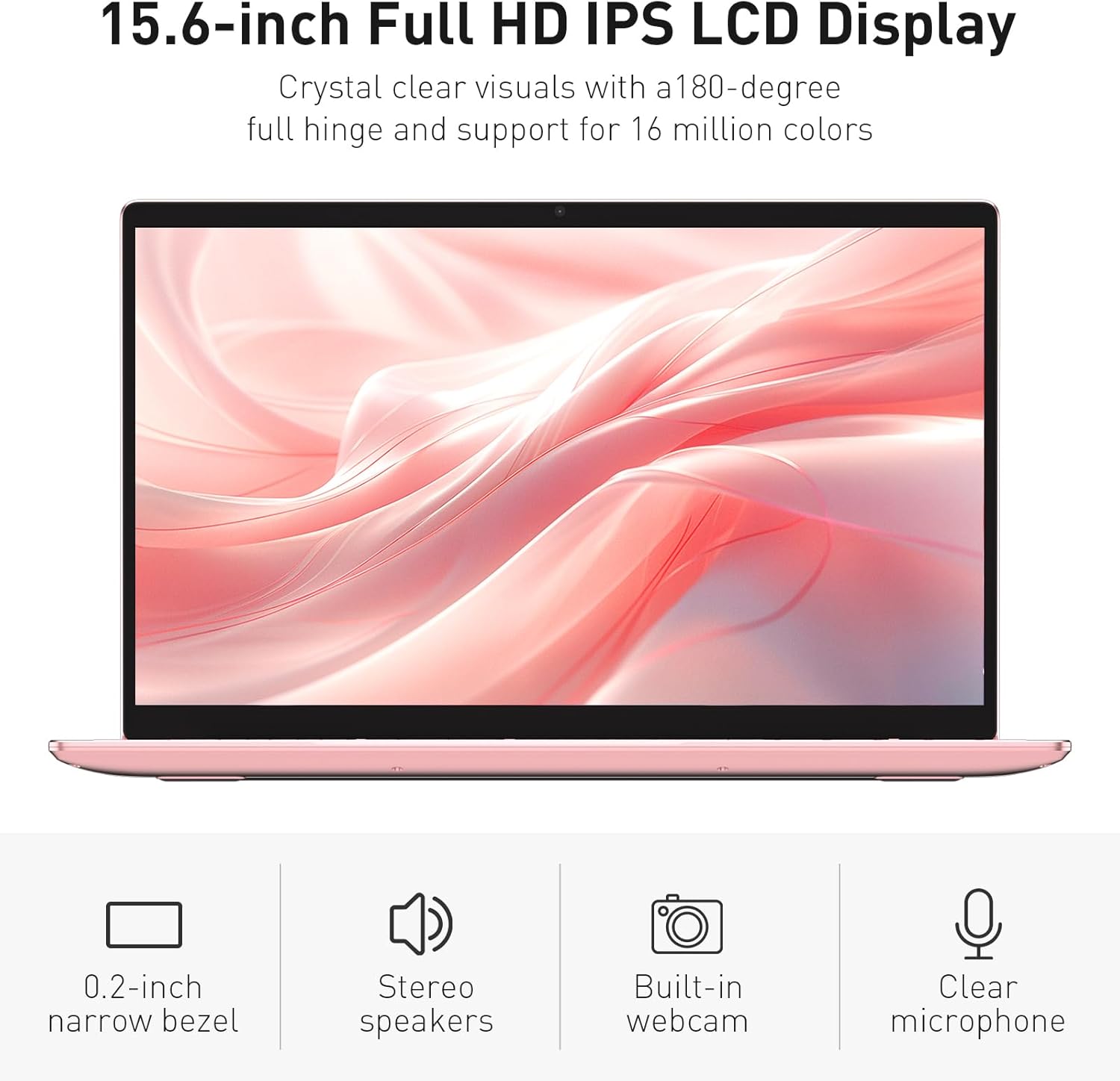
Image: The various ports available on the sides of the laptop.
4. Configuració
4.1 Engegada i càrrega inicials
- Desembaleu el portàtil i l'adaptador de corrent de la caixa.
- Connecteu l'adaptador de corrent al port d'entrada d'alimentació de CC del portàtil i després a una presa de corrent.
- Allow the laptop to charge for at least 30 minutes before initial use, or until the charging indicator light shows a full charge.
- Premeu el botó d'encesa per encendre l'ordinador portàtil.
4.2 Configuració del Windows 11 Pro
Follow the on-screen instructions to complete the initial Windows 11 Pro setup. This will include:
- Seleccionant la regió i la disposició del teclat.
- Connexió a una xarxa Wi-Fi.
- Acceptació de l'acord de llicència.
- Creació d'un compte d'usuari o inici de sessió amb un compte de Microsoft.
4.3 Configuració del sensor d'empremtes dactilars
For enhanced security, set up the fingerprint sensor:
- Once Windows is set up, navigate to Configuració > Comptes > Opcions d'inici de sessió.
- Under 'Windows Hello Fingerprint', click Configurar.
- Follow the on-screen prompts to register your fingerprint. You will be asked to lift and place your finger multiple times on the sensor until it is fully registered.
5. Funcionament de l'ordinador portàtil
5.1 Ús bàsic
- Encès/apagat: Press the power button located on the top right of the keyboard to turn the laptop on or off.
- Mode de repòs: Tanqueu la tapa o premeu breument el botó d'engegada per posar el portàtil en mode de repòs.
- Restart/Shut Down: Access these options from the Start Menu in Windows.
5.2 Backlit Keyboard Control
The keyboard backlight can be adjusted or turned off using the function keys. Look for the key with a keyboard icon (often F5 or F6) to cycle through brightness levels or toggle the backlight on/off.
5.3 Webobturador de privadesa de la càmera
La integrada webcam includes a physical privacy shutter. Slide the small cover located directly above the webcam lens to open or close it, ensuring your privacy when the camera is not in use.
5.4 Connexió de dispositius externs
Use the available ports to connect peripherals:
- Dispositius USB: Plug USB drives, mice, or keyboards into the USB-A ports.
- Pantalla externa: Connect an external monitor or projector using the HDMI port.
- Àudio: Use the headphone jack for headphones or external speakers.
- Targeta MicroSD: Insert a microSD card into the dedicated slot for additional storage or data transfer.
5.5 Rendiment de joc
The Auusda T156A is capable of handling light gaming and provides a smooth experience for many popular titles. For optimal performance, ensure your drivers are updated and close unnecessary background applications.
Video: Demonstration of the Auusda T156A laptop's light gaming capabilities.
Vídeo: Mostra un clip curtasing the laptop's performance during racing games.
6. Manteniment
- Neteja: Feu servir un drap suau i sense borrissol per netejar la pantalla i l'exterior. Per a taques difícils,ampNetegeu el drap amb aigua o un netejador de pantalles. Eviteu productes químics agressius.
- Cura de la bateria: To prolong battery life, avoid fully discharging the battery frequently. It is recommended to keep the battery charged between 20% and 80% when possible. Store the laptop in a cool, dry place.
- Actualitzacions de programari: Comproveu i instal·leu regularment si hi ha actualitzacions de Windows i controladors per garantir un rendiment i una seguretat òptims.
- Ventilació: Assegureu-vos que les reixetes de ventilació del portàtil no estiguin obstruïdes per evitar el sobreescalfament. Feu servir el portàtil sobre una superfície dura i plana.
- Còpia de seguretat de dades: Feu còpies de seguretat de les dades importants regularment en un disc dur extern o en un emmagatzematge al núvol per evitar la pèrdua de dades.
7. Solució De Problemes
This section addresses common issues you might encounter with your Auusda T156A laptop.
| Problema | Possible solució |
|---|---|
| El portàtil no s'encén. | Ensure the power adapter is securely connected and the outlet is working. Try charging the laptop for a while before attempting to power it on again. |
| La pantalla està en blanc o negra. | Check if the laptop is powered on. Try pressing Fn + F1 (or the display toggle key) to ensure the display is not turned off. Connect to an external monitor to check if the issue is with the laptop's screen. |
| Problemes de connexió Wi-Fi. | Assegureu-vos que el Wi-Fi estigui habilitat a la configuració de Windows. Reinicieu el router i el portàtil. Comproveu si hi ha controladors de Wi-Fi actualitzats. |
| El sensor d'empremtes dactilars no funciona. | Ensure your finger is clean and dry. Re-register your fingerprint in Windows settings. Check for driver updates for the fingerprint sensor. |
| La retroiluminació del teclat no funciona. | Press the dedicated backlight function key (e.g., Fn + F5 or F6) to toggle or adjust brightness. |
| El portàtil va lent. | Close unnecessary applications. Check Task Manager for resource-intensive processes. Ensure sufficient free space on the SSD. Run a malware scan. |
8. Especificacions
Detailed technical specifications for the Auusda T156A laptop:
| Característica | Detall |
|---|---|
| Marca | Auusda |
| Nom del model | T156A |
| Mida de la pantalla | 15.6 polzades |
| Mida del disc dur | 512 GB (SSD) |
| Model de CPU | Intel N95 (4-Core, 1.7 GHz base, up to 3.4 GHz turbo) |
| Mida instal·lada de la memòria RAM | 8 GB DDR4 |
| Sistema operatiu | Windows 11 Pro |
| Característiques especials | Teclat retroil·luminat, lector d'empremtes dactilars |
| Coprocessador gràfic | UHD Graphics (Integrated) |
| Tecnologia de connectivitat | Bluetooth, Wi-Fi (802.11ac, 802.11ax) |
| Nombre de Ports | 2 (USB-A, HDMI, microSD, Headphone Jack) |
| Tipus de pila de bateria | Polímer de liti (6000 mAh) |
| Dimensions de l'article (L x A x Gruix) | 9 cm de llargada x 14 cm d'amplada x 0.7 cm de gruix |
| Resolució nativa | 1920 x 1080 píxels |
| Freqüència d'actualització | 60 Hz |
| Webcam Capability | Yes (with privacy shutter) |
9. Garantia i assistència
9.1 Garantia del producte
The Auusda T156A laptop comes with a 2 any de garantia del fabricant. Please retain your proof of purchase for warranty claims. For detailed warranty terms and conditions, refer to the documentation provided with your product or contact Auusda customer support.
9.2 Atenció al client
For technical assistance, troubleshooting, or service inquiries, please visit the official Auusda Store or contact their customer support channels. You can find more information and support resources at the Auusda Official Store on Amazon.
Video: A short promotional video from the Auusda Official Store, showcasing the laptop's features for college students.