
1. Informació de seguretat
Si us plau, llegiu atentament totes les instruccions abans del muntatge i l'ús. Si no seguiu aquestes instruccions, podeu patir lesions o danys al producte.
- Assegureu-vos que tots els components siguin presents i no estiguin danyats abans del muntatge.
- Mantingueu els nens i les mascotes allunyats de l'escriptori durant el funcionament.
- Do not place hands or other objects near moving parts of the desk frame.
- Assegureu-vos que el cable d'alimentació no estigui pessigat ni danyat.
- Do not overload the desk. The maximum load capacity is 220 lbs (100 kg).
- Feu servir l'escriptori només sobre una superfície plana.
- Desconnecteu l'alimentació abans de la neteja o el manteniment.
2. Contingut del paquet
The FLEXISPOT E6 Essential Standing Desk is typically shipped in two separate packages: one for the desktop and one for the frame components. Verify that all parts listed below are included in your packages.
2.1. Desktop Package
- Whole-piece Desktop (48x24 Inch, Mahogany)
2.2. Frame and Accessories Package
- Potes d'escriptori (2)
- Peus (2)
- Crossbar/Frame Support
- Caixa de control
- Teclat intel·ligent
- Adaptador d'alimentació i cable
- Cable Management Clips/Ties
- Hardware Kit (screws, Allen wrenches)
- Manual d'instruccions
3. Instruccions de muntatge
Assembly requires careful attention to detail. It is recommended to have two people for assembly, especially when handling the desktop. Ensure you have a clear, spacious area for assembly.
3.1. Eines necessàries
- Included Allen wrenches
- Tornavís Phillips (no inclòs)
- Trepant (opcional, per a forats pilot si cal)
3.2. Muntatge pas a pas
- Desempaquetar components: Carefully remove all parts from their packaging and lay them out on a soft, clean surface to prevent scratches. Verify all parts are present against the package contents list.
- Assemble Desk Legs and Feet: Attach the feet to the bottom of each desk leg using the provided screws and Allen wrench. Ensure they are securely fastened.
- Fixar la barra transversal: Connect the crossbar/frame support between the two desk legs. Adjust the length of the crossbar to match the width of your desktop (48 inches for this model). Secure with screws.
- Mount Control Box and Keypad: Attach the control box to the designated area on the underside of the desk frame. Mount the intelligent keypad to the front edge of the desktop, typically on the right side, using the provided screws.
- Connectar els cables: Connect the motor cables from each leg to the control box. Connect the keypad cable to the control box. Finally, connect the power adapter to the control box.
- Connecta l'escriptori al marc: Carefully place the desktop upside down on a soft surface. Position the assembled frame onto the desktop, aligning the pre-drilled holes (if available) or marking new pilot holes. Secure the desktop to the frame using the provided screws. Note: Some desktops may require drilling new pilot holes for optimal alignment.
- Gestió de cables: Use the included cable management clips or ties to neatly route and secure all cables under the desk, preventing them from dangling or getting caught.
- Upright the Desk: With assistance, carefully flip the desk upright and place it in its desired location. Ensure the power cable is accessible and not obstructed.

Image: The FLEXISPOT E6 Essential Standing Desk with a laptop, coffee cup, and plant, showcasing its design and workspace.
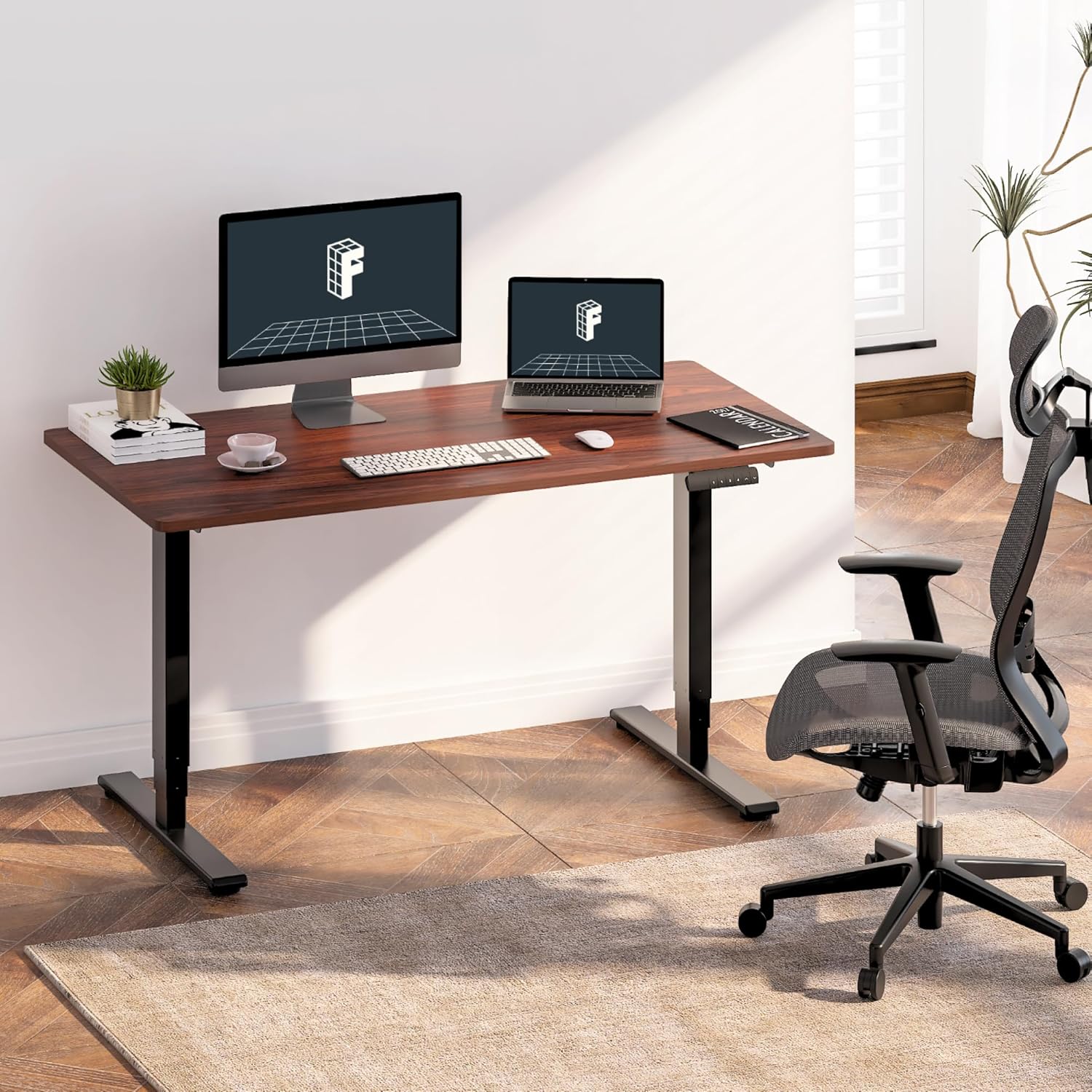
Image: The standing desk integrated into a home office, featuring dual monitors and an ergonomic chair, demonstrating its use.

Image: An illustration highlighting the strong steel structure of the desk frame, designed for stability and durability.
4. Instruccions de funcionament
The FLEXISPOT E6 Essential desk features an intelligent keypad for easy height adjustment and memory settings.
4.1. Engegada inicial
- Plug the power cable into a wall outlet. The LED display on the keypad should illuminate.
4.2. Ajust d'alçada
- Utilitza el Amunt (▲) i Avall (▼) arrow buttons on the keypad to raise or lower the desk to your desired height. The current height will be displayed on the LED panel.
- The desk operates smoothly and quietly with its dual motors, producing less than 50 dB of sound.
4.3. Preajustos de memòria
The keypad allows you to save up to four preferred height settings for quick adjustments.
- Ajusteu l'escriptori a l'alçada desitjada amb els botons Amunt/Avall.
- Premeu el botó M button (or similar memory set button, often labeled 'S' or 'SET'). The display may flash.
- Immediately press one of the numbered memory buttons (1, 2, 3 o 4) per desar l'alçada actual a aquesta configuració predefinida.
- Per recuperar una alçada desada, simplement premeu el botó de memòria numerat corresponent. L'escriptori es mourà automàticament a la posició desada.
4.4. Sistema anticol·lisió
The desk is equipped with an anti-collision system to prevent damage. If the desk encounters an obstacle during movement, it will automatically stop and reverse slightly.
- The sensitivity of the anti-collision system can often be adjusted via specific keypad combinations (refer to the full manual for advanced settings if available).

Imatge: Una imatge detallada view of the intelligent keypad, showing the LED display, memory buttons (1-4), and up/down controls.

Image: A visual representation of the desk's height range (23.6" to 48.8"), indicating suitability for various user heights from children to tall adults.

Image: The desk supporting two 110 lbs weights, illustrating its robust maximum load capacity of 220 lbs.

Image: An illustration demonstrating the anti-collision system, where the desk stops and reverses upon detecting an obstacle.
5. Manteniment
Un manteniment regular garanteix la longevitat i el rendiment òptim del vostre escriptori de peu.
- Neteja: Netegeu l'escriptori i el marc amb un drap suauamp drap. Eviteu productes químics agressius o netejadors abrasius que puguin danyar l'acabat.
- Comprovació del cable: Periodically inspect all cables for wear, fraying, or damage. Ensure they are securely connected and properly managed.
- Comprovació de fixació: De tant en tant, comproveu tots els cargols i perns per assegurar-vos que estiguin ben ajustats. Torneu-los a apretar si cal.
- Funcionament del motor: Listen for any unusual noises during height adjustment. If you notice grinding or excessive noise, discontinue use and consult the troubleshooting section or contact support.
6. Solució De Problemes
If you encounter issues with your FLEXISPOT E6 Essential Standing Desk, refer to the following common problems and solutions.
| Problema | Causa possible | Solució |
|---|---|---|
| Desk does not move or respond to keypad. | Power cable disconnected; control box issue; motor cable disconnected. | Check power connection to wall and control box. Ensure all motor and keypad cables are securely plugged into the control box. Try resetting the desk (unplug for 30 seconds, then replug). |
| L'escriptori es mou de manera irregular o fa un soroll inusual. | Uneven load; loose fasteners; motor issue. | Ensure weight is evenly distributed on the desktop. Check and tighten all assembly screws. If the issue persists, contact customer support. |
| Anti-collision system triggers too easily or not at all. | Sensitivity setting; obstruction. | Ensure no objects are obstructing the desk's path. Refer to the full manual for instructions on adjusting anti-collision sensitivity. |
| Memory presets are not saving or recalling correctly. | Procediment de desament incorrecte. | Follow the memory preset saving steps precisely: adjust height, press 'M' (or 'S'), then immediately press the desired number button (1-4). |
7. Especificacions
Detailed technical specifications for the FLEXISPOT E6 Essential Standing Desk.
| Característica | Especificació |
|---|---|
| Model | E6 Essential |
| Mida d'escriptori | 48" x 24" (47.5"D x 23.6"W) |
| Material d'escriptori | FSC-Certified Wood (Mahogany finish) |
| Color del marc | Negre |
| Material del marc | Metall |
| Sistema d'elevació | 3-Stage Dual Motor |
| Interval d'alçada | 23.6" a 48.8" |
| Capacitat de càrrega màxima | 220 lliures (100 kg) |
| Nivell de soroll | < 50 dB |
| Tauler de control | Intelligent Keypad with 4 Memory Presets |
| Característiques de seguretat | Anti-Collision System |
| Muntatge obligatori | Sí |
| Pes de l'article | 55 Pounds (approximate, frame and desktop combined) |
| UPC | 840460433792 |
8. Garantia i Suport
FLEXISPOT provides a limited warranty for the E6 Essential Standing Desk.
8.1. Cobertura de la garantia
- Cobertura de 5 anys: Applies to the desk frame and motor components.
- Cobertura de 2 anys: Applies to the control panel and electronic components.
This warranty covers defects in materials and workmanship under normal use. It does not cover damage caused by misuse, accidents, unauthorized modifications, or failure to follow the instructions in this manual.
8.2. Atenció al client
For warranty claims, technical assistance, or any questions regarding your FLEXISPOT E6 Essential Standing Desk, please contact FLEXISPOT customer service. Refer to the contact information provided with your purchase or visit the official FLEXISPOT weblloc.
També podeu visitar el FLEXISPOT Store on Amazon per obtenir recursos addicionals i informació sobre el producte.