
Introducció
This manual provides instructions for the installation, use, and maintenance of your BoxWave ClearTouch Anti-Glare Screen Protector, designed specifically for the Lenovo WD06 Fitness Tracker. This screen protector is engineered to reduce glare, resist fingerprints, and protect your device's screen from scratches.
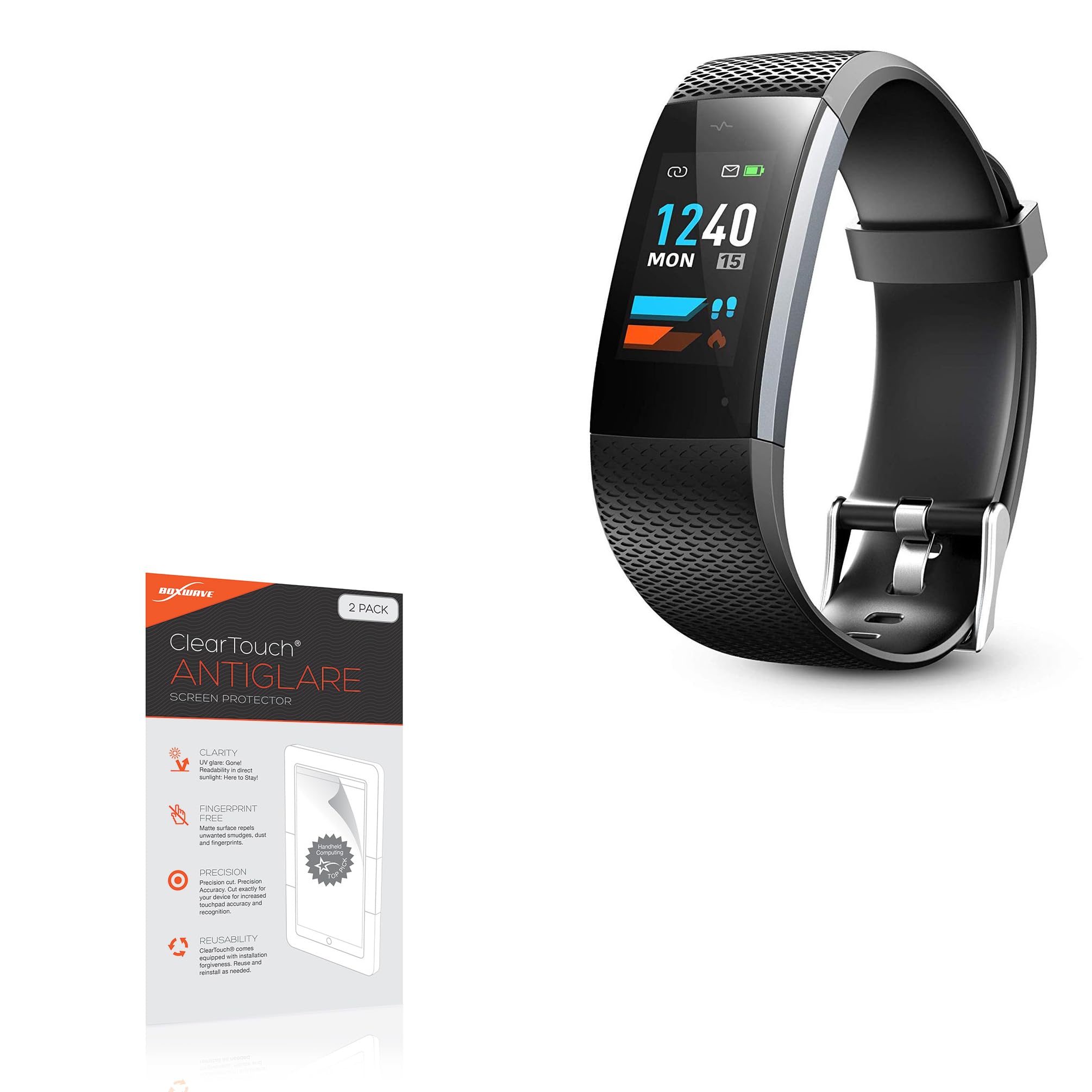
Image: Packaging for the BoxWave ClearTouch Anti-Glare Screen Protector, showing the product name and key features like anti-glare and fingerprint-free properties.
Setup: Installation Instructions
Before installation, ensure your workspace is clean and dust-free. The package includes two screen protectors and installation accessories: an applicator card, a microfiber cleaning cloth, and a dust-removing sticker.

Image: Included accessories for screen protector installation, featuring an applicator card, a microfiber cleaning cloth, and a dust-removing sticker.
- Clean the Device Screen: Use the provided microfiber cleaning cloth to thoroughly clean the screen of your Lenovo WD06 Fitness Tracker. Ensure all dust, smudges, and fingerprints are removed. For stubborn marks, a slightly damp, lint-free cloth can be used, followed by drying with the microfiber cloth.
- Eliminar la pols: Use the dust-removing sticker to lift any remaining dust particles from the screen. Lightly tap the sticker across the entire screen surface.
- Peel Back Layer 1: Carefully peel back a small portion of the protective film labeled "Layer 1" from one end of the screen protector. Avoid touching the adhesive side.
- Alinea el protector: Align the exposed adhesive edge of the screen protector with one edge of your device's screen. Ensure precise alignment with all cutouts and edges.
- Apply Gradually: Slowly and steadily lower the screen protector onto the device screen, peeling back "Layer 1" as you go. Use the applicator card to gently push out any air bubbles towards the edges as you apply.
- Remove Remaining Bubbles: If bubbles remain, gently lift the nearest edge of the protector and reapply, using the applicator card to smooth them out.
- Remove Layer 2: Once the screen protector is fully applied and free of bubbles, carefully peel off the top protective film labeled "Layer 2".
- Poliment final: Use the microfiber cloth to gently wipe the newly installed screen protector, removing any final smudges.
Note: The screen protector is designed for a precise fit. Take your time during alignment for optimal results.
Operating: Key Features and Usage
The BoxWave ClearTouch Anti-Glare Screen Protector enhances your device experience through its specialized design.
Anti-Glare Functionality

Image: A visual comparison demonstrating how the anti-glare screen protector reduces reflections and improves screen visibility in bright conditions.
This screen protector features a unique matte surface that disperses light, significantly reducing glare from direct sunlight or indoor lighting. This improves screen readability and reduces eye strain, especially when using your Lenovo WD06 Fitness Tracker outdoors or in brightly lit environments. It also reduces 90% of UV rays, further protecting your eyes.
Anti-Smudge and Fingerprint Resistance

Image: A split screen showing a clean surface on one side (BoxWave) and a smudged surface on the other (Other Brands), illustrating the anti-smudge capability.
The ultra-smooth matte surface is designed to repel smudges, dust, and fingerprints. This keeps your device screen cleaner for longer, maintaining a clear view and a smooth touch response. The oleophobic layer provides superior defense against scratches while resisting oil smudges.
Paper-like Feel

Image: A tablet screen being used with a stylus, demonstrating the paper-like texture and feel provided by the screen protector for writing and drawing.
Experience a comfortable, paper-like surface that enhances interaction with your device. This tactile quality is pleasing to the touch and can improve precision for activities like drawing or detailed navigation.
Manteniment i cura
To ensure the longevity and effectiveness of your ClearTouch Anti-Glare Screen Protector, follow these simple care guidelines:
- Neteja: Use the provided microfiber cleaning cloth to gently wipe the screen protector. For more persistent smudges, lightly dampen the cloth with water (do not spray water directly onto the device) and wipe, then dry with a clean part of the cloth.
- Eviteu productes químics durs: Do not use abrasive cleaners, alcohol, or ammonia-based solutions, as these can damage the anti-glare coating.
- Manipulació: Avoid sharp objects that could scratch the protector. While it offers protection, extreme force can still cause damage.
- Reutilitzabilitat: The special glueless adhesive allows for reuse and reinstallation if needed. If you need to remove and reapply, ensure both the screen and the adhesive side of the protector are free of dust.
Resolució de problemes
Here are solutions to common issues you might encounter during or after installation:
- Bubbles After Installation:
Small bubbles often disappear within 24-48 hours as the adhesive settles. For larger bubbles, gently lift the nearest edge of the screen protector with your fingernail or the applicator card. Reapply slowly, using the applicator card to push the air out towards the edge.
- Dust Under the Protector:
If you notice dust particles trapped under the protector, carefully lift the nearest edge. Use the dust-removing sticker (or a piece of scotch tape) to gently dab the dust off both the device screen and the adhesive side of the protector. Reapply carefully.
- Protector Not Sticking Properly:
Ensure the device screen was thoroughly cleaned and free of oils or residues before application. If the edges are lifting, press down firmly with the microfiber cloth for a few seconds. If the issue persists, the protector might need to be replaced, especially if the adhesive has been compromised by excessive handling or dust.
Especificacions
| Marca | BoxWave |
| Número de model | bw-862-19211-0 |
| Dispositiu compatible | Lenovo WD06 Fitness Tracker |
| Material | Tereftalat de polietilè (PET) |
| Descripció de la superfície de la pantalla | Matte, Anti-Glare, Anti-Fingerprint |
| Contingut del paquet | 2x ClearTouch Anti-Glare Screen Protectors, Installation Accessories (Applicator Card, Microfiber Cleaning Cloth, Dust-Removing Sticker) |
| Pes de l'article | 0.7 unces |
Garantia i Suport
BoxWave products are designed for quality and performance. For any questions, concerns, or support regarding your ClearTouch Anti-Glare Screen Protector, please contact BoxWave Corporation directly. Refer to the packaging or the official BoxWave weblloc web per obtenir detalls específics de la garantia i informació de contacte.
Fabricant: BoxWave Corporation