
EONON VWX6S
Eonon VWX6S 9-inch Android 13 Car Stereo User Manual
Model: VWX6S
Producte acabatview
The Eonon VWX6S is a high-performance 9-inch QLED head unit designed for Volkswagen Golf MK5/MK6, Jetta, SEAT, and Skoda vehicles. Featuring Android 13, a Qualcomm QCM6225 Octa-core processor, 6GB RAM, and 64GB ROM, it offers a responsive and immersive in-car experience. Key features include wireless CarPlay and Android Auto, split-screen multitasking, a built-in DSP for enhanced audio, and support for various OEM car features.
Contingut del paquet
En obrir el paquet, comproveu que hi hagi tots els components:
- A0127 Reversing camera *1
- Cable d'alimentació *1
- GPS Antenna *1
- 4G Antenna *1
- Cable adaptador USB *2
- Audio/video adapter cable *2
- Reverse video input cable *1
- 15A Fuse *1
- SIM card holder *1
- External Microphone *1
- CANBUS *1
- Manual *1
- Double-sided adhesive sticker *1
- Adaptador d'antena de ràdio *1
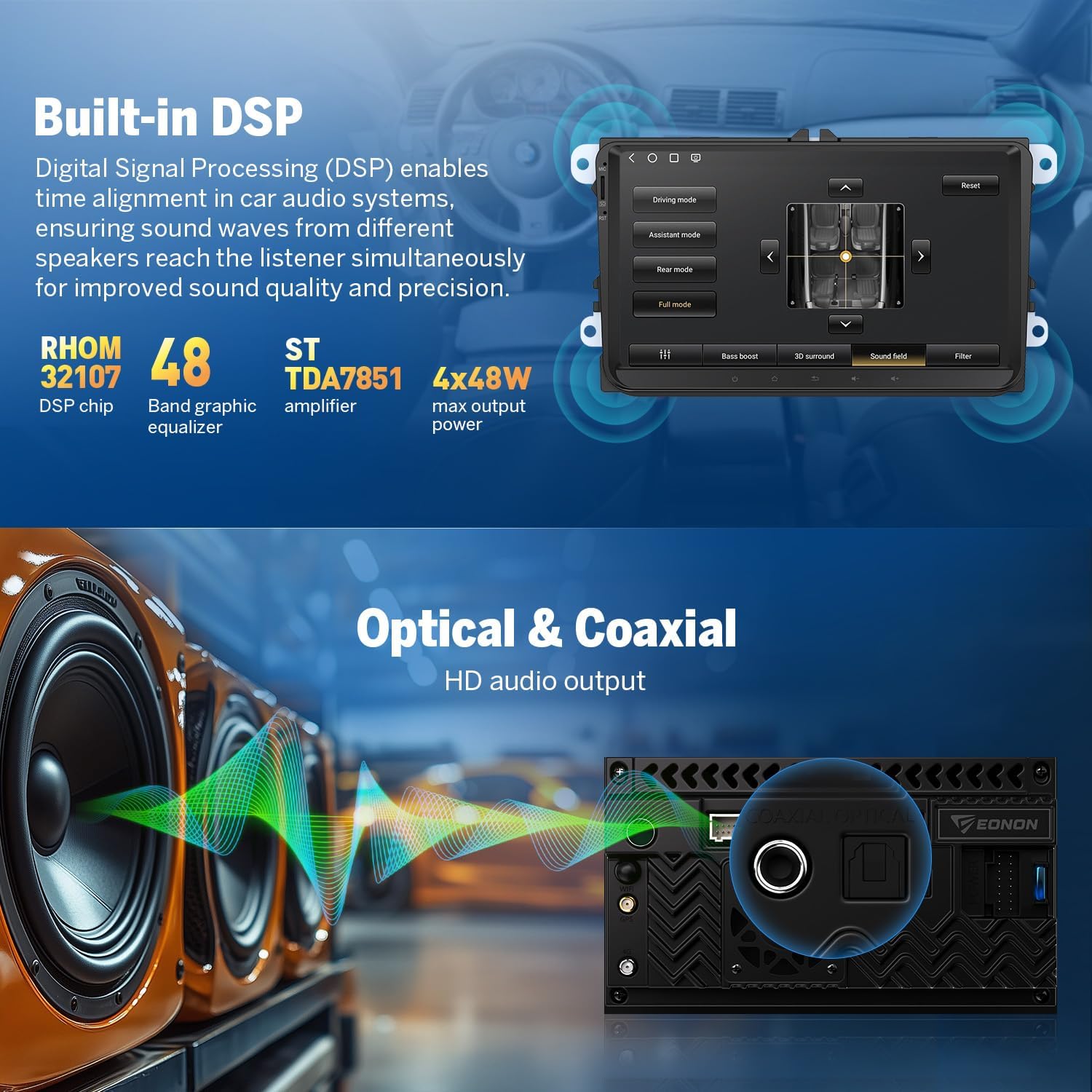
Image: All components included in the Eonon VWX6S package, laid out for inspection.
Configuració i instal·lació
The Eonon VWX6S head unit is designed for plug-and-play installation in compatible Volkswagen, SEAT, and Skoda models. It retains many original equipment manufacturer (OEM) features.
Compatibilitat
This head unit is compatible with most car models of Golf MK5/MK6 Jetta, SEAT, and SKODA. Refer to the detailed compatibility list below:
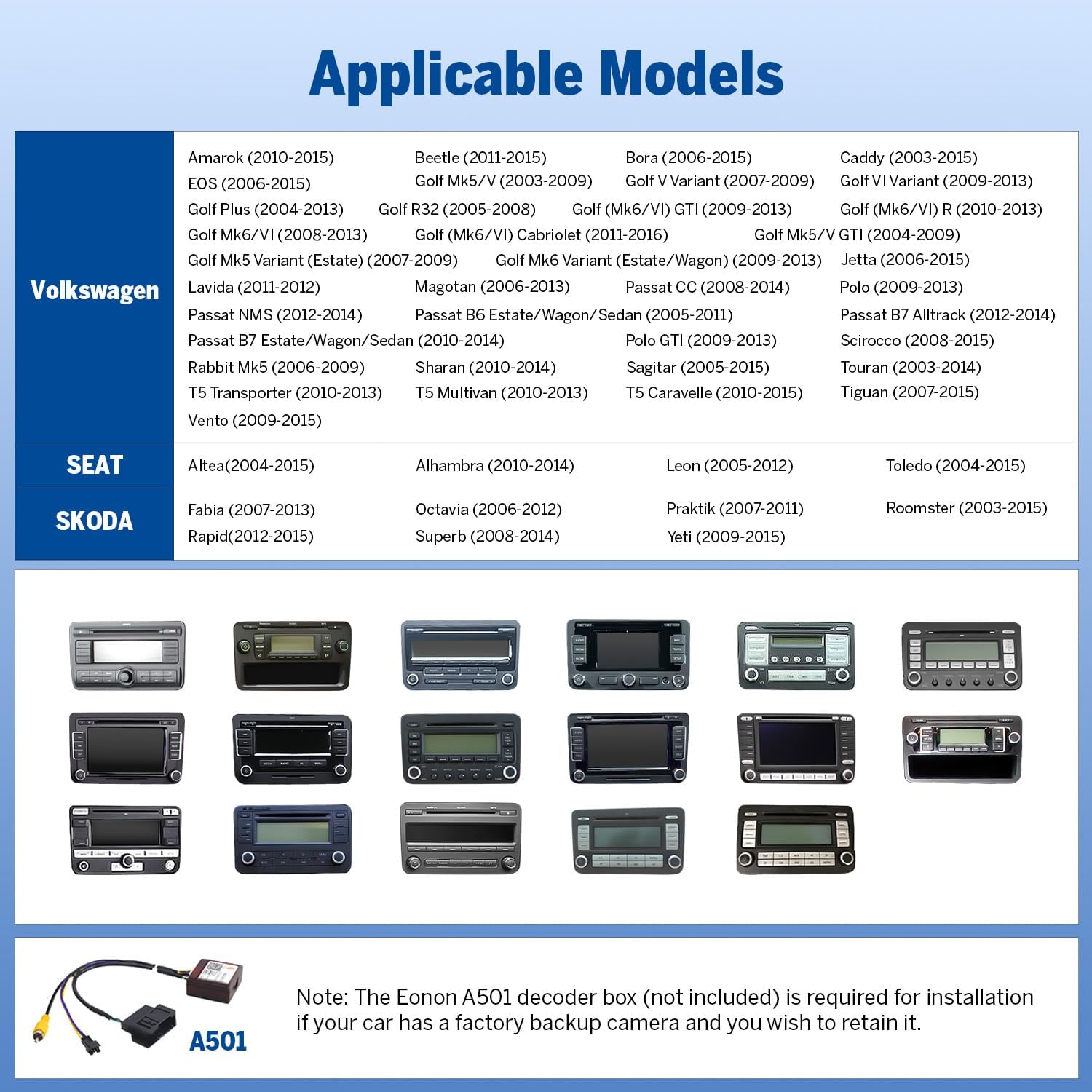
Image: A chart detailing compatible Volkswagen, SEAT, and Skoda vehicle models for the VWX6S head unit.
Nota important: An A501 decoder box (not included) is required if your vehicle has a factory backup camera and you wish to retain its functionality.
Esquema de cablejat
Follow the wiring diagram carefully for proper connection of all components, including power, audio/video inputs, and accessories.

Image: A comprehensive wiring diagram illustrating all connection points and corresponding labels for the Eonon VWX6S head unit.
Retaining OEM Features
The VWX6S is designed to integrate seamlessly with your vehicle's existing systems, preserving key OEM functionalities such as:
- Comandaments al volant
- Dynaudio & Fender audio systems
- OEM backup camera (A501 decoder box may be required)
- Parking sensor and reversing guidelines
- Door reminder
- AC information display
- Driving data display
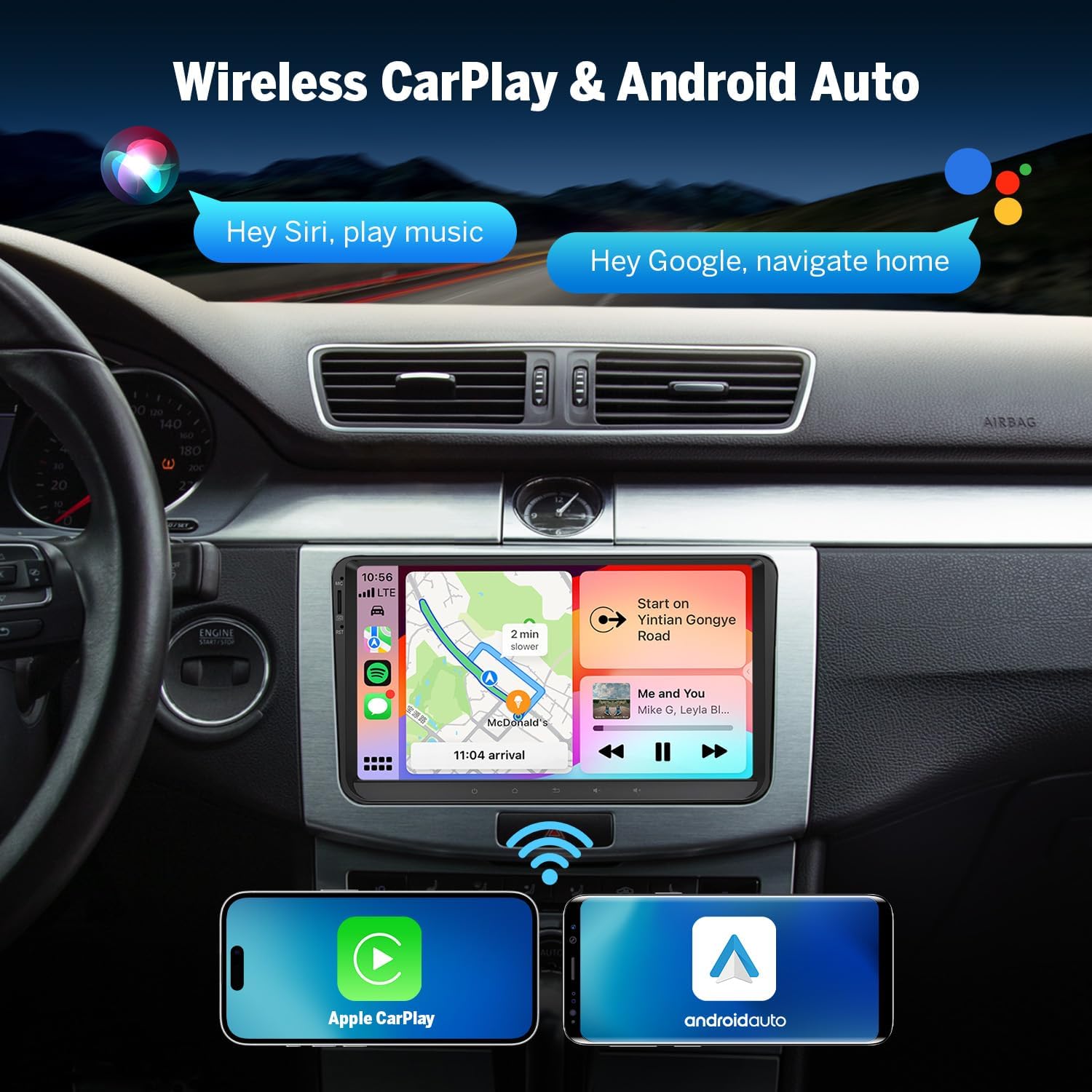
Image: Visual representation of various original car features that are retained and integrated with the Eonon VWX6S head unit.
Instruccions de funcionament
Pantalla i interfície d'usuari
The 9-inch QLED touch screen offers a 1280x720 HD resolution, providing vivid colors and wide viewing angles. The unit features a brand new UI with multiple themes to personalize your experience.
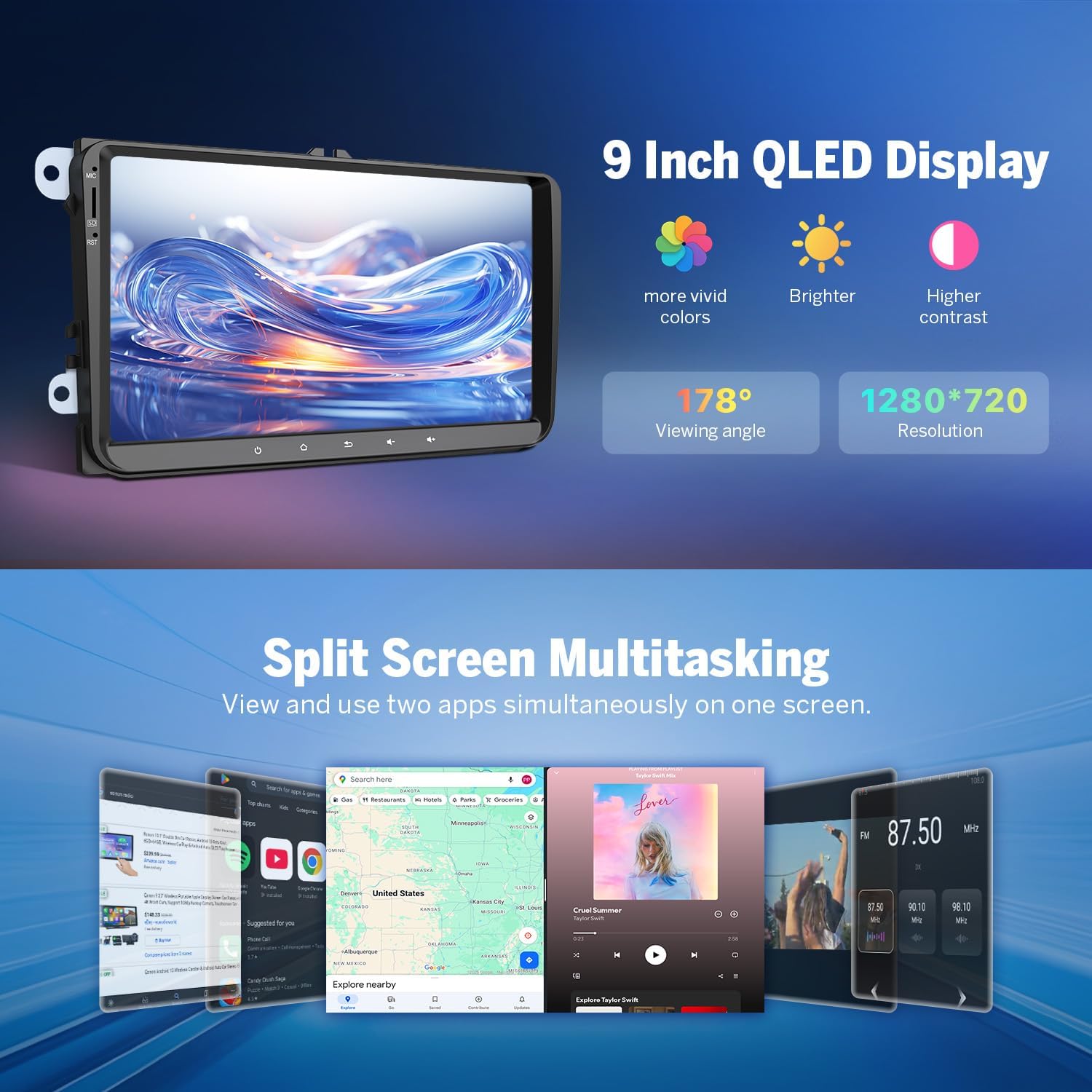
Image: The 9-inch QLED display showcasing its vibrant colors, wide viewing angle, and 1280x720 resolution, along with an example of split-screen multitasking.
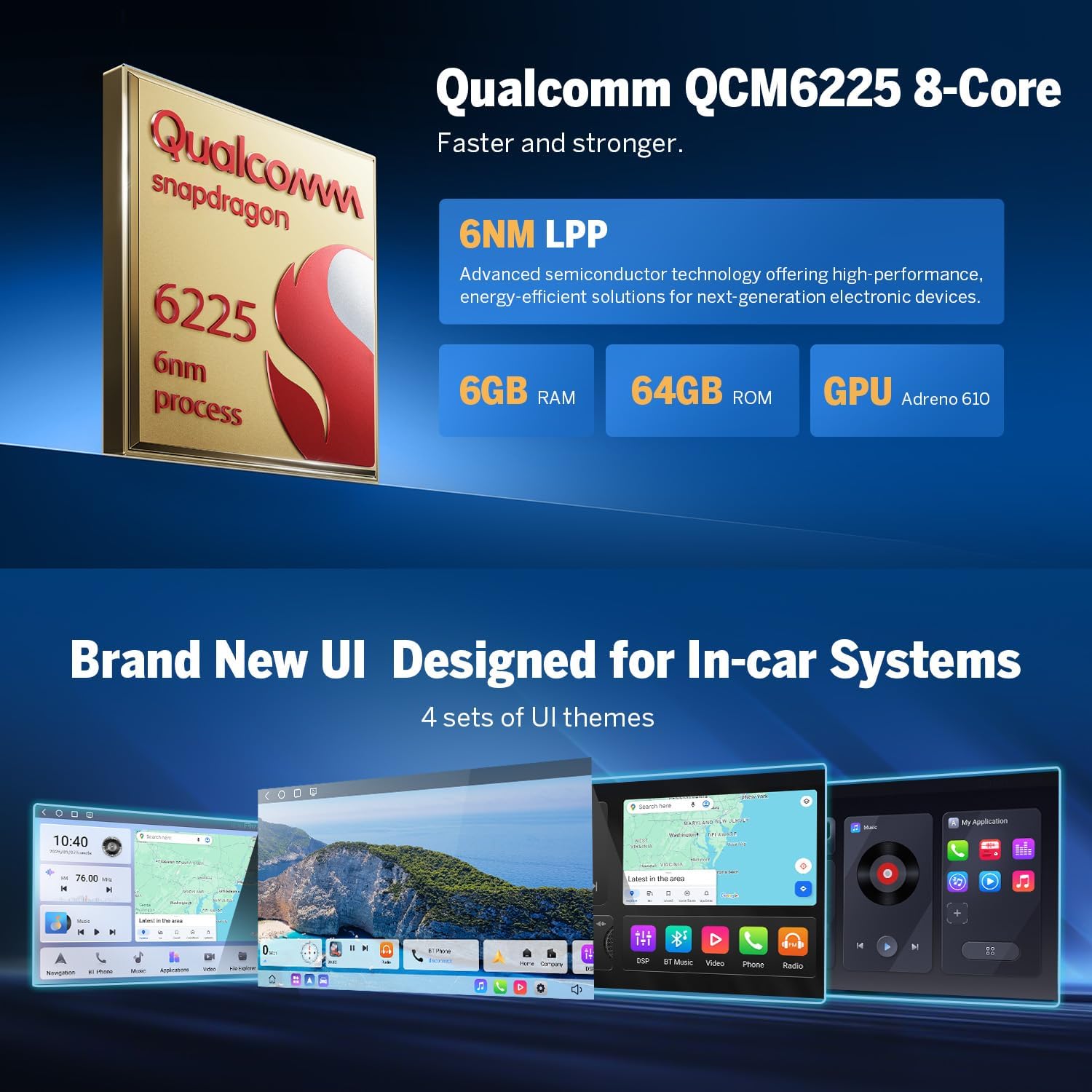
Image: Highlights the Qualcomm QCM6225 Octa-core processor and various new user interface themes available on the Eonon VWX6S.
CarPlay sense fil i Android Auto
Connect your iPhone or Android device wirelessly via Bluetooth for seamless access to CarPlay or Android Auto. This allows for hands-free calls, navigation, music playback, and more.

Image: Demonstrates the wireless CarPlay and Android Auto features, showing voice command integration for calls and music.
Vídeo: Un overview of the Eonon VWX6S car stereo, highlighting its key features and user interface. This video demonstrates the product's capabilities in a real-world setting.
Audio Features (Built-in DSP)
The built-in Digital Signal Processor (DSP) and 4x48W max output power provide an immersive sound experience. Adjust your audio with the 48-band graphic equalizer and six preset EQ modes.

Image: Illustrates the built-in DSP for sound customization and the optical & coaxial HD audio output capabilities of the Eonon VWX6S.
Característiques addicionals
- Split-Screen Multitasking: View and use two applications simultaneously.
- Bluetooth 5.1: Supports hands-free calls, contact synchronization, and music playback. Includes an external microphone for clear calls.
- Ràdio FM/AM: High-quality radio with preset stations for traffic, news, and weather.
- Navegació GPS: Supports offline and online GPS navigation.
- Replica de pantalla: Project content from your mobile phone onto the large screen.
- Càmera de seguretat: Includes an A0127 reversing camera for enhanced safety.
- OBDII Support: Compatible with OBDII devices (not included) for vehicle fault diagnosis and real-time status monitoring.
- Dashcam Support: Supports Eonon dashcam (A100) and DAB+ box (502) (not included).
Manteniment i Actualitzacions
The Eonon VWX6S supports Over-The-Air (OTA) firmware updates. These updates are crucial for fixing software issues and enhancing security. Simply connect to Wi-Fi and check for updates in the system settings.
Nota: These updates are for the software and do not upgrade the underlying Android system version.

Image: Depicts the process of performing an Over-The-Air (OTA) firmware update to keep the car stereo software current and secure.
Resolució de problemes
If you encounter issues with your Eonon VWX6S, please refer to the following common troubleshooting steps:
- Sense energia: Ensure all power cables are securely connected and the vehicle's fuse is intact. Check the included 15A fuse.
- Sense so: Verify speaker connections and audio output settings. Check DSP settings and EQ modes.
- Wireless CarPlay/Android Auto Connectivity Issues:
- Ensure Bluetooth and Wi-Fi are enabled on both the head unit and your mobile device.
- Forget the device from both the head unit and your phone's Bluetooth settings, then attempt to re-pair.
- Restart both the head unit and your mobile device.
- Assegureu-vos que el sistema operatiu del vostre telèfon estigui actualitzat.
- Els comandaments del volant no funcionen: Confirm the CANBUS connection is correct and properly configured. Refer to the wiring diagram.
- Backup Camera Display Issues: Check the video input cable connection. If using a factory camera, ensure the A501 decoder box is correctly installed and connected.
- Poor Microphone Audio: Ensure the external microphone is securely plugged in and positioned correctly. Check microphone settings in the head unit's menu.
- System Lag/Slow Response: Close unnecessary background applications. Perform a system restart. Ensure the latest firmware updates have been installed.
For persistent issues, please contact Eonon customer support for further assistance.
Especificacions
| Característica | Detall |
|---|---|
| Número de model | VWX6S |
| Sistema operatiu | Android 13 |
| Processador | Qualcomm QCM6225 Octa-core (6nm LPP) |
| RAM | 6 GB |
| ROM | 64 GB |
| Mida de la pantalla | 9 polzades |
| Tipus de visualització | Pantalla tàctil QLED |
| Resolució | 1280 x 720 HD |
| Versió Bluetooth | 5.1 |
| Connectivitat | Bluetooth, USB, Wi-Fi, 4G LTE |
| Max Audio Output | 4 x 48W |
| Equalitzador | 48-band graphic equalizer, 6 preset EQ modes |
| Característiques especials | Android Auto, Apple CarPlay, Built-in DSP, Split-Screen, Screen Mirroring, GPS Navigation, FM/AM Radio, OTA Updates |
| Dimensions del paquet | 11.03 x 7.09 x 6.7 polzades |
| Pes de l'article | 4.4 lliures |
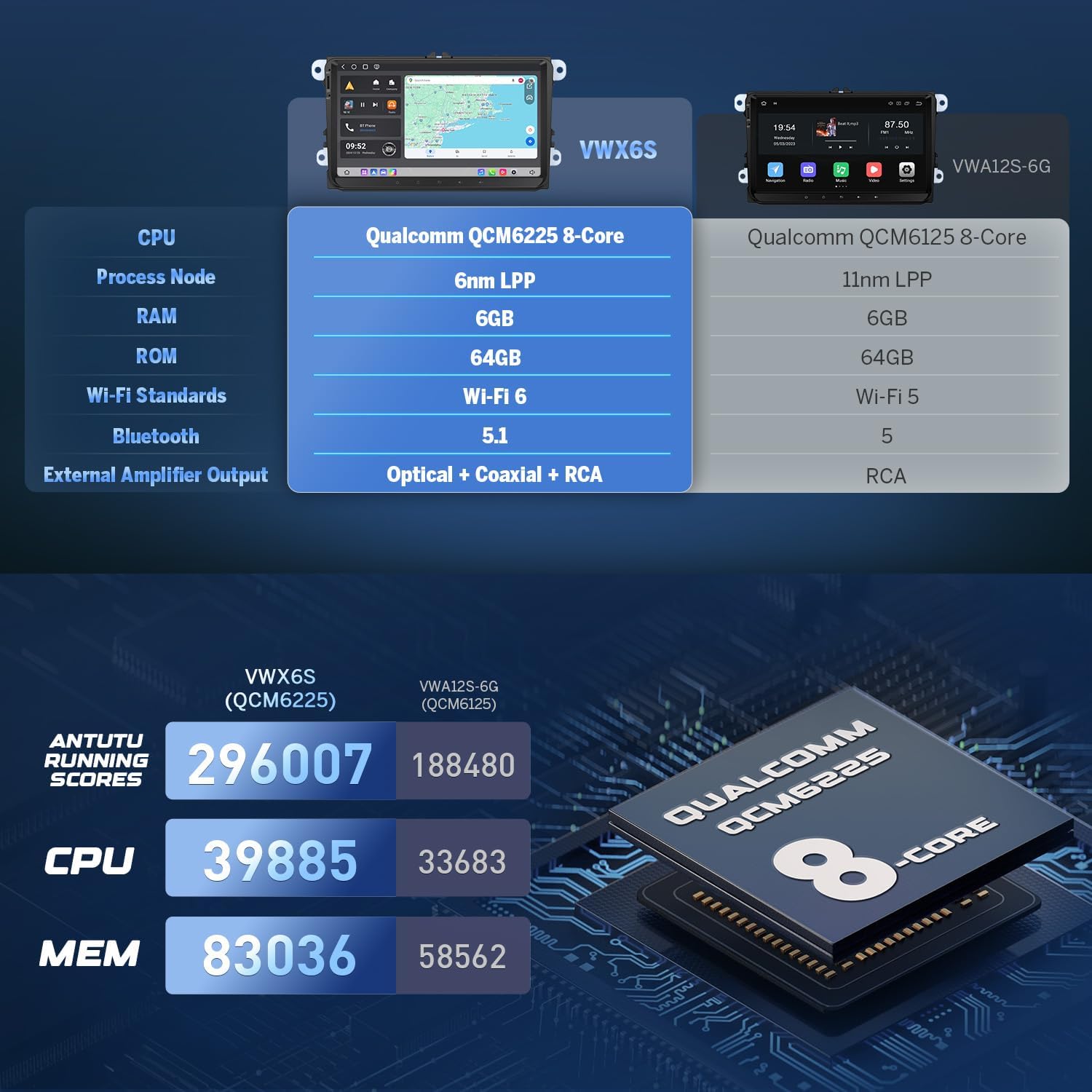
Image: Detailed measurements for the installation size of the Eonon VWX6S head unit.
Garantia i Suport
For warranty information and customer support, please refer to the documentation provided with your purchase or visit the official Eonon website. Regular software updates are provided Over-The-Air (OTA) to ensure optimal performance and security.
Eonon is committed to providing high-quality products and support. For any technical inquiries or assistance, please reach out to their customer service team.
Ask a question about this manual
Ask about setup, troubleshooting, compatibility, parts, safety, or missing instructions. Manuals+ will review the question and use this page’s manual context to help answer it.