
1. Introducció
This manual provides detailed instructions for the installation, operation, and maintenance of your Eonon P6 Motorcycle CarPlay & Android Auto Display. Please read this manual thoroughly before using the product to ensure proper functionality and safety.
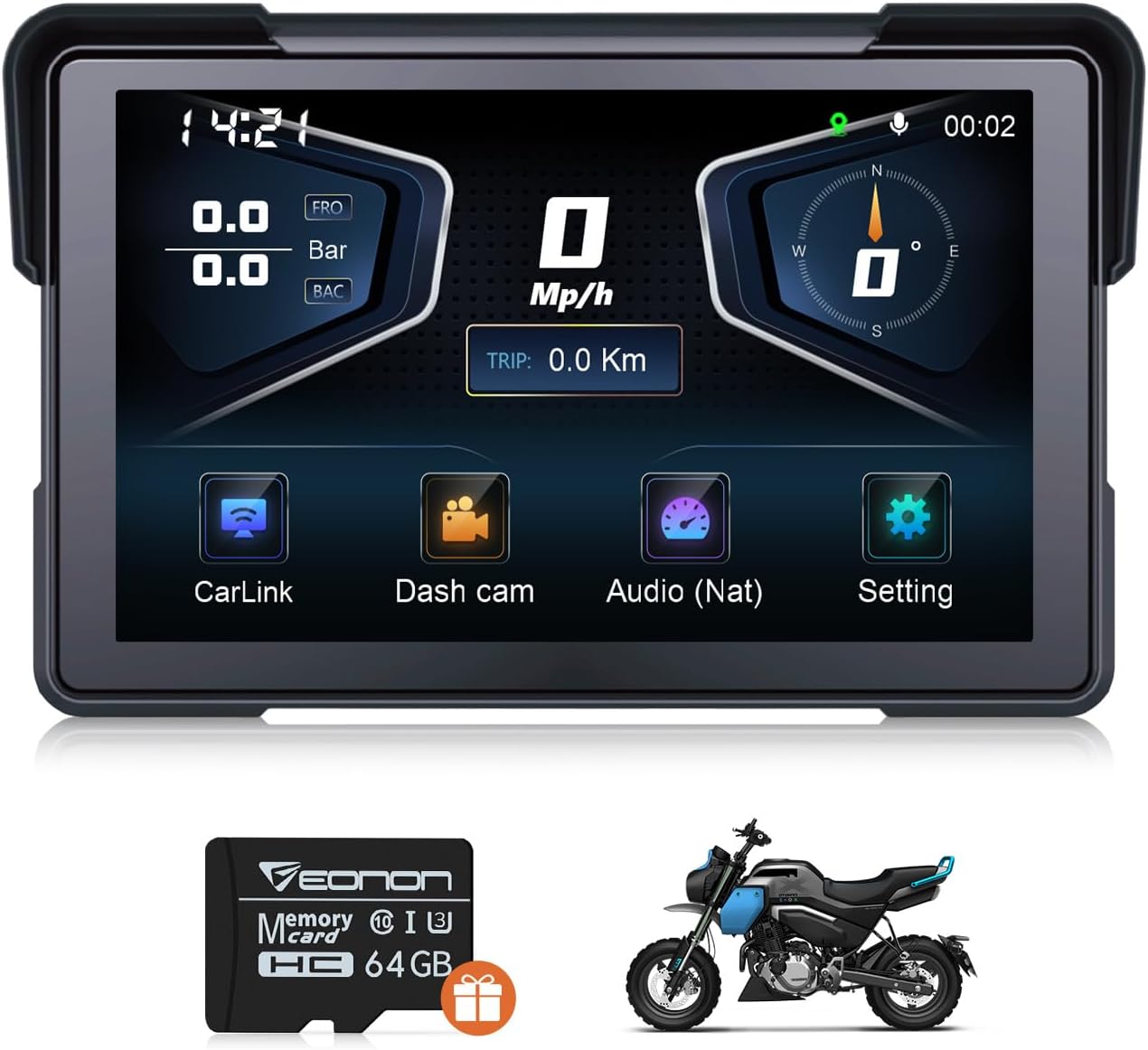
Figure 1.1: Eonon P6 Motorcycle Display
2. Producte acabatview
2.1 Característiques clau
- CarPlay sense fil i Android Auto: Seamless smartphone integration for navigation, calls, music, and messaging via Bluetooth.
- Advanced Recording System: Front 4K + rear 1K 110° wide-angle dual-camera DVR with loop recording, photo, and video locking.
- Multifunctional Dashboard: Displays tire pressure, speed, compass direction, and time on a 1024*600 IPS 7-inch screen.
- Sortida d'àudio versàtil: Features built-in speaker and Bluetooth output options for audio.
- Durable and Easy to Install: IP68 waterproof and dustproof rating, designed for easy installation, includes a 64GB Micro SD card (supports up to 256GB).
- Bluetooth dual: Allows simultaneous connection to smartphone and Bluetooth headset/helmet.
- Compass & Barometer: Assists with navigation and monitors altitude changes.
2.2 Contingut del paquet
Verifiqueu que tots els elements que s'enumeren a continuació s'inclouen al vostre paquet:
- Cable d'alimentació (x1)
- Càmera (x2)
- Wired remote control (x1)
- Hexagon wrench (x1)
- Suport (x1)
- Phillips screwdriver (x1)
- Open-end wrench (x1)
- GPS antenna (x1)
- Tire pressure sensor (x2)
- Power cable for testing (x1)
- Manual d'usuari (x1)
- 64GB microSD card (pre-installed in the slot) (x1)

Figura 2.1: Què hi ha a la caixa
3. Configuració i instal·lació
3.1 Muntatge de la pantalla
- Install the bracket securely to the motorcycle handlebar using the provided screws.
- Attach the Eonon P6 display to the installed bracket. Adjust its angle for optimal viewing and then tighten it securely.
- Ensure the display is firmly mounted and does not obstruct your view or control of the motorcycle.

Figura 3.1: Passos d'instal·lació
3.2 Connexions de cablejat
Connect the power cable, cameras, GPS antenna, and wired remote control according to the wiring diagram provided in the separate quick start guide. Ensure all connections are secure and waterproof.
3.3 Encès inicial
Once all connections are made, turn on your motorcycle's ignition. The Eonon P6 display should power on automatically. Follow any on-screen prompts for initial setup.
4. Instruccions de funcionament
4.1 Connexió sense fil CarPlay i Android Auto
The Eonon P6 supports wireless CarPlay and Android Auto for seamless smartphone integration.
4.1.1 CarPlay Connection
- On the P6 display, click 'CarLink' and then select 'CarPlay'.
- On your iPhone, turn on Bluetooth and Wi-Fi.
- In your iPhone's Bluetooth device list, find 'EONON_XXXX' and enter the password to pair.
- Once connected, tap 'Use CarPlay' on your iPhone.

Figure 4.1: CarPlay Connection Steps
4.1.2 Connexió d'Android Auto
- On the P6 display, click 'CarLink' and then select 'Android Auto'.
- On your Android phone, turn on Bluetooth and Wi-Fi.
- In your Android phone's Bluetooth device list, find 'EONON_XXXX' and enter the password to pair.
- Wait for a pop-up window on your Android phone for Android Auto in-car authorization, then tap to pair.

Figure 4.2: Android Auto Connection Steps
Video 4.1: Demonstration of setting up wireless Android Auto on the Eonon P6 display.
4.2 DVR Operation
The Eonon P6 features a dual-camera DVR system for recording your rides.
- Gravació: The system supports continuous loop recording.
- Video Locking: Menjar importanttage can be locked to prevent overwriting.
- Viewing Footage: Footagi pot ser viewed directly on the display or via your smartphone using the dedicated app.
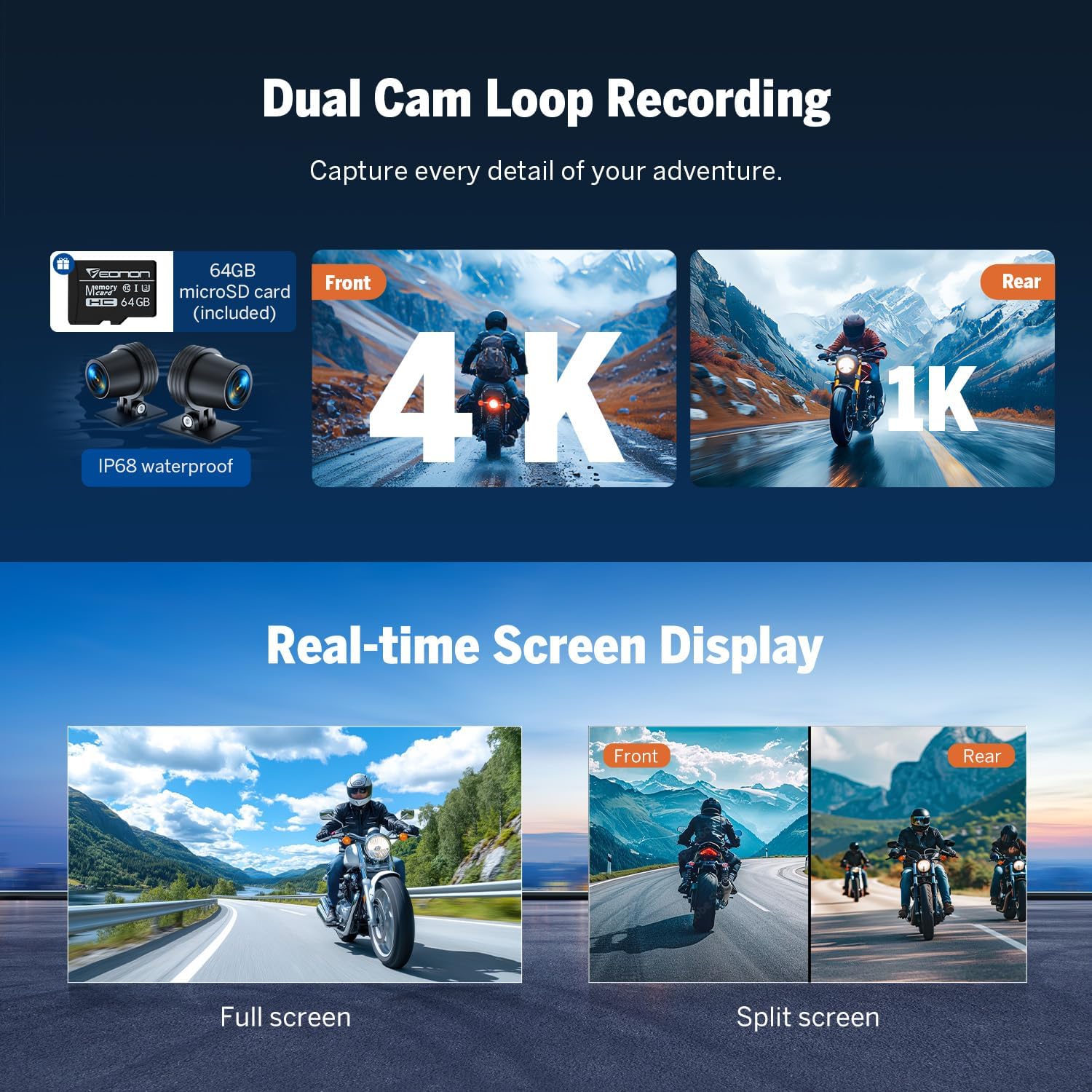
Figure 4.3: Dual Cam Loop Recording
4.3 Sortida d'àudio
Audio from the P6 display can be outputted via the built-in speaker or a Bluetooth headset.
- Altaveu integrat: Per a la reproducció directa d'àudio.
- Auriculars Bluetooth: Connect your Bluetooth-enabled headset or helmet for private audio and calls.

Figura 4.4: Opcions de sortida d'àudio
Video 4.2: Instructions on how to output audio to a Bluetooth headset from the Eonon P6.
4.4 Multifunctional Dashboard Display
The 7-inch IPS screen provides real-time information crucial for your ride.
- Sistema de control de la pressió dels pneumàtics (TPMS): Real-time display of tire pressure for enhanced safety.
- Visualització de velocitat: Mostra la velocitat actual.
- Brúixola: Provides directional guidance.
- Visualització de l'hora: Mostra l'hora actual.
- Baròmetre: Monitors altitude changes.

Figure 4.5: Smart Riding Dashboard

Figure 4.6: TPMS and Data Storage
4.5 Integració d'aplicacions
Download the Viidure app to manage and view your riding footage i dades.

Figure 4.7: App Integration with Viidure
Download the Viidure app: https://www.6zhentan.com/app/d0001/index.html
4.6 Wired Handlebar Remote
The wired remote control provides convenient access to functions while riding, ideal for motorcycles and ATVs.

Figure 4.8: Wired Handlebar Remote
5. Manteniment
- Neteja: Utilitzeu un suau, damp cloth to clean the display screen and exterior. Avoid abrasive cleaners or solvents.
- Actualitzacions de programari: Reviseu periòdicament el fabricant website for available software updates to ensure optimal performance and new features.
- Emmagatzematge: Quan no l'utilitzeu durant períodes prolongats, guardeu el dispositiu en un lloc fresc i sec.
6. Solució De Problemes
- Sense energia: Check all power connections. Ensure the motorcycle's ignition is on.
- La pantalla no respon: Try restarting the device by cycling the motorcycle's ignition.
- Problemes de connexió Bluetooth: Ensure Bluetooth is enabled on both the P6 and your smartphone. Forget and re-pair the device if issues persist.
- Poor GPS Signal: Ensure the GPS antenna is installed correctly and has a clear view del cel.
- Problemes amb la càmera: Check camera connections. Ensure the SD card is properly inserted and not full.
7. Especificacions
| Característica | Especificació |
|---|---|
| Nom del model | P6 |
| Mida de la pantalla | 7 polzades |
| Resolució de visualització | IPS de 1024 * 600 |
| Resolució de la càmera | Front 4K, Rear 1K |
| Classificació impermeable | IP68 |
| Temperatura de funcionament | -20 °C a +60 °C |
| Tecnologia de connectivitat | Bluetooth, Wi-Fi, USB |
| Capacitat d'emmagatzematge de memòria | 64 GB (ampliable fins a 256 GB) |
| Pes de l'article | 3.04 lliures |
| Dimensions del paquet | 11.25 x 7 x 3.25 polzades |
| Tipus de servei del vehicle | Motocicleta |
8. Garantia i assistència
8.1 Informació de la garantia
The Eonon P6 Motorcycle Display comes with a 2-Year Manufacturer Warranty. Please retain your proof of purchase for warranty claims.
8.2 Atenció al client
For technical assistance, troubleshooting, or warranty inquiries, please refer to the contact information provided on the official Eonon weblloc web o la vostra plataforma de compra.