
1. Producte acabatview
The Eonon Android 13 Car Stereo is a custom-designed head unit for Honda Civic 2006-2011 Left-hand drive vehicles. It features a 10.1-inch IPS HD touchscreen, Wireless CarPlay & Android Auto, and an advanced Android 13 system for enhanced in-car entertainment and navigation.

Figure 1.1: Eonon Android 13 Car Stereo with CarPlay interface.
2. Applicable Car Models
This car stereo is specifically designed for Honda Civic models manufactured between 2006 and 2011, for left-hand drive vehicles. Please ensure your vehicle's dashboard dimensions and model year align before installation. Nota: This car stereo is not compatible with the co-pilot airbag indicator light.
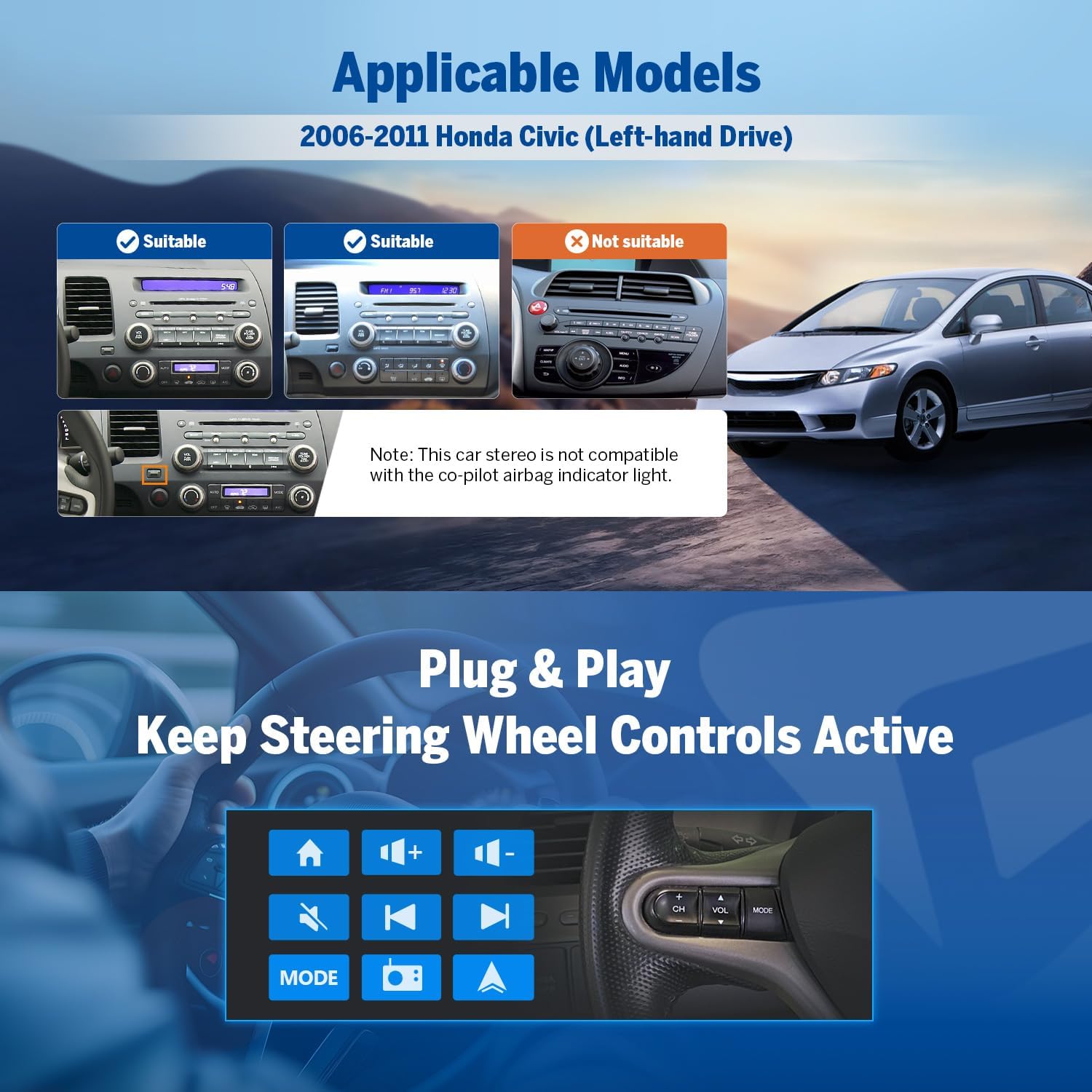
Figure 2.1: Compatibility guide for Honda Civic dashboards.
3. Què hi ha a la caixa
Upon unboxing, verify that all the following components are included:
- Reversing Camera A0125 x1
- Cable d'alimentació x1
- Antena GPS x1
- USB Adapter Cable x2
- Audio/Video Adapter Cable x1
- Audio Adapter Cable x1
- Reverse Video Input Cable x1
- 15A Spare Fuse x1
- Micròfon extern x1
- Manual d'usuari x1

Figura 3.1: Contingut de l'embalatge del producte.
4. Configuració i instal·lació
The Eonon car stereo is designed for a plug-and-play installation, aiming to retain your car's factory features such as steering wheel controls. Professional installation is recommended.
4.1 Esquema de cablejat
Refer to the detailed wiring diagram for proper connection of all cables and accessories. Ensure all connections are secure before powering on the unit.
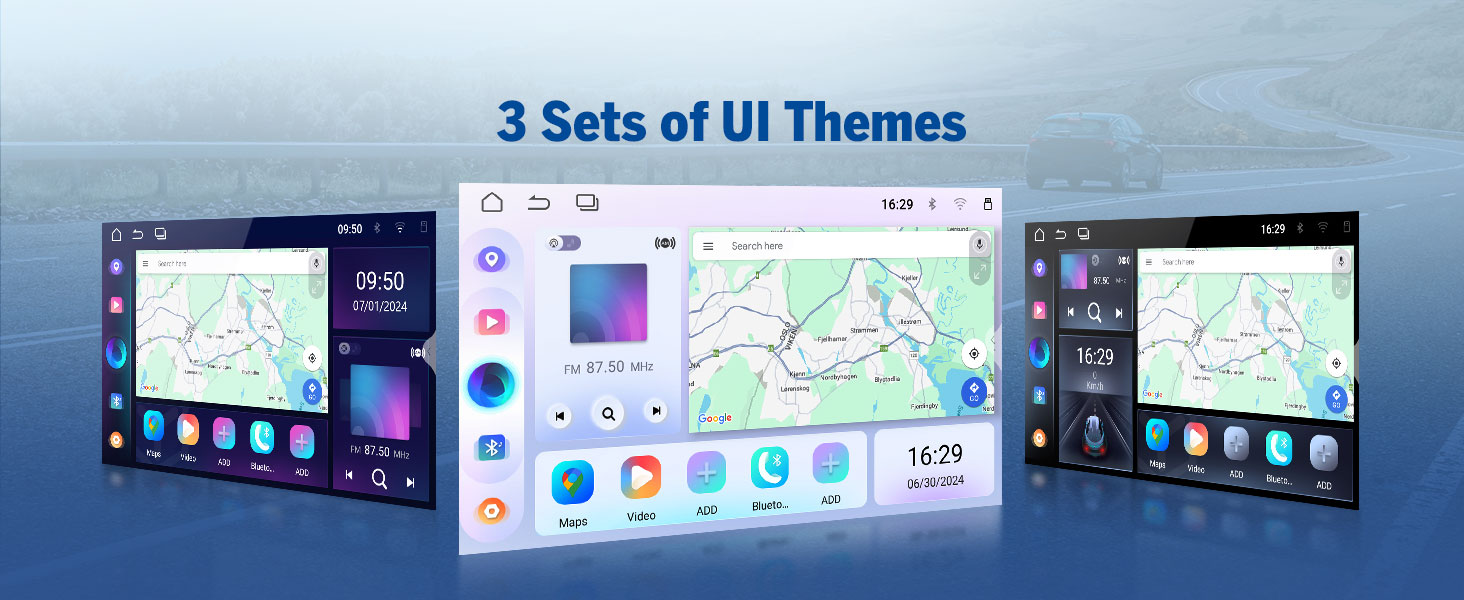
Figure 4.1: Comprehensive wiring diagram for the head unit.
4.2 Retaining Factory Features
The unit supports integration with existing steering wheel controls, door reminders, and AC information/control, providing a seamless upgrade while preserving essential vehicle functionalities.

Figure 4.2: Integration with car's factory features.
5. Instruccions de funcionament
5.1 Android 13 System
The head unit runs on the latest Android 13 system, powered by an RK3562 Quad-core ARM Cortex-A53 CPU (2.0GHz) with 2GB RAM and 32GB ROM. This configuration ensures smooth multitasking and fast app response times.

Figure 5.1: Android 13 system interface.
5.2 Display and Audio Excellence
The 10.1-inch IPS HD capacitive touchscreen offers a resolution of 1280x720 and a wide 178° viewing angle for clear visuals. The built-in 36-band EQ and 4x45W surround sound amplifier provide a customizable and immersive audio experience, supporting various media formats including 1080P video, MP3, FLAC, and APE.

Figure 5.2: Display features and screen mirroring.

Figure 5.3: Audio customization options.
5.3 CarPlay sense fil i Android Auto
Enjoy seamless integration with your smartphone using Wireless CarPlay and Android Auto. Access navigation, music, calls, and messages via voice commands or the touchscreen. Wired options are also available for flexibility.

Figura 5.4: Funcionalitat de CarPlay sense fil i Android Auto.
5.3.1 Connexió sense fil d'Apple CarPlay
- Click the Zlink5 app on the car stereo.
- Turn on Wi-Fi and Bluetooth on your iPhone.
- Find 'EONON' in your phone's Bluetooth device list and enter 0000 to pair. Once connected, tap 'Use CarPlay'.
- Espereu uns segons per completar la connexió.
5.3.2 Connexió sense fil d'Android Auto
- Click the Zlink5 app on the car stereo.
- Turn on Wi-Fi and Bluetooth on your Android phone.
- Find 'EONON' in your phone's Bluetooth device list, enter 0000 and click 'OK'.
- Espereu uns segons per completar la connexió.
5.4 Connectivitat Bluetooth
Equipped with Bluetooth 5.4 and an independent Bluetooth module, the unit provides stable hands-free calls, high-quality music streaming, and quick phonebook searches.

Figure 5.5: Bluetooth features.
5.5 Advanced Features & Expandability
The unit supports backup camera input, dual-band Wi-Fi (2.4G/5G), and app installation. It includes 3 USB ports for external devices and is compatible with additional Eonon accessories (sold separately).
- Càmera de seguretat: Supports A0125 rearview camera (included). Provides 720P AHD video with a 140° rear viewing angle and reversing guidelines.
- Dashcam: Compatible with Eonon dashcam (A100, not included) for 120° viewing angle and video playback.
- OBD2 Scanner: Supports OBD2 scanner (V0056, not included) for vehicle fault diagnosis and real-time status monitoring.

Figure 5.6: Backup camera features.

Figure 5.7: Dashcam compatibility.

Figure 5.8: OBD2 scanner compatibility.
5.6 User Interface Customization
Personalize your stereo's appearance with options for boot logo, button color, and wallpaper. The unit also offers three distinct UI themes to choose from.

Figure 5.9: UI customization options.
6. Manteniment
To ensure the longevity and optimal performance of your Eonon car stereo, follow these maintenance guidelines:
- Neteja: Feu servir un drap suau i sec per netejar la pantalla i l'exterior. Per a taques difícils, netegeu lleugerament.ampRenta el drap amb aigua. Evita productes químics agressius o materials abrasius.
- Temperatura: Eviteu exposar la unitat a temperatures extremes, tant altes com baixes, durant períodes prolongats.
- Actualitzacions de programari: Regularly check for and apply Over-The-Air (OTA) firmware updates to fix software issues and enhance security. Note that these updates are for the software, not for an upgrade of the Android system.
7. Solució De Problemes
This section addresses common issues you might encounter with your Eonon car stereo.
| Problema | Causa possible | Solució |
|---|---|---|
| Sense poder | Blown fuse, incorrect wiring, loose power connection. | Check the 15A spare fuse. Verify all power cables are securely connected according to the wiring diagram. |
| Sense sortida de so | Incorrect speaker wiring, volume too low, mute enabled, ampqüestió de lifier. | Check speaker connections. Increase volume. Ensure unit is not muted. Verify ampconnexions de lifier. |
| CarPlay/Android Auto no es connecta | Bluetooth/Wi-Fi off, incorrect pairing, Zlink5 app not launched. | Ensure Bluetooth and Wi-Fi are enabled on both devices. Re-pair the devices. Launch the Zlink5 app on the stereo. |
| La pantalla tàctil no respon | Error de programari, interferències del protector de pantalla. | Restart the unit. If a screen protector is installed, ensure it is properly applied and not causing issues. |
| Poor GPS Signal | Col·locació d'antenes GPS, interferències ambientals. | Ensure the GPS antenna is placed in an unobstructed location, typically on the dashboard with a clear view del cel. |
8. Especificacions
| Característica | Detall |
|---|---|
| Número de model | HCIV1X6 |
| Sistema operatiu | Android 13 |
| CPU | RK3562 Quad-core ARM Cortex-A53 @ 2.0GHz |
| RAM | 2 GB |
| ROM | 32 GB |
| Mida de la pantalla | 10.1 polzades |
| Tipus de visualització | IPS HD Capacitive Touchscreen |
| Resolució | 1280 x 720 |
| Viewangle ing | 178° |
| Ampmés viu | 4x45W Surround Sound |
| Equalitzador | EQ de 36 bandes |
| Versió Bluetooth | 5.4 |
| Wi-Fi | Doble banda (2.4G/5G) |
| Ports USB | 3 |
| Pes de l'article | 4.4 lliures |
| Dimensions del paquet | 17.25 x 11.35 x 9.2 polzades |
9. Garantia i Suport
For warranty information and technical support, please refer to the official Eonon website or contact their customer service directly. Eonon offers convenient online firmware updates (OTA) to ensure your head unit remains up-to-date and to address any software issues.
Podeu visitar el EONON Store on Amazon per a més informació sobre el producte i accessoris.