
ODK SPCB01010801029USDF-1
Manual d'usuari de l'escriptori d'ordinador ODK de 55 polzades
Model: SPCB01010801029USDF-1
Introducció
This manual provides comprehensive instructions for the assembly, operation, maintenance, and troubleshooting of your ODK 55-Inch Computer Desk. Designed for home offices, student studies, and general workstations, this desk features integrated power outlets, USB charging ports, a removable storage bag, and a headphone hook for enhanced functionality and organization.
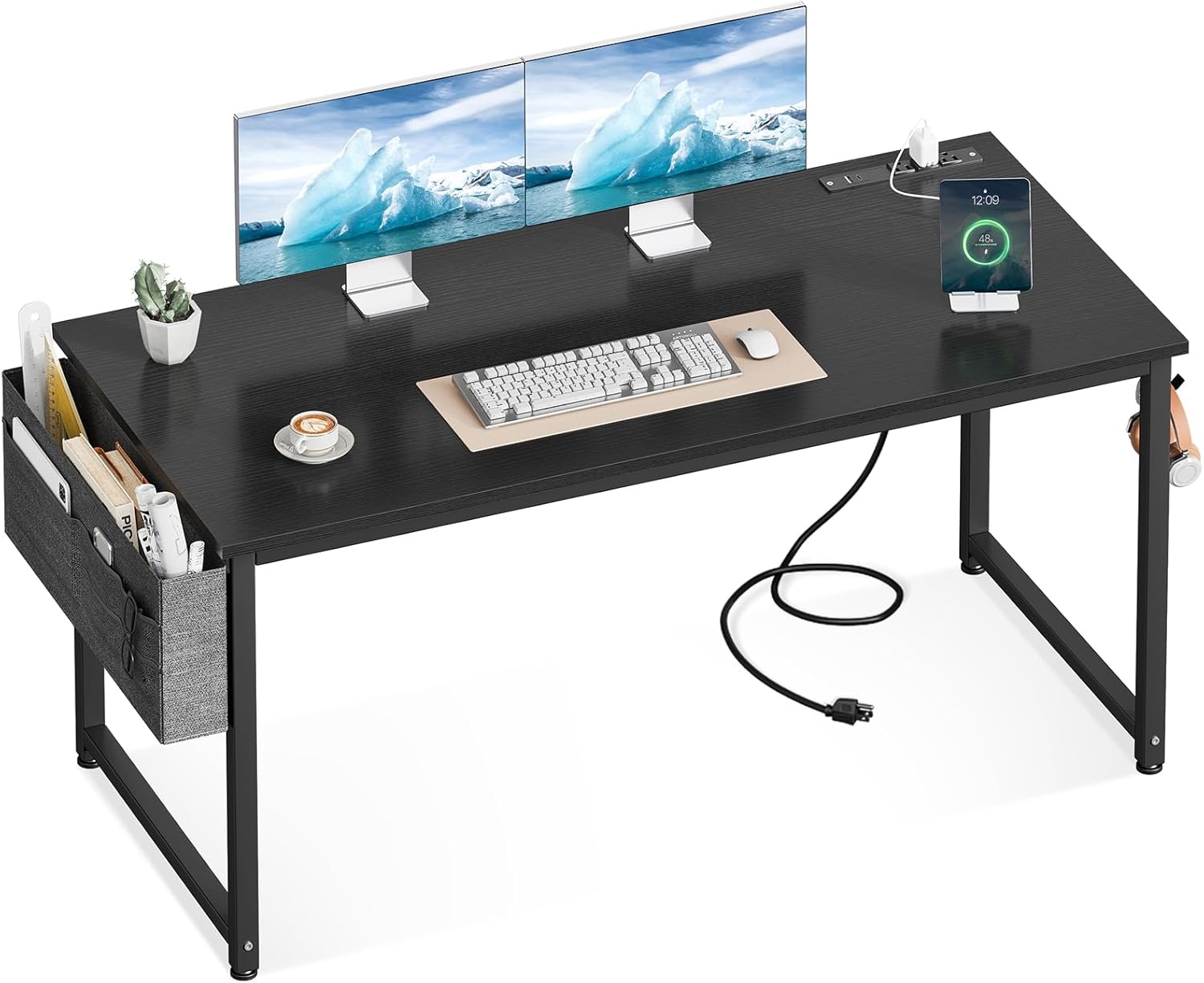
Figure 1: The ODK 55-Inch Computer Desk, showcasing its spacious desktop and integrated features.
Configuració
Instruccions de muntatge
The ODK Computer Desk is designed for quick and easy assembly. All necessary tools and step-by-step instructions are included. Assembly typically takes approximately 30 minutes.
- Desembaleu tots els components i verifiqueu-los amb la llista de peces que es proporciona al manual inclòs.
- Follow the step-by-step diagrams to connect the metal frame components. Ensure all screws are securely tightened.
- Attach the desktop to the assembled frame.
- Install the removable storage bag and headphone hook as desired.

Figure 2: Visual guide for desk assembly, illustrating the main steps from frame setup to final attachment.
Coixinets de cames ajustables
The desk is equipped with adjustable leg pads to ensure stability on uneven floors. To adjust, simply rotate the bottom of each leg pad clockwise or counter-clockwise until the desk is level and stable.
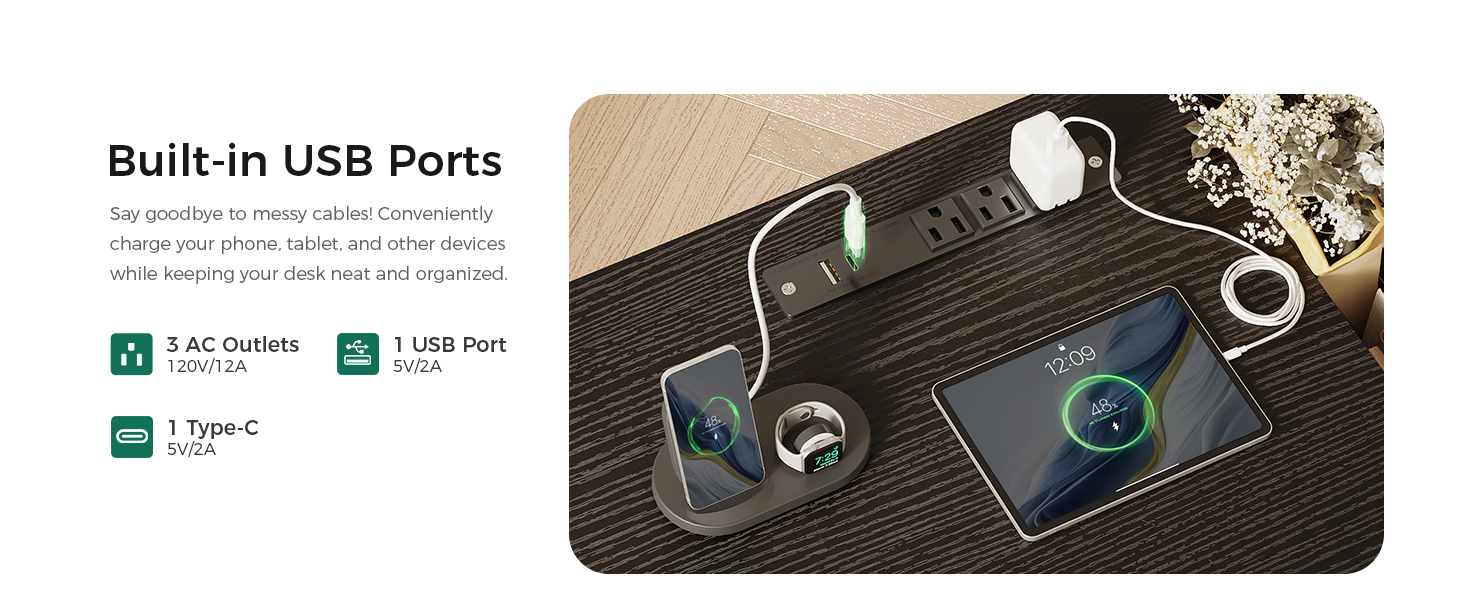
Figure 3: Detail of an adjustable leg pad, designed to stabilize the desk on various floor surfaces.
Instruccions de funcionament
Built-in Power Outlets and USB Charging Ports
The ODK Computer Desk features a recessed power strip with 3 standard AC outlets (120V/12A), 1 USB-A charging port (5V/2A), and 1 Type-C charging port (5V/2A). This allows for convenient charging of electronic devices directly from your desk, reducing cable clutter.
- Connect the desk's power cord to a wall outlet.
- Plug in your devices to the available AC outlets or USB ports.
- Assegureu-vos que els dispositius siguin compatibles amb el volum proporcionattage i amperage.

Figure 4: The integrated power strip, providing convenient access to power and charging for multiple devices.
Smart Storage Solutions
The desk includes a removable fabric storage bag and a sturdy headphone hook to help keep your workspace organized.
- Fabric Storage Bag: Ideal for storing books, documents, notebooks, and other office supplies. It can be attached to either side of the desk frame.
- Ganxo dels auriculars: Provides a convenient place to hang headphones, backpacks, or charging cables, freeing up desktop space. It can be installed on either side of the desk.

Figure 5: The removable fabric storage bag, offering accessible storage for various items.
Figure 6: The versatile headphone hook, providing a dedicated spot for your headset or other hangable items.
Manteniment
To ensure the longevity and appearance of your ODK Computer Desk, follow these simple maintenance guidelines:
- Neteja de l'escriptori: The desktop surface is scratch-resistant and waterproof. Wipe clean with a damp drap i detergent suau si cal. Eviteu netejadors abrasius o productes químics agressius que puguin danyar l'acabat.
- Cura del marc: The metal frame can be wiped down with a dry or slightly damp drap per eliminar la pols.
- Subjecció de subjecció: Periodically check all screws and fasteners to ensure they remain tight. Retighten as needed to maintain stability.
- Fabric Storage Bag: The fabric bag can be removed and spot cleaned as needed. Allow to air dry completely before reattaching.
Resolució de problemes
If you encounter any issues with your ODK Computer Desk, please refer to the following common solutions:
| Problema | Causa possible | Solució |
|---|---|---|
| L'escriptori està inestable o trontolla. | Uneven floor surface; loose fasteners. | Adjust the leg pads until the desk is stable. Check and tighten all assembly screws. |
| Les preses de corrent/ports USB no funcionen. | Desk power cord not plugged in; circuit overload; faulty device. | Ensure the desk's power cord is securely plugged into a functioning wall outlet. Unplug some devices if overloaded. Test with a different device. If the issue persists, contact customer support. |
| Storage bag or hook detaches easily. | Improper installation; excessive weight. | Ensure the storage bag and hook are correctly attached according to the assembly instructions. Do not overload with excessive weight. |
Especificacions
| Característica | Detall |
|---|---|
| Marca | ODK |
| Número de model | SPCB01010801029USDF-1 |
| Dimensions del producte | 19.69 "P x 53.94" W x 28.94" H |
| Color | Negre |
| Estil | Modern |
| Material base | Metall |
| Tipus de material superior | Fusta d'enginyeria |
| Pes de l'article | 22.49 lliures |
| Preses de corrent | 3 preses de corrent altern (120V/12A) |
| Ports USB | 1 USB-A (5V/2A), 1 Type-C (5V/2A) |
| Característiques especials | Removable Storage Bag, Headphone Hook, Adjustable Leg Pads |
| Muntatge obligatori | Sí |

Figura 7: Dimensionalment sobrepassatview of the ODK 55-inch computer desk.
Garantia i Suport
Informació de la garantia
Specific warranty details for the ODK Computer Desk are typically provided at the point of purchase or within the product packaging. Please refer to your purchase documentation or contact the seller directly for information regarding warranty coverage and terms.
Atenció al client
For further assistance, technical support, or inquiries regarding your ODK Computer Desk, please contact ODK customer service through the official ODK Store on Amazon or via the contact information provided with your product.
You can visit the ODK Store at: ODK Store on Amazon
Ask a question about this manual
Ask about setup, troubleshooting, compatibility, parts, safety, or missing instructions. Manuals+ will review the question and use this page’s manual context to help answer it.