
1. Introducció i finalview
The Philips TAM3205M2/12 Micro Hi-Fi System is designed to provide clear stereo sound with deep bass. This system features a 20W RMS output, 3-inch woofers, and bass-reflex ports for an enhanced audio experience. It supports multiple audio sources including Bluetooth, CD playback, FM radio, USB input, and a 3.5mm audio input.
Advanced Bluetooth 5.4 technology with LE Audio and Auracast enables improved streaming quality and the ability to connect to multiple compatible speakers. The system can be conveniently controlled using the Philips Entertainment app on your smartphone. The design emphasizes sustainability, incorporating 85% PCR (post-consumer recycled) plastic and utilizing FSC-certified, plastic-free packaging.

2. Guia de configuració
2.1 Desembalatge
Carefully remove all components from the packaging. Ensure all parts are present: main unit, two speakers, FM antenna, power cable, and remote control (with 1 AAA battery included).
2.2 Connectar altaveus
Connect the speaker wires to the 'SPEAKER OUT (6Ω)' terminals on the rear of the main unit. Ensure correct polarity (red to red, black to black) for optimal sound quality. The left speaker connects to 'L' and the right speaker to 'R'.
2.3 Connecting FM Antenna
Insert the FM antenna plug into the 'FM ANTENNA' jack on the rear of the main unit. Extend the antenna fully and position it for best reception.
2.4 Connexió d'alimentació
Connect the power cable to the 'AC MAINS' input on the rear of the main unit, then plug the other end into a wall outlet (100-240V~50/60Hz).

3. Instruccions de funcionament
3.1 Encès/Apagat
Premeu el botó Poder botó de la unitat principal o del comandament a distància per encendre o apagar el sistema.
3.2 Selecció de la font
Premeu el botó FONT button on the main unit or remote control to cycle through available input sources: Bluetooth, CD, FM Radio, USB, and Audio In.
3.3 Vinculació Bluetooth
- Seleccioneu Bluetooth as the source. The display will show 'PAIRING'.
- On your Bluetooth device (smartphone, tablet), enable Bluetooth and search for 'Philips TAM3205M2'.
- Select the system to pair. Once connected, the display will show 'CONNECTED'.
- For Auracast functionality, ensure your device and other speakers are Auracast compatible and follow their respective pairing instructions.
3.4 Reproducció de CD
- Seleccioneu CD com a font.
- Premeu el botó Obrir/Tancar botó per obrir la safata de CD.
- Place a CD (audio CD or MP3-CD) with the label side up into the tray.
- Premeu el botó Obrir/Tancar Premeu el botó de nou per tancar la safata. La reproducció començarà automàticament.

3.5 Ràdio FM
- Seleccioneu FM com a font.
- Premeu el botó Sintonitza +/- botons per sintonitzar manualment una emissora o manteniu premut per cercar automàticament la següent emissora disponible.
- To save a preset, press PROGRAMA, després utilitza Sintonitza +/- per seleccionar un número preestablert i premeu PROGRAMA again to confirm. Up to 20 stations can be preset.
Reproducció USB 3.6
Inseriu una unitat flaix USB al USB port on the front of the main unit. Select USB as the source. The system will automatically detect and play compatible audio files.
3.7 Entrada d'àudio
Connecteu un dispositiu d'àudio extern (per exemple, un reproductor MP3) a AUDIO IN jack on the front of the main unit using a 3.5mm audio cable. Select AUDIO IN com a font.
3.8 Control de volum
Gira el VOLUM el botó de la unitat principal o utilitzeu el Volum +/- botons del comandament a distància per ajustar el nivell del so.
3.9 Digital Sound Control (DSC)
Premeu el botó DSC button on the remote control to cycle through preset equalizer settings (e.g., Jazz, Rock, Pop, Classic, Custom) to optimize sound for different music genres.
3.10 Philips Entertainment App Control
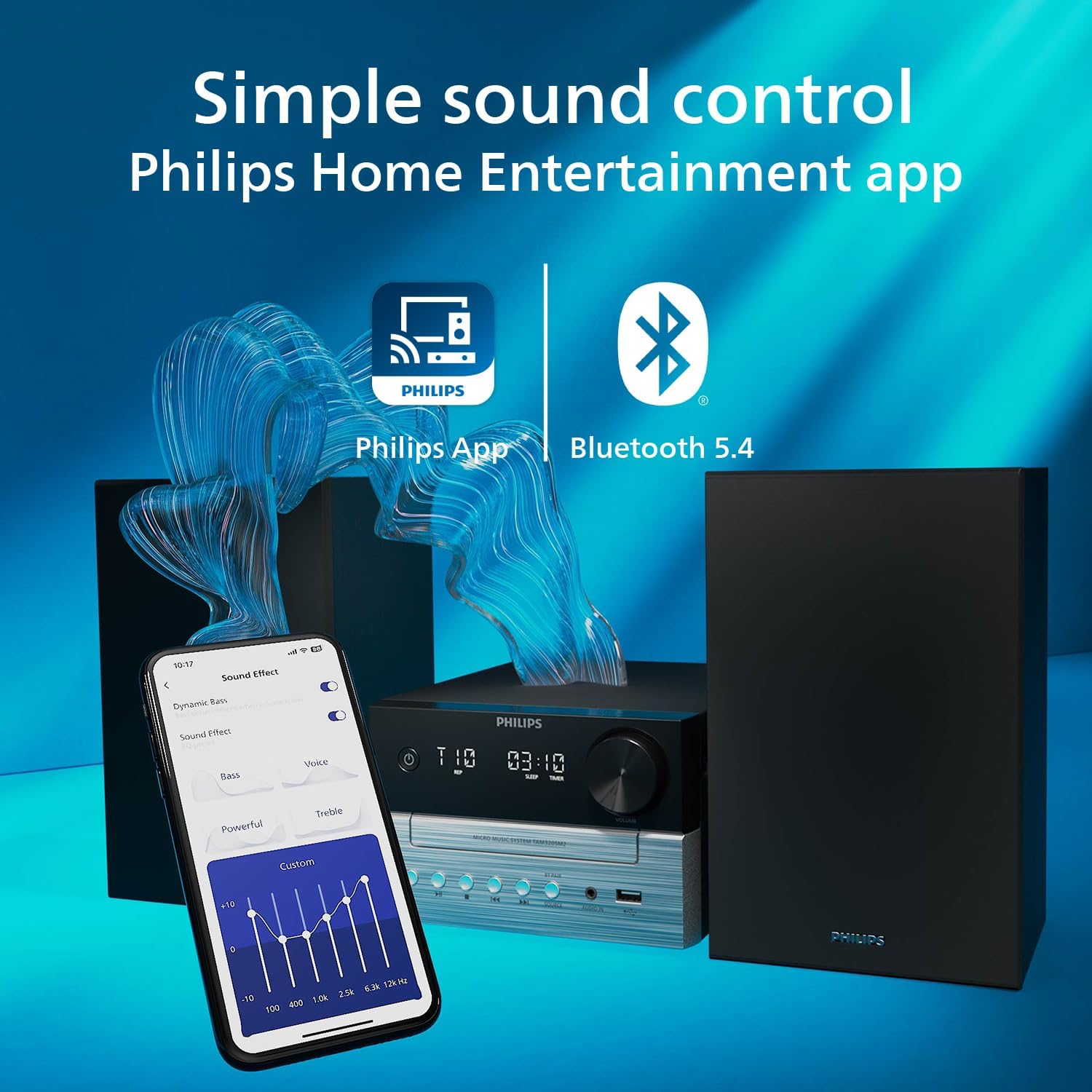
Download the Philips Entertainment app from your device's app store. Connect your smartphone to the micro Hi-Fi system via Bluetooth. The app allows you to control various functions, including source selection, volume, and sound settings, directly from your smartphone.
4. Manteniment
4.1 Neteja de la unitat
Wipe the unit with a soft, dry cloth. Do not use abrasive cleaners, waxes, or polishing sprays as they can damage the cabinet. Ensure the unit is unplugged before cleaning.
4.2 Cura del CD
Handle CDs by their edges. Keep them clean and free from scratches. Store CDs in their cases when not in use.
4.3 Consideracions ambientals
This product is manufactured using 85% PCR (recycled) plastic and comes in FSC-certified, plastic-free packaging. Please dispose of the product and its packaging responsibly according to local regulations.
5. Solució De Problemes
| Problema | Causa possible | Solució |
|---|---|---|
| Sense poder | Cable d'alimentació no connectat correctament. | Comproveu la connexió del cable d'alimentació a la unitat i a la presa de corrent. |
| Sense so | Volume too low; incorrect source selected; speaker wires loose. | Increase volume; select correct source; check speaker wire connections. |
| L'aparellament de Bluetooth falla | Device too far; Bluetooth not enabled on device; system not in pairing mode. | Move device closer; enable Bluetooth; select Bluetooth source on system to enter pairing mode. |
| El CD no es reprodueix | CD inserted incorrectly; CD dirty or scratched; unsupported disc format. | Reinsert CD correctly; clean CD; ensure it's an audio CD or MP3-CD. |
| Mala recepció FM | Antena no estesa o mal posicionada. | Extend and reposition the FM antenna for better signal. |
6. Especificacions
- Marca: PHILIPS
- Número de model: TAM3205M2/12
- Color: Negre
- Tecnologia de connectivitat: USB, Bluetooth 5.4
- Dispositius compatibles: Personal computer, Smartphone, Tablet, Television
- Tipus d'altaveu: estèreo
- Potència de sortida: RMS de 20 Watts
- Dimensions (L x A x A): 23.8 x 48 x 24.7 centímetres
- Pes de l'article: 3.36 quilos
- Font d'alimentació: Electric cable (AC Mains 100-240V~50/60Hz)
- Battery (for remote): 1 AAA (inclosos)
- Material: 85% PCR (recycled) plastic
- País d'origen: Xina
- Data de primera disponibilitat: 14 de gener de 2025
7. Informació de la garantia
Information regarding the specific product warranty for the Philips TAM3205M2/12 Micro Hi-Fi System is not available in the provided data. Please refer to the warranty card included with your product packaging or visit the official Philips weblloc web per obtenir informació detallada sobre els termes i condicions de la garantia aplicables a la vostra regió.
8. Suport
For further assistance, technical support, or service inquiries regarding your Philips TAM3205M2/12 Micro Hi-Fi System, please visit the official Philips support website. You can typically find FAQs, software updates, and contact information for customer service there. Specific support contact details are not available in the provided data.