
Pulsar N450
Pulsar Digisight Ultra LRF Digital Night Vision Riflescope N450
Manual d’instruccions de l’usuari
1. Introducció
The Pulsar Digisight Ultra LRF Digital Night Vision Riflescope N450 is an advanced optical device designed for enhanced visibility in low-light and nighttime conditions. It integrates a high-sensitivity digital sensor, a powerful infrared (IR) illuminator, and a precise laser rangefinder (LRF) to provide clear imaging and accurate distance measurements. This manual provides detailed instructions for the proper setup, operation, and maintenance of your Digisight Ultra LRF N450 to ensure optimal performance and longevity.

Figure 1.1: Pulsar Digisight Ultra LRF Digital Night Vision Riflescope N450
2. Informació de seguretat
Please read and understand all safety warnings and precautions before using the device. Failure to follow these instructions may result in injury or damage to the device.
- Seguretat ocular: Never look directly at the sun or other bright light sources through the device, as this can cause permanent eye damage.
- Seguretat làser: The integrated laser rangefinder emits invisible laser radiation. Avoid direct eye exposure to the laser beam. Do not point the laser at people or animals.
- Manipulació de la bateria: Use only recommended batteries. Do not expose batteries to extreme temperatures, disassemble, or short-circuit them. Dispose of batteries according to local regulations.
- Condicions ambientals: No exposeu el dispositiu a temperatures extremes, humitat elevada ni llum solar directa durant períodes prolongats.
- Manteniment: Do not attempt to disassemble or repair the device yourself. Refer all servicing to authorized service personnel.
3. Contingut del paquet
Verify that all items are present in the package before initial use.
- Pulsar Digisight Ultra LRF Digital Night Vision Riflescope N450
- Detachable long-range IR illuminator
- Paquet de bateries
- Carregador de bateria
- cable USB
- Maleta de transport
- Drap de neteja de lents
- Guia d'inici ràpid
- Targeta de garantia
- Mounting hardware (if included with specific model variant)

Figure 3.1: Included components of the Digisight Ultra LRF N450
4. Configuració
4.1. Instal·lació i càrrega de la bateria
- Localitzeu el compartiment de la bateria del dispositiu.
- Insert the battery pack, ensuring correct polarity.
- Tanqueu el compartiment de la bateria de manera segura.
- To charge, connect the battery pack to the charger, then plug the charger into a power outlet. Alternatively, the device can be charged via USB.
- Monitor the charging indicator. A full charge is indicated when the light changes color or turns off.
4.2. Mounting the Riflescope
The Digisight Ultra LRF N450 is designed for side mount installation on compatible rifles.
- Attach the appropriate mounting bracket (if not pre-installed) to the riflescope using the provided screws.
- Secure the riflescope with the attached mount onto your rifle's rail system. Ensure it is firmly seated and aligned.
- Tighten all mounting screws evenly to prevent movement during use.

Figura 4.1: superior view of the riflescope showing mounting points
4.3. Attaching the IR Illuminator
The detachable IR illuminator enhances visibility in complete darkness.
- Align the IR illuminator with its designated port on the side of the riflescope.
- Gently push and secure the illuminator until it clicks into place.
- To remove, press the release button (if present) and pull the illuminator away.
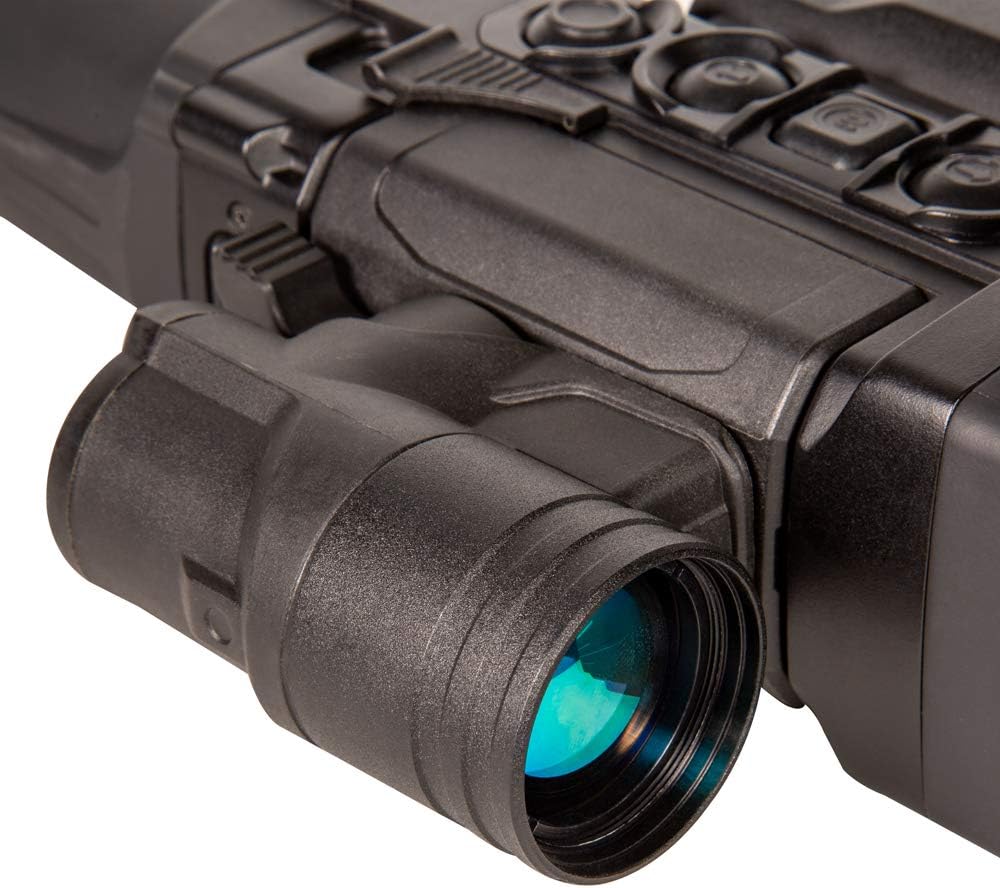
Figure 4.2: Close-up of the detachable IR illuminator
4.4. Initial Power On and Focus Adjustment
- Manteniu premut el botó d'encesa (
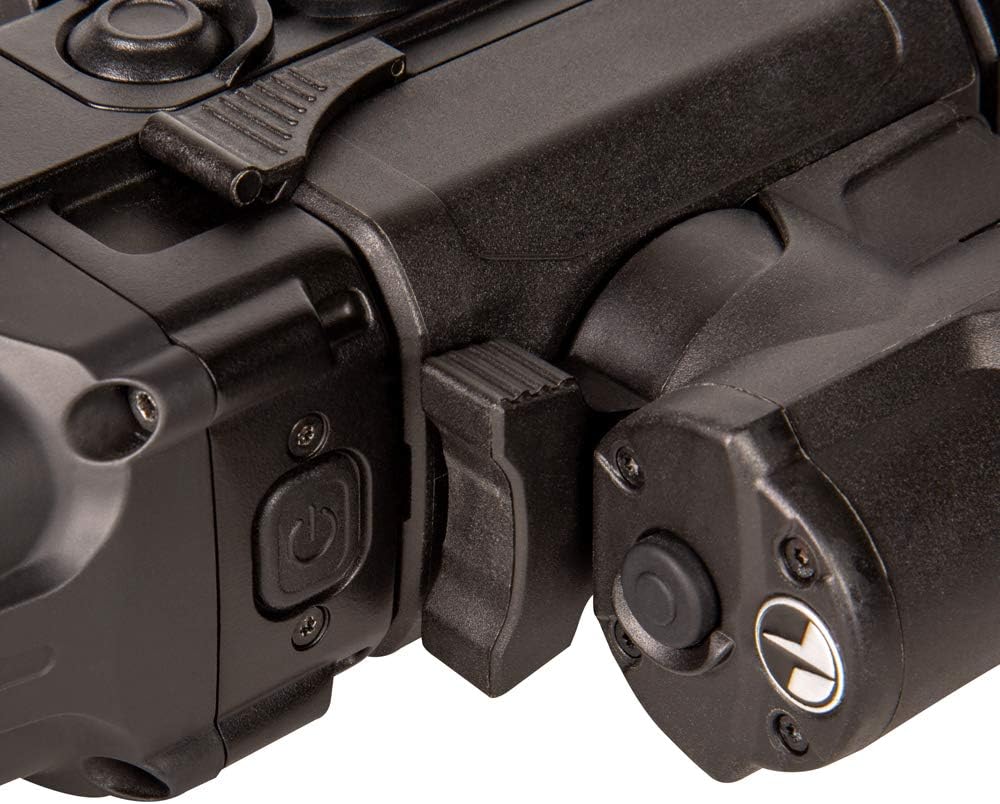 ) until the display activates.
 - Adjust the diopter ring on the eyepiece until the on-screen display (OSD) is sharp and clear for your eye.
- Rotate the objective lens focus knob (
 ) to bring the target image into sharp focus.
5. Instruccions de funcionament
5.1. Controls sobreview
The device features several buttons and a rotary encoder for navigation and function control.

Figure 5.1: Main control buttons and rotary encoder
- Botó d'encesa: Long press to power on/off. Short press for standby mode.
- Botó de menú (M): Accedeix al menú principal.
- Botons amunt / avall: Navega per les opcions del menú o ajusta la configuració.
- LRF Button: Activates the laser rangefinder for distance measurement.
- Codificador rotatiu: Used for fine adjustments and selection within menus.
5.2. Digital Zoom and Picture-in-Picture (PiP)
- Zoom digital: Use the designated buttons (refer to manual for specific button mapping) to digitally zoom in or out on the image.
- Imatge dins d'imatge (PiP): Activate PiP mode to display a magnified image of the reticle area in a separate window on the main screen, allowing for precise aiming while maintaining a wide field of view.
5.3. Laser Rangefinder (LRF) Operation
The integrated LRF provides accurate distance measurements to targets.

Figure 5.2: Close-up of the Laser Rangefinder module
- Aim the riflescope at the desired target.
- Press the LRF button. The measured distance will be displayed on the screen.
- The LRF can also measure side incline and elevation angles, which can be used for ballistic calculations.
5.4. Zeroing and Shooting Profiles
The device allows for precise zeroing and storage of multiple shooting profiles.
- Reducció a zero: Follow the on-screen instructions to perform the zeroing procedure. This typically involves firing at a target and adjusting the reticle position to match the point of impact.
- Shooting Profiles: The N450 supports up to 5 individual shooting profiles, each capable of holding up to 10 zeroing distances. This allows for quick switching between different firearms, ammunition types, or shooting distances without re-zeroing.
5.5. Stream Vision App Connectivity
Connect your riflescope to a smart device via the Stream Vision app for remote control, live streaming, and firmware updates.
- Download the Stream Vision app from your device's app store.
- Enable Wi-Fi on the riflescope through the menu.
- Connect your smart device to the riflescope's Wi-Fi network.
- Open the Stream Vision app and follow the prompts to connect to your device.
6. Manteniment
6.1. Neteja
- Lents: Use the provided lens cleaning cloth or a soft, lint-free cloth specifically designed for optical surfaces. Gently wipe the lenses to remove dust and smudges. For stubborn dirt, use a small amount of lens cleaning fluid.
- Cos: Wipe the body of the device with a soft, damp tela. No utilitzeu netejadors abrasius ni dissolvents.
- Ensure all caps and covers are in place when not in use to protect lenses and ports.
6.2. Emmagatzematge
- Store the riflescope in its carrying case in a cool, dry place, away from direct sunlight and extreme temperatures.
- Traieu les piles si no heu d'utilitzar el dispositiu durant un període prolongat per evitar fuites.
7. Solució De Problemes
If you encounter issues with your Digisight Ultra LRF N450, refer to the table below for common problems and solutions.
| Problema | Causa possible | Solució |
|---|---|---|
| El dispositiu no s'encén. | Bateria baixa o gastada; bateria instal·lada incorrectament. | Charge the battery; ensure battery is correctly inserted. |
| La imatge està borrosa o desenfocada. | Diopter or objective lens not adjusted. | Adjust the diopter for your eye and the objective lens for target distance. |
| No image in low light/darkness. | IR illuminator off or not attached; insufficient ambient light. | Turn on or attach the IR illuminator; ensure sufficient IR light for the environment. |
| Laser Rangefinder not working. | Obstruction in front of LRF; target too far or too close; LRF module not properly connected. | Clear any obstructions; ensure target is within LRF range; check LRF module connection. |
| Cannot connect to Stream Vision app. | Wi-Fi off on device; incorrect Wi-Fi password; app issues. | Enable Wi-Fi on the riflescope; verify Wi-Fi password; restart app/device. |
8. Especificacions
Key technical specifications for the Pulsar Digisight Ultra LRF Digital Night Vision Riflescope N450.
| Característica | Detall |
|---|---|
| Nom del model | Digisight Ultra LRF N450 |
| Marca | Púlsar |
| Visió nocturna | Sí (digital) |
| Image Intensifier Tube | CF-Super |
| Zoom digital | Picture-in-Picture functionality |
| Telèmetre làser | Integrated, with side incline and elevation angle sensor |
| Shooting Profiles | 5 individual profiles, up to 10 zeroing distances each |
| Connectivitat | Stream Vision App (Wi-Fi) |
| Il·luminador IR | Detachable, powerful long-range |
| Tipus de muntatge | Muntatge lateral |
| Pes de l'article | 1 lliura (aprox. 0.45 kg) |
| Dimensions (LxWxH) | 14.5 x 5.6 x 2.9 polzades (aprox. 36.8 x 14.2 x 7.4 cm) |
| UPC | 812495026577 |
| Número de part | PL76627 |
9. Garantia i Suport
9.1. Informació de la garantia
The Pulsar Digisight Ultra LRF Digital Night Vision Riflescope N450 comes with a 3 anys de garantia limitada. This warranty covers defects in materials and workmanship under normal use. Please retain your proof of purchase for warranty claims. For full terms and conditions, refer to the warranty card included in your package or visit the official Pulsar weblloc.
9.2. Atenció al client
For technical assistance, service, or questions regarding your product, please contact Pulsar customer support.
- Assistència en línia: Visit the official Pulsar weblloc web per a preguntes freqüents, actualitzacions de programari i recursos de suport.
- Informació de contacte: Refer to the contact details provided on the Pulsar weblloc web o a la documentació del producte.
També podeu visitar el Botiga Pulsar a Amazon per a més informació sobre el producte i accessoris.