
Introducció
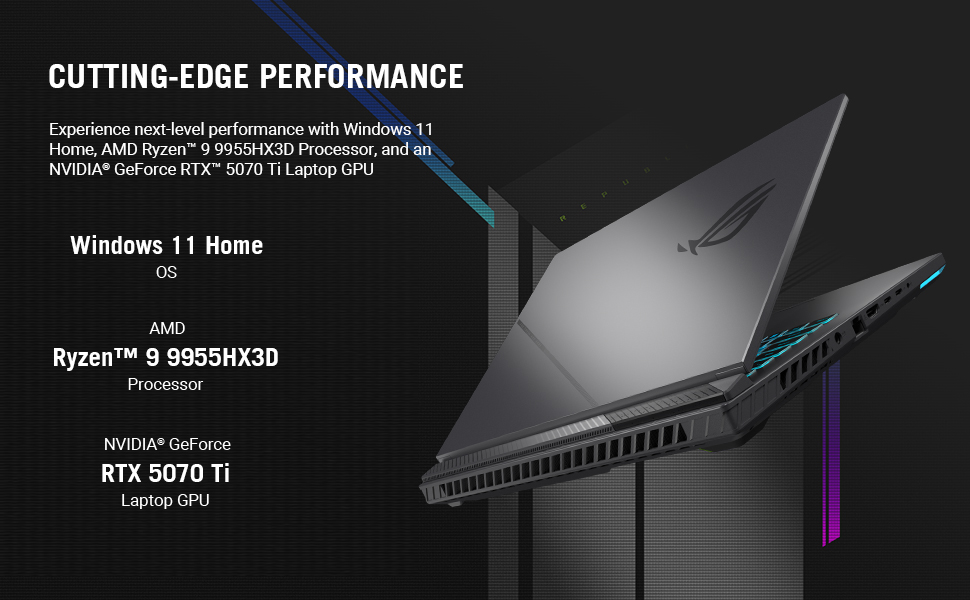
This manual provides essential information for setting up, operating, maintaining, and troubleshooting your ASUS ROG Strix G16 (2025) Gaming Laptop. The ROG Strix G16 is designed for high-performance gaming and creative tasks, featuring an ROG Nebula Display, AMD Ryzen 9 9955HX3D Processor, and NVIDIA GeForce RTX 5070 Ti Laptop GPU. Please read this manual thoroughly to ensure optimal use and longevity of your device.

Configuració
1. Unboxing i Inspecció Inicial
Traieu amb cura tots els components de l'embalatge. Verifiqueu que hi hagi els elements següents:
- ASUS ROG Strix G16 (Model G614FR-DS96)
- Powercord and Adapter
- Guia de l'usuari (aquest document)
Inspeccioneu el portàtil per detectar qualsevol dany físic. Si trobeu algun dany, poseu-vos en contacte amb el vostre distribuïdor immediatament.
2. Connexió de l'adaptador de corrent
Connecteu l'adaptador de corrent al port d'entrada d'alimentació del portàtil i, a continuació, endolleu el cable d'alimentació a una presa de corrent. Es recomana carregar completament la bateria abans del primer ús.
3. Engegada inicial
Open the laptop lid and press the power button, typically located on the top-right side of the keyboard deck. The laptop will boot up and guide you through the Windows 11 Home setup process.

4. Connexió de perifèrics
Connect any external devices such as a mouse, keyboard, or external display to the available USB, HDMI, or Thunderbolt ports. Refer to the specifications section for port details.
Funcionament del portàtil
Performance and Display
The ROG Strix G16 features an AMD Ryzen 9 9955HX3D Processor and an NVIDIA GeForce RTX 5070 Ti Laptop GPU, providing cutting-edge performance for gaming and demanding applications. The 16-inch ROG Nebula Display offers a 2.5K resolution with a 240Hz refresh rate and 3ms response time, ensuring smooth and vibrant visuals. It also includes ACR film technology for enhanced contrast and reduced glare.
Teclat i entrada
The full-size keyboard is designed for gaming with Overstroke technology for faster key actuation. It includes spaced function keys, dedicated hotkeys, and a larger touchpad for precise control. Per-key RGB lighting is customizable through ASUS Aura Sync technology.

Sistema de refrigeració
ROG Intelligent Cooling features tri-fan technology and Conductonaut Extreme liquid metal to maintain optimal temperatures during intense usage, ensuring consistent performance.
MUX Switch with Advanced Optimus
The integrated MUX Switch enhances gaming performance by routing frames directly from the dedicated GPU. Advanced Optimus automatically switches between the integrated and dedicated GPUs to optimize battery life without requiring a system restart.
RGB Lightbar
A customizable RGB lightbar allows you to personalize your laptop's aesthetics. In professional settings, Stealth Mode can be activated to turn off all lighting.
Manteniment
1. Neteja del teu ordinador portàtil
- Pantalla: Utilitzeu un drap suau i sense pelusa dampNetegeu amb aigua o un netejador de pantalles. Eviteu productes químics agressius.
- Teclat i xassís: Use a soft cloth. For dust in crevices, use compressed air.
- Reixetes: Regularly clear dust from the cooling vents using compressed air to ensure proper airflow and prevent overheating.
2. Actualitzacions de programari
Keep your operating system (Windows 11 Home) and drivers updated. ASUS provides utility software to manage driver updates and system settings. Regular updates ensure optimal performance, security, and compatibility.
3. Cura de la bateria
To prolong battery life, avoid consistently discharging the battery completely or keeping it at 100% charge for extended periods. ASUS battery health management tools can help optimize charging cycles.
4. Gestió de l'emmagatzematge
Regularly manage your 1TB PCIe Gen 4 SSD by deleting unnecessary files and uninstalling unused applications to maintain optimal system speed and free up storage space.
Resolució de problemes
Problemes comuns i solucions
| Problema | Possible solució |
|---|---|
| El portàtil no s'encén | Ensure the power adapter is securely connected to both the laptop and a working power outlet. Check if the power outlet is functional. Try a different outlet. |
| La pantalla està en blanc o negra | Press the power button to ensure the laptop is on. Connect an external monitor to check if the display output is working. Adjust screen brightness. |
| Sobreescalfament durant l'ús | Ensure cooling vents are clear and unobstructed. Use the laptop on a hard, flat surface. Consider using a laptop cooling pad. Update drivers. |
| Rendiment lent | Close unnecessary applications. Check for background processes consuming high resources (Task Manager). Ensure sufficient free storage space. Update drivers and Windows. |
| Problemes de connectivitat Wi-Fi | Restart your router and modem. Ensure Wi-Fi is enabled on the laptop. Update Wi-Fi drivers. Check network settings in Windows. |
If you encounter persistent issues not covered here, please refer to the ASUS support weblloc o contacteu amb el servei d'atenció al client.
Especificacions
| Característica | Detall |
|---|---|
| Marca | ASUS |
| Nom del model | G614FR-DS96 |
| Mida de la pantalla | 16 polzades |
| Resolució de visualització | 2560 x 1600 píxels (2.5K) |
| Freqüència d'actualització | 240 Hz |
| Temps de resposta | 3 ms |
| Tecnologia de visualització | ROG Nebula, In-plane Switching (IPS) Technology |
| Processador | AMD Ryzen 9 9955HX3D (16 Cores, up to 5.4 GHz) |
| Coprocessador gràfic | NVIDIA GeForce RTX 5070 Ti (12 GB GDDR5) |
| Memòria RAM | 32 GB DDR5-5600MHz |
| Emmagatzematge | SSD PCIe de 4a generació d'1 TB |
| Sistema operatiu | Windows 11 Home |
| Connectivitat | Wi-Fi 6E, Bluetooth, HDMI, USB, Thunderbolt, Ethernet |
| Ports | 3x USB, 1x Thunderbolt, 1x HDMI |
| Teclat | Gaming, Backlit (Per-key RGB), QWERTY Layout |
| Pes de l'article | 5.51 lliures |
| Bateria | 90 Watt Hours Lithium Ion |
| Any model | 2025 |
Garantia i Suport
Garantia estàndard
Your ASUS ROG Strix G16 laptop comes with a Garantia limitada de 1 anys. This warranty covers manufacturing defects and hardware malfunctions under normal use conditions. Please retain your proof of purchase for warranty claims.
Protecció contra danys accidentals (ADP)
ASUS provides one year of free Accidental Damage Protection (ADP) against liquid spills, drops, and electrical surges on new laptops registered within 60 days of purchase. This protection covers incidents that might occur during everyday use.

Atenció al client
For technical assistance, driver downloads, or warranty service, please visit the official ASUS support website. You can find detailed FAQs, troubleshooting guides, and contact information for customer service representatives.
Suport ASUS Weblloc: www.asus.com/support/