
RoamFi 30GB/365Days Plan
RoamFi 4G/5G LTE SIM Card User Manual
Model: 30GB/365Days Plan
Introducció
This manual provides essential information for the proper use and optimal performance of your RoamFi 4G/5G LTE SIM Card. This SIM card is designed to provide secure, ultra-fast nationwide 5G/4G LTE data coverage for various unlocked IoT devices, including hunting trail game cameras, portable WiFi routers, and mobile hotspots. It comes preloaded with 30GB of data valid for 365 days and is exclusively for data services, without voice call or SMS capabilities.
Please read this manual thoroughly before using the SIM card to ensure a seamless and efficient connectivity experience.
Configuració i activació
The RoamFi SIM card features a triple-cut design (Standard/Micro/Nano), ensuring compatibility with 99% of unlocked devices. Follow these steps for quick setup:
- Inseriu la targeta SIM: Carefully select the correct size for your device (Standard, Micro, or Nano) and insert the SIM card into the designated SIM card slot of your unlocked smartphone, iPad, vehicle router, mobile hotspot, or other IoT device.
- Encendre el dispositiu: Turn on your device after inserting the SIM card.
- Connexió automàtica: The SIM card is designed for "zero-threshold instant connectivity." In most cases, your device will automatically detect the network and establish an internet connection.
- APN Configuration (If Needed): For proper network connection and optimal performance, if your device does not connect automatically, you may need to manually set the Access Point Name (APN). Navigate to your device's network settings and set the APN to "plus". This step is crucial for ensuring full data service functionality.

Once the SIM card is inserted and the APN is correctly configured (if necessary), you should have immediate internet access.
Instruccions de funcionament
The RoamFi SIM card offers a transparent prepaid mode with no hidden fees. Manage your data usage and plans efficiently:
- Supervisar l'ús de dades: Utilize the official Roamesim APP to monitor your real-time data usage. This provides clear visibility of your remaining balance.
- Flexible Data Packs: The app allows you to flexibly combine multi-tiered data packs and share allocations with family members, ensuring on-demand scalability for your connectivity needs.
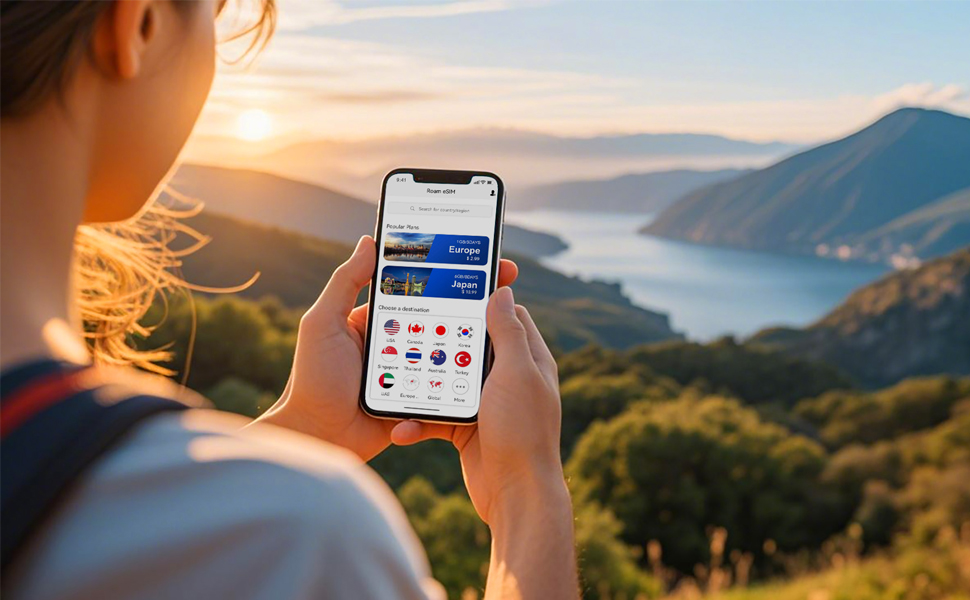
This system ensures peace of mind by providing complete control and transparency over your data consumption.
Manteniment
As a data SIM card, the RoamFi SIM requires minimal maintenance. To ensure its longevity and proper function:
- Manejar amb cura: Avoid touching the gold contact points on the SIM card to prevent damage or corrosion.
- Mantenir sec: Store the SIM card in a dry environment, away from moisture and extreme temperatures.
- Netegeu suaument: If necessary, gently wipe the gold contacts with a clean, lint-free cloth. Do not use abrasive materials or harsh chemicals.
Resolució de problemes
If you encounter issues with your RoamFi SIM card, consider the following troubleshooting steps:
- Sense connexió de xarxa:
- Ensure your device is unlocked and compatible with 4G/5G LTE networks.
- Verify the SIM card is correctly inserted and seated firmly in the slot. Try re-inserting it.
- Check your device's network settings and confirm the APN is set to "plus".
- Restart your device. Sometimes a simple power cycle can resolve connectivity issues.
- Comproveu la cobertura de xarxa a la vostra ubicació actual.
- Velocitats de dades lentes:
- Confirm you are in an area with strong 4G/5G LTE signal.
- Check your remaining data balance via the Roamesim APP. Data speeds may be affected if your data allowance is low.
- Ensure no background applications are consuming excessive data.
- Roamesim APP Issues:
- Ensure you have the latest version of the Roamesim APP installed.
- If the app requires re-entering the ICCID number frequently, ensure you are logged in correctly or note down your ICCID for quick access.
If these steps do not resolve your issue, please contact customer support as detailed in the Support section.
Especificacions
| Marca | RoamFi |
| Número de model | 30GB/365Days Plan |
| Tecnologia cel·lular | 5G, 4G LTE |
| Service Provider Compatibility | AT&T, T-Mobile, Verizon |
| Subvenció de dades | 30 GB |
| Període de validesa | 365 dies |
| Card Design | Triple-cut (Standard/Micro/Nano) |
| Funcionalitat | Data Only (No voice calls or SMS) |
| Pes de l'article | 0.317 unces |
| Dimensions del paquet | 4.72 x 2.76 x 2.73 polzades |
Informació de la garantia
Specific warranty details for the RoamFi 4G/5G LTE SIM Card are not provided in this manual. For comprehensive warranty information, including terms, conditions, and duration, please refer to the official RoamFi website or contact RoamFi customer support directly.
Atenció al client
RoamFi offers dedicated "end-to-end service coverage" with 24/7 bilingual live customer support to assist you with any inquiries or issues.
- Mètode de contacte: For network configuration assistance, plan inquiries, or other technical support, please leave a message within the Roamesim APP. Ensure you include your SIM card number in your message.
- Temps de resposta: Our technical team will activate a dedicated service channel and aims to respond within 2 hours to ensure uninterrupted smart connectivity for all users.
Your satisfaction is our priority, and we are committed to providing prompt and effective support.
Ask a question about this manual
Ask about setup, troubleshooting, compatibility, parts, safety, or missing instructions. Manuals+ will review the question and use this page’s manual context to help answer it.