
Introducció
The LogiLink HDW0111 Wireless HDMI Presentation Kit provides a convenient solution for transmitting HDMI video and audio signals wirelessly. This kit is designed for BYOD (Bring Your Own Device) environments, enabling easy content sharing in meeting rooms, conference halls, or educational settings. It supports Ultra HD 4K/60Hz resolution and can transmit signals up to 50 meters in clear line of sight. The system is plug-and-play, requiring no additional software installation for most devices.
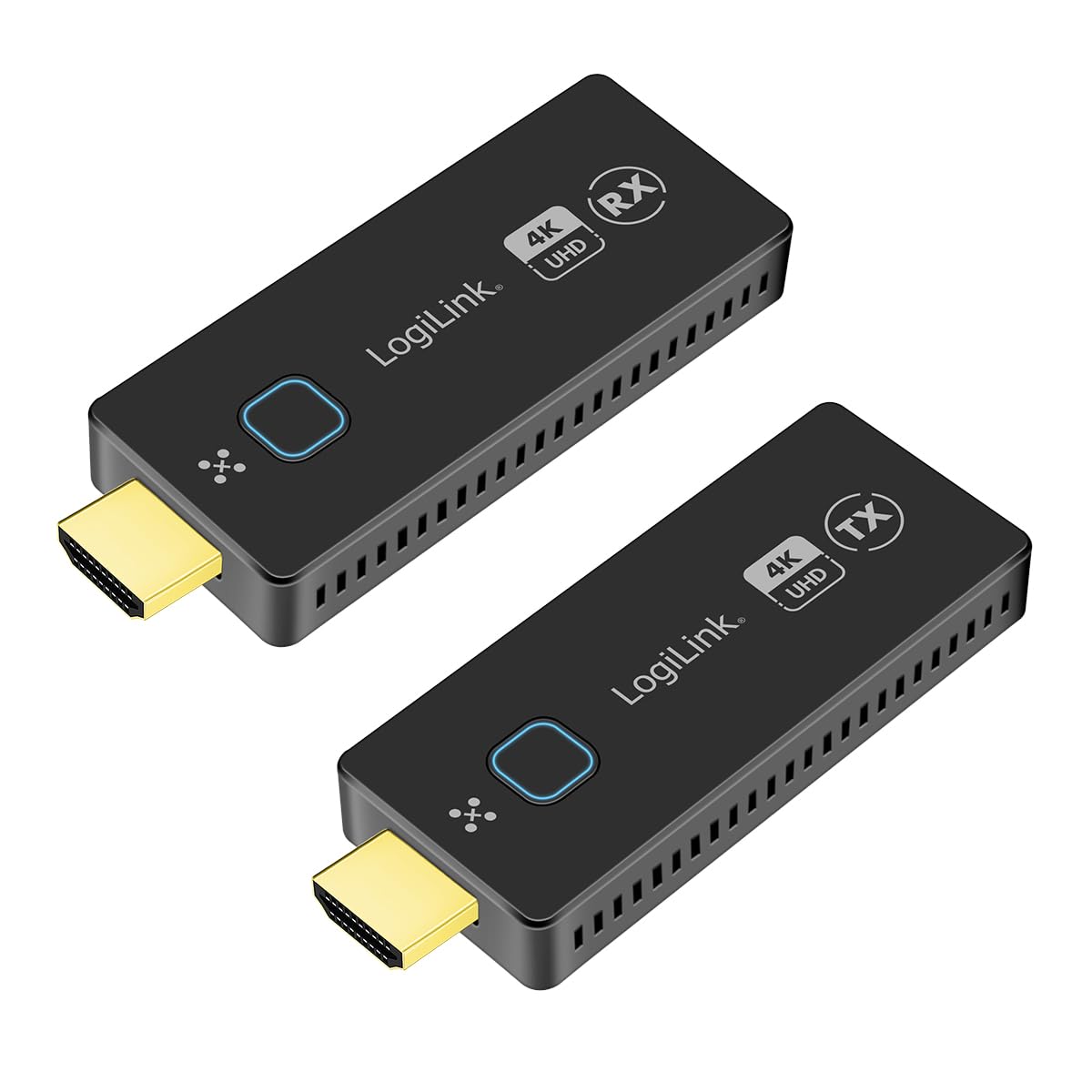
Image: The LogiLink HDW0111 Wireless HDMI Presentation Kit facilitating a meeting presentation.
Contingut del paquet
Si us plau, verifiqueu que tots els elements siguin presents al vostre paquet:
- 1x LogiLink HDW0111 Receiver Unit (RX)
- 1x LogiLink HDW0111 Transmitter Unit (TX)
- 2x USB-C to USB-A Power Cables
- 2x HDMI Extension Cables
- 1 x manual d'usuari

Image: The LogiLink HDW0111 Transmitter (TX) and Receiver (RX) units.
Producte acabatview
The LogiLink HDW0111 system consists of two main components: a Transmitter (TX) and a Receiver (RX).
Emissor (TX)
The Transmitter unit connects to your source device (e.g., laptop, PC, smartphone, tablet) via an HDMI port. It captures the video and audio signal and transmits it wirelessly to the Receiver.
- Connector HDMI: Connects to the source device.
- Port USB-C: For power supply (DC 5V/0.5A required).
- Botó de funció: Used for pairing and switching between multiple transmitters.
- Indicador d'estat: Mostra l'estat de la connexió.
Receptor (RX)
The Receiver unit connects to your display device (e.g., TV, projector, monitor) via an HDMI port. It receives the wireless signal from the Transmitter and outputs the video and audio.
- Connector HDMI: Connects to the display device.
- Port USB-C: For power supply (DC 5V/0.5A required).
- Botó de funció: Used for pairing and managing connections.
- Indicador d'estat: Mostra l'estat de la connexió.

Imatge: Primer pla view of the LogiLink HDW0111 Transmitter and Receiver units, showing ports and indicators.
Instruccions de configuració
- Connecteu el receptor (RX):
- Plug the LogiLink HDW0111 Receiver (RX) into an available HDMI input port on your display device (TV, projector, monitor). Use an HDMI extension cable if needed for better fit or signal path.
- Connect one of the provided USB-C to USB-A power cables to the USB-C port on the Receiver. Plug the USB-A end into a USB power source (e.g., a USB port on your display device, a USB wall adapter, or a power bank). Ensure the power source provides at least 5V/0.5A.
- Power on your display device and select the correct HDMI input source.
- Connecteu el transmissor (TX):
- Plug the LogiLink HDW0111 Transmitter (TX) into an available HDMI output port on your source device (e.g., laptop, PC). Use an HDMI extension cable if needed.
- Connect the second USB-C to USB-A power cable to the USB-C port on the Transmitter. Plug the USB-A end into a USB power source (e.g., a USB port on your laptop, a USB wall adapter, or a power bank). Ensure the power source provides at least 5V/0.5A.
- Emparellament inicial (si cal):
- The Transmitter and Receiver units are usually pre-paired from the factory. If they do not connect automatically, press the function button on both the Transmitter and Receiver simultaneously for a few seconds until their status indicators show a successful connection (e.g., solid blue light).
Instruccions de funcionament
- Iniciar la transmissió:
- Once both the Transmitter and Receiver are powered on and connected, the status indicators should show a stable connection.
- Your source device's screen content should automatically appear on the connected display.
- Switching Transmitters (for multiple TX units):
- The system supports up to 16 Transmitter units (additional TX units sold separately, model HDW0111AT).
- To switch between active transmitters, simply press the function button on the desired Transmitter unit. The Receiver will automatically switch to display the content from that Transmitter.
- Mobile Device Sharing:
- For smartphones and tablets, you can share content directly via your device's operating system's casting features (e.g., Miracast, AirPlay, Google Cast). No additional app is required.
- Ensure your mobile device is connected to the same Wi-Fi network as the LogiLink HDW0111 Receiver, or follow your device's specific instructions for screen mirroring to a wireless display.
- Estalvi d'energia:
- The units can be powered directly from the HDMI port if the source/display provides sufficient power (0.5A). For stable operation, especially with longer cables or high resolutions, using the dedicated USB power cable is recommended.
Manteniment
- Neteja: Use a soft, dry cloth to clean the units. Do not use liquid or aerosol cleaners.
- Emmagatzematge: Guardeu el dispositiu en un lloc fresc i sec, allunyat de la llum solar directa i de temperatures extremes.
- Manipulació: Avoid dropping or subjecting the units to strong impacts. Do not attempt to disassemble or modify the device, as this will void the warranty.
- Potència: Always use the provided power cables or compatible 5V/0.5A USB power sources.
Resolució de problemes
| Problema | Causa possible | Solució |
|---|---|---|
| Cap senyal a la pantalla. |
|
|
| Senyal intermitent o parpelleig. |
|
|
| Àudio però sense vídeo, o viceversa. |
|
|
| Cannot connect more than one transmitter. |
|
|
Especificacions
- Model: HDW0111
- Estàndard sense fil: 802.11ac
- HDMI Standard: HDMI 2.0
- Ample de banda: 18 Gbps (6 Gbit/s per line at 600 MHz)
- Distància màxima de transmissió: Fins a 50 metres (línia de visió)
- Resolucions suportades: Up to 4K (3840x2160) @ 60Hz, Full HD, Full 3D
- Conformitat amb HDCP: HDCP 1.4 and 2.2
- Suport d'àudio: Uncompressed LPCM 7.1 (up to 48 kHz), Compressed DTS, Dolby Digital (including DTS-HD Master Audio, Dolby TrueHD)
- Latència: Near-zero
- Entrada d'alimentació: DC 5V/0.5A (via USB-C)
- Material de l'habitatge: Metall
- Max Transmitters: Up to 16 (with additional HDW0111AT units)
- Dispositius compatibles: TVs, Personal Computers, Smartphones, Tablets, Laptops
- Còdecs de vídeo: H.264, H.265/HEVC
Garantia i Suport
LogiLink products are designed for reliability and performance. For specific warranty terms and conditions, please refer to the warranty card included with your purchase or visit the official LogiLink weblloc.
Disponibilitat de peces de recanvi: No es proporciona informació sobre la disponibilitat de peces de recanvi.
Actualitzacions de programari: No es proporciona informació sobre les actualitzacions de programari garantides.
For technical support or further assistance, please contact your local LogiLink distributor or visit the LogiLink support portal.