Producte acabatview
The MacBook Pro A1708 is a high-performance laptop designed for demanding users. Featuring an Intel i7 processor, 16GB of RAM, and a 256GB SSD, it provides a fast and responsive experience for multitasking, content creation, and productivity. Its 13-inch Retina display offers crisp, vibrant visuals with True Tone technology. The device is housed in a lightweight, sleek Space Grey aluminum body, offering both aesthetic appeal and durability. Equipped with Thunderbolt 3 (USB-C) ports and a Force Touch trackpad, it provides versatile connectivity and precise navigation.
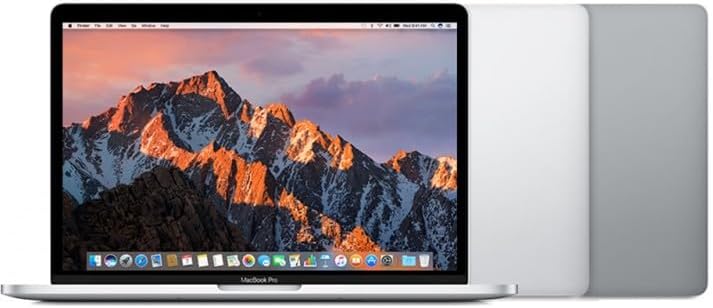
Imatge: Frontal view of the MacBook Pro A1708 with its display open.
Configuració inicial
- Unboxing: Carefully remove the MacBook Pro and its accessories from the packaging. Ensure all components are present: the laptop and the USB-C power adapter with charging cable.
- Connectar l'alimentació: Plug the USB-C power adapter into a wall outlet and connect the USB-C charging cable to one of the Thunderbolt 3 ports on your MacBook Pro. It is recommended to fully charge the battery before first use.
- Encès: Open the lid of the MacBook Pro. The computer should automatically power on. If not, press the Touch ID button (power button) located at the top right of the keyboard.
- Assistent de configuració de macOS: Follow the on-screen instructions to complete the initial macOS setup. This includes selecting your language, region, connecting to Wi-Fi, creating a user account, and setting up Touch ID.
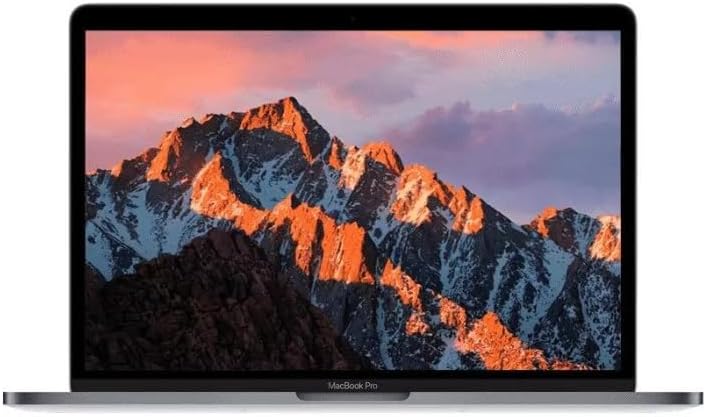
Image: The MacBook Pro A1708 display showing the macOS desktop.
Operating Your MacBook Pro
Encès/Apagat
- Per encendre: Open the lid or press the Touch ID button.
- Per apagar: Click the Apple menu () in the top-left corner of the screen, then select "Shut Down...".
- Per reiniciar: Click the Apple menu (), then select "Restart...".
- Per dormir: Close the lid, or click the Apple menu (), then select "Sleep".
Using the Force Touch Trackpad
The Force Touch trackpad provides precise cursor control and pressure-sensing capabilities.
- Feu clic a: Press down on the trackpad until you feel a click.
- Force Click: Press down firmly on the trackpad until you feel a deeper click. This can perform various actions depending on the app (e.g., look up a word, preview a file).
- Gestos multitàctils: Utilize gestures like two-finger scroll, pinch to zoom, and three-finger swipe for navigation. Customize these in System Settings > Trackpad.
Funcions del teclat
The keyboard includes standard keys and function keys (F1-F12) that control various system features.
- Control de brillantor: Utilitza el F1 i F2 claus.
- Control de volum: Utilitza el F10 (Mute), F11 (Volume Down), and F12 (Volume Up) keys.
- Reproducció multimèdia: Utilitza el F7 (Previous), F8 (Play/Pause), and F9 (Next) keys.
- Touch ID: The power button also functions as a Touch ID sensor for secure login and purchases.
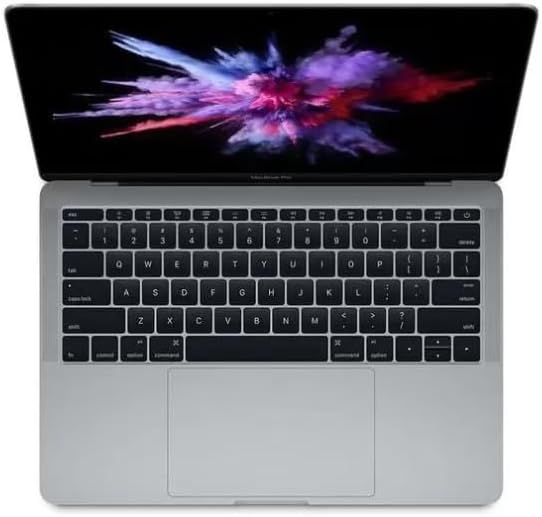
Imatge: De dalt a baix view of the MacBook Pro A1708 keyboard and Force Touch trackpad.
Connexió de perifèrics
The MacBook Pro A1708 features two Thunderbolt 3 (USB-C) ports.
- Dispositius USB-C: Connect USB-C compatible devices directly.
- Adaptadors: For USB-A, HDMI, Ethernet, or other port types, you will need a compatible USB-C adapter or hub (sold separately).
- Pantalles externes: Connect external monitors using a USB-C to DisplayPort/HDMI adapter.
Cura i Manteniment
- Neteja: Feu servir un drap suau i sense borrissol per netejar la pantalla i l'exterior. Per a taques difícils, fregueu lleugeramentampRenta el drap amb aigua. Evita productes químics agressius o materials abrasius.
- Cura de la bateria: To prolong battery lifespan, avoid extreme temperatures. It is generally recommended to keep the battery charged between 20% and 80% for daily use. Periodically allow the battery to discharge fully and then recharge.
- Actualitzacions de programari: Regularly update macOS and installed applications to ensure optimal performance, security, and compatibility. Go to System Settings > General > Software Update.
- Gestió d'emmagatzematge: Periòdicament review i eliminar innecessaris files to free up storage space. macOS provides tools for this in System Settings > General > Storage.
- Protecció física: While durable, avoid dropping the laptop or exposing it to liquids. Consider a protective sleeve or case for transport.

Imatge: Lateral view of the closed MacBook Pro A1708, showcasing és Slim Profile.
Resolució de problemes comuns
| Problema | Possible solució |
|---|---|
| Sense alimentació / No s'encén |
|
| Screen Remains Black |
|
| Problemes de connectivitat Wi-Fi |
|
| Applications Not Responding |
|
Especificacions tècniques
| Característica | Detall |
|---|---|
| Model | A1708 (MekBook Pro A1708) |
| Mida de la pantalla | Pantalla Retina de 13.3 polzades |
| Processador | Intel Core i7 (2.5 GHz) |
| RAM | 16 GB LPDDR3 |
| Emmagatzematge | SSD de 256 GB |
| Gràfics | Intel Iris Plus Graphics 640 |
| Sistema operatiu | macOS Monterey |
| Ports | 2 x Thunderbolt 3 (USB-C) |
| Dimensions (LxWxH) | 11.97 x 8.36 x 0.59 polzades |
Garantia i Suport
As a refurbished product, the warranty terms may vary. Please refer to the specific warranty information provided at the time of purchase or contact your reseller for details regarding coverage and duration.
For technical support, troubleshooting beyond this manual, or service inquiries, please contact the vendor or reseller from whom you purchased this refurbished MacBook Pro. They will be able to provide assistance or direct you to the appropriate support channels.


