
Introducció
The Scosche MagicMount MS Dash/Vent Magnetic Phone Mount provides a secure and versatile solution for mounting your smartphone in your vehicle. Designed for convenience and stability, this mount offers both dashboard and air vent installation options, along with 360-degree rotation for optimal viewing angles. It is compatible with MagSafe-enabled iPhones (iPhone 12 and newer) and other smartphones using the included MagicRing Adapter or a MagSafe-compatible case. The mount also accommodates PopSockets and SpinPop grips without requiring their removal.
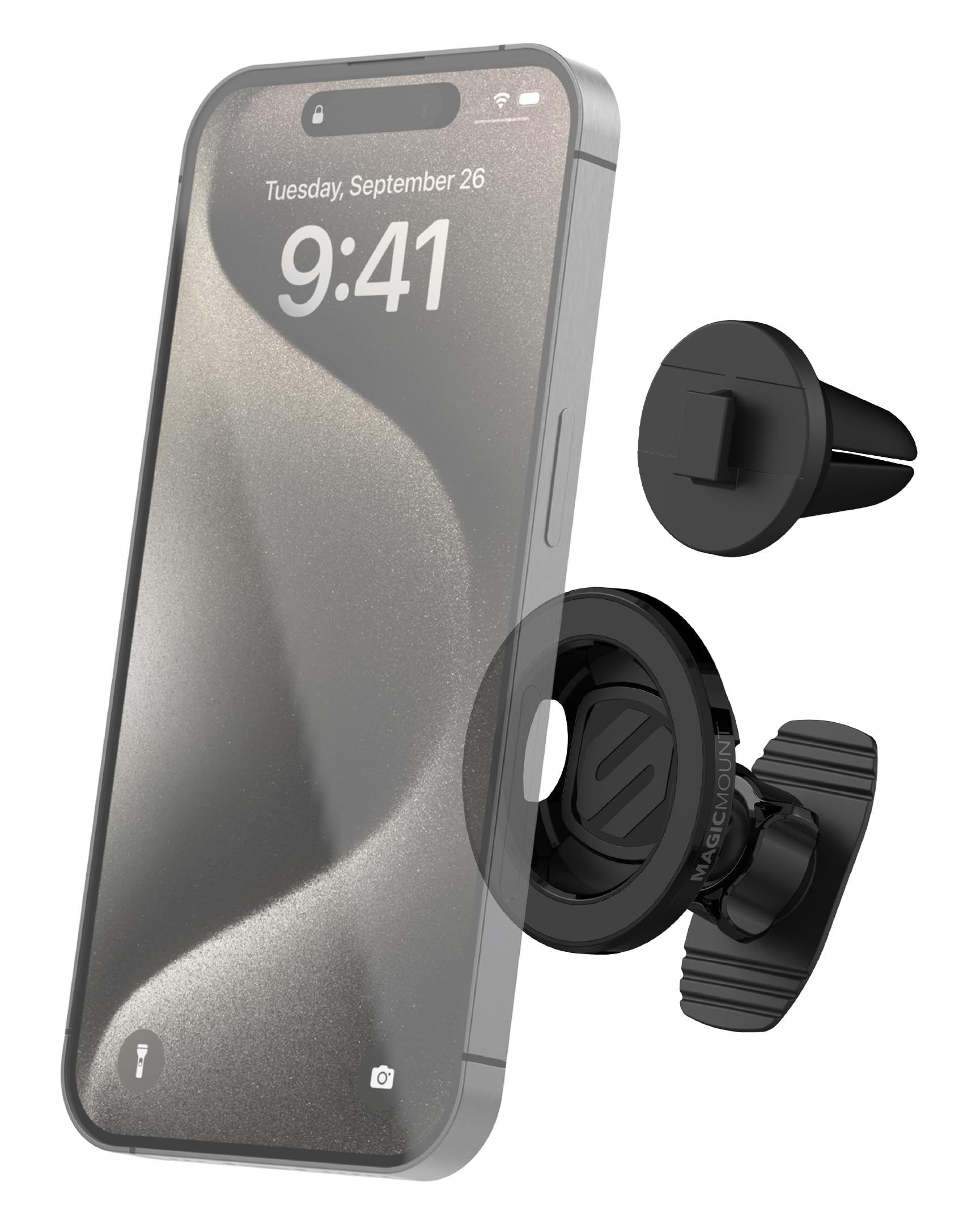
Image: Scosche MagicMount MS Dash/Vent Magnetic Phone Mount securely holding a smartphone in a vehicle.
Què s'inclou
Verifiqueu que tots els components siguin presents al paquet:
- MagicMount Magnetic Mount Head
- Adhesive Dash Base
- Clip de ventilació
- Adaptador MagicRing
- Tovallola de neteja

Image: All components included in the Scosche MagicMount MS package.
Instruccions de configuració
1. Choose Your Mounting Location
The MagicMount MS offers two primary installation methods: dashboard adhesive or air vent clip. Select the location that provides the best visibility and accessibility without obstructing your view o controls del vehicle.
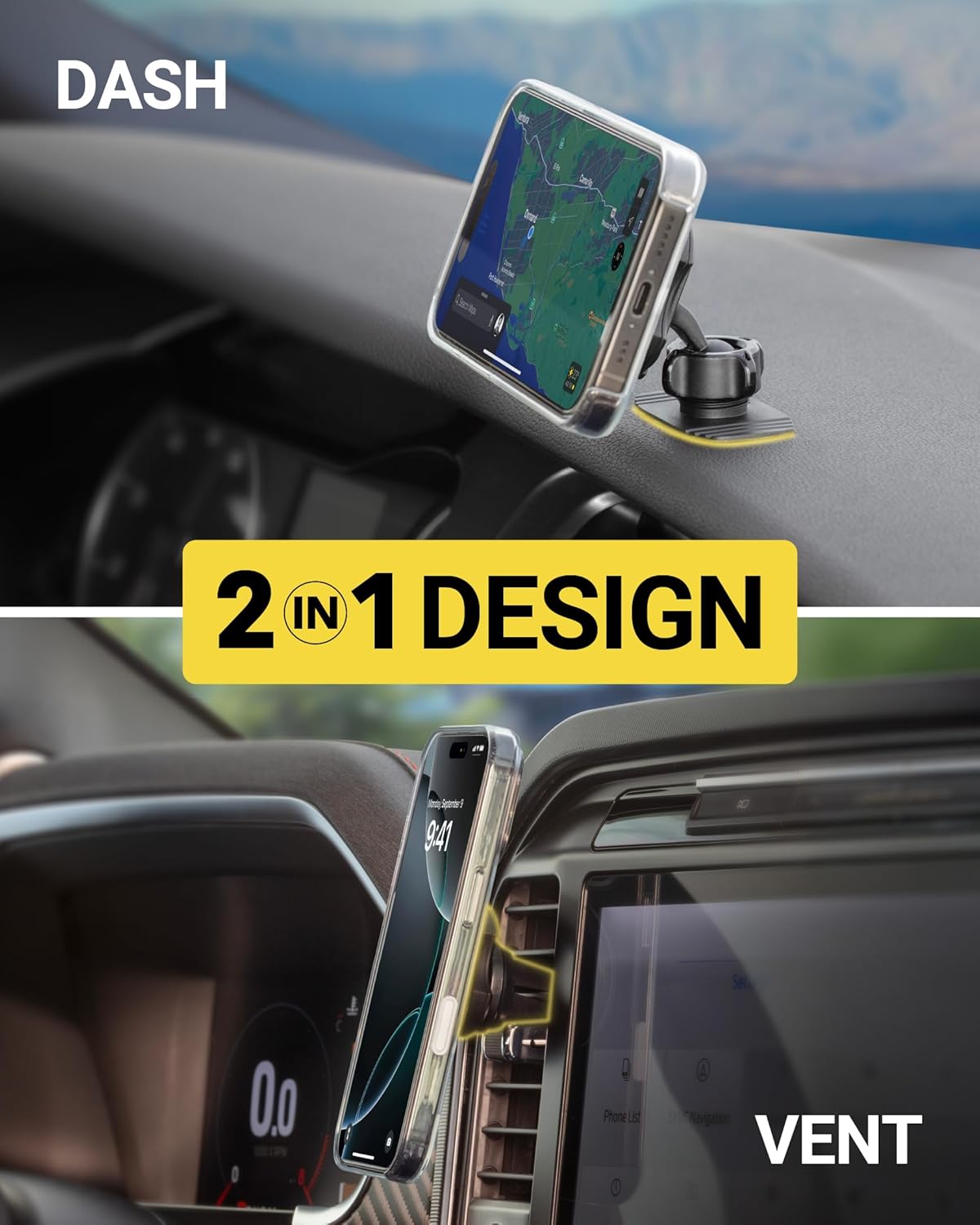
Image: The 2-in-1 design of the mount, showing both dash and vent installation options.
2. Prepare Your Phone for Mounting
For MagSafe-compatible iPhones (iPhone 12 and newer), no additional steps are required if using a MagSafe-compatible case. For other smartphones or non-MagSafe cases, use the included MagicRing Adapter.
Using the MagicRing Adapter:
- Clean the back of your phone or phone case thoroughly with the provided cleaning wipe. Allow it to dry completely.
- Peel the adhesive backing from the MagicRing Adapter.
- Carefully center and press the MagicRing Adapter firmly onto the back of your phone or case. Apply pressure for 30 seconds to ensure strong adhesion.
- Wait at least 24 hours before attaching your phone to the mount to allow the adhesive to fully cure.

Image: Applying the MagicRing adapter to a non-MagSafe phone for magnetic compatibility.
3. Install the Mount
Dashboard Installation (Adhesive Dash Base):
- Clean the chosen dashboard surface with the cleaning wipe and let it dry.
- Attach the Adhesive Dash Base to the MagicMount Magnetic Mount Head.
- Peel the protective film from the adhesive on the dash base.
- Press the mount firmly onto the dashboard for 30 seconds.
- Allow the adhesive to cure for 24 hours before attaching your phone.
Vent Installation (Vent Clip):
- Attach the Vent Clip to the MagicMount Magnetic Mount Head.
- Carefully slide the Vent Clip onto a horizontal or vertical air vent slat in your vehicle. Ensure it is securely fastened.
- Confirm the vent clip is stable and does not obstruct airflow or vent operation.

Image: Compatibility with various car vent types.
Guia de vídeo de configuració
For a visual guide on installing the Scosche MagSafe Mount for Car Vent, please watch the official setup video below:
Video: Official Scosche guide on how to set up the MagSafe Mount for Car Vent.
Instruccions de funcionament
Connectar el telèfon
Once the mount is securely installed and your phone is prepared (MagSafe-compatible or with MagicRing Adapter), simply bring your phone close to the magnetic mount head. The powerful neodymium magnets will automatically align and secure your device.

Image: Attaching a MagSafe-compatible iPhone to the mount.
Desmuntant el teu telèfon
To remove your phone, gently pull it away from the magnetic mount head. The strong magnets ensure a secure hold but allow for easy detachment when needed.
Ajustant Viewing Angle (360° Rotation)
The MagicMount MS features a 360-degree adjustable head. You can rotate your phone to any desired orientation (portrait or landscape) for optimal viewing of navigation, calls, or media. Simply swivel the phone on the magnetic head to adjust the angle.
PopSockets and SpinPop Compatibility
The design of the MagicMount MS allows for compatibility with PopSockets and SpinPop grips. You do not need to remove your phone grip before mounting your device. The mount secures your phone while keeping your favorite grip in place.
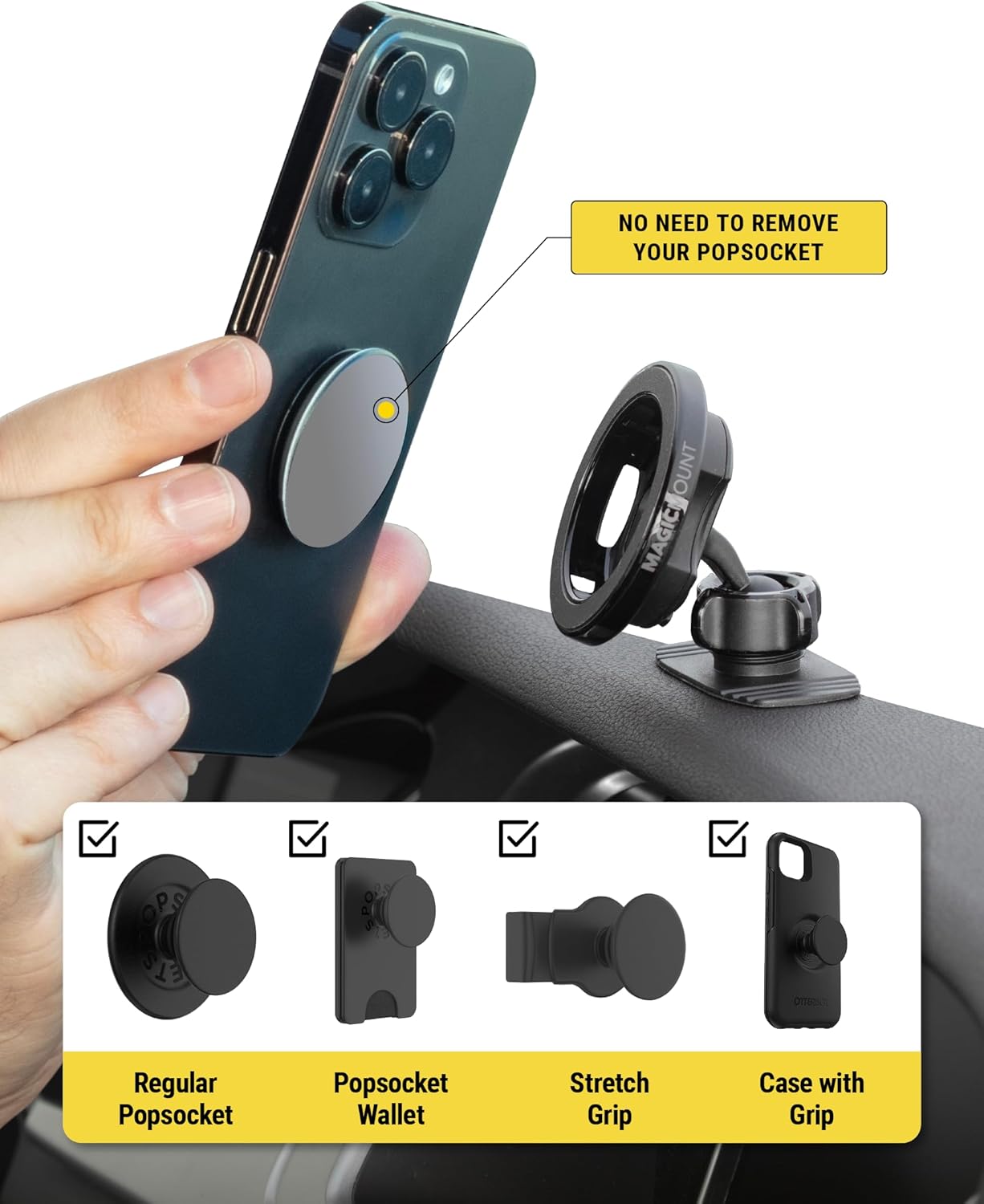
Image: Phone with PopSocket attached, mounted on the MagicMount MS.
Manteniment
To ensure the longevity and optimal performance of your Scosche MagicMount MS, follow these simple maintenance guidelines:
- Neteja: Periodically wipe the magnetic surface of the mount and the MagicRing Adapter (if used) with a soft, dry cloth to remove dust or debris. For the adhesive dash base, ensure the surface remains clean and free of oils for maximum adhesion.
- Cura de l'adhesiu: If the adhesive dash base needs to be re-positioned, carefully remove it and clean both the mount's base and the vehicle surface with a new alcohol wipe before re-applying. Allow 24 hours for the adhesive to re-cure.
- Clip de ventilació: Ensure the vent clip remains securely attached to the vent slat. If it becomes loose, re-position it firmly.
- Temperatura: Avoid exposing the mount to extreme temperatures for prolonged periods, as this may affect the adhesive's performance.
Resolució de problemes
- El telèfon no es subjecta correctament:
- Ensure the MagicRing Adapter is properly centered and firmly adhered to your phone or case (if not using a MagSafe-compatible iPhone/case).
- Verify that the magnetic surface of the mount and the MagicRing are clean and free of obstructions.
- Check if your phone or case is excessively thick, which might reduce magnetic strength.
- Dash Mount Not Sticking:
- Ensure the dashboard surface was thoroughly cleaned and dry before installation.
- Confirm that the adhesive had at least 24 hours to cure before use.
- The adhesive may not perform optimally on textured, porous, or uneven surfaces. Consider an alternative mounting location or the vent clip option.
- Vent Clip Is Loose:
- Ensure the vent clip is fully inserted and gripping the vent slat firmly.
- Some vent designs may not provide a perfectly snug fit. Adjust the clip's position or consider the dash mount option if the vent is not suitable.
Especificacions
| Característica | Detall |
|---|---|
| Marca | Scosche |
| Número de model | SMS2DV-SP |
| Color | Negre |
| Dispositius compatibles | Smartphones (iPhone 12 & newer, Android, etc.) |
| Tipus de muntatge | Dash (Adhesive), Vent (Clip) |
| Característiques addicionals | 360° Rotation, Hand-Free, Adjustable |
| Material | Acrilonitril butadiè estirè, plàstic |
| Pes de l'article | 0.11 quilos |
Informació de la garantia
This Scosche MagicMount MS Dash/Vent Magnetic Phone Mount (SMS2DV-SP) is covered by a Garantia limitada de 3 anys. This warranty covers defects in materials and workmanship under normal use. For specific terms, conditions, and to initiate a warranty claim, please refer to the official Scosche weblloc o poseu-vos en contacte amb el seu servei d'atenció al client.
Suport
If you encounter any issues or have questions regarding the installation, operation, or maintenance of your Scosche MagicMount MS, please visit the official Scosche support website or contact their customer service department for assistance. Detailed contact information can typically be found on the product packaging or the manufacturer's weblloc.