
Introducció
Thank you for choosing the OFNEX X19 Wireless Earbuds. This manual provides detailed instructions on how to set up, operate, and maintain your earbuds to ensure optimal performance and longevity. Please read this manual thoroughly before using the product.

Figure 1: OFNEX X19 Wireless Earbuds and Charging Case.
Què hi ha a la caixa
Verifiqueu que tots els elements siguin presents al vostre paquet:
- Estoig de càrrega sense fil
- Cable USB-C
- Eartips (various sizes: XS, S, M, L)
- Auriculars (esquerra i dreta)
- Manual d'usuari (aquest document)

Figure 2: Package Contents of the OFNEX X19.
Característiques del producte
- Temps de joc ampliat: Fins a 8 hores amb una sola càrrega i un total de 90 hores amb l'estoig de càrrega.
- Càrrega flexible: Supports both USB-C cable charging and Qi-certified wireless charging.
- Pantalla d'alimentació LED dual: Built-in display shows battery status for both the charging case and individual earbuds.
- Cancel·lació activa del soroll (ANC): Advanced ANC technology to minimize ambient noise for clear audio and calls.
- Hi-Fi Stereo Audio: Equipped with 14.2mm dual-chamber speaker drivers for crisp, balanced sound with deep bass.
- Claritat de trucades millorada: Two exclusive built-in microphones improve voice clarity during phone conversations.
- Secure & Comfortable Fit: Ergonomic design with flexible ear hooks and four sizes of rubber ear tips (XS, S, M, L) for a secure and fatigue-free fit, ideal for sports.
- Classificació impermeable IPX7: Provides protection against water droplets and sweat, suitable for workouts and outdoor activities.
- Bluetooth 5.3: Ensures faster transfer speeds, stable connection, and synchronized audio/video with minimal delay.
- Automatic Quick Pairing: Earbuds automatically connect to the last paired device when taken out of the case.
- Independent Volume Controls: Each earbud features separate multi-function and volume buttons for comprehensive control.
- One-key Reset: A dedicated reset button on the charging case simplifies restoring factory settings.
Configuració
1. Càrrega inicial
Abans del primer ús, carregueu completament els auriculars i l'estoig de càrrega.
- Col·loqueu els dos auriculars a la caixa de càrrega.
- Connect the provided USB-C cable to the charging case and a power source (e.g., wall adapter, computer USB port).
- Alternatively, place the charging case on a Qi-certified wireless charging pad (not included).
- The LED display on the case will indicate charging status. Ensure both earbuds and the case are fully charged before proceeding.

Figure 3: Charging the OFNEX X19 Earbuds Case.
2. Emparellament amb el dispositiu
The earbuds use Bluetooth 5.3 for a stable and quick connection.
- Obre l'estoig de càrrega. Els auriculars entraran automàticament en mode d'emparellament.
- Al dispositiu (telèfon intel·ligent, tauleta, ordinador), aneu a la configuració de Bluetooth.
- Cerca available devices and select "X19" from the list.
- Un cop connectat, sentiràs un missatge de confirmació i els auriculars estaran llestos per al seu ús.
- Per a usos posteriors, els auriculars es connectaran automàticament a l'últim dispositiu emparellat quan es treguin de l'estoig.
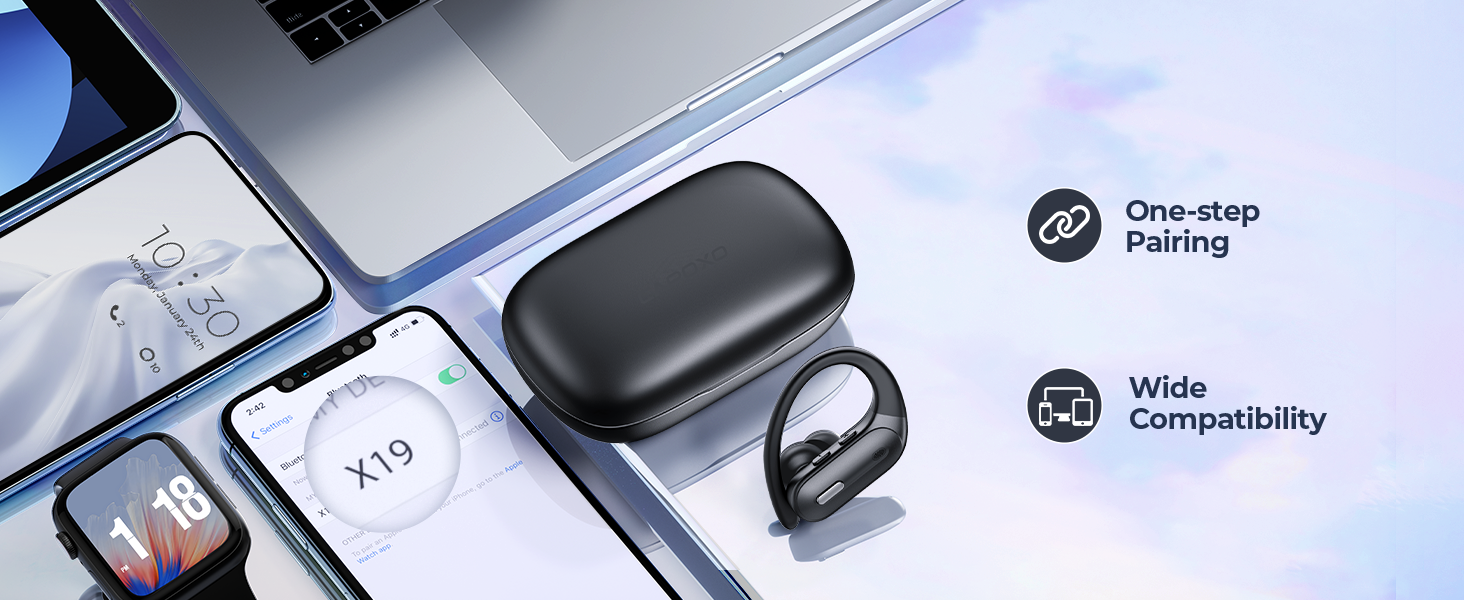
Figure 4: Automatic Quick Pairing.
Instruccions de funcionament
Portant els auriculars
Choose the correct size of eartips for a comfortable and secure fit. The ear hooks are designed to fit over your ears for stability, especially during physical activity.
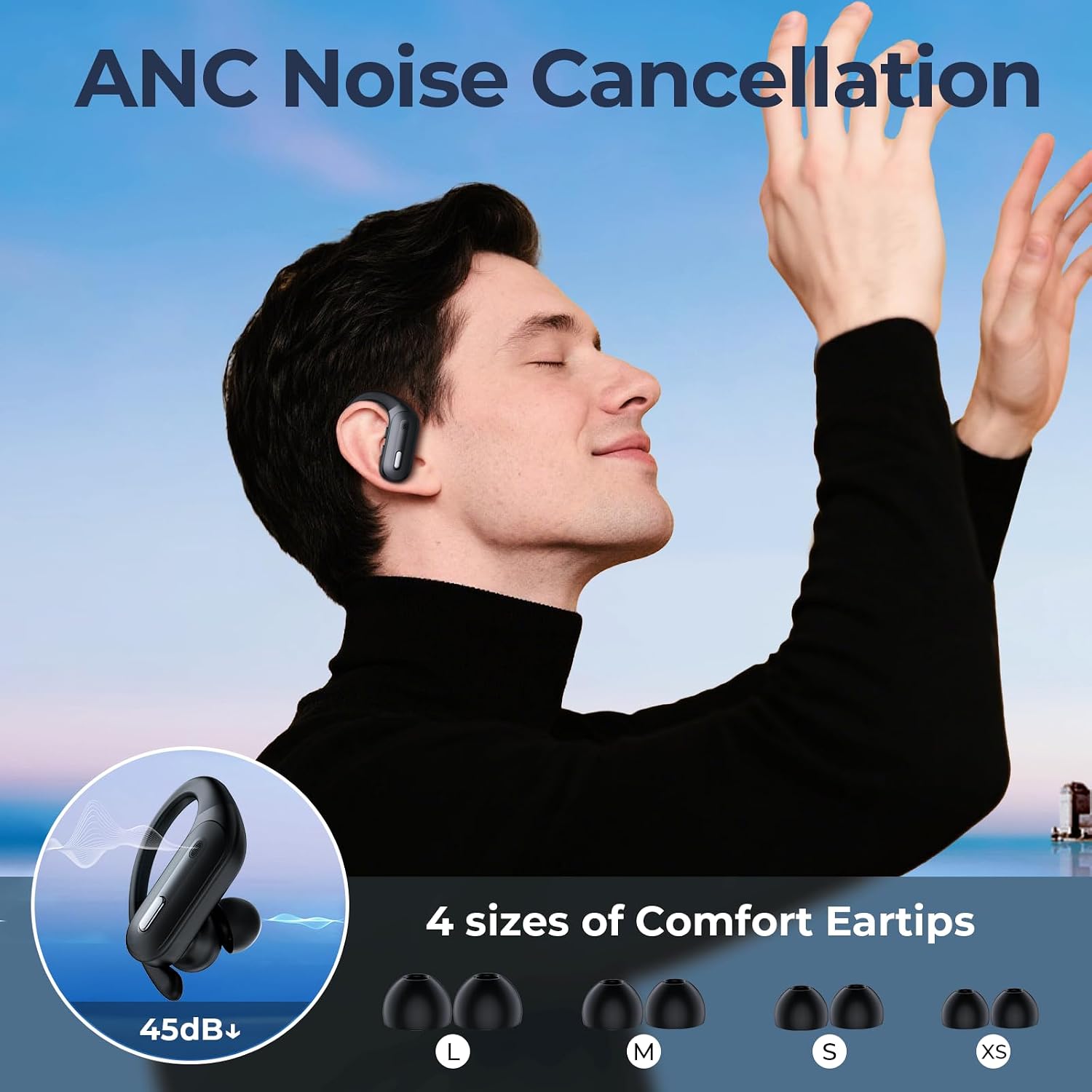
Figure 5: Proper Earbud Fit and Eartip Selection.
Controls
Each earbud has independent controls for music playback, call management, and voice assistant activation. The control buttons are located on the top of each earbud.
| Acció | Funció |
|---|---|
| Single Press (Left/Right) | Reproduir/Pausar música, Respondre/Finalitzar trucada |
| Double Press (Left) | Pista anterior |
| Double Press (Right) | Pista següent |
| Press and Hold (Left) | Baixa el volum |
| Press and Hold (Right) | Puja el volum |
| Triple Press (Left/Right) | Activa l'Assistent de veu (Siri, Google Assistant) |
| Press and Hold (Incoming Call) | Rebutja la trucada |

Figure 6: Earbud Control Functions.
Cancel·lació activa de soroll (ANC)
The X19 earbuds feature Active Noise Cancellation to reduce ambient noise. This feature is automatically active when the earbuds are in use. For optimal performance, ensure a snug fit.
Mode auricular únic
You can use either the left or right earbud independently. Simply take one earbud out of the case, and it will connect to your device. The controls for the single earbud remain active.

Figure 7: Single and Dual Earbud Usage.
Manteniment
- Neteja: Netegeu regularment els auriculars i l'estoig de càrrega amb un drap suau, sec i sense borrissol. No utilitzeu netejadors abrasius ni dissolvents.
- Puntes d'orelles: Traieu les puntes de les orelles i netegeu-les amb aigua i sabó suau si cal. Assegureu-vos que estiguin completament seques abans de tornar-les a col·locar.
- Emmagatzematge: Quan no els utilitzeu, guardeu els auriculars a la seva funda de càrrega per protegir-los i mantenir-los carregats. Guardeu-los en un lloc fresc i sec, allunyat de temperatures extremes.
- Exposició a l'aigua: While IPX7 rated, avoid prolonged submersion in water. Dry the earbuds thoroughly if they get wet before placing them back in the charging case.
Resolució de problemes
| Problema | Possible solució |
|---|---|
| Els auriculars no s'emparellan/connecten. |
|
| Només funciona un auricular. |
|
| Volum baix o mala qualitat de so. |
|
| L'estoig de càrrega no es carrega. |
|
One-key Reset
If you experience persistent issues, you can reset the earbuds to their factory settings:
- Col·loqueu els dos auriculars a la caixa de càrrega.
- Locate the reset button inside the charging case (usually a small button near the earbuds).
- Press and hold the reset button for approximately 10 seconds until the LED indicators on the earbuds flash, indicating a successful reset.
- After resetting, you will need to re-pair the earbuds with your device.

Figure 8: One-key Reset Button Location.
Especificacions
| Característica | Detall |
|---|---|
| Nom del model | X19 |
| Tecnologia de connectivitat | Sense fil (Bluetooth 5.3) |
| Temps de joc (auriculars) | Fins a 8 hores |
| Temps de reproducció total (amb estoig) | Fins a 90 hores |
| Carregant | USB-C, Wireless (Qi-certified) |
| Classificació impermeable | IPX7 |
| Unitat de controlador d'altaveus | 14.2 mm |
| Tipus de control | Control de botons |
| Material | Plàstic |
| Pes de l'article | 5.3 unces |
| Fabricant | OFNEX |
Garantia i Suport
OFNEX is committed to providing high-quality products and customer satisfaction. If you encounter any issues with your X19 Wireless Earbuds, please contact our after-sale support team. We offer a 365-day free return policy and are dedicated to helping you resolve any problems, including replacements or full refunds if you are not satisfied.
For support, please visit the OFNEX store on Amazon or contact us through the Amazon platform.

Figure 9: OFNEX Customer Support Information.