
1. Introducció
Thank you for choosing the MageGee V500 Wireless Gaming Keyboard. This manual provides detailed instructions for setting up, operating, maintaining, and troubleshooting your new keyboard. Please read this manual thoroughly to ensure proper use and to maximize your experience with the product.
2. Instruccions de configuració
2.1 Contingut del paquet
- MageGee V500 Wireless Gaming Keyboard
- Receptor USB 2.4G
- Cable de càrrega USB
- Manual d'usuari
2.2 Connexió del teclat
- Locate the 2.4G USB receiver, typically stored in a compartment on the keyboard or included separately in the packaging.
- Plug the 2.4G USB receiver into an available USB port on your computer (PC, laptop, Mac, or desktop).
- Ensure the keyboard's power switch (usually located on the back or side) is in the 'ON' position.
- The keyboard should automatically connect to your computer. If not, press any key to wake it up or re-insert the USB receiver.

3. Instruccions de funcionament
3.1 Power Management and Charging
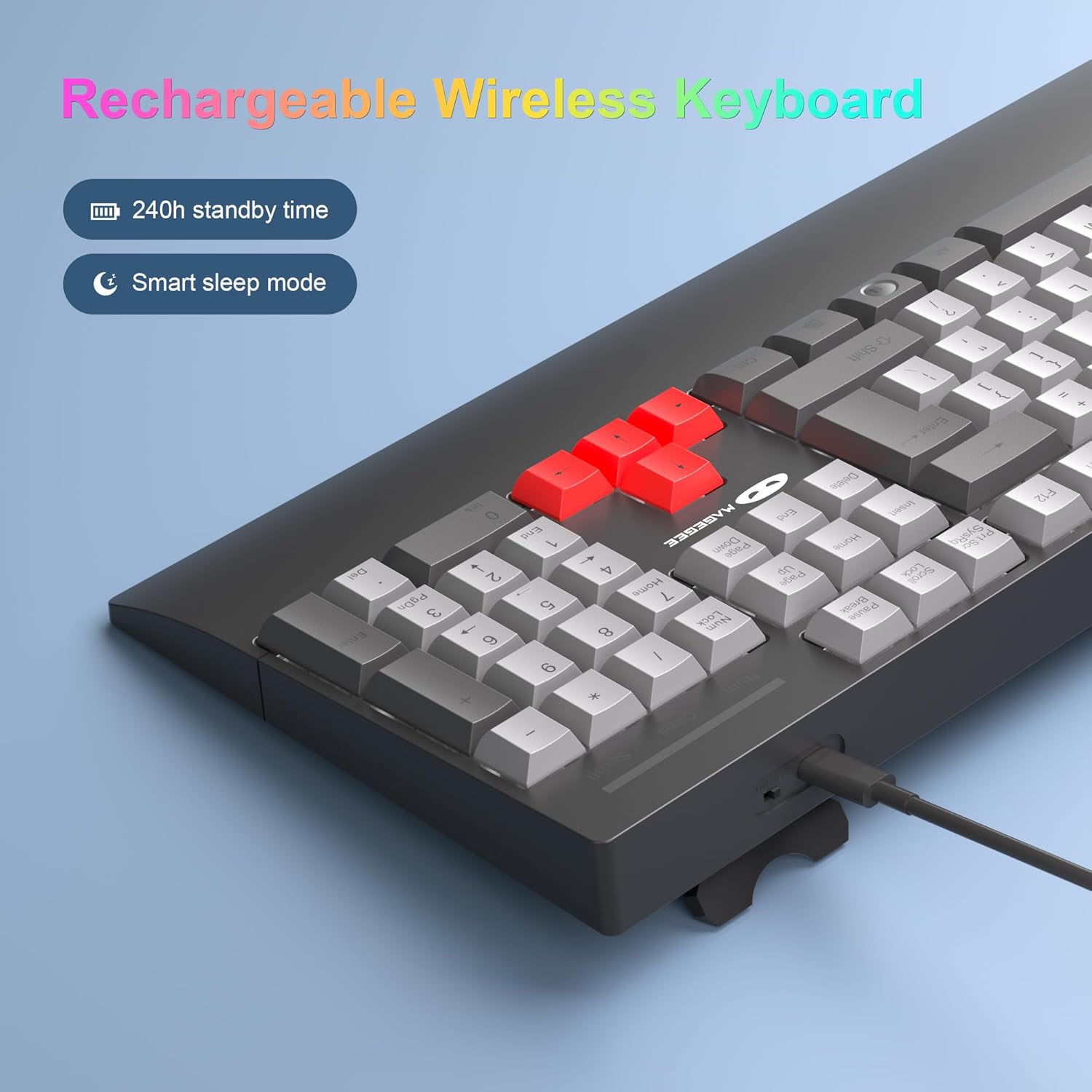
- The keyboard features a rechargeable battery with up to 240 hours of standby time.
- It includes a smart sleep mode: If there is no operation within 5 minutes, the keyboard will automatically enter sleep mode to conserve power. Press any key to wake it up.
- To charge the keyboard, connect the provided USB charging cable to the keyboard's charging port and a USB power source.
3.2 Control de retroiluminació RGB
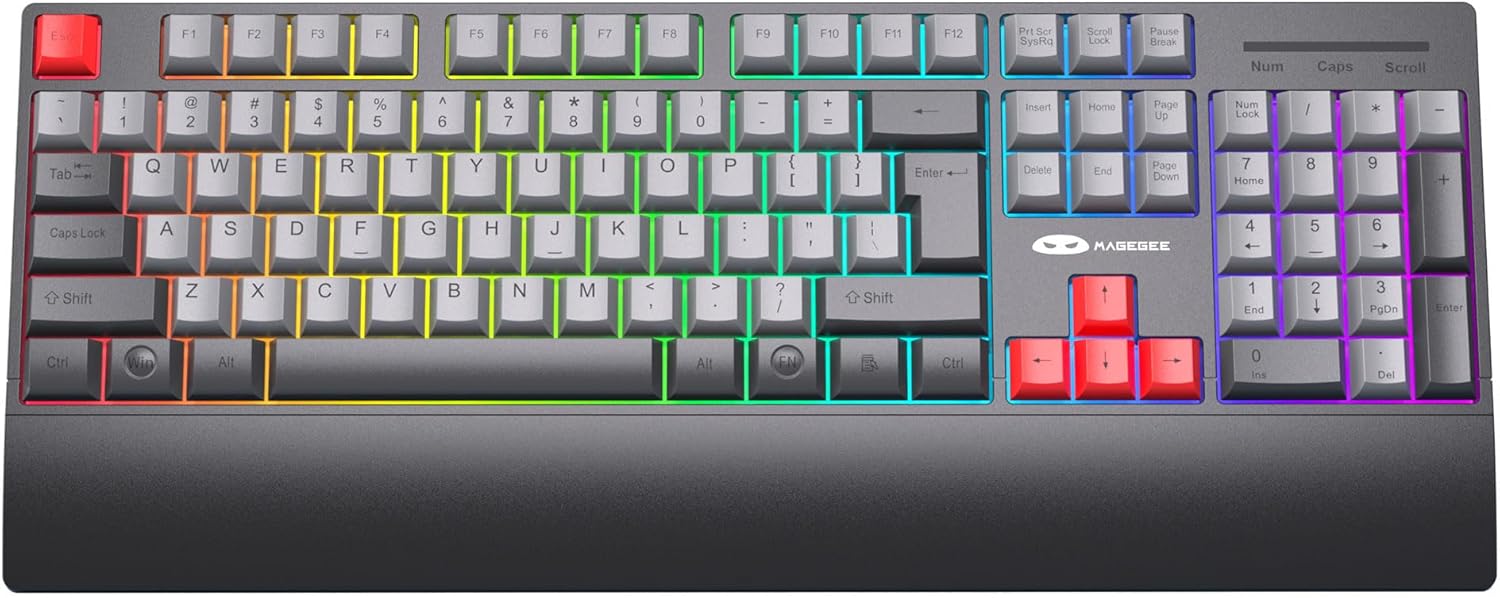
The keyboard features customizable RGB LED backlighting with multiple modes.
- Ajusta la brillantor: Premeu Fn + ↑ (Up Arrow) to increase brightness, or Fn + ↓ (Fletxa avall) per disminuir la brillantor.
- Adjust Flowing Speed: Premeu Fn + ← (Fletxa esquerra) o Fn + → (Right Arrow) to adjust the speed of dynamic backlight modes.
- Turn Off Backlight: Premeu Fn + PGDN per apagar la llum de fons.
3.3 Tecles d'accés directe multimèdia
The keyboard includes 12 multimedia key combinations for quick access to various functions:
| Combinació de tecles | Funció |
|---|---|
| Fn + F1 | Reproductor multimèdia |
| Fn + F2 | Baixa el volum |
| Fn + F3 | Puja el volum |
| Fn + F4 | Silenciar |
| Fn + F5 | Atureu-vos |
| Fn + F6 | Pista anterior |
| Fn + F7 | Reproduir/Pausa |
| Fn + F8 | Pista següent |
| Fn + F9 | Correu electrònic |
| Fn + F10 | Web Browser/Homepage |
| Fn + F12 | Calculadora |

3.4 N-Key Rollover (Anti-Ghosting)
The MageGee V500 keyboard features N-Key Rollover, also known as anti-ghosting. This technology ensures that every key press is registered accurately, even when multiple keys are pressed simultaneously. This is particularly beneficial for fast-paced gaming and efficient typing, preventing missed inputs.
3.5 Disseny ergonòmic
The keyboard is designed with user comfort in mind, featuring an extended wrist rest and adjustable stands. These elements help maintain a natural hand and wrist posture, reducing fatigue during prolonged use for both gaming and office tasks.

3.6 Compatibilitat multidispositiu
The MageGee V500 keyboard is compatible with a wide range of operating systems, including Windows, Mac, and Linux. This versatility makes it suitable for various computing environments and devices such as PCs, laptops, and desktops.

4. Manteniment
4.1 Neteja del teclat
- Desconnecteu el teclat de l'ordinador abans de netejar-lo.
- Utilitzeu un drap suau i sense pelusa lleugerament dampEsbandiu amb aigua o una solució netejadora suau per netejar les tecles i la superfície.
- Eviteu utilitzar productes químics agressius, netejadors abrasius o ruixar líquids directament sobre el teclat.
- Feu servir aire comprimit per eliminar la pols i les restes que hi ha entre les tecles.
4.2 Cura de la bateria
- Carregueu el teclat regularment per mantenir la bateria en bon estat.
- Eviteu descarregar completament la bateria amb freqüència.
- Si guardeu el teclat durant un període prolongat, carregueu-lo aproximadament al 50% abans de guardar-lo.
5. Solució De Problemes
If you encounter issues with your MageGee V500 keyboard, please refer to the following troubleshooting steps:
5.1 Keyboard Not Connecting/Responding
- Ensure the 2.4G USB receiver is securely plugged into a working USB port on your computer.
- Verify that the keyboard's power switch is in the 'ON' position.
- Check the keyboard's battery level and charge it if necessary.
- Proveu de connectar el receptor USB a un port USB diferent.
- Reinicieu l'ordinador.
5.2 La retroiluminació no funciona o és incorrecta
- Ensure the backlight has not been turned off (press Fn + PGDN to toggle).
- Ajusta la brillantor amb Fn + ↑/↓.
- If the backlight is dim, charge the keyboard.
5.3 Keys Not Responding or Sticky
- Clean the keyboard to remove any debris or dust that might be obstructing the keys.
- Assegureu-vos que el teclat estigui completament carregat.
- Si algunes claus específiques donen problemes de manera consistent, poseu-vos en contacte amb l'atenció al client.
5.4 Wireless Lag or Disconnection
- Ensure the keyboard is within the effective wireless range (up to 33 feet or 10 meters) of the USB receiver.
- Minimize interference from other wireless devices by moving them further away.
- Try moving the USB receiver to a front USB port or using a USB extension cable to bring it closer to the keyboard.
6. Especificacions
| Característica | Detall |
|---|---|
| Model | V500 |
| Marca | MageGee |
| Tecnologia de connectivitat | 2.4G Wireless (via USB dongle) |
| Recompte de claus | 104 claus |
| Llum de fons | Retroil·luminació LED RGB |
| Característica especial | Ergonomic design with wrist rest, N-Key Rollover |
| Dispositius compatibles | PC, Laptop, Mac, Desktop (Windows, macOS, Linux) |
| Color | Negre Gris |
| Pes de l'article | 1.9 lliures |
| Dimensions del paquet | 17.92 x 8.19 x 1.53 polzades |
| Fabricant | MAGEGEU |
7. Garantia i Suport
MageGee products are designed for reliability and performance. For warranty information or technical support, please refer to the contact details provided with your product packaging or visit the official MageGee weblloc web. Si us plau, conserveu el comprovant de compra per a qualsevol reclamació de garantia.