
1. Introducció
The CHIGEE AIO-6 MAX is a motorcycle smart riding system designed to enhance your riding experience with seamless smartphone integration, advanced navigation, and robust safety features. This manual provides detailed instructions for installation, operation, and maintenance to ensure optimal performance and longevity of your device.
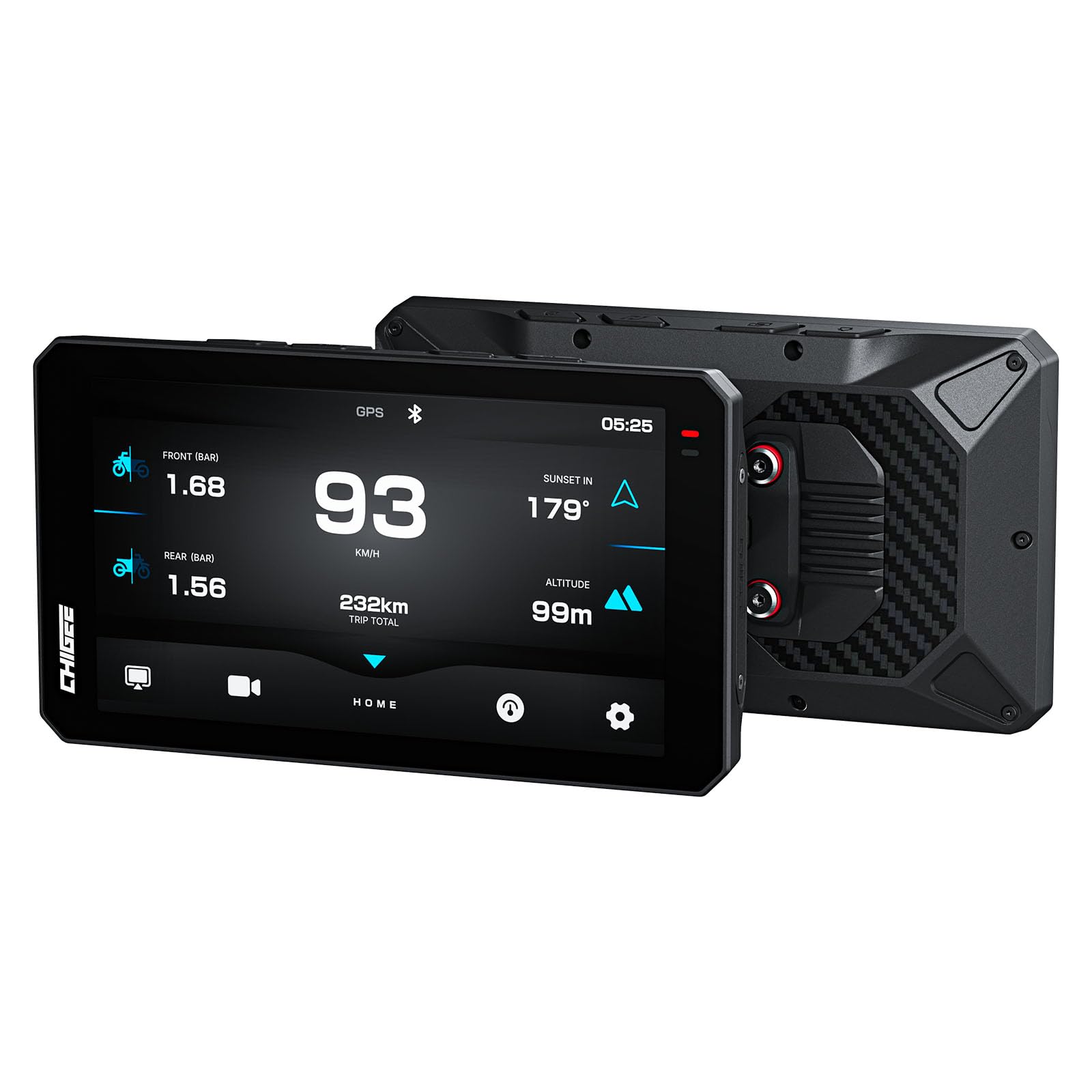
Image: CHIGEE AIO-6 MAX device, showcasing el seu disseny i pantalla elegants.
2. Què hi ha a la caixa
Your CHIGEE AIO-6 MAX package includes the following components:
- AIO-6 MAX Host Unit (x1)
- Type-C Main Harness (x1)
- Cable d'alimentació (x1)
- Reducer Rings (x3)
- 22-32mm Mounting Bracket (x1)
- Cable Clamps (x2)
- Ball Head Component (x1)
- Magic Tie (x2)
- Nylon Tie (x5)
- Disassembly Tool (x3)
- Stickers (x2)

Image: Visual representation of the standard package contents.
Video: An unboxing video of a similar CHIGEE AIO-5 PLAY unit, demonstrating typical package contents and initial impressions.
3. Producte acabatview
3.1 Característiques físiques
The AIO-6 MAX unit is designed for durability and ease of use in motorcycle environments. It features a robust casing and strategically placed ports and buttons.
3.2 Botons i ports
The device includes physical buttons for essential functions and waterproof ports for connectivity.
- Top Side Buttons: Home Key, Switch Key, Record Key, Lock Key. These allow for mode switching, recording, and screen control.
- Ports laterals: USB port, Micro SD card slot (under waterproof rubber cover).
- Connexions posteriors: Camera and power connections are screw-in type for waterproofing.
Video: A detailed look at the physical features, buttons, and ports of a CHIGEE AIO-5 PLAY unit, which shares similar design elements with the AIO-6 MAX.
4. Guia d'instal·lació
4.1 Muntatge de la pantalla
The AIO-6 MAX comes with a handlebar mount and dashboard mount. Optional quick-release mounts for BMW, CG, or automotive applications are available separately for seamless integration with various motorcycle types.
Video: Instructions on how to install the square bracket for a motorcycle screen, demonstrating the mounting process.
Video: Installation guide for the LBW MT700 Pro 7" Wireless Moto CarPlay Bracket, showing the mounting process for a similar device.
Video: Demonstrates the ultimate mounting flexibility of the CHIGEE AIO 6, showcasing various mounting options.
4.2 Connexions de cablejat
Proper wiring is crucial for the device's functionality. Connect the power cable to an always-on 12V source and the accessory wire to a source that is only powered when the ignition is on (accessory mode). Ensure all connections are secure and waterproof.
4.3 Instal·lació de la càmera
The AIO-6 MAX supports front and rear cameras. Install them in locations that provide clear views and are securely mounted to prevent movement during rides. Ensure the camera cables are properly routed and connected to the main unit.
4.4 Instal·lació del TPMS (opcional)
If you have the optional TPMS add-on, install the sensors on your tire valves. Follow the on-screen instructions on the AIO-6 MAX to pair and configure the sensors for real-time tire pressure and temperature monitoring.
5. Configuració i activació
To activate and set up your AIO-6 MAX, follow these steps:
- Download the CHIGEE GO App on your smartphone.
- Turn on your phone's Bluetooth and Wi-Fi.
- On the CHIGEE GO App, click "Connect Device" and select your AIO-6 MAX unit.
- Confirm the connection on the AIO-6 MAX screen.
- Once connected, you can configure settings such as language, display brightness, and other preferences.
6. Instruccions de funcionament
6.1 Smart Display with CarPlay & Android Auto
Enjoy seamless smartphone integration. Access navigation, music, apps, and calls directly from the 6-inch screen. Stay connected while keeping your eyes on the road and hands on the bars.

Image: The AIO-6 MAX screen mirroring smartphone interfaces for CarPlay and Android Auto.

Image: Comparison of CarPlay Motorcycle Navigation 1.0 vs 2.0, highlighting improved in-device control.
Video: Demonstrates controlling the CHIGEE AIO-5 PLAY for BMW with a Wonder Wheel, showcasing intuitive interface control.
Video: Shows CarPlay functionality during road cycling with a Carpuride moto unit, similar to CHIGEE's features.
6.2 Driving Recorder (Dash Cams)
The AIO-6 MAX features built-in front and rear cameras with FHD 1080p resolution and a SONY IMX307 sensor. Enjoy pro-level performance with HDR technology, automatic day/night mode switching, and strong anti-shake for stable footage.

Image: Demonstrates HDR technology and anti-shake features for the driving recorder.

Image: CHIGEE AIO-6 MAX integrating with Insta360 for live view and control of riding shots.
6.3 BSD Blind Spot Detection (Optional)
With optional exclusive cameras, the AIO-6 MAX offers BSD (Blind Spot Detection). Driven by a high-performance AI SoC chip, it scans blind spots in real-time, triggering dual alerts (visual + audio) when danger is near. Proprietary AI tech filters false alarms for reliable safety.

Image: Illustrates the BSD (Blind Spot Detection) feature with visual cues for approaching vehicles.
6.4 Meter Display
The meter display provides crucial ride data, including speed, direction, and optional TPMS information. With an optional OBD module, you can also monitor engine temperature and throttle.

Image: Shows the precise dynamic lean angle measurement feature on the AIO-6 MAX display.
6.5 Audio Interaction
The system supports direct phone-to-headset audio interaction, allowing for clearer and more stable calls and music playback during rides.

Image: Diagram illustrating direct phone-to-headset audio interaction via the AIO-6 MAX.
6.6 Posicionament GPS
Equipped with new high-sensitivity GPS with 47-channel Multi-Band Reception, the AIO-6 MAX offers 3-second hot start and seamless switching between 6 Global Satellite Systems (GPS, BeiDou, Galileo, etc.). Advanced indoor/outdoor path correction ensures accurate positioning in challenging environments.

Image: Visual representation of Six-Band GNSS for fast and accurate positioning.
Connectivitat Wi-Fi 6.7
The AIO-6 MAX features 2.4G/5G dual-band Wi-Fi, ensuring a stable and uninterrupted connection for smooth data transfer and online features.

Image: Illustrates the 2.4G/5G Dual-Band WiFi connectivity for stable performance.
7. Manteniment i cura
To ensure the longevity and optimal performance of your AIO-6 MAX, follow these maintenance guidelines:
- Cura de la pantalla: The CHIGEE AIO-6 series comes with a pre-applied HD soft film. If scratches appear, you can peel it off to reveal a brand-new screen. If applying a tempered glass protector, remove the soft film first.
- Neteja: Ensure the lens glass is clean. Use a soft, dry cloth to clean the lens. Avoid strong detergents or organic solvents.
- Actualitzacions de firmware: Regularly check for and install firmware updates via the CHIGEE GO app to ensure optimal system stability and new features. Do not power off the device during an update.
8. Solució De Problemes
If you encounter issues with your AIO-6 MAX, refer to the following common troubleshooting steps:
- Problemes de connexió: If the AIO-6 connection fails, restart the AIO-6 unit and the CHIGEE GO App, then try again. Ensure Bluetooth and Wi-Fi are enabled on your phone.
- Visualització de la pantalla: Adjust screen brightness and volume in the settings. The device has an auto-brightness feature.
- Problemes amb la targeta SD: Use a micro SD card with a U3 rating for stable video recording. Format the SD card if issues persist.
- Restabliment del dispositiu: A factory reset option is available in the settings menu to restore default configurations.
9. Especificacions
| Característica | Especificació |
|---|---|
| Nom del model | AIO-6 MÀX |
| Mida de la pantalla | 6 polzades |
| Tipus de visualització | LCD, STARVIS HDR |
| Brillantor | 2000 Nits (Ultra-bright) |
| Freqüència d'actualització | 60 FPS |
| Resolució | FHD 1080p |
| Connectivitat | Bluetooth 5.0, 5G Wi-Fi |
| Sistema de navegació | Six-Band GNSS (GPS, BeiDou, Galileo, etc.) |
| Classificació impermeable | IPX9 |
| Sistema operatiu | Android |
| Sensor d'imatge | SONY IMX307 |
| Included Mounts | Handlebar Mount, Dashboard Mount |
| Pes de l'article | 0.91 quilos |
10. Garantia i Suport
The CHIGEE AIO-6 MAX comes with a 1 any de garantia from the date of purchase. For technical support, troubleshooting assistance, or warranty claims, please visit the official CHIGEE website or contact their customer service team. Ensure you have your purchase receipt and product serial number available.