
toocki TTWS-YL02
toocki Flip Bluetooth 5.3 Wireless Earbuds Instruction Manual
Model: TTWS-YL02
Introducció
This manual provides detailed instructions for the setup, operation, maintenance, and troubleshooting of your toocki Flip Bluetooth 5.3 Wireless Earbuds, Model TTWS-YL02. Please read this manual thoroughly before using the product to ensure optimal performance and longevity.

Image: The toocki Flip Bluetooth 5.3 Wireless Earbuds, black, resting inside their open charging case. A small LED indicator is visible on the front of the case.
Contingut del paquet
Assegureu-vos que tots els elements siguin presents al paquet:
- toocki Flip Bluetooth 5.3 Wireless Earbuds (Left and Right)
- Estoig de càrrega
- Cable de càrrega USB
- Múltiples mides de tapes per a les orelles (S, M, L)
- Manual d'usuari
Producte acabatview
Familiarize yourself with the components of your earbuds.

Image: A detailed diagram highlighting various parts of the toocki Flip Wireless Earbuds and their charging case, including touch control area, microphone, charging contacts, and LED indicators.
- Earbud Touch Control Area: Per gestionar la reproducció, les trucades i altres funcions.
- Micròfon: Integrated for calls and voice assistant.
- Contactes de càrrega: Located at the bottom of each earbud for charging within the case.
- Indicador LED de la caixa de càrrega: Mostra l'estat de càrrega i el nivell de la bateria.
- Port de càrrega USB-C: Situat a la caixa de càrrega.
Configuració
1. Càrrega dels auriculars i l'estoig
Abans del primer ús, carregueu completament els auriculars i l'estoig de càrrega.
- Col·loqueu els auriculars a la caixa de càrrega.
- Connecteu el cable de càrrega USB al port de càrrega de la carcassa i a una font d'alimentació.
- L'indicador LED de la carcassa mostrarà l'estat de càrrega. Un cop carregada completament, l'indicador canviarà o s'apagarà.

Image: An illustration showing the earbuds in their charging case, with a visual representation of the 4.5 hours of single-use battery life and the charging case capacity.
2. Vinculació amb un dispositiu
Els auriculars entraran automàticament en mode d'emparellament quan es treguin de l'estoig de càrrega.
- Obre l'estoig de càrrega i treu els dos auriculars. S'encendran automàticament i entraran en mode d'emparellament.
- Al dispositiu (telèfon intel·ligent, tauleta, etc.), activeu el Bluetooth.
- Cerca "toocki Flip" (or similar name) in the list of available Bluetooth devices and select it to connect.
- Once connected, you will hear a confirmation tone, and the earbud indicator lights will turn off.
Reconnexió automàtica: After the initial pairing, the earbuds will automatically reconnect to the last paired device when removed from the case, provided Bluetooth is enabled on the device.

Image: A graphic illustrating the earbuds' compatibility with various devices (cell phones, tablets) and the auto-reconnect function shown with a smartphone's Bluetooth settings.
Instruccions de funcionament
The toocki Flip earbuds feature intuitive touch controls. The touch control area is located on the outer surface of each earbud.
Funcions de control tàctil

Image: A visual guide detailing the various touch control gestures for the earbuds, including play/pause, volume, call management, song switching, voice assistant, game mode, and reset.
| Funció | Gest |
|---|---|
| Reproducció/pausa de música | Double-tap Left or Right earbud |
| Puja el volum | Single-tap Right earbud |
| Baixa el volum | Single-tap Left earbud |
| Següent Cançó | Fes tres tocs a l'auricular dret |
| Cançó anterior | Fes tres tocs a l'auricular esquerre |
| Respondre/penjar la trucada | Double-tap Left or Right earbud |
| Rebutja la trucada | Long press Left or Right earbud for 2 seconds |
| Activa l'Assistent de veu | Four taps on the Right earbud |
| Mode de joc activat/desactivat | Long press Left earbud for 2 seconds to enter; long press again for 2 seconds to exit. |
| Restabliment de l'auricular | Tap the headset 7 times in a row |
Cancel·lació de soroll
The earbuds feature Hybrid Active Noise Cancellation (ANC) with AI, capable of reducing background noise by up to 99% (40dB depth, +4000Hz bandwidth).
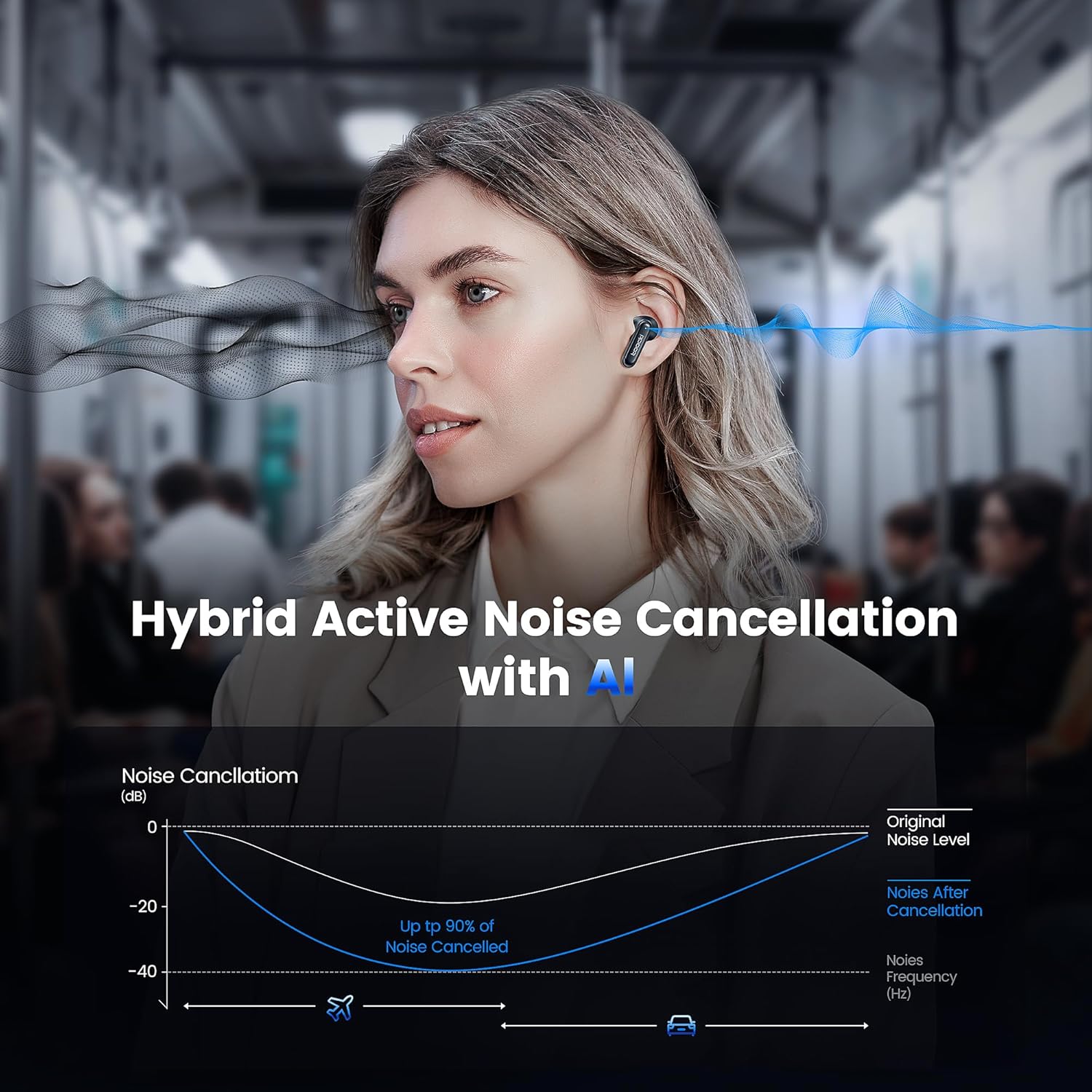
Image: A graph illustrating the effectiveness of Hybrid Active Noise Cancellation with AI, showing a significant reduction in noise levels across various frequencies, applicable in environments like airplanes and cars.
This technology is designed to enhance your listening experience by minimizing distractions from your surroundings, whether you are indoors, outdoors, or commuting.

Image: A person studying indoors with earbuds, illustrating how noise cancellation weakens sounds from turning books, air conditioners, and other machines.

Image: A person walking outdoors with earbuds, demonstrating the ability to block out crowd noise.

Image: A person commuting on public transport with earbuds, showing how noise cancellation blocks out airplane, high-speed train, and subway noise.
Gestió de trucades
The earbuds are equipped with 4 microphones and advanced algorithms to enhance call clarity, ensuring your voice is heard clearly even in noisy environments.

Image: A person smiling while holding a smartphone and wearing the earbuds, with an overlay indicating "4 Mic + AI Call Noise Cancellation" to highlight enhanced call quality.
Experiència sonora
Experience 360° panoramic sound with stereo dual-channel audio and 10mm drivers, delivering rich bass and clear treble for an immersive listening experience.
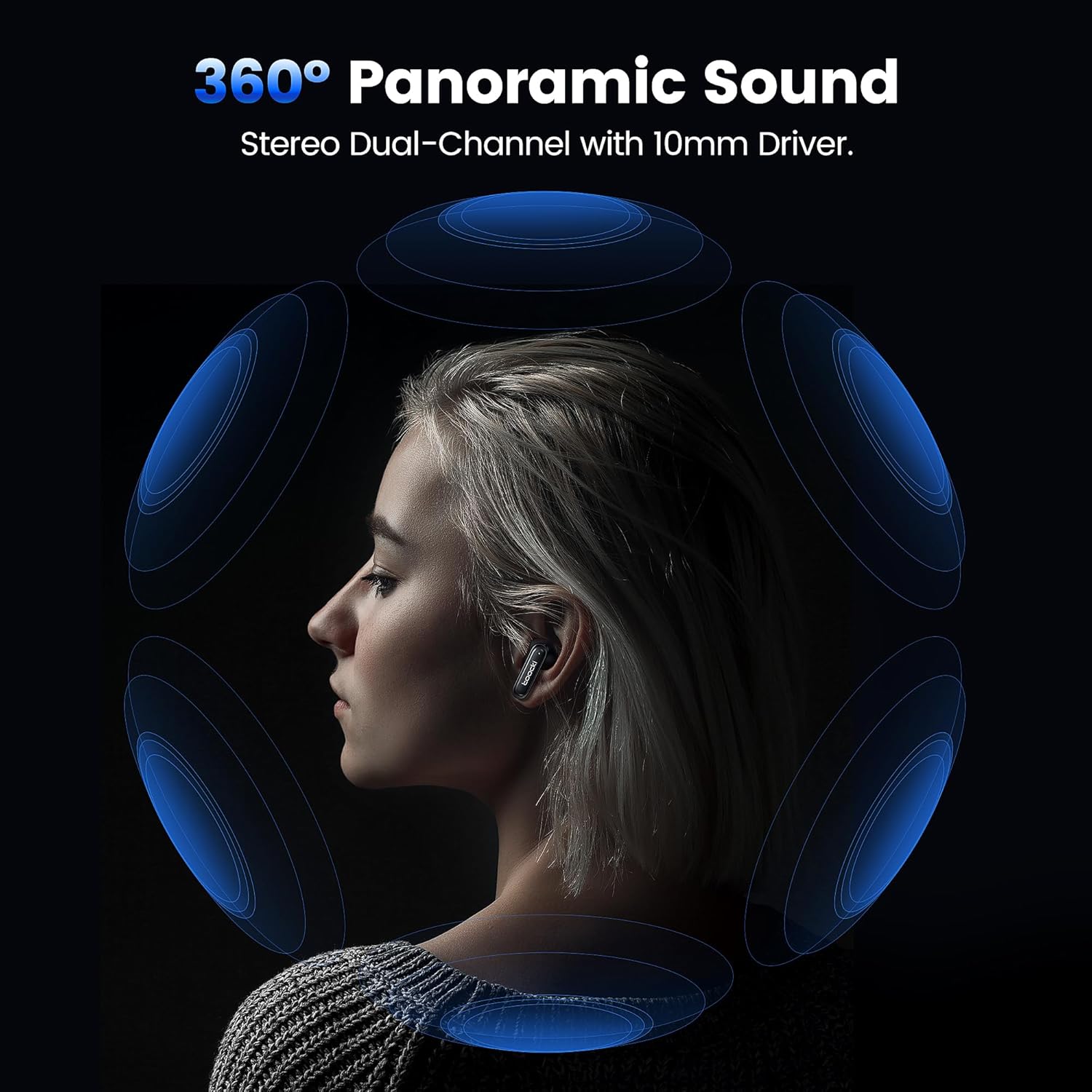
Image: A visual representation of 360° panoramic sound emanating from an earbud, with text indicating "Stereo Dual-Channel with 10mm Driver."

Image: A cutaway diagram of a 10mm moving coil unit, illustrating its internal components and emphasizing its role in delivering extraordinary sound performance with larger vibration area, pure bass, and treble.
Manteniment
Un manteniment adequat garanteix la longevitat i el rendiment òptim dels teus auriculars.
- Neteja: Regularly clean the earbuds, especially the eartips and charging contacts, with a soft, dry, lint-free cloth. Do not use abrasive cleaners or solvents.
- Puntes d'orelles: The earbuds come with multiple sizes of eartips (S, M, L). Choose the size that provides the best seal and comfort for your ears. This also helps with noise cancellation effectiveness.
- Emmagatzematge: Quan no els utilitzeu, guardeu els auriculars a la seva funda de càrrega per protegir-los i mantenir-los carregats.
- Resistència a l'aigua: The earbuds are waterproof. However, avoid prolonged exposure to water and ensure they are dry before placing them back in the charging case to prevent damage to the charging contacts.
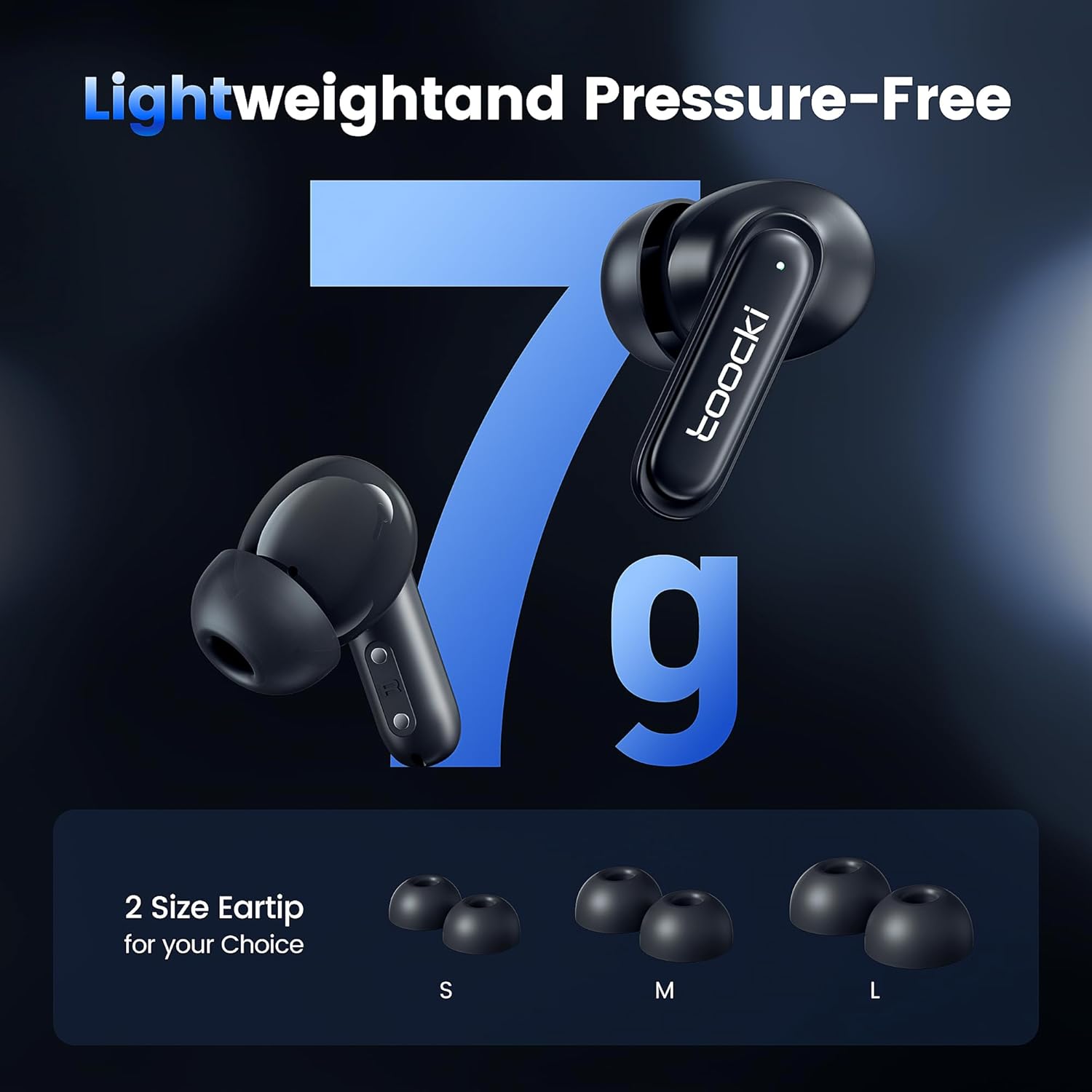
Image: The earbuds displayed alongside three pairs of eartips in small (S), medium (M), and large (L) sizes, emphasizing the lightweight design and choice of eartips for comfort.
Resolució de problemes
Si trobeu problemes, proveu les solucions següents:
- Auriculars que no s'emparellan:
- Assegureu-vos que els dos auriculars estiguin carregats.
- Desactiva el Bluetooth del dispositiu i torna'l a activar.
- Forget the "toocki Flip" device from your device's Bluetooth settings and try pairing again.
- Perform a headset reset (tap 7 times in a row).
- Només funciona un auricular:
- Assegureu-vos que els dos auriculars estiguin carregats.
- Torneu a col·locar els dos auriculars a l'estoig de càrrega, tanqueu la tapa, espereu uns segons i torneu-los a treure.
- Prova de restablir els auriculars.
- Volum baix o qualitat de so deficient:
- Ajusta el volum tant al dispositiu com als auriculars.
- Ensure the eartips are properly seated in your ear to create a good seal. Try different eartip sizes.
- Netegeu qualsevol residu dels altaveus i les puntes dels auriculars.
- Problemes de càrrega:
- Comprova el cable de càrrega i l'adaptador de corrent. Prova un cable o adaptador diferent.
- Assegureu-vos que els contactes de càrrega tant dels auriculars com de la funda estiguin nets i lliures d'obstruccions.
Especificacions
| Nom del model | TTWS-YL02 |
| Marca | toocki |
| Tecnologia de connectivitat | Sense fil (Bluetooth 5.3) |
| Col·locació de l'orella | In-orella |
| Factor de forma | In-orella |
| Control de soroll | Active Noise Cancellation (up to 40dB depth, 99% background noise reduction) |
| Mida del controlador | 10 mm |
| Playtime (Single Use) | Aproximadament 4.5 hores |
| Capacitat de la caixa de càrrega | 400mAh (estimated from image) |
| Mètode de control | Toca |
| Característiques especials | Fast Charging, Waterproof, 4 Microphones + AI for Call Noise Cancellation |
| Color | Negre |
| Pes (per auricular) | Aprox. 7 g |
Garantia i Suport
For warranty information or technical support, please refer to the documentation included with your purchase or contact toocki customer service through their official weblloc web o el venedor on es va comprar el producte.
Ask a question about this manual
Ask about setup, troubleshooting, compatibility, parts, safety, or missing instructions. Manuals+ will review the question and use this page’s manual context to help answer it.