
1. Introducció
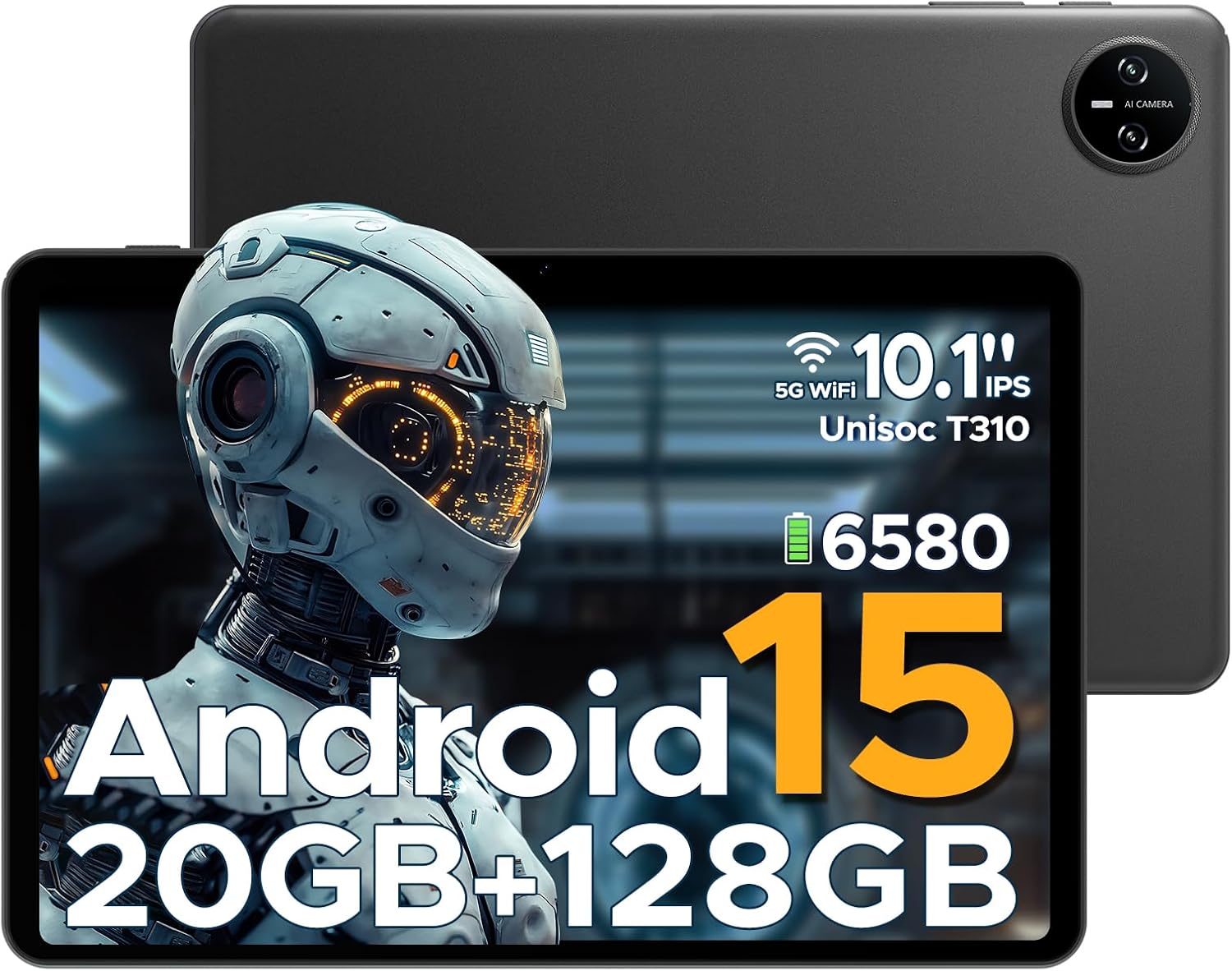
This manual provides essential information for the safe and efficient use of your DOOGEE Tab A9 Pro Android 15 Tablet. Please read this manual thoroughly before operating the device and retain it for future reference. The DOOGEE Tab A9 Pro is a 10-inch tablet featuring the latest Android 15 system, a Unisoc T310 processor, 20GB RAM, 128GB ROM (expandable to 2TB), a 6580mAh battery, and dual speakers, designed for a smooth and versatile user experience.
2. Què hi ha a la caixa
Verifiqueu que hi hagi tots els elements en desembalar-los:
- 1 x DOOGEE Tab A9 Pro Tablet
- 1 x Carregador
- 1 x cable USB tipus C
- 1 x Manual d'usuari
Note: The OTG cable is not included with the tablet and needs to be purchased separately.
3. Producte acabatview
3.1 Característiques clau
- Sistema operatiu: Latest Android 15, offering enhanced speed and privacy features.
- Processador: Unisoc T310 Quad-Core Processor (2.0 GHz Cortex-A75 core) for efficient performance and low power consumption.
- Memòria i emmagatzematge: 20GB RAM (4GB base + 16GB expandable virtual RAM) and 128GB internal storage, expandable up to 2TB via Micro SD card (sold separately).
- Visualització: 10.1-inch IPS HD display with 1280x800 resolution, 16:10 aspect ratio, and 2.5D cover glass.
- Bateria: 6580mAh high-capacity battery for extended use.
- Càmeres: 8MP AI rear camera and 5MP front camera for photography and video calls.
- Àudio: 1217 BOX Dual Speakers for clear sound.
- Connectivitat: 5G WiFi, Bluetooth, GMS certified.
- Seguretat: Face ID for convenient unlocking.
- Ports: 3.5mm headphone jack, USB Type-C port.
- Característiques addicionals: OTG support, built-in WPS Office, Eye-Caring Mode, Dark Mode, Split-Screen Multitasking, Parental Control, Bedtime Mode, Multi-user System.
3.2 Components visuals


4. Configuració
4.1 Càrrega de la tauleta
Before first use, fully charge the tablet using the provided charger and Type-C USB cable. Connect the Type-C cable to the tablet's charging port and the charger to a power outlet. The battery indicator on the screen will show charging status.
4.2 Engegada/apagada
- Per encendre: Press and hold the Power button until the DOOGEE logo appears.
- Per apagar: Mantingueu premut el botó d'engegada fins que aparegui el menú d'opcions d'engegada i, a continuació, seleccioneu "Apagar".
- Per reiniciar: Mantingueu premut el botó d'engegada fins que aparegui el menú d'opcions d'energia i, a continuació, seleccioneu "Reiniciar".
4.3 Configuració inicial
Upon first power-on, the tablet will guide you through the initial setup process. This includes selecting your language, connecting to a Wi-Fi network, setting up your Google account, and configuring basic security settings like Face ID or a PIN/pattern.
5. Instruccions de funcionament
5.1 Navegació
The Android 15 operating system provides intuitive navigation. Use gestures or on-screen buttons to navigate home, go back, or switch between recent applications.
5.2 Installing and Managing Apps
Download and install applications from the Google Play Store. To manage apps, go to Settings > Apps & notifications. From here, you can uninstall, force stop, or clear data for applications.
5.3 Face ID Unlock
To set up Face ID, go to Settings > Security & privacy > Face unlock. Follow the on-screen instructions to register your face. Once set up, you can unlock the tablet by simply looking at the front camera.
5.4 OTG Functionality
The tablet supports USB On-The-Go (OTG), allowing you to connect external USB devices such as flash drives, keyboards, or mice. An OTG adapter cable (not included) is required for this functionality. Connect the OTG adapter to the tablet's Type-C port, then connect your USB device to the adapter.
5.5 Split-Screen Multitasking
To use split-screen mode, open an app, then swipe up from the bottom of the screen and hold to access recent apps. Tap the app icon at the top of the app's card and select 'Split screen'. Choose a second app to open in the other half of the screen.
5.6 Eye-Caring Mode and Dark Mode
These modes can be enabled in the display settings to reduce eye strain. Eye-Caring Mode adjusts screen colors to warmer tones, while Dark Mode changes the interface to a darker theme, ideal for low-light environments.
6. Manteniment
6.1 Cura de la bateria
- Eviteu exposar la tauleta a temperatures extremes.
- No permeteu que la bateria es descarregui completament amb freqüència.
- Feu servir només el carregador original o un carregador compatible certificat.
6.2 Neteja
Feu servir un drap suau i sense borrissol per netejar la pantalla i el cos de la tauleta. No utilitzeu productes de neteja abrasius ni dissolvents. Per a taques difícils, fregueu lleugerament.ampNetegeu el drap amb aigua o un netejador de pantalles dissenyat per a electrònica.
6.3 Actualitzacions de programari
Regularly check for and install software updates to ensure optimal performance, security, and access to new features. Go to Settings > System > System update to check for available updates.
7. Solució De Problemes
| Problema | Causa possible | Solució |
|---|---|---|
| La tauleta no s'encén | Bateria baixa; Fallada del sistema | Charge the tablet for at least 30 minutes; Press and hold the Power button for 10-15 seconds to force restart. |
| Les aplicacions són lentes o es bloquegen | Too many apps running; Insufficient storage; App bug | Close background apps; Clear app cache/data; Free up storage space; Update the app or tablet software. |
| Problemes de connexió Wi-Fi | Contrasenya incorrecta; Problema amb el router; Interferència de senyal | Re-enter Wi-Fi password; Restart router; Move closer to the router; Forget and reconnect to the network. |
| Face ID not working | Poor lighting; Face not properly aligned; Face ID not set up correctly | Ensure adequate lighting; Hold tablet at eye level; Re-register your face in settings. |
| La tauleta no es carrega | Faulty cable/charger; Dirty charging port | Try a different cable/charger; Clean the charging port gently with a dry, soft brush. |
8. Especificacions
| Característica | Detall |
|---|---|
| Marca | DOOGEE |
| Nom del model | Pestanya A9 Pro |
| Sistema operatiu | Android 15 |
| Processador | Unisoc T310 (1.8 GHz) |
| Coprocessador gràfic | Mali-G52 |
| Mida instal·lada de la memòria RAM | 20 GB (4GB base + 16GB virtual) |
| Capacitat d'emmagatzematge de memòria | 128 GB (ampliable fins a 2 TB amb Micro SD) |
| Mida de la pantalla | 10.1 polzades |
| Resolució de pantalla | 1280 x 800 píxels |
| posterior WebResolució de la càmera | 8 MP |
| Davant WebResolució de la càmera | 5 MP |
| Capacitat de la bateria | 6580 mAh (polímer de liti) |
| Tipus de connectivitat | Bluetooth, Wi-Fi (5G WiFi) |
| Dimensions del producte | 25.7 x 16.88 x 0.79 cm |
| Pes de l'article | 910 g |
| Característiques especials | Stereo Speakers, Supports USB OTG, Expandable Storage, Face ID |
| Any model | 2025 |
9. Garantia i Suport
For warranty information and technical support, please refer to the warranty card included with your product or visit the official DOOGEE weblloc. També podeu visitar el DOOGEE Store on Amazon per obtenir més informació sobre el producte i recursos d'assistència.