
1. Introducció
Thank you for choosing the DOOGEE Tab A9 PRO Tablet. This manual provides essential information for setting up, operating, and maintaining your device. Please read it carefully before using the tablet to ensure proper functionality and longevity.
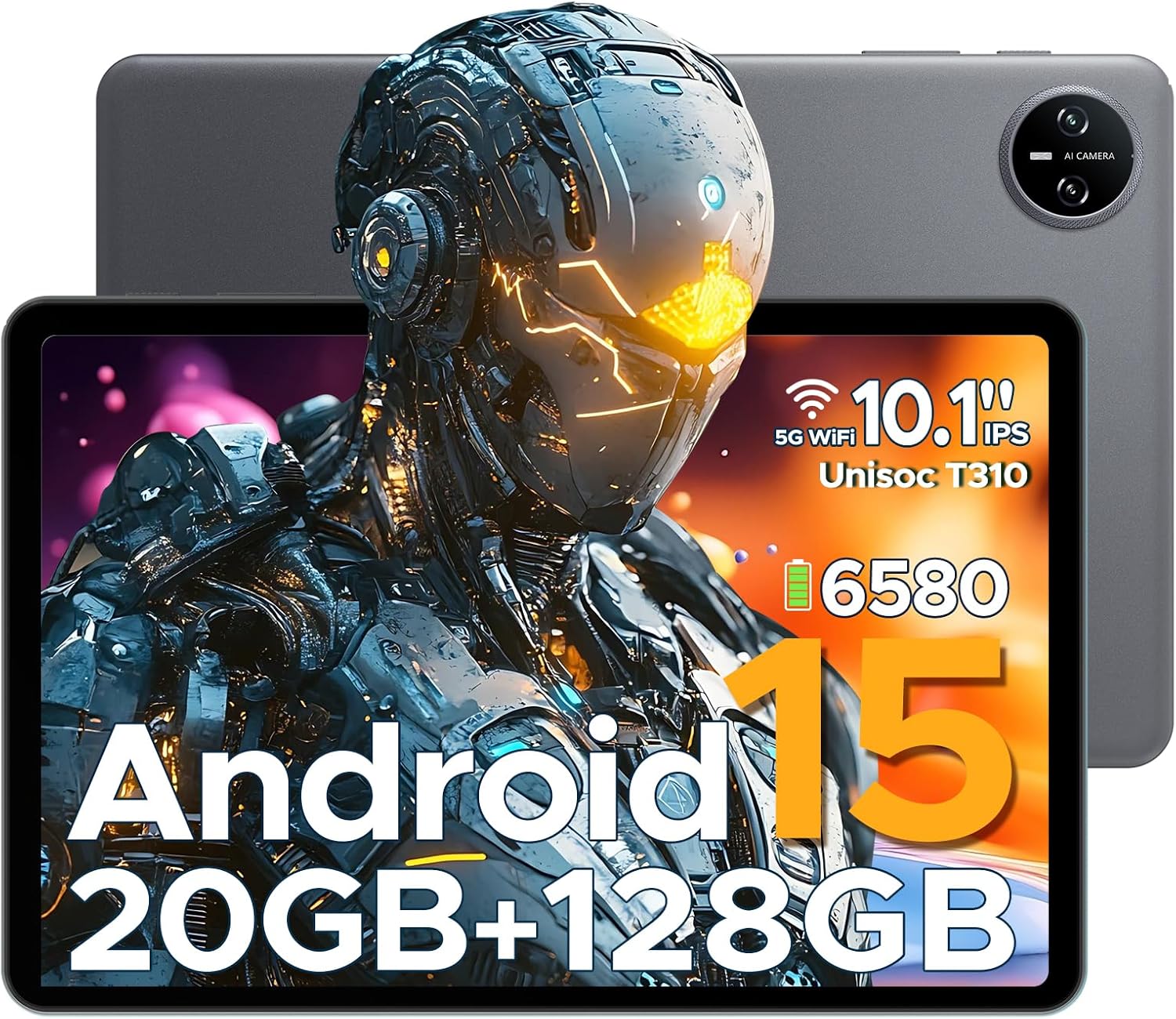
Figure 1.1: DOOGEE Tab A9 PRO Tablet. This image displays the tablet from both the front, highlighting its display, and the back, showing the camera module and overall grey finish.
2. Què hi ha a la caixa
Verifiqueu que tots els elements siguin presents al paquet:
- DOOGEE Tab A9 PRO Tablet
- Carregador
- Cable USB tipus C
- Tool for taking card (SIM/SD card tray ejector)
3. Configuració
3.1 Càrrega inicial
Before first use, fully charge the tablet using the provided charger and Type-C USB cable. Connect the Type-C cable to the tablet's charging port and the charger to a power outlet.
3.2 Engegada/apagada
- To power on: Press and hold the power button until the DOOGEE logo appears.
- Per apagar: manteniu premut el botó d'engegada i, a continuació, seleccioneu "Apagar" de les opcions.
3.3 Assistent de configuració inicial
Upon first power-on, the tablet will guide you through an initial setup process. This includes selecting your language, connecting to Wi-Fi, setting up your Google account, and configuring security options like face recognition.

Figure 3.1: Android 15 System Interface. This image illustrates the clean and intuitive interface of the Android 15 operating system, showing various application icons and system settings.
3.4 Inserció d'una targeta MicroSD (opcional)
The tablet supports expandable memory up to 2TB via a MicroSD card (purchased separately). Use the provided tool to open the card tray and insert the MicroSD card as indicated.

Figure 3.2: Storage Capabilities. This image highlights the tablet's 20GB Max RAM (composed of 4GB Basic and 16GB Virtual RAM) and 128GB internal storage, with the option to expand up to 2TB using a TF card.
4. Funcionament de la tauleta
4.1 Pantalla i navegació
The DOOGEE Tab A9 PRO features a 10.1-inch IPS HD+ display with a resolution of 1280x800 pixels, offering clear visuals and a wide field of view.

Figure 4.1: Display Specifications. This image details the 10.1-inch IPS HD display, including its 1280x800 resolution, 80.2% screen-to-body ratio, and 16.7 million colors.
4.2 Funcions de la càmera
The tablet is equipped with an 8MP main camera and a 5MP front camera, suitable for capturing photos, videos, and video calls.

Figure 4.2: Camera Features. This image highlights the tablet's 8MP main camera and 5MP front camera, demonstrating their use for capturing moments and video calls.
4.3 Àudio
The tablet features 1217 BOX Dual Speakers for enhanced audio experience. It also includes a 3.5mm headphone jack for private listening.

Figure 4.3: Dual Speaker System. This image illustrates the tablet's 1217 BOX Dual Speakers, designed to provide clear and immersive audio.
4.4 Connectivitat
- Wi-Fi: Connecteu-vos a les xarxes Wi-Fi disponibles mitjançant Configuració > Xarxa i Internet > Wi-Fi.
- Bluetooth 5.0: Pair with Bluetooth devices (headphones, speakers, etc.) via Settings > Connected devices > Bluetooth.
- OTG (On-The-Go): Supports connecting USB peripherals like flash drives or keyboards via a compatible OTG adapter (not included).
- Wireless Screencasting: Easily connect to a large TV or display for screen mirroring.
5. Manteniment
5.1 Neteja
Feu servir un drap suau i sense borrissol per netejar la pantalla i el cos de la tauleta. Eviteu utilitzar productes químics agressius o materials abrasius.
5.2 Cura de la bateria
The tablet is equipped with a 6580mAh Lithium Polymer battery. To prolong battery life:
- Eviteu temperatures extremes.
- No deixeu que la bateria es descarregui completament amb freqüència.
- Feu servir el carregador proporcionat.
- Enable power saving mode when needed.
5.3 Actualitzacions de programari
Comproveu i instal·leu regularment si hi ha actualitzacions del sistema per garantir un rendiment òptim, seguretat i accés a noves funcions. Aneu a Configuració > Sistema > Actualització del sistema.
6. Solució De Problemes
6.1 Problemes comuns i solucions
| Problema | Solució |
|---|---|
| La tauleta no s'encén | Ensure the battery is charged. Press and hold the power button for 10-15 seconds to force a restart. |
| Rendiment lent | Close unused applications. Clear cache. Restart the tablet. Check for system updates. |
| Problemes de connexió Wi-Fi | Restart the tablet and your Wi-Fi router. Forget and reconnect to the network. |
| Les aplicacions es bloquegen | Esborra la memòria cau i les dades de l'aplicació (Configuració > Aplicacions > [Nom de l'aplicació] > Emmagatzematge). Torna a instal·lar l'aplicació. |
7. Especificacions
| Característica | Detall |
|---|---|
| Model | DOOGEE Tab A9 PRO |
| Sistema operatiu | Android 15 |
| Processador | Quad-Core (Unisoc T310) |
| RAM | 12 GB |
| Emmagatzematge intern | ROM de 128 GB |
| Emmagatzematge ampliable | Up to 2TB (MicroSD, sold separately) |
| Mostra | 10.1-inch IPS HD+ (1280x800) |
| Càmera principal | 8MP |
| Càmera frontal | 5MP |
| Bateria | Polímer de liti de 6580 mAh |
| Connectivitat | Wi-Fi, Bluetooth 5.0, OTG, Type-C USB |
| Àudio | 1217 BOX Dual Speakers, 3.5mm headphone jack |
| Dimensions | 25.7 x 16.88 x 0.79 cm |
| Pes | 400 g |

Figure 7.1: Unisoc T310 Processor. This image details the specifications of the Unisoc T310 processor, highlighting its powerful quad-core architecture, 2.0GHz ultimate frequency, and 12nm advanced process technology.
8. Garantia i Suport
For warranty information and technical support, please refer to the official DOOGEE weblloc web o poseu-vos en contacte amb el servei d'atenció al client. Conserveu el rebut de compra per a reclamacions de garantia.
DOOGEE Official Weblloc: www.doogee.cc