
1. Introducció
The Elitech DR-230-THDE is a versatile Bluetooth hygrometer thermometer designed for accurate and reliable monitoring of temperature and humidity. Featuring a large 10.6-inch display and dual external probes, it is suitable for a wide range of applications including industrial workshops, warehouses, wine cellars, archives rooms, power distribution stations, and walk-in cold storage facilities. This device offers robust data storage capabilities with automatic overwrite, smart alerts, and seamless integration with the Elitech iCold mobile application for real-time data access and export.

Figure 1.1: Elitech DR-230-THDE device and its accompanying mobile application interface.
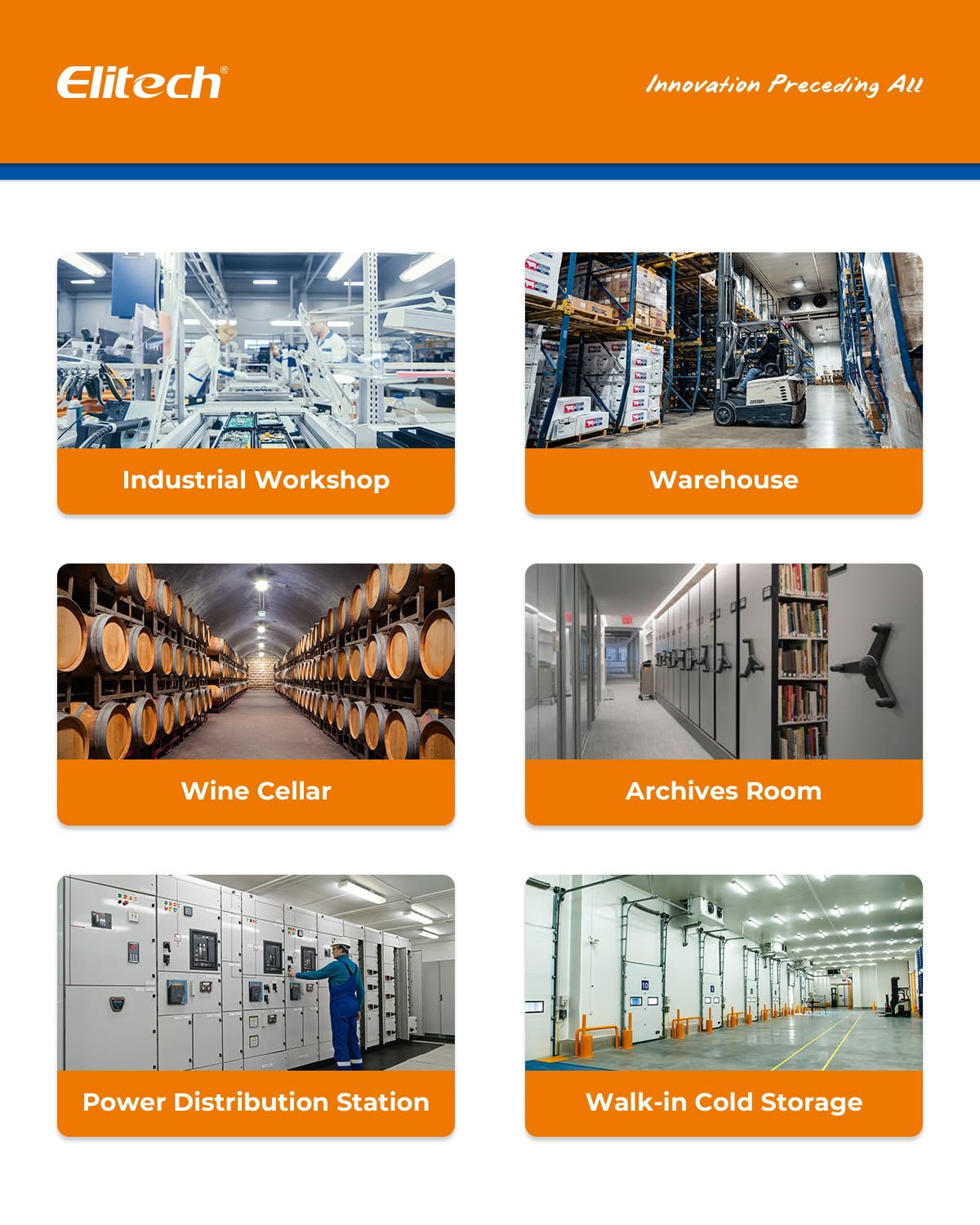
Figure 1.2: Diverse environments where the DR-230-THDE can be effectively utilized for environmental monitoring.
2. Contingut del paquet
Si us plau, verifiqueu que tots els elements que s'enumeren a continuació estiguin inclosos al vostre paquet:
- Elitech DR-230-THDE Data Logger
- Dual External Temperature and Humidity Probes
- Cable d'alimentació
- Interchangeable Power Plugs (US, EU, UK, China standards)
- Desktop Stand / Wall-mounting Bracket
- Manufacturer's Certificate of Validation

Figure 2.1: Contents of the Elitech DR-230-THDE package.
3. Dispositiu acabatview
The DR-230-THDE features a large, clear display and multiple connection ports for external sensors and power. Understanding its components is essential for proper use.

Figura 3.1: Davant i darrere views of the DR-230-THDE, highlighting key features and connection points.
3.1 Característiques de visualització
- 10.6-inch Jumbo Display: Ensures clear visibility of data from a distance.
- 4-in-1 Display: Shows real-time temperature, humidity, date, and time simultaneously.
- Measurement Channel Indicator: Displays which channel (CH: 1 or CH: 2) is currently being shown.
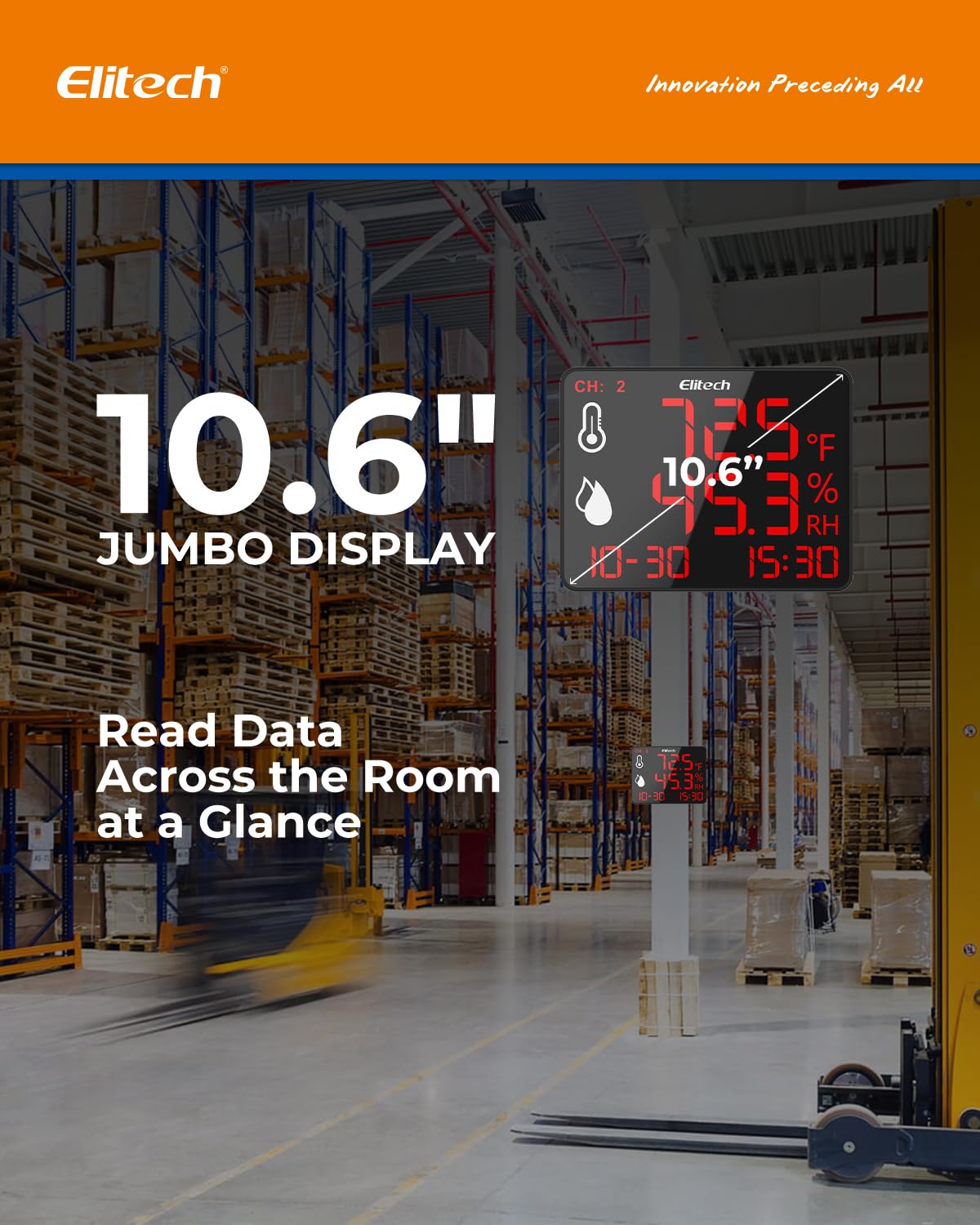
Figure 3.2: The 10.6-inch jumbo display for easy readability.

Figure 3.3: The 4-in-1 display showing all key information at a glance.
4. Configuració
4.1 Alimentació del dispositiu
- Connect the provided power cord to the power supply interface on the back of the device.
- Select the appropriate interchangeable power plug (US, EU, UK, or China standard) for your region and attach it to the power adapter.
- Plug the power adapter into a standard electrical outlet (100–240V). The device will power on automatically.
4.2 Connexió del sensor
The DR-230-THDE comes with dual external temperature and humidity probes.
- Carefully insert the probe connectors into the external sensor interfaces on the back of the device. Ensure a secure connection.
- Position the probes in the areas where you wish to monitor temperature and humidity. The device supports dual-channel monitoring, allowing you to track two separate zones simultaneously.
4.3 Opcions d'instal·lació
The device offers flexible installation methods:
- Suport d'escriptori: Use the integrated stand to place the device on any flat surface.
- Muntatge a la paret: Utilize the wall-mounting hole on the back of the device to secure it to a wall using appropriate hardware (not included).

Figure 4.1: Wall-mounting and desktop stand options for the device.
4.4 Mobile App Integration (Elitech iCold)
To fully utilize the data logging and remote monitoring features, download and set up the Elitech iCold app.
- Step 1: Download Elitech iCold App. Cerca "Elitech iCold" on Google Play Store (for Android) or Apple App Store (for iOS) and install the application.
- Step 2: Enter Bluetooth Data Logger Interface. Open the app and navigate to the Bluetooth data logger section.
- Step 3: Find Nearby Devices. The app will scan for nearby Elitech devices via Bluetooth. Select your DR-230-THDE based on its serial number (S/N).
- Step 4: Parameter Setting. Configure desired parameters such as logging interval, alarm thresholds, and unit preferences within the app.
- Step 5: Automatically Start Recording. After saving your settings, the device will automatically begin recording data.
- Pas 6: View or Export Data. Access real-time graphs, historical data, and export reports (PDF/EXCEL) directly from the app.

Figure 4.2: Step-by-step guide for connecting and configuring the device using the Elitech iCold app.
5. Instruccions de funcionament
5.1 Monitorització en temps real
Once powered on and probes are connected, the device will immediately display real-time temperature and humidity readings from both channels. The display will cycle between Channel 1 and Channel 2 data.

Figure 5.1: Dual-channel tracking capability of the DR-230-THDE.
5.2 Data Logging and Storage
The DR-230-THDE automatically records up to 30,000 data points. It features an auto-overwrite storage function, ensuring that new data continuously replaces the oldest data once the memory is full, preventing data loss.

Figure 5.2: The device's 30,000 data point auto-overwrite storage feature.
5.3 Alertes intel·ligents
The device supports customizable alarms for temperature and humidity deviations. When a set threshold is exceeded, the screen will flash to alert users. An optional 110dB external siren can be connected for audible alerts. Alarm delays (3-10 seconds) are adjustable to prevent false alarms.
- Screen Flashing: Visual alert on the device display.
- External Siren (Optional): Connect an external siren to the dedicated interface for audible alerts.
- Retard ajustable: Set a delay to prevent immediate alarms from minor fluctuations.
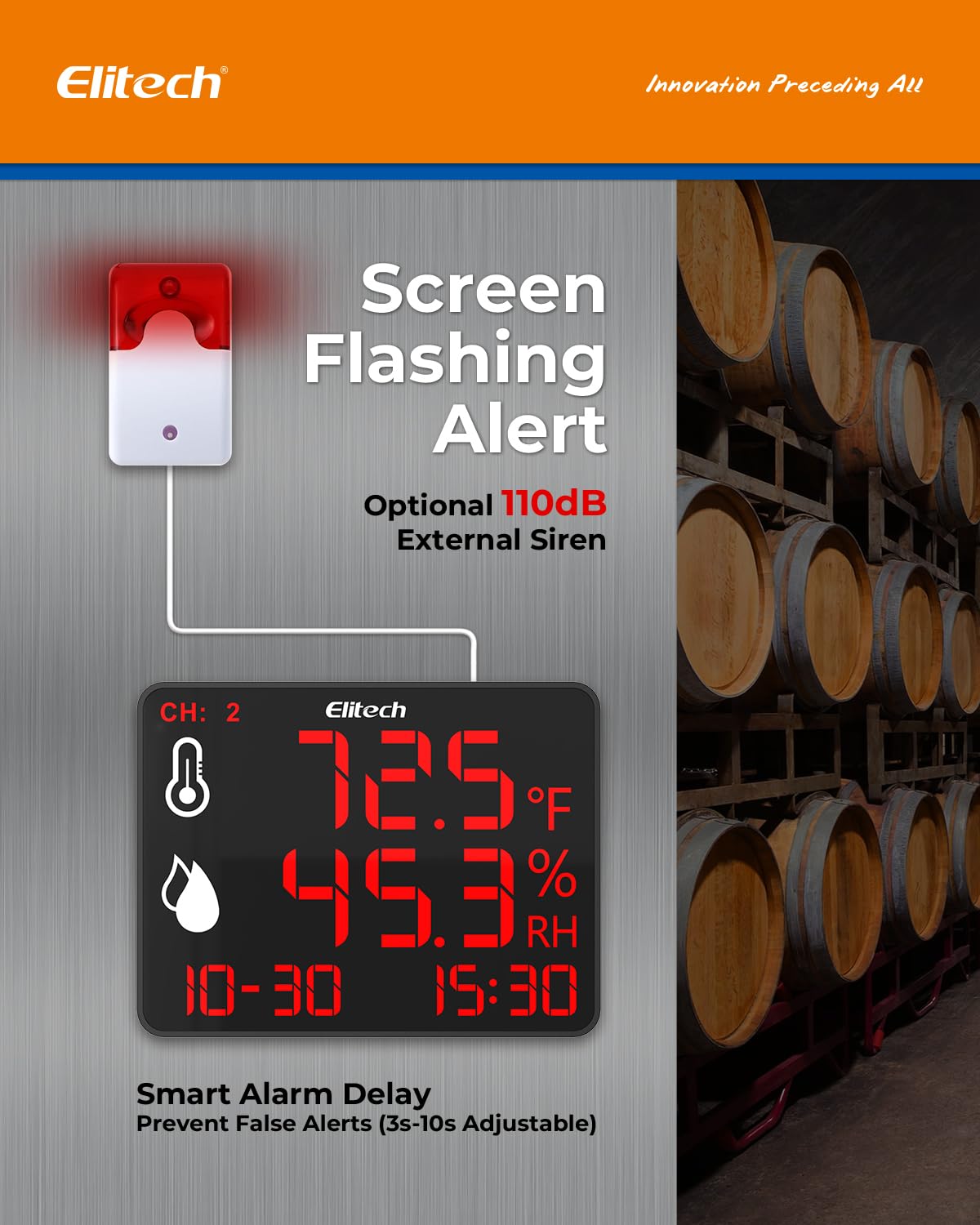
Figure 5.3: Screen flashing alert and optional external siren connection.
5.4 Data Export and Reporting
Through the Elitech iCold app, users can easily export real-time charts and instant PDF/EXCEL reports of the recorded data. This feature is crucial for compliance, analysis, and record-keeping.

Figure 5.4: Elitech iCold app features for data management and reporting.
6. Manteniment
Proper maintenance ensures the longevity and accuracy of your Elitech DR-230-THDE.
- Neteja: Wipe the device and probes with a soft, dry cloth. Do not use abrasive cleaners or immerse the device in water.
- Cura de la sonda: Handle the external probes with care. Avoid bending or kinking the cables excessively. Keep the probe tips clean and free from dust or debris that could affect readings.
- Emmagatzematge: Quan no l'utilitzeu durant períodes prolongats, guardeu el dispositiu en un lloc fresc i sec, allunyat de la llum solar directa i de temperatures extremes.
- Font d'alimentació: Assegureu-vos que la font d'alimentació sigui estable i dins del volum especificattagrang e (100-240 V).
7. Solució De Problemes
If you encounter issues with your DR-230-THDE, refer to the following common problems and solutions:
| Problema | Causa possible | Solució |
|---|---|---|
| El dispositiu no s'encén. | Sense font d'alimentació; connexió fluixa. | Check power cord connection; ensure outlet is functional; try a different power adapter. |
| Lectures inexactes. | Probes are dirty or damaged; environmental interference. | Clean probes; ensure probes are not exposed to extreme conditions or direct airflow; check probe connections. |
| Cannot connect to Elitech iCold app. | Bluetooth is off; device out of range; app issue. | Ensure Bluetooth is enabled on your smartphone; move closer to the device (up to 147ft range); restart the app and device; check app permissions. |
| No data recording. | Recording not initiated; memory full. | Ensure recording is started via the app; the device features auto-overwrite, so older data will be replaced. |
| Alarm not triggering. | Alarm thresholds not set; alarm delay too long; external siren not connected or faulty. | Verify alarm settings in the app; adjust alarm delay; check external siren connection and functionality. |
If the problem persists, please contact Elitech customer support for further assistance.
8. Especificacions
Key technical specifications for the Elitech DR-230-THDE:
| Característica | Detall |
|---|---|
| Número de model | DR-230-THDE |
| Mida de la pantalla | 10.6 polzades (diagonal) |
| Precisió de la temperatura | 0.5 °C / 0.9 °F |
| Gamma d’humitat | 0-95% HR |
| Capacitat d’emmagatzematge de dades | 30,000 data points (auto-overwrite) |
| Connectivitat | Bluetooth (up to 147ft range) |
| Entrada de potència | 100–240V |
| Sondes externes | Dual External Temperature and Humidity Sensors |
| Accessoris opcionals | 110dB External Siren |
| Dimensions (dispositiu) | Aprox. 9.21 x 9.09 x 2.01 polzades |
| Pes | Aprox. 1.86 lliures |
| Primera data disponible | 17 de febrer de 2025 |
9. Garantia i Suport
Elitech products are designed for reliability and performance. For specific warranty information, including terms and conditions, please refer to the warranty card included with your product or visit the official Elitech website. For technical support, troubleshooting assistance beyond this manual, or inquiries about replacement parts, please contact Elitech customer service through their official channels.
No s'han trobat vídeos oficials de productes amb el tipus de creador "Venedor" a les dades proporcionades per incrustar en aquest manual.


