
1. Producte acabatview
The UNIWA F41 is a rugged 4G Android mobile phone designed with walkie-talkie capabilities, featuring a durable build, long-lasting battery, and support for various communication applications like Zello. It combines smartphone functionality with push-to-talk (PTT) features, making it suitable for professional and outdoor use.

Figura 1: Davant i posterior view of the UNIWA F41 device, showing the display, keypad, PTT button, and rear clip.
Característiques principals:
- Sistema operatiu: Android 8.1
- Processador: MT6739 Quad Core
- Memòria: 1GB RAM + 8GB ROM (expandable up to 64GB with Micro SD)
- Visualització: 2.4-inch IPS capacitive touch screen (320x240 resolution)
- Bateria: Removable 4600mAh Li-Polymer battery with 10W fast charging
- Durabilitat: IP54 waterproof, drop, and shockproof
- Connectivitat: 2G/3G/4G global network bands, Wi-Fi (2.4GHz/5GHz), Bluetooth 4.2, GPS/BeiDou/GLONASS
- Càmeres: 5MP davanter, 8MP posterior
- Àudio: Front Φ36/3 Watt BOX Speaker
- Característiques especials: Zello intercom, Smart PTT, Posctar support, NFC for patrolling, SOS button, Dual SIM
2. Contingut del paquet
Verifiqueu que tots els elements siguin presents al paquet:
- UNIWA F41 Talkie Walkie Smartphone (x1)
- Power Adapter (5V/2A) (x1)
- Cable USB (x1)
- Clip (x1)
- Antena (x1)
- Manual d'usuari (x1)

Figura 2: Contents of the UNIWA F41 retail package.
3. Configuració
3.1. Instal·lació de la bateria i càrrega inicial
- Traieu la coberta posterior del dispositiu.
- Insert the 4600mAh Li-Polymer battery into the battery compartment, ensuring the contacts align.
- Col·loqueu la coberta posterior de manera segura.
- Connect the provided USB cable to the device's USB Type-C port and the power adapter.
- Connecteu l'adaptador de corrent a una presa de corrent.
- Charge the device for at least 1 hour before initial use. The charging indicator will show progress.

Figura 3: The UNIWA F41 device with its high-capacity 4600mAh removable battery.
3.2. Instal·lació de la targeta SIM i la targeta Micro SD
The device supports dual SIM cards and one TF (Micro SD) card.
- With the device powered off, remove the back cover and battery.
- Locate the SIM card slots (SIM Card Slot *2) and TF Card Slot *1.
- Carefully insert your SIM card(s) into the designated slots with the gold contacts facing down.
- Insert your Micro SD card (up to 64GB) into the TF card slot.
- Torneu a instal·lar la bateria i la coberta posterior.
3.3. Fixació de l'antena
Screw the provided antenna onto the top of the device until it is finger-tight. Ensure it is securely attached for optimal signal reception.
4. Instruccions de funcionament
4.1. Encendre/apagar
- Encès: Premeu i manteniu premut el botó d'engegada (normalment al lateral) fins que la pantalla s'il·lumini.
- Apagar: Mantingueu premut el botó d'engegada i, a continuació, seleccioneu "Apagar" de les opcions que apareixen a la pantalla.
4.2. Navegació bàsica
The UNIWA F41 features a 2.4-inch IPS capacitive touch screen and a T9 keypad for navigation.
- Pantalla tàctil: Toca per seleccionar, llisca per desplaçar-te.
- Teclat: Use the directional keys for menu navigation and the central button to confirm selections.
- Botó enrere: Torna a la pantalla anterior.
- Botó d'inici: Torna a la pantalla d'inici.

Figura 4: The 2.4-inch IPS capacitive touch screen of the UNIWA F41, displaying various application icons.
4.3. Using Walkie-Talkie (Zello/PTT) Functionality
The UNIWA F41 is pre-adapted for popular PTT applications like Zello, Real PTT, and Pocstar.
- Ensure you have an active internet connection (Wi-Fi or 4G).
- Open your preferred PTT application (e.g., Zello).
- Inicieu sessió o creeu un compte.
- Join a channel or contact.
- Press and hold the dedicated PTT Intercom Button (located on the side) to transmit your voice. Release to listen.
- Use the Group Switching Knob (if available on your model) to quickly switch between talk groups.

Figura 5: The UNIWA F41 showcasing its integration with Zello and other PTT applications, highlighting the ergonomic PTT button.
4.4. Network Connectivity (4G, Wi-Fi, Bluetooth)
- Xarxa 4G: Ensure your SIM card supports the device's network bands (2G: GSM850/900/1800/1900MHz; 3G: WCDMA B1/B2/B5/B8, TD-SCDMA B34/B39; 4G: FDD-LTE:B1/B3/B7/B8/B20; TDD-LTE:B38/B39/B40/B41). The device will automatically connect to available cellular networks.
- Wi-Fi: Go to Settings > Network & Internet > Wi-Fi to connect to available Wi-Fi networks.
- Bluetooth: Ves a Configuració > Dispositius connectats > Bluetooth per emparellar-lo amb accessoris Bluetooth.

Figura 6: The UNIWA F41's capability to support global 2G/3G/4G network bands for seamless communication.
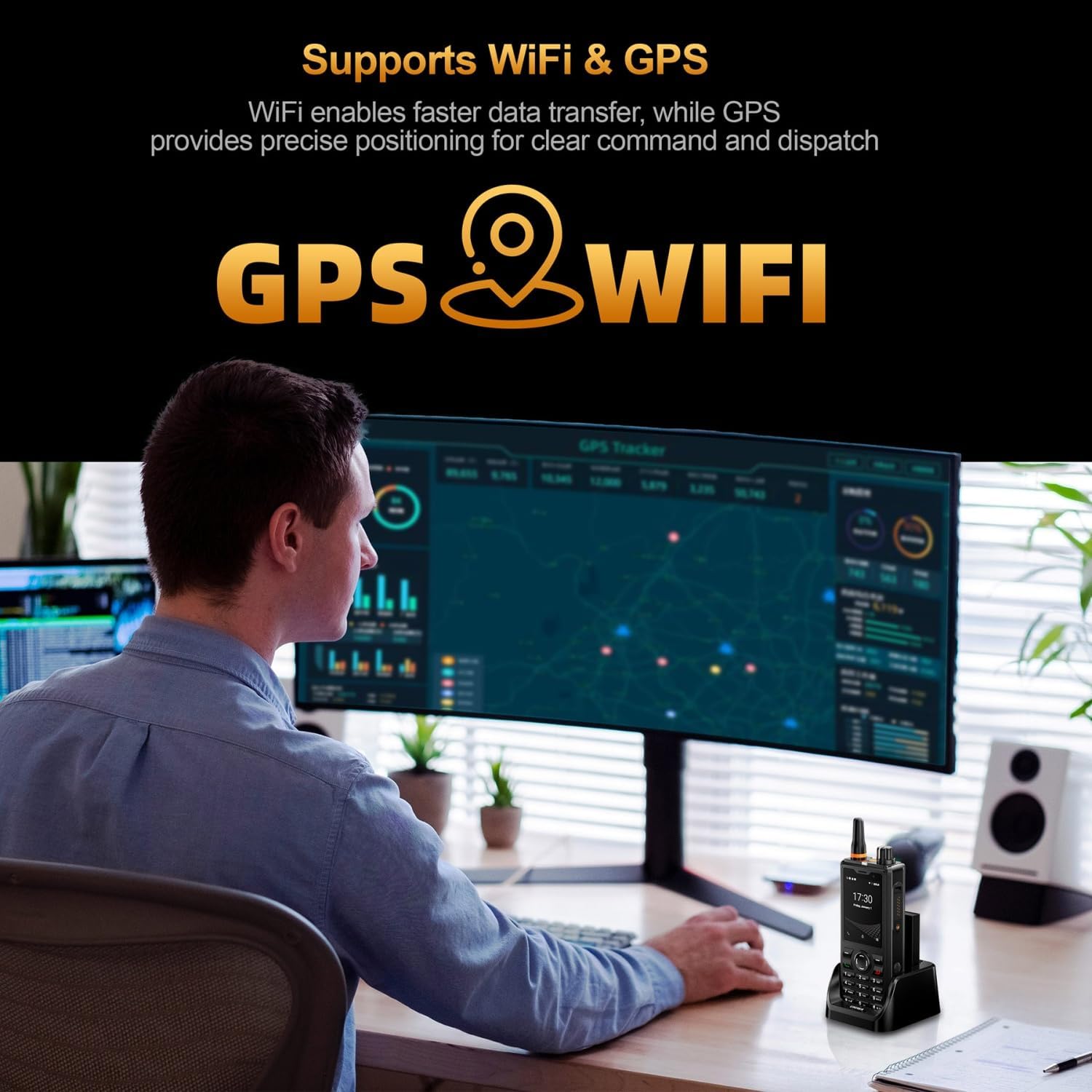
Figura 7: Illustration of the UNIWA F41's integrated WiFi for faster data and GPS for precise positioning.
4.5. Ús de la càmera
The device features a 5MP front camera and an 8MP rear camera.
- Obriu l'aplicació Càmera des de la pantalla d'inici o des del calaix d'aplicacions.
- Toqueu el botó de l'obturador per fer una foto.
- Canvia entre la càmera frontal i la posterior amb la icona de commutació de la càmera.
- Seleccioneu el mode de vídeo per gravar vídeos.
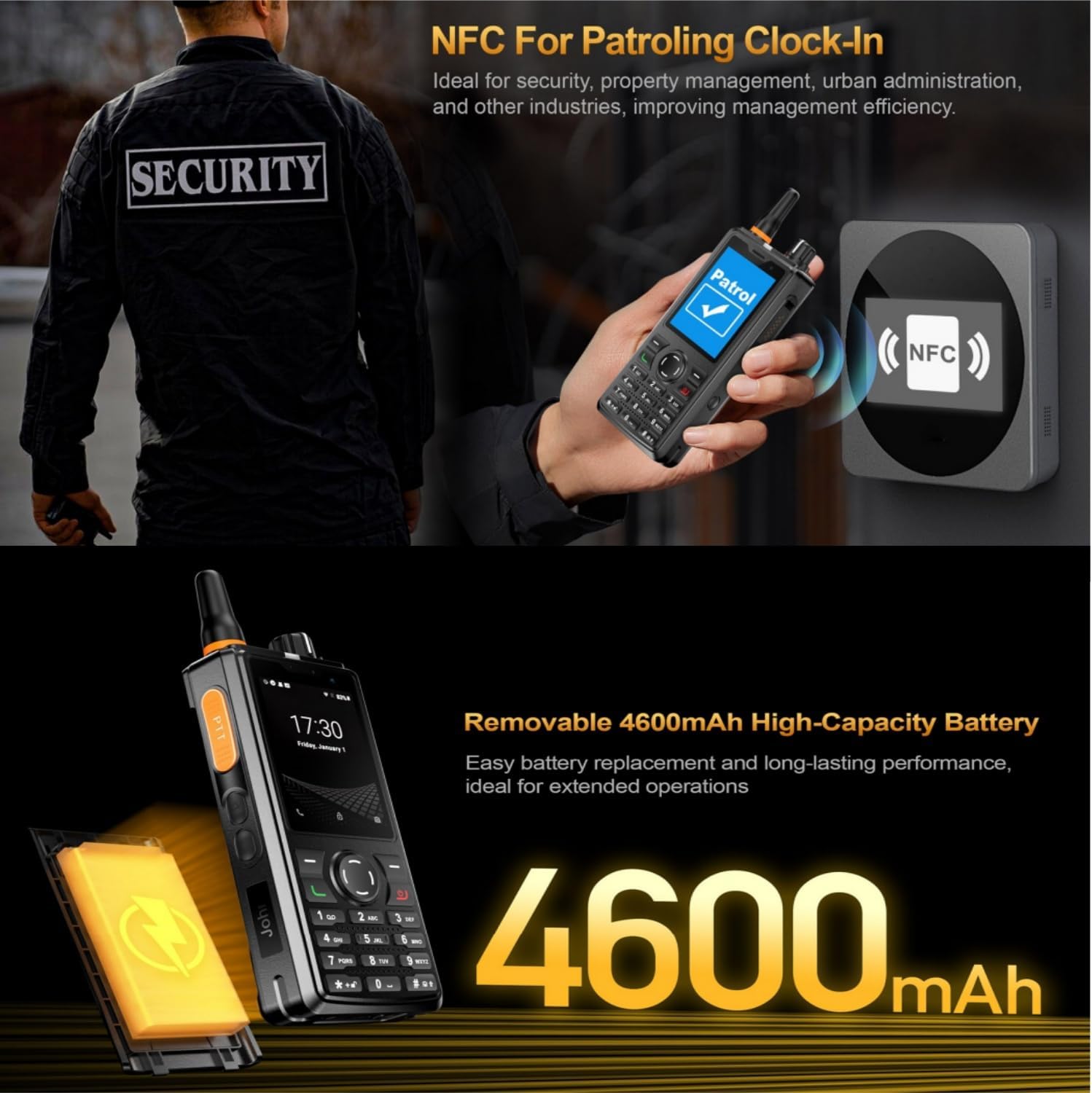
Figura 8: The UNIWA F41's dual camera system, featuring a 5MP front camera and an 8MP rear camera for high-definition capture.
4.6. Funcionalitat NFC
The built-in NFC can be used for applications such as patrolling clock-in.
- Ensure NFC is enabled in Settings.
- Open the relevant NFC-enabled application.
- Tap the device near an NFC tag or reader to perform the desired action (e.g., clock-in).

Figura 9: The UNIWA F41 utilizing its NFC feature for applications like patrolling clock-in, ideal for various industries.
4.7. SOS Emergency Call
The device includes a dedicated SOS button for emergency situations.
- Configure emergency contacts in the device settings.
- In an emergency, press the SOS Button (usually on the side) to initiate an emergency call or send an SOS message to pre-set contacts.
5. Manteniment
5.1. Neteja del dispositiu
- Use a soft, lint-free cloth to wipe the screen and body of the device.
- Per a la brutícia persistent, lleugerament dampNetegeu el drap amb aigua o un netejador de pantalles suau.
- Avoid using harsh chemicals, abrasive cleaners, or aerosols.
- Assegureu-vos que tots els ports estiguin secs abans de carregar o connectar accessoris.
5.2. Cura de la bateria
- Carregueu la bateria completament abans del primer ús.
- Eviteu les temperatures extremes, ja que poden degradar el rendiment de la bateria.
- No punxeu, desmunteu o curtcircuiteu la bateria.
- Si no feu servir el dispositiu durant un període prolongat, carregueu-lo al 50% aproximadament i guardeu-lo en un lloc fresc i sec.
5.3. Actualitzacions de programari
Important Note: Currently, the F41 only supports Android 8.1. Do not upgrade the Android version, otherwise the phone will not work.
Regularly check for official software updates from UNIWA to ensure optimal performance and security. Follow the instructions provided by the update notification or check in Settings > System > System update.
6. Solució De Problemes
| Problema | Causa possible | Solució |
|---|---|---|
| El dispositiu no s'encén. | Low battery; Battery not installed correctly; Software issue. | Charge the device for at least 1 hour. Reinstall the battery. Perform a force restart (refer to device specific instructions if available). |
| Sense senyal de xarxa. | SIM card not inserted correctly; Out of network coverage; Incorrect network settings. | Reinsert SIM card. Move to an area with better coverage. Check APN settings in Network & Internet settings. Ensure antenna is securely attached. |
| PTT function not working. | No internet connection; PTT app not configured; App permissions. | Verify Wi-Fi or 4G connection. Ensure PTT app is logged in and configured correctly. Check app permissions for microphone and network access. |
| La bateria s'esgota ràpidament. | High screen brightness; Many apps running in background; Poor network signal. | Reduce screen brightness. Close unused apps. Disable Wi-Fi/Bluetooth when not in use. Use power-saving mode. |
| Device is slow or unresponsive. | Too many apps open; Low storage; Software glitch. | Close background apps. Clear cache. Free up storage space. Restart the device. |
| Cannot upgrade Android version. | Limitació del dispositiu. | The UNIWA F41 is designed to operate on Android 8.1. Attempting to upgrade may cause the device to malfunction. Do not upgrade the Android version. |
| Speaker volume is low or distorted. | Volume settings; Speaker obstruction; Software issue. | Increase volume using the volume buttons. Ensure speaker is not blocked. Restart the device. |
| GPS not accurate. | Poor satellite signal; GPS settings. | Assegureu-vos que esteu en una zona oberta amb cel clar view. Check location settings and ensure GPS is enabled. |
| NFC not working. | NFC disabled; Incorrect positioning. | Enable NFC in settings. Ensure the device's NFC area is close to the tag/lector. |
7. Especificacions
| Característica | Detall |
|---|---|
| Marca | UNIWA |
| Model | F41 |
| Sistema operatiu | Android 8.1 |
| CPU | MT6739 Quad Core |
| Memòria (RAM) | 1 GB |
| Emmagatzematge (ROM) | 8 GB |
| Emmagatzematge ampliable | Fins a 64 GB (Micro SD) |
| Suport de la targeta SIM | Doble SIM |
| Mida de la pantalla | 2.4 polzades |
| Tipus de visualització | IPS Capacitive Touch Screen |
| Resolució de visualització | 320 x 240 |
| Càmera posterior | 8MP |
| Càmera frontal | 5MP |
| Capacitat de la bateria | 4600mAh Li-Polymer (Removable) |
| Carregant | 10W Fast Charging, USB Type-C, Dock charging connectors |
| Dimensions | 135.6 x 60.5 x 26.0 mm |
| Pes | 265g (including battery and clip) |
| Resistència a l'aigua/pols | IP54 Waterproof, Drop and Shockproof |
| Bandes de xarxa | 2G: GSM850/900/1800/1900MHz; 3G: WCDMA B1/B2/B5/B8, TD-SCDMA B34/B39; 4G: FDD-LTE:B1/B3/B7/B8/B20; TDD-LTE:B38/B39/B40/B41 |
| Wi-Fi | 2.4 GHz / 5 GHz |
| Bluetooth | BT4.2 |
| GNSS | GPS/BeiDou/GLONASS |
| NFC | Sí |
| Altaveu | Front Φ36/3 Watt BOX Speaker |
| Botons | PTT Intercom Button, Volume +/-, SOS Button, Customize Button, T9 Keypad |
| Conector d'auriculars | M6 Headphone Jack |
| Temperatura de funcionament | -20 ℃ a + 60 ℃ |
8. Informació de seguretat
- Llegiu atentament totes les instruccions abans d'utilitzar el dispositiu.
- No exposeu el dispositiu a temperatures extremes, llum solar directa ni humitat excessiva.
- Use only manufacturer-approved accessories (battery, charger, antenna).
- No intenteu desmuntar, reparar o modificar el dispositiu vosaltres mateixos. Poseu-vos en contacte amb personal de servei qualificat.
- Desfeu-vos del dispositiu i la bateria de manera responsable d'acord amb la normativa local.
- Avoid using the device while driving or operating heavy machinery.
- Maintain a safe distance from medical implants (e.g., pacemakers) when using the device.
- The device is IP54 rated for water and dust resistance, but it is not fully submersible. Avoid prolonged exposure to water.
9. Garantia i Suport
For warranty information, please refer to the warranty card included with your product or contact UNIWA customer support. Keep your purchase receipt as proof of purchase.
For technical support or service inquiries, please contact your retailer or visit the official UNIWA weblloc per obtenir dades de contacte.