
realme Note 60x RMX3938
Realme Note 60x Smartphone User Manual
Model: RMX3938
Introducció
This user manual provides comprehensive instructions for the Realme Note 60x smartphone (Model RMX3938). It covers essential information regarding device setup, operation, maintenance, and troubleshooting. Please read this manual carefully to ensure proper use and to maximize the performance of your device.

Imatge: Anvers i revers view of the Realme Note 60x smartphone in Midnight Black.
Configuració
1. Unboxing i Inspecció Inicial
En obrir el paquet, assegureu-vos que hi hagi tots els components:
- Realme Note 60x Smartphone
- Expulsor de la safata SIM
- Adaptador d'alimentació
- Cable USB
2. Inserir la targeta SIM i engegar
- Localitza la safata de la targeta SIM al lateral del dispositiu.
- Use the provided SIM tray ejector tool to open the tray.
- Carefully place your Nano-SIM card(s) and/or microSD card into the designated slots.
- Gently push the tray back into the device.
- Press and hold the Power button (located on the side) until the Realme logo appears.
3. Configuració Inicial
Segueix les instruccions que apareixen a la pantalla per completar la configuració inicial:
- Seleccioneu el vostre idioma preferit.
- Connecteu-vos a una xarxa Wi-Fi per accedir a Internet.
- Inicia la sessió amb el teu compte de Google o crea'n un de nou.
- Set up screen lock (PIN, pattern, fingerprint).
4. Càrrega del dispositiu
Before first use, it is recommended to fully charge the device. Connect the USB cable to the smartphone's USB Type-C port and the power adapter, then plug the adapter into a power outlet. The battery indicator will show charging progress.
Instruccions de funcionament
1. Navegació bàsica
The Realme Note 60x features an intuitive Android 14 operating system. Navigate using touch gestures on the 6.74-inch LCD display. Physical buttons include Power and Volume controls.
2. Característiques de la pantalla
The device is equipped with a 90Hz Eye Comfort display, providing smooth visuals and reduced eye strain. The display has a peak brightness of 560 nits for clear visibility in various lighting conditions.
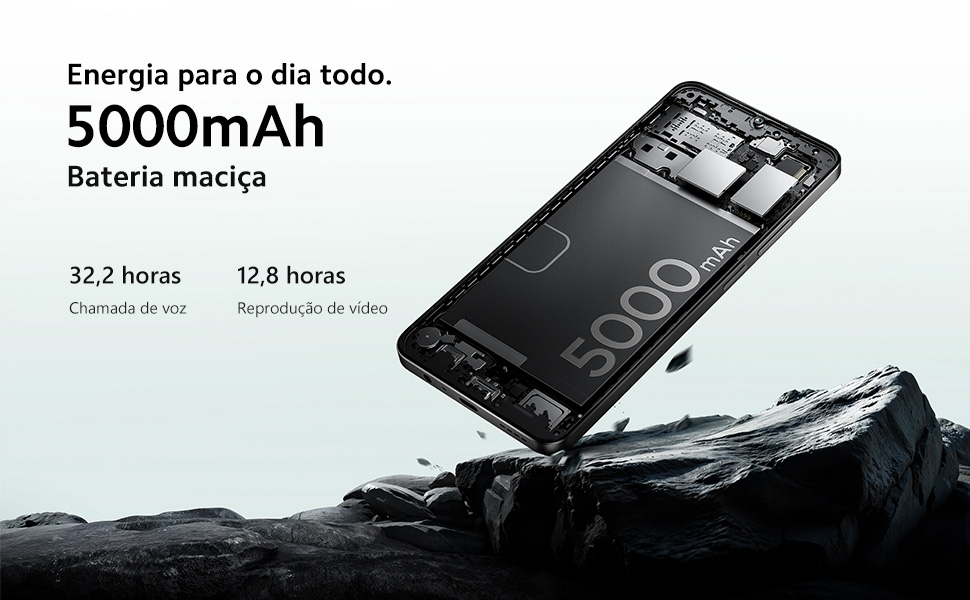
Image: Illustration of the 90Hz Eye Comfort Display features, highlighting 6.74" screen, 90Hz refresh rate, 180Hz touch sampvelocitat de ling i una brillantor màxima de 560 nits.
3. Ús de la càmera
The smartphone features an 8 MP effective static resolution camera. Open the Camera application from the home screen or app drawer to capture photos and videos. Various modes and settings are available within the camera interface.
4. Connectivitat
- Wi-Fi: Connecteu-vos a xarxes sense fil per accedir a Internet.
- Bluetooth: Pair with Bluetooth devices such as headphones or speakers.
- 4G: Utilize cellular data for internet access when Wi-Fi is unavailable.
- USB: Connect to a computer using the USB Type-C cable for data transfer or charging.
5. Gestió de la bateria
The Realme Note 60x is equipped with a large 5000mAh battery, designed for extended usage. Expected battery life includes approximately 32.2 hours of voice calls and 12.8 hours of video playback. To optimize battery life, manage background app usage and adjust screen brightness.

Image: Illustration of the 5000mAh battery inside the Realme Note 60x, highlighting its capacity for all-day power.
Manteniment
1. Neteja del dispositiu
To clean your smartphone, use a soft, lint-free cloth. For stubborn smudges, slightly dampNetegeu el drap amb aigua o un netejador de pantalles. Eviteu utilitzar productes químics agressius o materials abrasius.
2. Actualitzacions de programari
Regularly check for and install software updates to ensure optimal performance, security, and access to new features. Updates can typically be found in the device's Settings menu under "System" or "Software Update."
3. Gestió de l'emmagatzematge
The device comes with 64 GB of internal storage and 3 GB of RAM. To maintain smooth operation, periodically clear unnecessary files, uninstall unused applications, and consider using cloud storage for large media files. A microSD card can be used to expand storage capacity.
4. Protecció del dispositiu
The Realme Note 60x features ArmorShell protection for enhanced durability and is rated IP54 for dust and water resistance. While these features provide added protection, it is important to handle the device with care and avoid intentional exposure to excessive dust or water.
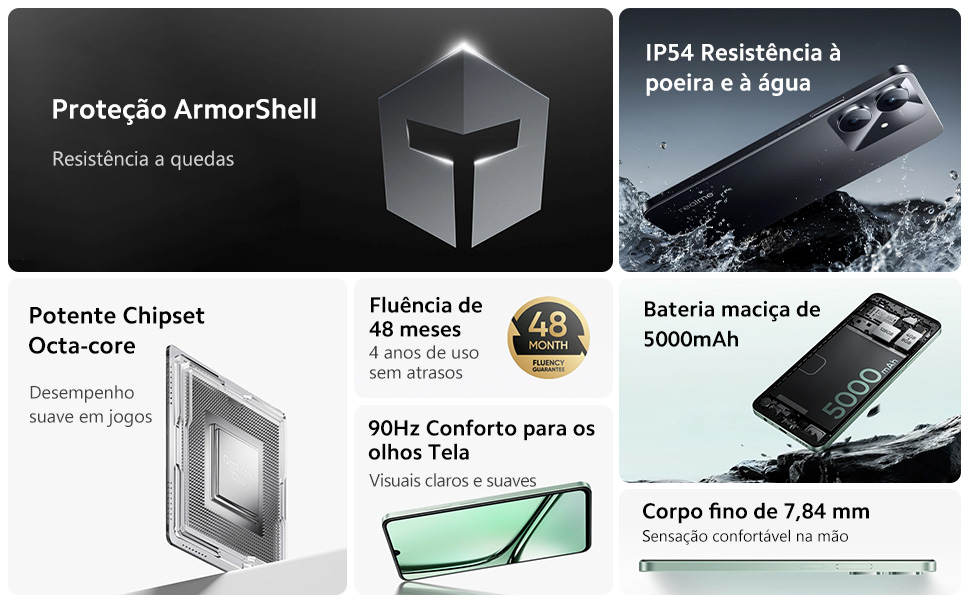
Image: Visual representation of the Realme Note 60x's ArmorShell construction and IP54 dust and water resistance, showing internal components and protective layers.
Resolució de problemes
This section addresses common issues you might encounter with your Realme Note 60x smartphone.
1. El dispositiu es congela o no respon
- Força el reinici: If the device becomes unresponsive, press and hold the Power button for approximately 10-15 seconds until the device restarts.
- Tanca les aplicacions en segon pla: Too many apps running in the background can slow down the device. Close unused applications.
- Esborra la memòria cau: Periodically clear the cache of frequently used apps or the system cache.
2. Problemes de connectivitat (Wi-Fi/Bluetooth/Mòbil)
- Activa/desactiva: Try turning Wi-Fi, Bluetooth, or Cellular Data off and then on again.
- Reinicieu l'encaminador/mòdem: Si teniu problemes amb el Wi-Fi, reinicieu el router sense fil.
- Check Airplane Mode: Ensure Airplane Mode is not enabled.
- Restableix la configuració de xarxa: In Settings, you can reset network settings (this will clear saved Wi-Fi passwords and Bluetooth pairings).
3. La bateria s'esgota ràpidament
- Ajusta la brillantor de la pantalla: Lower screen brightness.
- Desactiva les funcions no utilitzades: Turn off Wi-Fi, Bluetooth, GPS, or mobile data when not in use.
- Limit Background Activity: Restrict apps from running in the background.
- Check Battery Usage: In Settings, check which apps are consuming the most battery.
If problems persist, consider performing a factory reset (back up your data first) or contacting customer support.
Especificacions
| Característica | Detall |
|---|---|
| Marca | realme |
| Nom del model | Note 60x |
| Número de model | RMX3938 |
| Certificació ANATEL | 095412413366 |
| Sistema operatiu | Android 14 |
| Emmagatzematge intern | 64 GB |
| RAM | 3 GB |
| Mida de la pantalla | 6.74 polzades |
| Tipus de visualització | LCD |
| Resolució | 720 x 1600 |
| Capacitat de la bateria | 5000 mAh |
| Tecnologia cel·lular | 4G |
| Connectivitat | Bluetooth, Wi-Fi, USB |
| Resolució de la càmera | 8 MP (Effective Static) |
| Color | Negre |
| Pes del producte | 370 g |
| Dimensions del paquet | 17.7 x 8.9 x 4.4 cm |
Garantia i Suport
1. Garantia del fabricant
The Realme Note 60x smartphone comes with a Garantia del fabricant de 1 anysAquesta garantia cobreix els defectes de materials i de fabricació en condicions d'ús normal. Si us plau, conserveu el comprovant de compra per a reclamacions de garantia.
2. Atenció al client
For technical assistance, warranty claims, or further inquiries, please contact Realme customer support. Refer to the official Realme weblloc web amb informació de contacte i recursos de suport.
For product homologation details, you can access the ANATEL system: sistemas.anatel.gov.br/sch
Ask a question about this manual
Ask about setup, troubleshooting, compatibility, parts, safety, or missing instructions. Manuals+ will review the question and use this page’s manual context to help answer it.