
1. Introducció
This manual provides comprehensive instructions for the proper installation and operation of the QSZN Android Canbus Box GM-RZ-10. This device is designed to facilitate the integration of an aftermarket Android car radio multimedia player with your vehicle's existing electrical system, ensuring functions such as steering wheel controls and vehicle data are maintained. Please read this manual thoroughly before installation and use.
2. Producte acabatview
The QSZN Android Canbus Box GM-RZ-10 is a specialized interface module that translates your vehicle's CAN bus signals into a format compatible with aftermarket Android head units. This enables the retention of factory features like steering wheel controls, door status, climate control information, and other vehicle data on your new multimedia system.

Image 2.1: The QSZN Android Canbus Box GM-RZ-10 and its associated wiring harness.
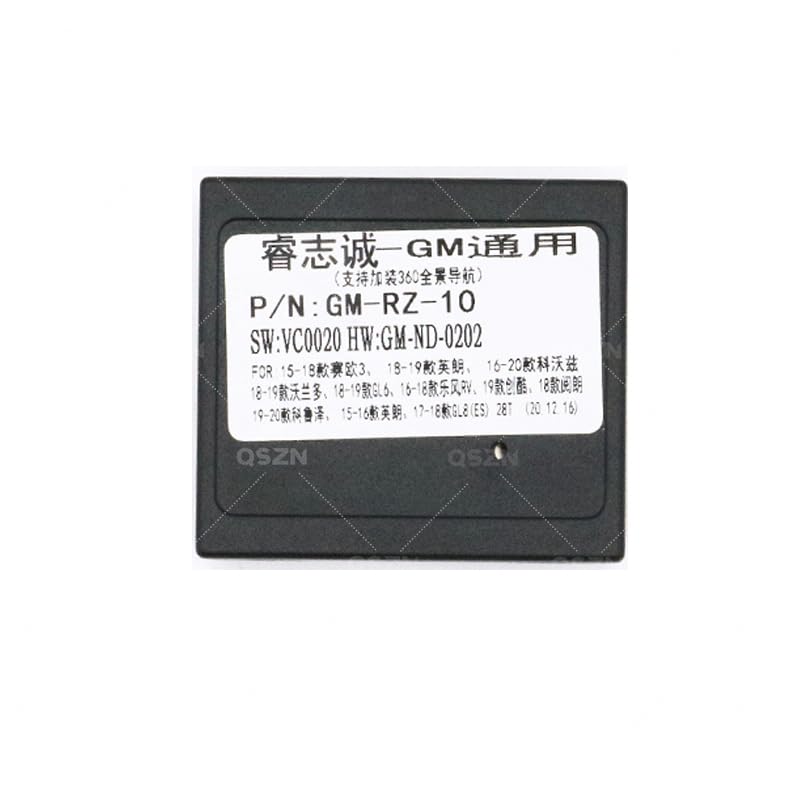
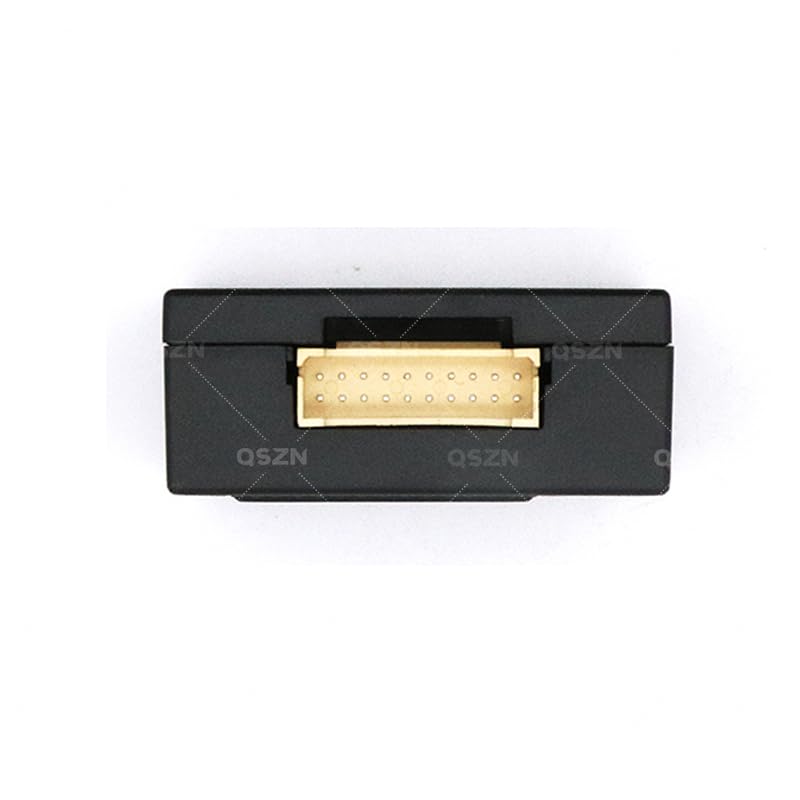
Imatge 2.2: Detallada view of the GM-RZ-10 Canbus Box module.
3. Compatibilitat
This Canbus Box and wiring harness set is compatible with the following Buick vehicle models:
- Buick EXCELLE: 2015-2017 models
- Buick GL8 2.8S: 2017 and newer models
- Buick GL6: 2018 and newer models
Ensure your vehicle's make, model, and year match the listed compatibility to guarantee proper function.
4. Contingut del paquet
En obrir el paquet, comproveu que tots els components hi són i no estan danyats:
- 1 x QSZN Android Canbus Box (GM-RZ-10)
- 1 x Vehicle-specific Wiring Harness
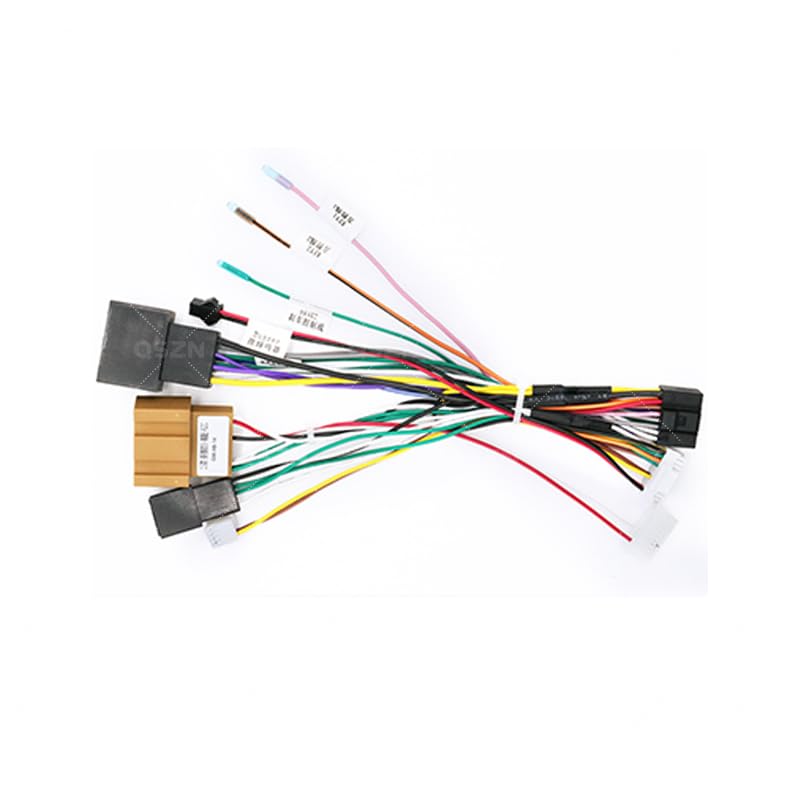
Image 4.1: The vehicle-specific wiring harness included in the package.
5. Configuració i instal·lació
Important: Installation of this product requires technical knowledge of car audio systems and vehicle wiring. Professional installation is highly recommended to avoid damage to your vehicle or the product. Disconnect the vehicle's battery before beginning installation.
5.1 Passos previs a la instal·lació
- Desmuntatge del vehicle: Carefully remove the factory car radio and any associated trim panels to access the wiring harness. Refer to your vehicle's service manual for specific instructions.
- Identificació de connectors: Locate the factory wiring harness connectors that were previously connected to your original car radio.
5.2 Connexions de cablejat
Connect the QSZN wiring harness as follows:
- Connexió al vehicle: Plug the vehicle-specific end of the QSZN wiring harness into the corresponding factory connectors in your dashboard. Ensure a secure fit.
- Connecta la caixa Canbus: Connect the GM-RZ-10 Canbus Box module to the designated connector on the QSZN wiring harness. This connection is typically a multi-pin connector.
- Connecta't a la unitat principal d'Android: Connect the other end of the QSZN wiring harness to your aftermarket Android car radio multimedia player. This harness will provide power, speaker connections, and data lines for the Canbus functions.
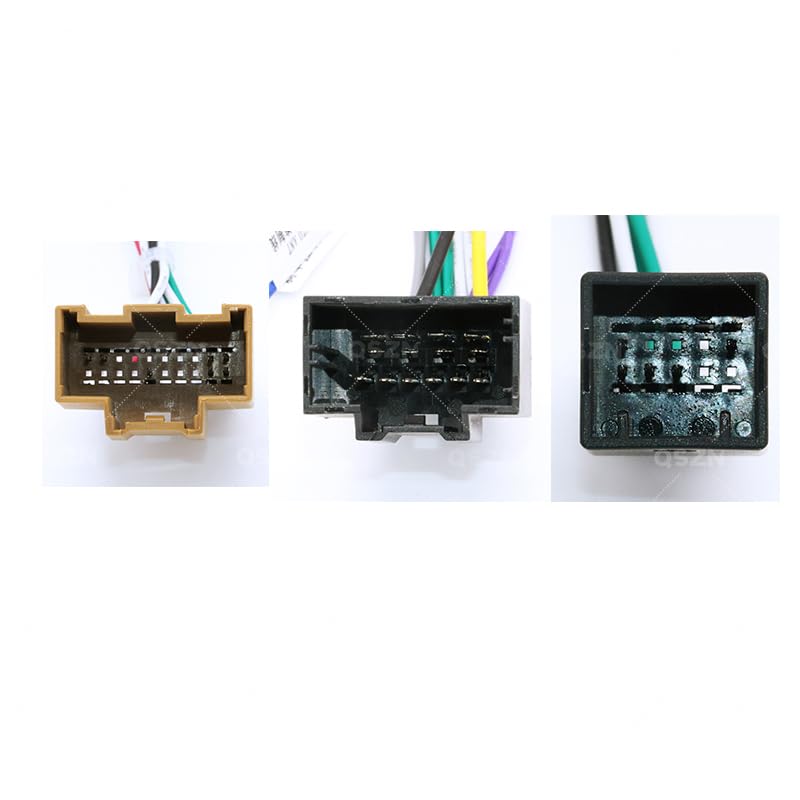
Imatge 5.1: Ex.ample of wiring harness connectors for proper connection.
5.3 Comprovacions posteriors a la instal·lació
- Torneu a connectar la bateria: Un cop totes les connexions estiguin ben connectades, torneu a connectar la bateria del vehicle.
- Funcionalitat de prova: Turn on the vehicle and the Android head unit. Verify that the head unit powers on, audio plays, and all Canbus-controlled functions (e.g., steering wheel controls, reverse camera activation, door open warnings) are working correctly.
- Components segurs: Once confirmed working, carefully route and secure all wiring to prevent pinching or rattling. Reinstall trim panels and the head unit.
6. Instruccions de funcionament
The QSZN Android Canbus Box GM-RZ-10 operates automatically once correctly installed. It acts as an interpreter between your vehicle's CAN bus system and your Android multimedia player. There are no user-adjustable settings on the Canbus box itself.
- Controls del volant: Your factory steering wheel controls should now operate the corresponding functions on your Android head unit (e.g., volume up/down, track skip, mode). Configuration may be required within your Android head unit's settings.
- Pantalla d'informació del vehicle: Depending on your Android head unit and vehicle model, certain vehicle information (e.g., door status, climate control settings, parking sensor data) may be displayed on the head unit screen.
- Reverse Gear Detection: The Canbus box provides a reverse signal to the head unit, automatically switching to the reverse camera view when the vehicle is put into reverse (if a camera is installed and connected).
7. Manteniment
The QSZN Android Canbus Box GM-RZ-10 is designed for maintenance-free operation. To ensure longevity:
- Keep the module and wiring free from moisture and extreme temperatures.
- Assegureu-vos que totes les connexions estiguin ben fixades i lliures de corrosió.
- Avoid physical damage to the module or wiring harness.
8. Solució De Problemes
Si teniu problemes després de la instal·lació, consulteu la guia de resolució de problemes següent:
| Problema | Causa possible | Solució |
|---|---|---|
| La unitat principal d'Android no s'encén. | Incorrect power connection; Blown fuse; Faulty head unit. | Check all power connections on the harness. Verify vehicle fuses. Test head unit with direct power if possible. |
| Els comandaments al volant no funcionen. | Canbus box not connected; Incorrect Canbus box selection in head unit settings; Wiring issue. | Ensure Canbus box is securely connected. Access your Android head unit's settings to select the correct Canbus protocol (e.g., GM-RZ-10 or similar Buick option). Check Canbus data wires. |
| No hi ha so dels altaveus. | Speaker wires incorrectly connected; Amplifier issue (if applicable); Head unit settings. | Verify all speaker wire connections. Check head unit's audio output settings. |
| No es mostra la informació del vehicle (per exemple, l'estat de la porta). | Canbus data not being read; Head unit software limitation. | Ensure Canbus box is correctly connected and recognized by the head unit. Some head units may require specific apps or firmware updates to display all vehicle data. |
If problems persist after following these steps, contact a qualified car audio technician or the product vendor for further assistance.
9. Especificacions
- Model: GM-RZ-10
- Tipus d'element: Cables, adaptadors i endolls
- Material: Plàstic
- Color: Black (Canbus Box), Multi-color (Wiring Harness)
- Origen: Xina continental
- Fabricant: HUNTAN
- Número de peça del fabricant: HUNT9EC69432935825074F207C2C648B4873
- Vehicles compatibles: Buick EXCELLE (2015-2017), Buick GL8 2.8S (2017+), Buick GL6 (2018+)
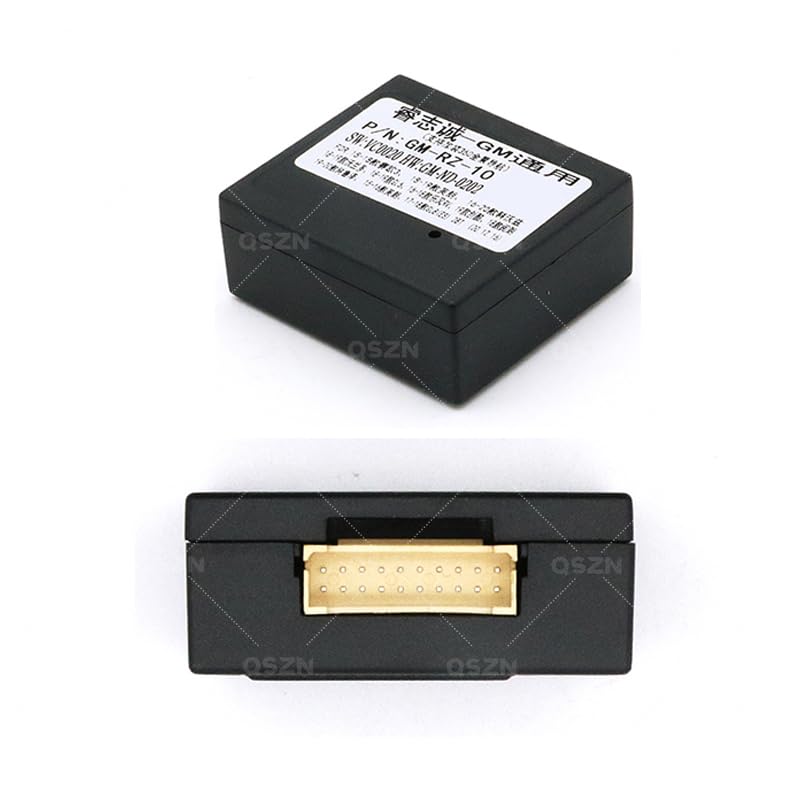
Imatge 9.1: Part inferior view of the Canbus Box, showing the multi-pin connector.
Imatge 9.2: Part superior view of the Canbus Box, displaying model and software information.
10. Garantia i Suport
No es proporciona informació específica sobre la garantia als detalls del producte. Per a reclamacions de garantia o assistència tècnica, poseu-vos en contacte directament amb el distribuïdor o el fabricant. Conserveu el rebut de compra com a comprovant de compra.
When contacting support, please provide the following information:
- Product Model: GM-RZ-10
- Data de compra
- Descripció del problema
- Your vehicle's make, model, and year