
1. Introducció
Welcome to the world of boAt Nirvana Zenith Pro TWS Earbuds. These earbuds are designed to provide a superior audio experience with advanced features such as Hybrid Adaptive Active Noise Cancellation, Spatial Audio, and Hi-Res Audio with LDAC support. This manual will guide you through the setup, operation, and maintenance of your new earbuds.
2. Què hi ha a la caixa
- boAt Nirvana Zenith Pro TWS Earbuds
- Estoig de càrrega
- Additional Earbuds (various sizes)
- Cable de càrrega USB tipus C
- Manual d'usuari

Image: boAt Nirvana Zenith Pro TWS Earbuds and Charging Case in Platinum Gold.
3. Configuració i primer ús
3.1 Càrrega inicial
Before first use, fully charge your earbuds and charging case. Connect the USB Type-C cable to the charging port on the case and a power source. The LED indicator on the case will show charging status.
3.2 Emparellament amb el dispositiu
- Obre l'estoig de càrrega. Els auriculars entraran automàticament en mode d'emparellament.
- Al telèfon intel·ligent o a un altre dispositiu amb Bluetooth, aneu a la configuració de Bluetooth.
- Cerca 'boAt Nirvana Zenith Pro' in the list of available devices.
- Select it to connect. Once connected, you will hear an audio prompt.

Image: Earbuds resting in their open charging case, indicating readiness for Bluetooth pairing.
4. Instruccions de funcionament
4.1 Controls tàctils
The boAt Nirvana Zenith Pro features intuitive touch controls on each earbud. Specific functions can be customized via the boAt Hearables App.
| Acció | Funció |
|---|---|
| Toc únic (esquerra/dreta) | Reproduir/Pausar música, Respondre/Finalitzar trucada |
| Doble toc (dreta) | Pista següent |
| Doble toc (esquerra) | Pista anterior |
| Toc triple (esquerra/dreta) | Activa l'Assistent de veu |
| Premda llarga (esquerra/dreta) | Activa/desactiva el mode ANC/ambient |
4.2 Active Noise Cancellation (ANC) & Ambient Mode
The earbuds feature 50dB Hybrid Adaptive ANC to minimize external noise, allowing for an immersive listening experience. Ambient Mode allows you to hear your surroundings while still enjoying your audio.

Image: Graphic demonstrating the effectiveness of 50dB Hybrid Adaptive Noise Cancellation.
4.3 Àudio espacial
Experience a theater-like sound from all directions with boAt Spatial Audio, co-tuned by filmmaker Imtiaz Ali. This feature provides a 360-degree immersive audio experience.
Video: Filmmaker Imtiaz Ali discussing the co-tuning of Spatial Audio for an immersive experience.

Image: Visual representation of Spatial Audio creating a 360-degree sound field around the listener.
Àudio d'alta resolució 4.4 amb LDAC
The Nirvana Zenith Pro supports Hi-Res Audio powered by the LDAC codec, ensuring high-quality sound transmission and a rich listening experience through its 12mm drivers.

Imatge: Detallada view of the 12mm audio drivers, highlighting Hi-Res Audio and LDAC compatibility.
4.5 boAt Hearables App Compatibility
Unlock Pro Mode and customize your listening experience with the boAt Hearables App. Adjust EQ modes, customize touch functions, control ANC settings, and receive software updates.

Image: Screenshot of the boAt Hearables App, showing various settings and customization options.
Descarrega l'aplicació aquí: boAt Hearables App
4.6 Connectivitat multipunt
Connect and switch seamlessly between two devices simultaneously. For example, watch a movie on your tablet and answer an incoming call on your phone without manually reconnecting.
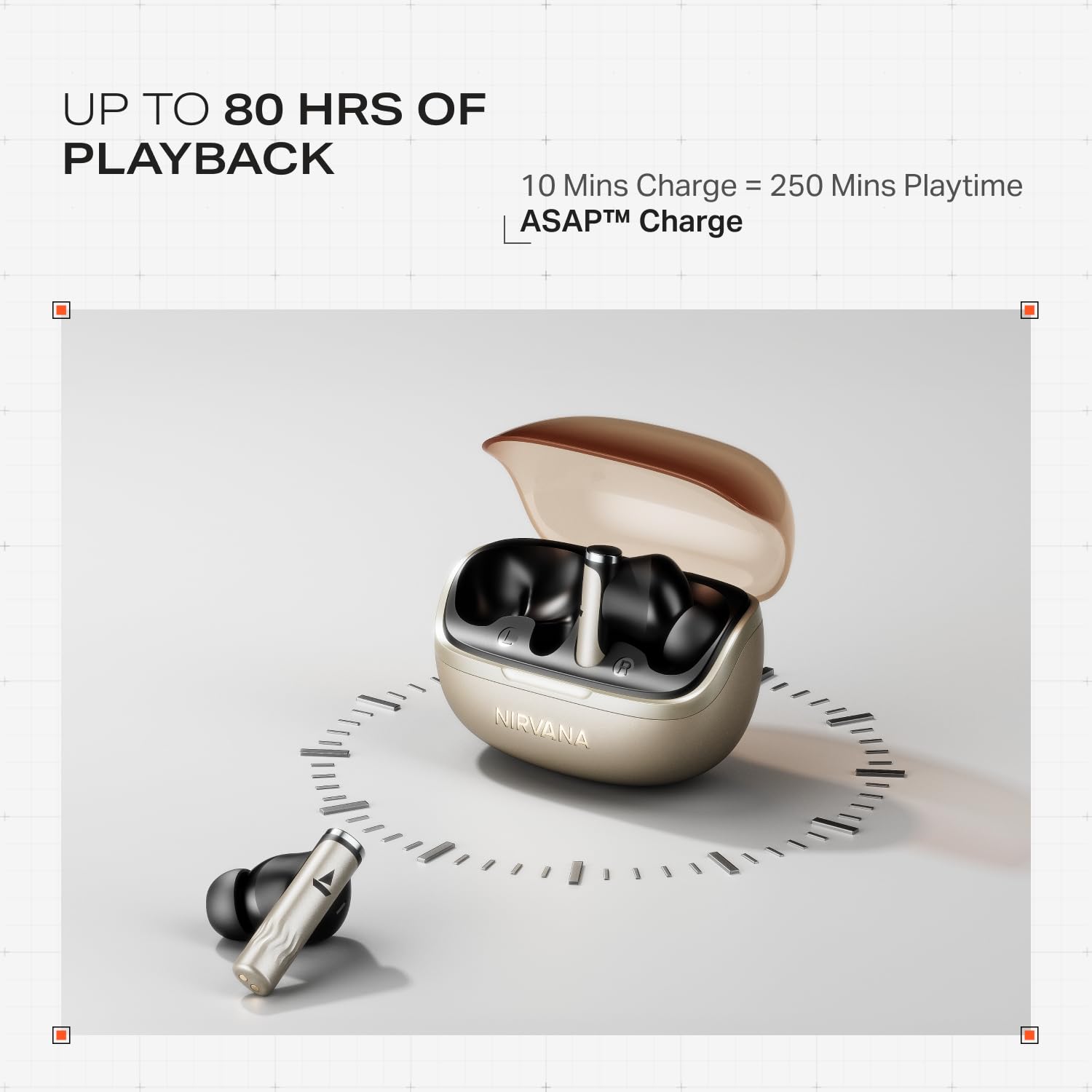
Image: Illustration of multipoint connectivity, with earbuds linked to both a smartphone and a tablet.
4.7 Detecció intraauricular
The earbuds automatically pause playback when removed from your ears and resume when placed back in, providing a seamless listening experience.

Image: Diagram showing an earbud in an ear, with text indicating 'Plug-in to Play' and 'Plug-Out to Pause'.
4.8 Beast Mode (Low Latency)
Activate Beast Mode for an ultra-low latency of 60ms, ideal for gaming to ensure synchronized audio and visuals.

Image: A smartphone displaying a racing game, with earbuds positioned nearby, illustrating the Beast Mode for low-latency gaming.
4.9 Google Fast Pair Service
Enjoy quick and effortless pairing with Android devices using Google Fast Pair Service, allowing for instant connection upon opening the case.

Image: A smartphone displaying a Google Fast Pair notification, prompting connection to the Nirvana Zenith Pro earbuds.
5. Càrrega i bateria
The earbuds offer up to 80 hours of total playtime with the charging case. The ASAP Charge feature provides 250 minutes of playtime after just 10 minutes of charging.
- Durada de la bateria: Fins a 80 hores (amb estoig de càrrega)
- Càrrec ASAP: 10 minutes charge = 250 minutes playtime
- Temps de càrrega complet: Approximately 110 minutes for earbuds and case.

Image: Visual representation of the earbuds and charging case, highlighting 80 hours of playback and ASAP Charge capabilities.
6. Manteniment i cura
- Neteja: Regularly clean the earbuds and charging contacts with a soft, dry cloth. Avoid using harsh chemicals.
- Emmagatzematge: Guardeu els auriculars a la funda de càrrega quan no els feu servir per protegir-los i mantenir-los carregats.
- Resistència a l'aigua: The earbuds are IPX4 rated, meaning they are resistant to splashes and sweat. Do not submerge them in water.
Video: A short animation demonstrating the IPX4 water resistance of the earbuds, showing protection against splashes.
7. Solució De Problemes
Auriculars 7.1 que no s'aparellen
- Assegureu-vos que els dos auriculars estiguin carregats.
- Torneu a col·locar els auriculars a la funda, tanqueu la tapa, espereu uns segons i torneu-la a obrir per tornar a entrar al mode d'emparellament.
- Oblida't del dispositiu de la configuració de Bluetooth del telèfon i intenta emparellar-lo de nou.
7.2 Low Volume/Poor Sound Quality
- Comprova els nivells de volum tant del dispositiu com dels auriculars.
- Assegureu-vos que els auriculars estiguin nets i lliures de residus.
- Prova diferents mides de puntes d'orella per a un millor segellat.
- Disable ANC temporarily to see if it improves sound in certain environments.
7.3 Auriculars que no es carreguen
- Assegureu-vos que el cable de càrrega estigui connectat correctament tant a la carcassa com a la font d'alimentació.
- Netegeu els contactes de càrrega tant dels auriculars com de la funda.
- Prova un cable de càrrega o un adaptador de corrent diferent.
8. Especificacions
| Característica | Detall |
|---|---|
| Nom del model | Nirvana Zenith Pro |
| Número de model | PP0010 |
| Control de soroll | 50dB Hybrid Adaptive Active Noise Cancellation |
| Còdec d'àudio | LDAC (Hi-Res Audio) |
| Conductors | Controladors dinàmics de 12 mm |
| Micròfons | 6 Mics with AI-ENx Technology |
| Durada de la bateria | Fins a 80 hores (amb estoig) |
| Versió Bluetooth | 5.4 |
| Resistència a l'aigua | IPX4 |
| Latència baixa | 60ms (Beast Mode) |
| Pes | 45 grams |
9. Garantia i Suport
Your boAt Nirvana Zenith Pro TWS Earbuds come with a 1 any de garantia des de la data de compra. Si us plau, conserveu el rebut de compra per a reclamacions de garantia.
For further assistance, technical support, or warranty claims, please visit the official boAt weblloc web o contacteu amb el seu servei d'atenció al client. La informació de contacte normalment es pot trobar a l'embalatge del producte o a la marca oficial. weblloc.