
1. Introducció
The Tzone HTD701 is a digital temperature and humidity data logger designed for precise environmental monitoring. It simultaneously measures and records ambient temperature, dew point, wet bulb temperature, and relative humidity. Featuring a USB interface for automatic report generation and an intuitive display, it is suitable for various applications including laboratories, HVAC systems, greenhouses, and freezers.
2. Contingut del paquet

Verifiqueu que tots els elements siguin presents al paquet:
- 1 x Tzone HTD701 Temperature and Humidity Data Logger
- 1 x Temperature and Humidity Probe
- 1 x cable USB tipus C
- 1 x Manual d'usuari
- 1 x certificat de calibratge
- 1 x Caixa d'emmagatzematge portàtil
This image displays the complete contents of the Tzone HTD701 package, including the main data logger unit, the external temperature and humidity probe, a USB-C cable for data transfer, the user manual, a calibration certificate, and a protective portable box.
3. Producte acabatview

The HTD701 features an intuitive design with clearly labeled components for ease of use:
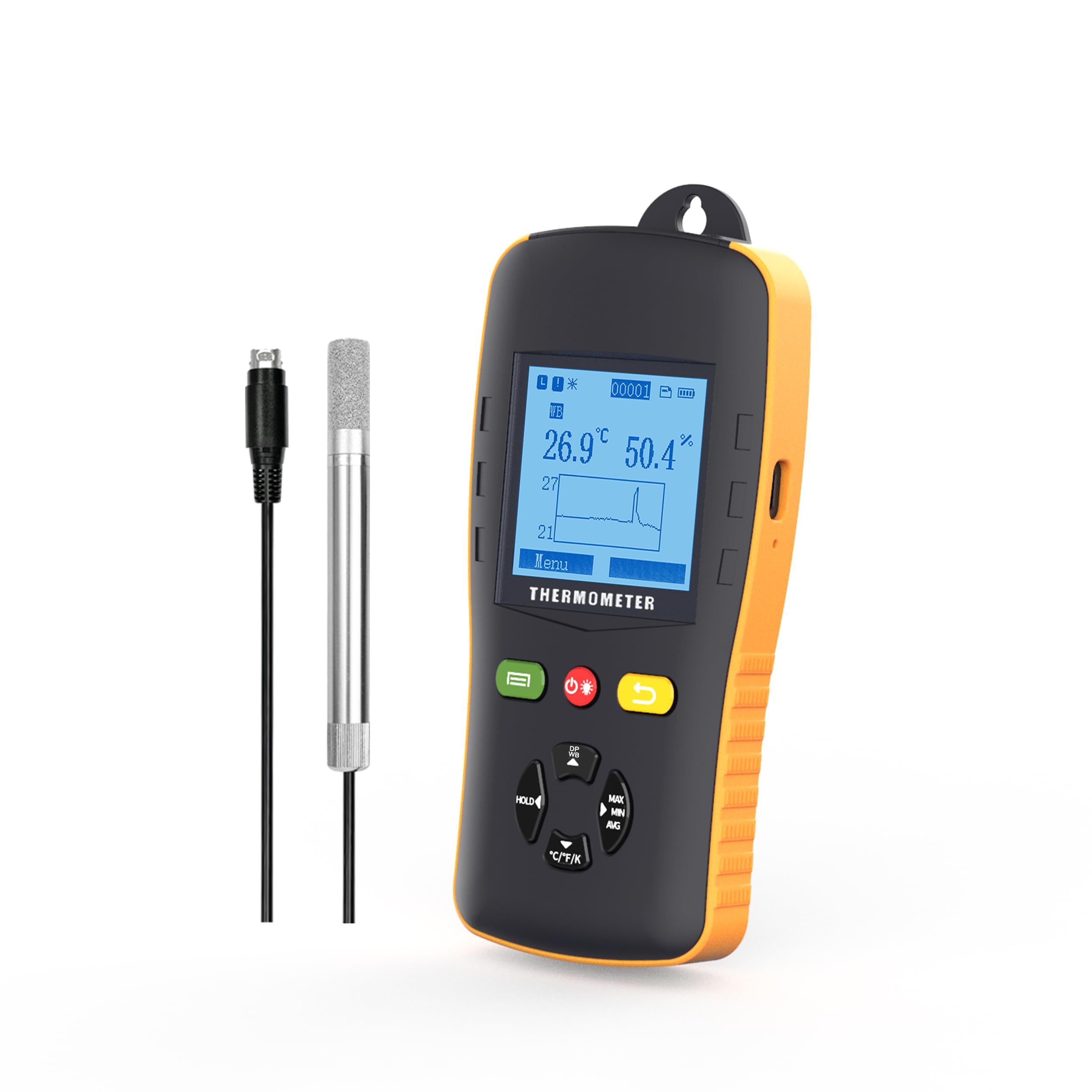
- Pantalla LCD: Shows current readings, settings, and data trends.
- ON/OFF/Backlight Key: Powers the device on/off and controls screen backlight.
- Clau enrere: Navigates back through menus.
- Tecla multifunció: Used for various menu selections and confirmations.
- Conservació de dades: Freezes the current display readings.
- Max/Min/Avg Value: Displays maximum, minimum, and average recorded values.
- Temp Unit Switch: Toggles between °C, °F, and K temperature units.
- Caixa de bateries: Houses the 3 AA batteries.
- Temp & RH Probe: External sensor for temperature and relative humidity measurements.
- Port USB: For data transfer and power supply.
Aquesta imatge ofereix un detall view of the Tzone HTD701 data logger, highlighting its various buttons, the LCD screen, the external temperature and humidity probe, and other key features. Dimensions are also indicated.
4. Característiques
- Mesura simultània: Records ambient temperature (-40°C to 125°C), dew point (-40°C to 80°C), wet bulb temperature (-40°C to 80°C), and relative humidity (0 to 100% RH).
- Generació automàtica d'informes: Connect via USB to automatically generate TXT/CSV/XLS/PDF data reports without requiring special software.
- Large Data Capacity: Emmagatzema fins a 49,920 grups de dades.
- Paràmetres ajustables: Easily set temperature and humidity alarm ranges, auto-off mode, backlight time, and logging intervals.
- Alarmes sonores: Audible alerts when temperature or humidity exceeds set limits.
- Pantalla de retroil·luminació: Ensures clear readability in low-light conditions.
- Disseny humanitzat: Anti-slip and anti-collision casing, foldable stand, and hanging design for versatile placement.
- Canvi d'unitat de temperatura: Supports °C, °F, and K units.

This image illustrates the multi-functional aspects of the data logger, including data hold, auto-off, low power consumption, LCD display, and backlight.

This image highlights the user-friendly design elements such as replaceable batteries, USB power option, a flexible stand, and a hanging feature.
5. Configuració i instal·lació
- Instal·lació de la bateria: Open the battery compartment on the back of the device and insert 3 AA batteries, ensuring correct polarity.
- Connexió de la sonda: Connect the temperature and humidity probe to the designated port on the top of the data logger. Ensure a secure connection.
- Encès: Press the ON/OFF button to power on the device. The LCD screen will illuminate.
- Col·locació inicial: Place the data logger in the desired monitoring location. Utilize the foldable stand for desktop use or the hanging design for elevated placement.
- Col·locació de la sonda: Carefully place the temperature and humidity probe within the area where measurements are to be taken. Ensure the probe is not obstructed and has adequate air circulation.
This video demonstrates the unboxing and initial setup of the Tzone HTD701 data logger, showing how to connect the probe and power on the device.
This video provides a visual guide on connecting the external probe and placing it in a measurement environment, such as a freezer, for data recording.
6. Funcionament
- Viewing Current Data: Upon powering on, the LCD will display current temperature, humidity, and a graph of recent data.
- Canvi de modes de visualització: Use the navigation buttons to cycle through different display modes, including dew point and wet bulb temperature readings.
- Conservació de dades: Press the 'HOLD' button to freeze the current readings on the screen. Press again to release.
- Màx./Mín./Mitjana: Press the 'MAX/MIN/AVG' button to view the maximum, minimum, and average recorded values.
- Interruptor d'unitat de temperatura: Press the '°C/°F/K' button to change the temperature unit between Celsius, Fahrenheit, and Kelvin.

This image shows the Tzone HTD701 data logger actively monitoring and displaying temperature and humidity data, along with a graphical representation of the trends.
7. Data Logging and Reporting
- Setting Logging Parameters: Navigate to the 'Logging' menu to set the logging interval, start time, and file format (TXT, CSV, XLS, PDF).
- Starting Logging: Select 'Start Logging' from the menu to begin recording data. The device will log data at the set interval.
- Stopping Logging: To stop logging, navigate back to the 'Logging' menu and select 'Stop Logging'. Confirm your choice.
- Transferència de dades: Connect the data logger to a computer using the provided USB Type-C cable. The device will automatically generate data reports in the selected format.
- Accessing Reports: The generated reports can be found as removable storage on your computer. No special software is required for report generation.
This image demonstrates the Tzone HTD701 data logger connected to a laptop, showcasing its ability to automatically generate data reports in various formats (TXT, CSV, XLS, PDF) without the need for additional software.
8. Alarms and Settings
- Accés a la configuració: Navigate to the 'Menu' on the device and select 'Settings' to adjust various parameters.
- Setting Alarm Limits: In the 'Alert' menu, set the upper and lower limits for temperature and humidity. If readings exceed these limits, an audible alarm will sound.
- Auto-Off Mode: Configure the auto-off duration to conserve battery life.
- Temps de retroil·luminació: Adjust the duration for which the screen backlight remains active.
- Calibració: The device comes with a calibration certificate. Refer to the 'Calibration' menu for any advanced calibration needs, if applicable.
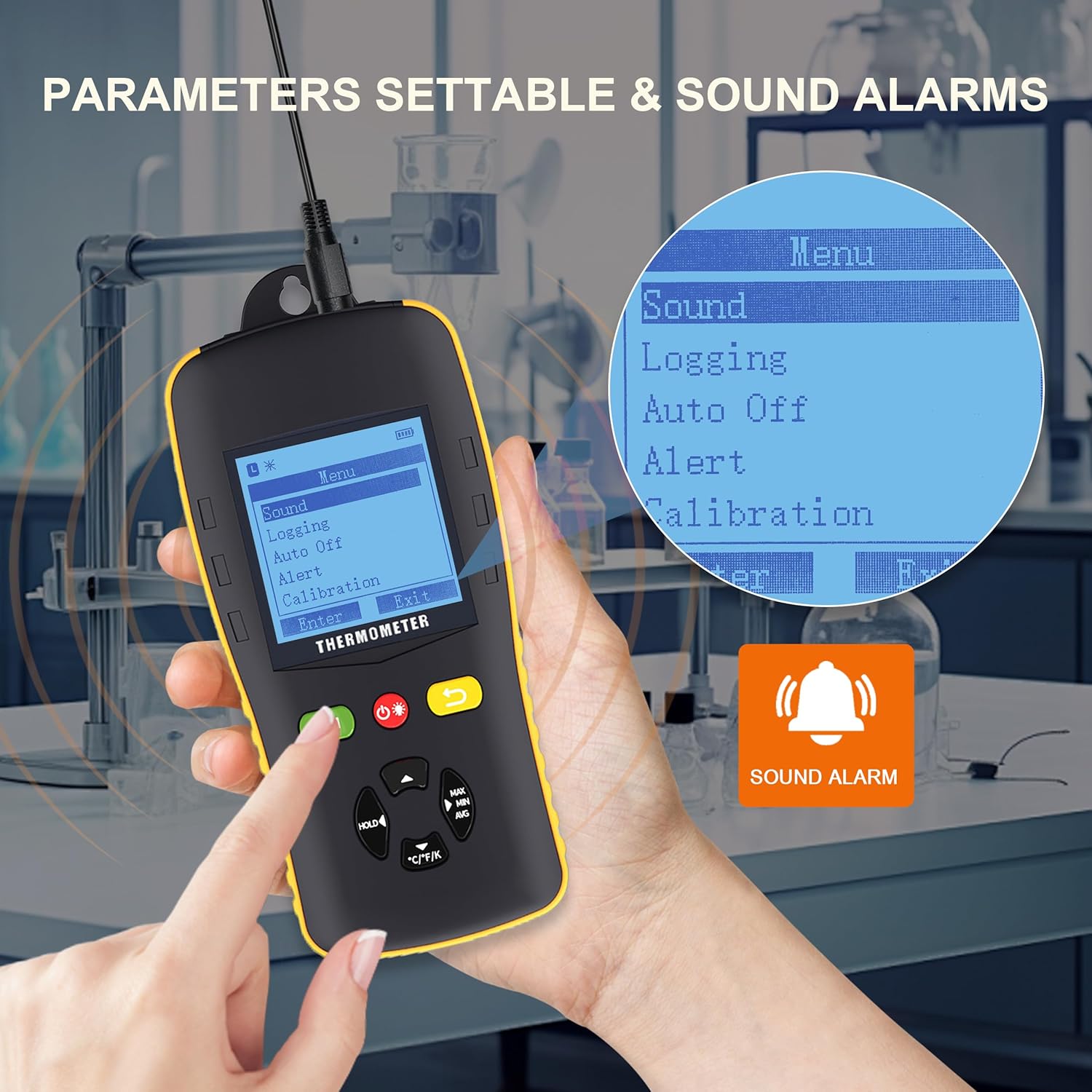
This image shows the Tzone HTD701 data logger's menu interface, illustrating how users can access and adjust various parameters such as sound settings, logging options, auto-off, alert thresholds, and calibration. A sound alarm icon is also visible.
9. Especificacions
| Paràmetre | Valor |
|---|---|
| Temperature Measurement Range (Environmental) | -40 °C a 125 °C |
| Temperature Measurement Range (Dew Point) | -40 °C a 80 °C |
| Temperature Measurement Range (Wet Bulb) | -40 °C a 80 °C |
| Relative Humidity Measurement Range | 0 a 100% HR |
| Unitats de temperatura | °C / °F / K |
| Capacitat d’emmagatzematge de dades | 49,920 grups |
| Resolució | 0.1 |
| Taxa de mesura | 1 cop/segon |
| Font d'alimentació | 3 piles AA d'1.5 V (incloses) |
| Connectivitat | USB tipus C |
| Pes de l'article | 2.35 lliures |
| Dimensions del paquet | 10.83 x 8.82 x 3.11 polzades |

This image visually summarizes the key technical specifications of the Tzone HTD701 data logger.
10. Manteniment
- Neteja: Wipe the device and probe with a soft, dry cloth. Do not use abrasive cleaners or solvents.
- Substitució de la bateria: Replace batteries when the low battery indicator appears on the screen to ensure continuous operation and data integrity.
- Emmagatzematge: When not in use for extended periods, remove the batteries and store the device in its portable box in a cool, dry place away from direct sunlight and extreme temperatures.
- Cura de la sonda: Handle the external probe with care. Avoid bending or damaging the cable and sensor tip.
11. Solució De Problemes
- El dispositiu no s'encén:
- Comproveu si les piles estan correctament instal·lades i tenen prou càrrega. Substituïu-les si cal.
- Lectures inexactes:
- Ensure the probe is clean and free from dust or debris.
- Verify the probe is securely connected to the main unit.
- Deixeu que el dispositiu s'estabilitzi en l'entorn de mesura durant uns minuts.
- Data Not Logging:
- Check logging settings to ensure a logging interval is set and logging has been initiated.
- Verify that the device has sufficient memory capacity.
- Problemes de connexió USB:
- Ensure the USB cable is properly connected to both the device and the computer.
- Proveu un port USB diferent a l'ordinador.
- L'alarma no sona:
- Check the 'Alert' settings to ensure alarm limits are correctly configured and the alarm mode is enabled.
- Verify the device's volume settings.
12. Garantia i Suport
Tzone products are covered by a standard manufacturer's warranty. For specific warranty details, technical support, or service inquiries, please refer to the contact information provided in the product packaging or visit the official Tzone weblloc web. Conserveu el rebut de compra com a comprovant de compra per a reclamacions de garantia.