
1. Introducció
Thank you for choosing the Redragon K734SP-RGB-PRO Wireless Mechanical Keyboard. This keyboard is designed to enhance your gaming and typing experience with its advanced features, versatile connectivity, and customizable RGB lighting. This manual provides detailed instructions to help you set up, operate, and maintain your new keyboard.
2. Contingut del paquet
- Teclat mecànic sense fil x 1
- Interruptors addicionals x 4
- Manual d'usuari en anglès x 1
- Keycap/Switches Puller x 1
- Cable USB x 1
3. Configuració
The Redragon K734SP-RGB-PRO offers three versatile connection modes: Type-C wired, 2.4GHz wireless, and Bluetooth (3.0+5.0). Choose the mode that best suits your needs.
3.1 Modes de connexió
- Cablejat tipus C: Connect the keyboard directly to your device using the provided USB-C cable. This mode offers plug-and-play functionality and ensures stable performance.
- Sense fil de 2.4 GHz: For a driver-free wireless experience, locate the 2.4GHz USB dongle (usually stored in a magnetic slot on the keyboard). Plug the dongle into an available USB port on your computer. Switch the keyboard's mode selector to 2.4G.
- Bluetooth (BT3.0+5.0): To connect via Bluetooth, switch the keyboard's mode selector to BT. The keyboard will enter pairing mode. Cerca "Redragon K734SP" on your device's Bluetooth settings and select it to pair. You can easily switch between up to three paired Bluetooth devices using the dedicated buttons (FN+1/2/3).

Image: Redragon K734SP-RGB-PRO keyboard illustrating its versatile connection options.
4. Instruccions de funcionament
The Redragon K734SP-RGB-PRO is an 87-key TKL (Tenkeyless) layout keyboard, offering a compact design without sacrificing essential keys. It features full key punchless functionality and FN composite multimedia keys for enhanced control.
4.1 Característiques clau
- Estructura de la junta: Features a five-layer noise cancellation configuration and a gasket structure, providing a cushioned, creamy, and consistent typing feel with reduced resonance noise.
- PBT Side-Engraved Gradient Translucent Keycaps: Durable, non-fading, and sweat-proof keycaps made with a double injection molding process. The side engraving allows light to shine through the legends, enhancing visibility and aesthetics.
- Custom Pre-lubed Switches: Equipped with thick-lubed custom linear switches for smooth and comfortable typing feedback. The upgraded socket is compatible with nearly all 3/5-pin switches.
- Bateria de 4000 mAh: Provides ultra-long-lasting battery life, with up to 200 hours with backlighting off and 30 hours with backlighting on. Check battery level conveniently by pressing FN+DEL.
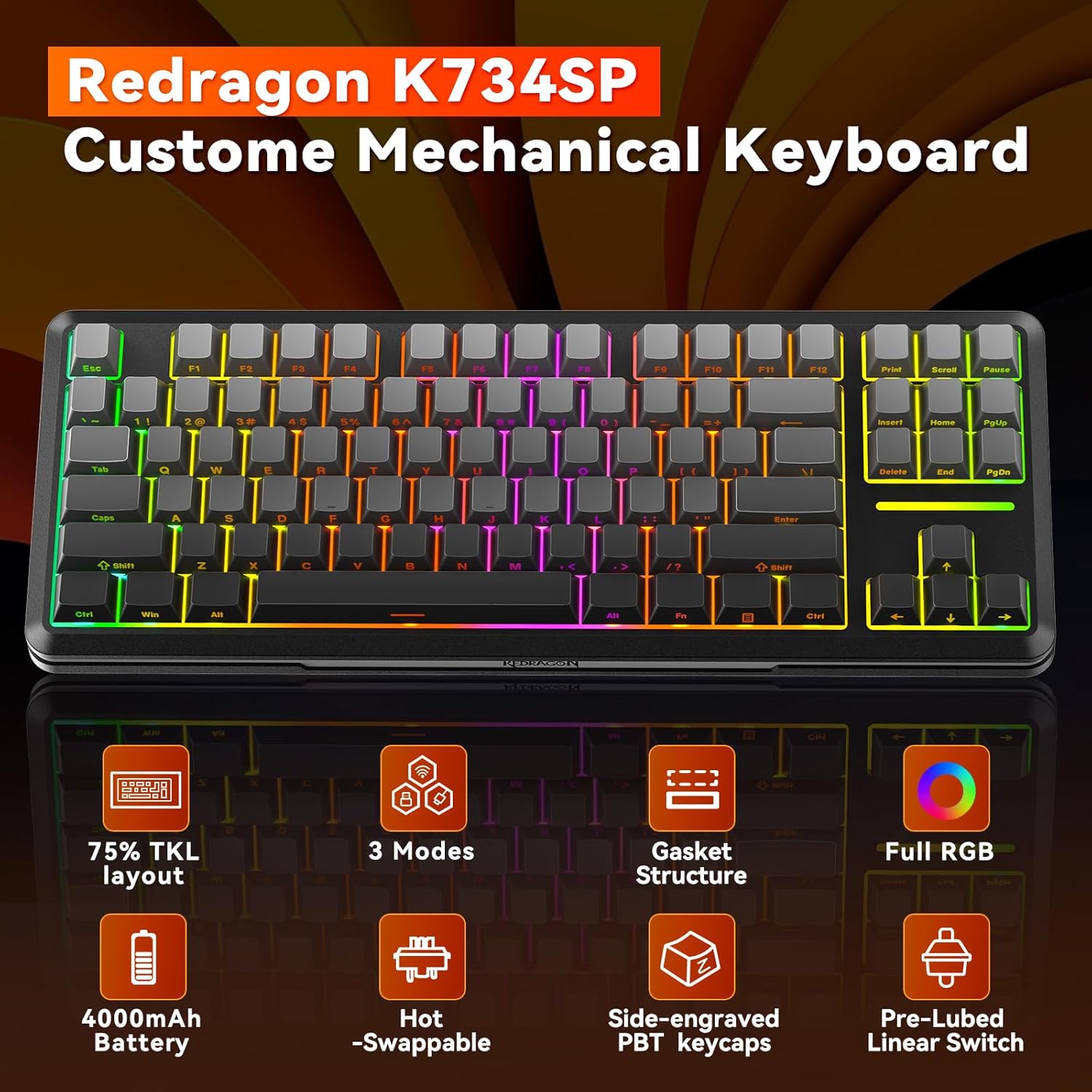
Imatge: Més deview of Redragon K734SP-RGB-PRO's key features.
4.2 Control d'il·luminació RGB
The keyboard features programmable RGB backlighting with 16 RGB modes, 7 single light options, and 6 brightness levels. You can cycle through various RGB modes directly from the keyboard without needing additional software by pressing FN + Insereix. The south-facing LEDs provide a pleasant underglow effect.
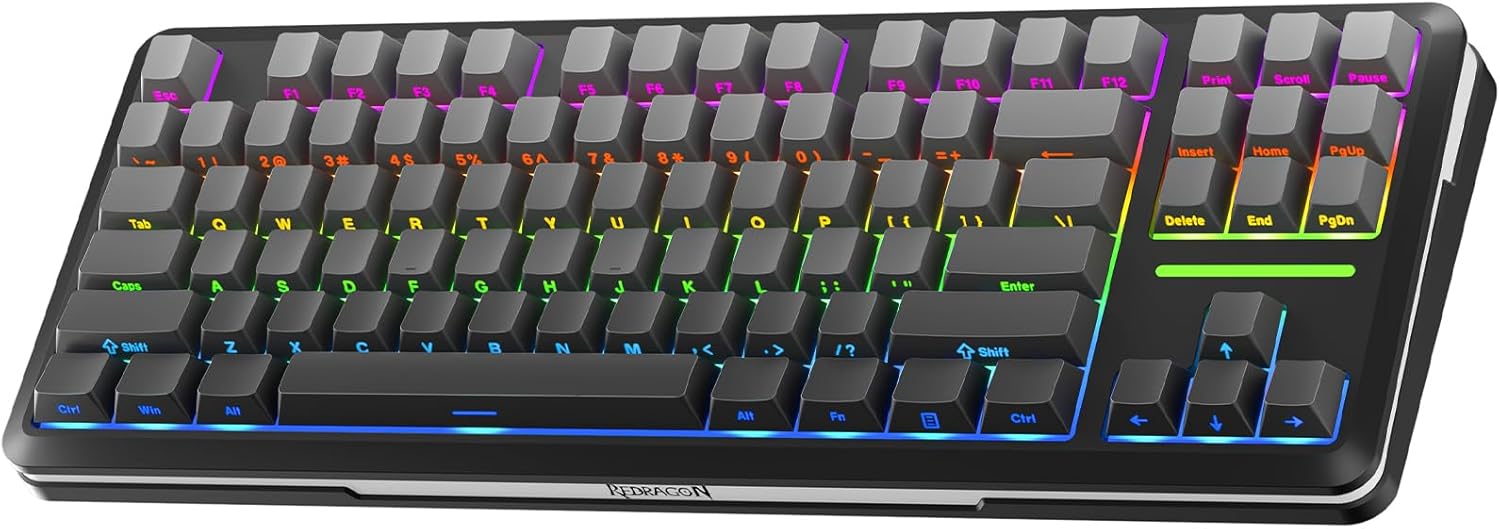
Image: Redragon K734SP-RGB-PRO keyboard showcasinla seva il·luminació RGB.
4.3 Pro Software Customization
Expand your customization options using the available Redragon software. The software allows you to design your own new modes and effects, create macros with different keybindings or shortcuts for more efficient work and gaming. The software supports wired and 2.4GHz modes.

Image: Redragon software interface for advanced keyboard customization.
Video: Official Redragon guide on how to download and install the software drivers for the K734 Keyboard.
5. Manteniment
5.1 Neteja
To maintain the keyboard's appearance and functionality, regularly clean the keycaps and the keyboard body. Use a soft, dry cloth for general cleaning. For deeper cleaning, you may use a slightly damp cloth with mild soap, ensuring no liquid enters the keyboard's internal components. Avoid abrasive cleaners or solvents.
5.2 Commutadors intercanviables en calent
The Redragon K734SP-RGB-PRO features hot-swappable switches, allowing you to easily change switches without soldering. Use the provided keycap/switch puller to carefully remove keycaps and switches. When inserting new switches, align the pins correctly with the socket to avoid damage. Extra switches are included in the package for replacement.

Image: Illustration of the keyboard's custom switches and their hot-swappable nature.
6. Solució De Problemes
If you encounter any issues with your Redragon K734SP-RGB-PRO keyboard, please refer to the following common solutions:
- El teclat no respon: Ensure the keyboard is properly connected in wired mode, or that the 2.4GHz dongle is securely plugged in and the keyboard is in 2.4G mode. For Bluetooth, ensure it's paired and selected as the active device. Check battery level (FN+DEL).
- La il·luminació RGB no funciona: Verify the keyboard is powered on. Cycle through RGB modes using FN+Insert. If using software, ensure it's running and the settings are applied.
- Claus que no es registren: If specific keys are not working, try hot-swapping the switch with one of the extra switches provided. Ensure the switch is fully seated.
- Problemes de connectivitat: For wireless modes, ensure there are no strong interferences nearby (e.g., other 2.4GHz devices). Try moving closer to the receiver. For Bluetooth, try re-pairing the device.
- El programari no detecta el teclat: Ensure the keyboard is connected via wired or 2.4GHz mode, as the software only supports these connections. Reinstall the software if necessary.
7. Especificacions
| Característica | Detall |
|---|---|
| Número de model | K734SP-RGB-PRO |
| Tecnologia de connectivitat | Sense fil de 2.4 GHz, BT5.0, USB-C |
| Descripció del teclat | Mecànica |
| Nombre de claus | 87 |
| Característiques especials | Backlit, Side Printed PBT Keycaps, Programmable Keys, Hot-Swappable, Pre-lubed Switches |
| Il·luminació del teclat | RGB |
| Pes de l'article | 2.72 lliures |
| Dimensions del paquet | 16.34 x 7.36 x 3.66 polzades |
| Fabricant | Redragon |
8. Garantia i Suport
Redragon products are manufactured to the highest quality standards. For warranty information, technical support, or any inquiries regarding your Redragon K734SP-RGB-PRO keyboard, please visit the official Redragon weblloc web o poseu-vos en contacte amb el servei d'atenció al client. Conserveu el rebut de compra per a reclamacions de garantia.