
TECKNET HDB01806
Manual d'instruccions del timbre sense fil TECKNET
Model: HDB01806
Introducció
Thank you for choosing the TECKNET Wireless Self-Powered Doorbell. This manual provides detailed instructions for the installation, operation, and maintenance of your new doorbell system. Please read this manual thoroughly before use to ensure proper functionality and longevity of the product.
This doorbell system features a self-powered push button, eliminating the need for batteries, and plug-through receivers with an extra socket for convenience. It offers a wide range of chimes and adjustable volume levels, making it suitable for various environments.
Contingut del paquet
Si us plau, reviseu el paquet per assegurar-vos que tots els articles hi són i estan en bon estat:
- Wireless Doorbell Push Button (Transmitter) x 1
- Plug-through Doorbell Receiver (Chime) x 2
- Cargols i ancoratges de muntatge
- Cinta adhesiva de doble cara
- Manual d'usuari (Aquest document)

Image: The complete TECKNET Wireless Doorbell kit, showing two black plug-in receivers and one black rectangular push button.
Producte acabatview
The TECKNET Wireless Doorbell system consists of a self-powered transmitter (push button) and two plug-in receivers (chimes).
Característiques principals:
- Self-Powered Transmitter: No batteries required for the push button. It generates its own power when pressed.
- Plug-through Receiver: Each receiver plugs directly into a standard wall socket and includes an additional pass-through socket, allowing you to use the outlet for other appliances.
- Ampli rang de funcionament: Fins a 400 metres (1300 peus) en zones obertes.
- Multiple Chimes & Volume Levels: 60 selectable melodies and 5 adjustable volume levels (0dB to 110dB).
- Funció de memòria: Remembers your last selected melody and volume level after a power outage.
- Transmissor impermeable IP66: Dissenyat per suportar diferents condicions meteorològiques.

Imatge: Una imatge interna view of the self-powered push button, illustrating the mechanism that generates electricity upon pressing, eliminating the need for batteries.

Image: A TECKNET doorbell receiver plugged into a wall socket, with another appliance plugged into its integrated pass-through socket, demonstrating its ability to extend an outlet.

Image: A diagram showing the effective wireless range of the doorbell system, with one transmitter and two receivers positioned around a house, indicating a range of up to 400 meters (1300 feet).
Configuració i instal·lació
1. Install the Receiver(s):
- Choose a suitable indoor wall socket for your receiver(s). Ensure it is within the desired range of the push button.
- Plug the receiver directly into the wall socket. The LED indicator will light up, indicating it is powered on.
- If using the pass-through socket, ensure the appliance plugged into it does not exceed 1100 Watts. Note: The pass-through socket only works with grounded (three-pronged) plugs.
2. Install the Push Button (Transmitter):
There are two methods for installing the push button:
Method A: Double-sided Adhesive Installation
- Netegeu a fons la superfície de muntatge desitjada per assegurar-vos que estigui lliure de pols i humitat.
- Peel off one side of the protective film from the double-sided adhesive tape and firmly attach it to the back of the push button.
- Peel off the other side of the protective film and press the push button firmly onto the cleaned surface for at least 30 seconds.
Method B: Screw Installation (Recommended for uneven surfaces or long-term outdoor use)
- Separeu la placa posterior del botó.
- Place the back plate on the desired mounting location and mark the screw holes with a pencil.
- Drill pilot holes (if necessary) and insert the wall anchors.
- Fixeu la placa posterior a la paret amb els cargols proporcionats.
- Snap the push button onto the secured back plate.

Image: A visual guide demonstrating the two installation methods for the push button: using double-sided adhesive tape (A) and securing with screws (B).
Important: Test the doorbell's range before final installation to ensure optimal signal reception between the push button and receiver(s).
Instruccions de funcionament
Changing Melody:
- On the receiver, locate the "Melody Selection" button (often indicated by a music note icon).
- Press this button repeatedly to cycle through the 60 available melodies.
- Once you hear a melody you like, stop pressing. The receiver will automatically save this selection.
Ajust de volum:
- On the receiver, locate the "Volume Control" button (often indicated by a speaker icon).
- Press this button to cycle through the 5 available volume levels (0dB to 110dB).
- Select the desired volume level. The receiver will save this setting.

Image: A visual representation of the doorbell receiver's controls, highlighting the 5 volume levels and 60 ringtones available for selection.
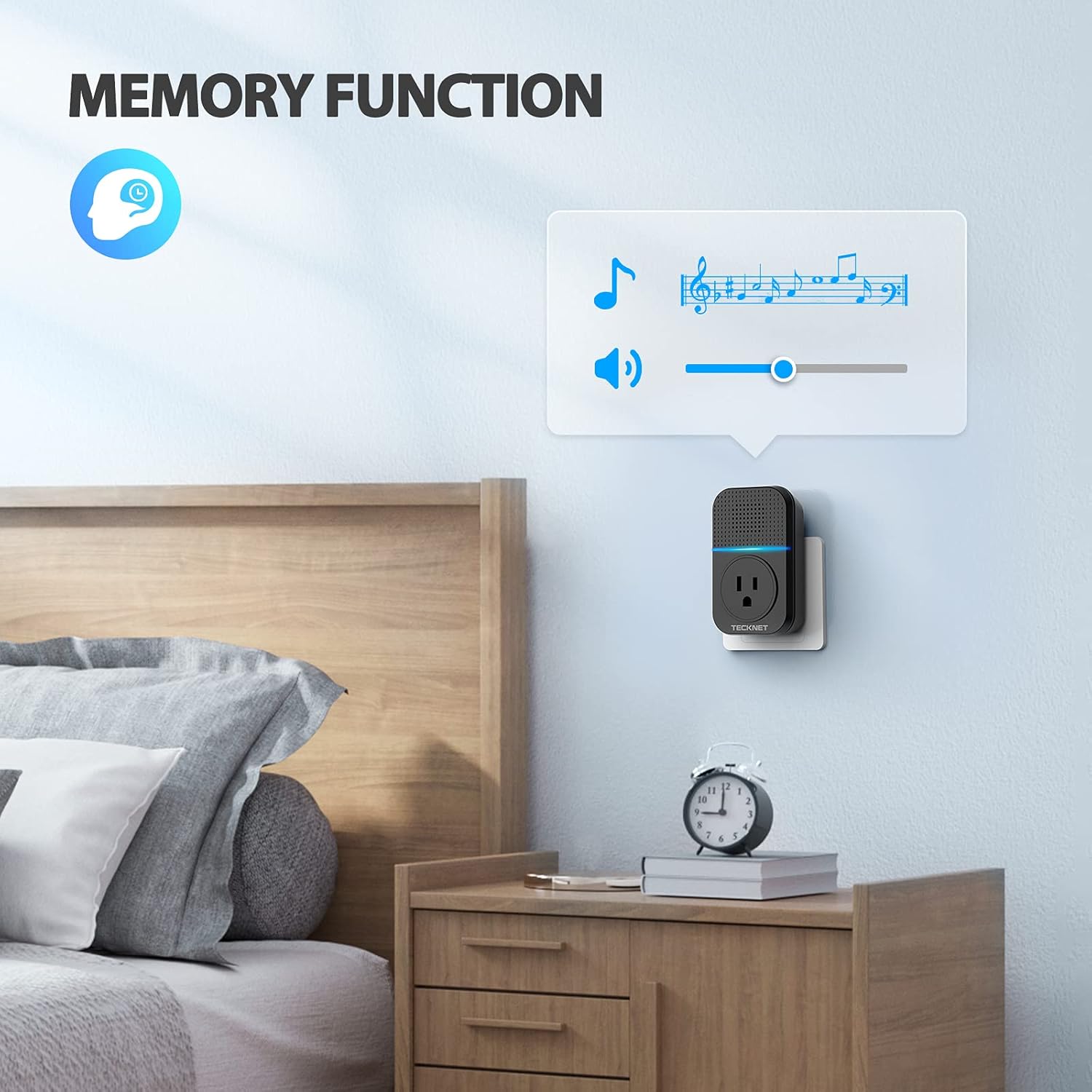
Image: A visual representation of the doorbell receiver's memory function, showing it retains the last selected melody and volume setting even after a power cycle.
Pairing (If needed):
Your doorbell kit comes pre-paired. However, if you need to re-pair or add additional transmitters/receivers:
- Connecteu el receptor.
- Press and hold the "Volume Control" button on the receiver for approximately 5 seconds until you hear a "ding" sound and the LED indicator flashes rapidly. This indicates pairing mode.
- Within 10 seconds, press the push button (transmitter). The receiver will chime, indicating successful pairing.
- Test the pairing by pressing the push button again.
Manteniment
- Neteja: Use a soft, dry cloth to clean the surfaces of both the push button and receiver. Do not use abrasive cleaners or solvents.
- Unitat exterior: While the push button is IP66 waterproof, regularly check for any debris or blockages around the button mechanism.
- Eviteu condicions extremes: Although designed for durability, avoid exposing the units to extreme temperatures outside their operating range (-4°F to 140°F / -20°C to 60°C) or prolonged direct sunlight.
- Interferència del senyal: Keep the receiver away from large metal objects, thick walls, or other electronic devices that may cause interference.
Resolució de problemes
| Problema | Causa possible | Solució |
|---|---|---|
| El timbre no sona. | Receiver is not powered on. | Ensure the receiver is properly plugged into a live wall socket. |
| El botó i el receptor no estan emparellats. | Follow the "Pairing" instructions in the Operating section to re-pair the units. | |
| Distance between units is too far or too many obstacles. | Relocate the receiver closer to the push button or to a location with fewer obstructions. Avoid placing near large metal objects. | |
| El volum és massa baix o massa alt. | Cal ajustar la configuració del volum. | Press the "Volume Control" button on the receiver to adjust to the desired level. |
| Chime melody is not desired. | Incorrect melody selected. | Press the "Melody Selection" button on the receiver to cycle through and choose a new melody. |
| Pass-through socket not working with a two-pronged plug. | The pass-through socket is designed for grounded (three-pronged) plugs only. | This is by design. Use a three-pronged plug or a different outlet for two-pronged devices. |
Especificacions
- Model: HDB01806
- Vol. Operatiutage (Receiver): AC 110-240V
- Consum d'energia (receptor): < 0.5 W
- Freqüència de funcionament: 433.92 MHz
- Interval sense fil: Up to 1300 ft / 400 m (open air)
- Selectable Melodies: 60
- Nivells de volum: 5 (0dB to 110dB)
- Classificació d'impermeabilitat (transmissor): IP66
- Temperatura de funcionament: -4 °F a 140 °F (-20 °C a 60 °C)
- Pass-through Socket Load: Màxim 1100W
- Dimensions (receptor): Aproximadament 4 x 2.3 x 5 polzades
- Pes (article): Aproximadament 11.7 unces

Image: The push button unit, highlighting its IP66 dustproof and waterproof rating and its wide operating temperature range from -4°F to 140°F.
Garantia i Suport
TECKNET products come with a standard warranty. For specific warranty terms and conditions, please refer to the warranty card included with your product or visit the official TECKNET weblloc.
If you encounter any issues or have questions regarding your TECKNET Wireless Doorbell, please contact TECKNET Customer Support:
- Weblloc: www.tecknet.co.uk/support (o regional pertinent weblloc)
- Correu electrònic: Consulteu l'embalatge del producte o weblloc web per a correu electrònic d'assistència.
- Telèfon: Consulteu l'embalatge del producte o weblloc web per al número de telèfon d'assistència.
Please have your model number (HDB01806) and purchase information ready when contacting support.
Ask a question about this manual
Ask about setup, troubleshooting, compatibility, parts, safety, or missing instructions. Manuals+ will review the question and use this page’s manual context to help answer it.