
Introducció
This manual provides instructions for the HOUSBAY Sunrise Alarm Clock with Bluetooth Speaker & Radio, Model TS9RA. Please read this manual thoroughly before using the device to ensure proper operation and to maximize its features.

Image: The HOUSBAY Sunrise Alarm Clock, an all-in-one device combining a sunrise alarm, FM radio, Bluetooth speaker, and night light.
Informació de seguretat
- Assegureu-vos que el dispositiu estigui col·locat en una superfície plana i estable.
- No exposeu el dispositiu a l'aigua ni a una humitat excessiva.
- Utilitzeu només l'adaptador d'alimentació subministrat.
- Mantenir fora de l'abast dels nens.
- No intenteu desmuntar o reparar el dispositiu vosaltres mateixos. Contacteu amb l'assistència al client per obtenir assistència.
Contingut del paquet
- HOUSBAY Sunrise Alarm Clock (Model TS9RA)
- Adaptador d'alimentació
- Manual d'usuari
Configuració
1. Connexió d'alimentació
- Connect the power adapter to the DC input port on the back of the alarm clock.
- Connecteu l'adaptador d'alimentació a una presa de corrent estàndard.
- La pantalla s'il·luminarà, indicant que el dispositiu està encès.
2. Configuració inicial de l'hora
Upon first power-on, the clock may display a default time. Refer to the "Operating Instructions" section for detailed steps on setting the correct time and date.
3. FM Antenna Setup
For optimal FM radio reception, extend the integrated antenna fully. Position the antenna for the best signal quality.
Instruccions de funcionament
Configuració de data i hora
- Premeu el botó Temps establert button (usually indicated by a clock icon).
- Utilitza el +/- botons per ajustar l'hora i, a continuació, premeu Temps establert de nou per confirmar.
- Repetiu-ho per a minuts, any, mes i dia.
- Premeu Temps establert una última vegada per sortir del mode de configuració.
Alarm Setting (Sunrise & Sound)
- Premeu el botó Alarma button (bell icon).
- Utilitza el +/- buttons to set the desired alarm time. Press Alarma per confirmar.
- Select your preferred wake-up sound (e.g., birdsong, ocean waves, piano, FM radio) using the So botó.
- Adjust the sound volume using the +/- botons.
- Set the sunrise simulation duration (0-60 minutes) before the alarm time. The light will gradually brighten during this period.
- Choose your wake-up mode: Només so, Sunrise Only, o Sunrise & Sound.
- Premeu Alarma to save and activate the alarm.
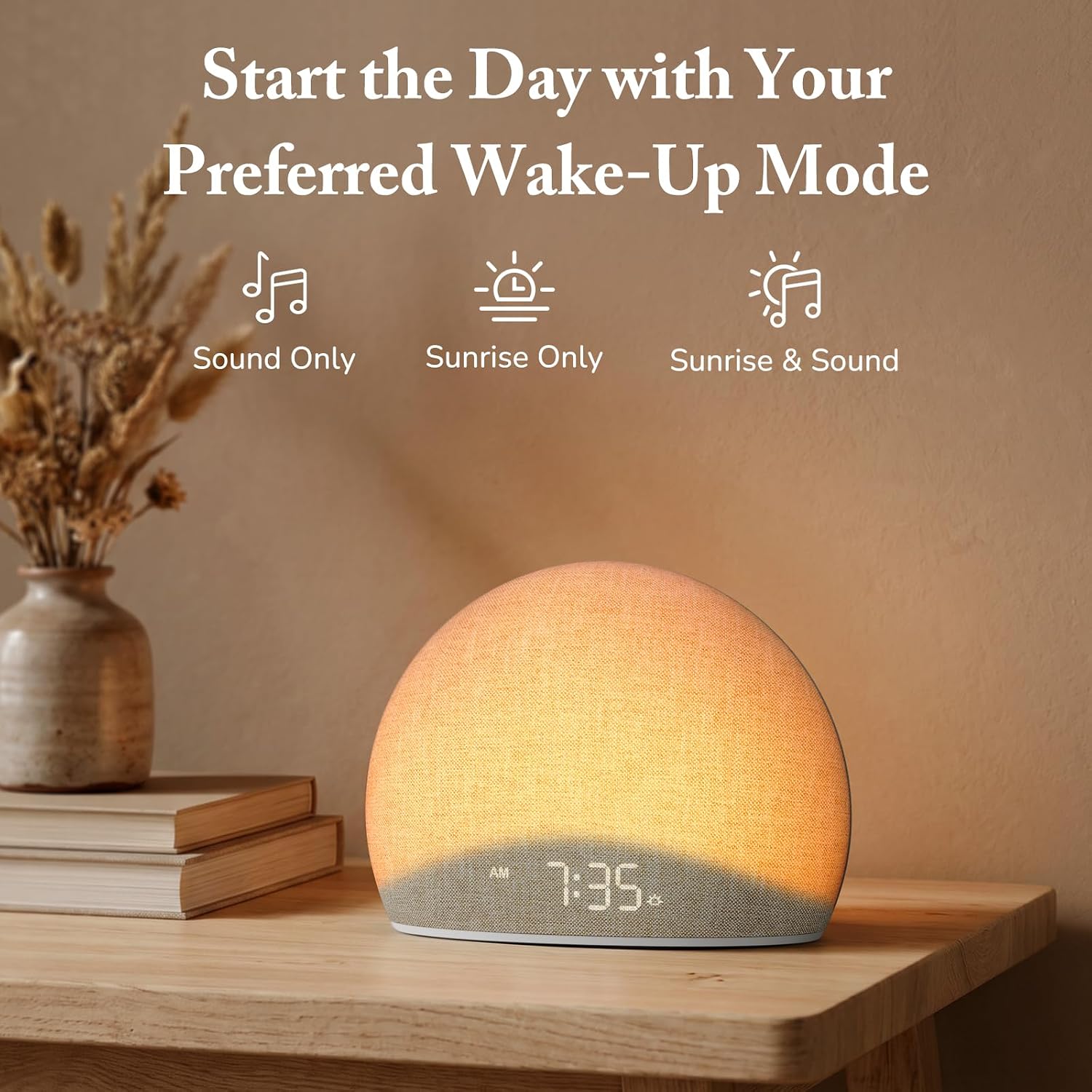
Image: The alarm clock offers three distinct wake-up modes: sound only, sunrise light only, or a combination of both.

Image: A selection of five natural wake-up sounds and FM radio options are available to customize your morning alarm.
Funció de llum nocturna
- Premeu el botó Llum button (sun icon) to turn on the night light.
- Premeu el botó Llum button repeatedly to cycle through different colors and brightness levels.
- To turn off the night light, press and hold the Llum button or cycle through all options until it turns off.

Image: The device functioning as a night light, emitting a soft red glow at 10:30 PM.
Mode altaveu Bluetooth
- Premeu el botó Bluetooth button (Bluetooth symbol) to enter Bluetooth pairing mode. The display will show "BT" or a flashing Bluetooth icon.
- On your mobile device, enable Bluetooth and search for "HOUSBAY TS9RA" or a similar device name.
- Select the device to pair. A confirmation sound will indicate successful pairing.
- You can now stream audio from your device to the HOUSBAY alarm clock.
- Per desconnectar, premeu el botó Bluetooth button again or disconnect from your mobile device.
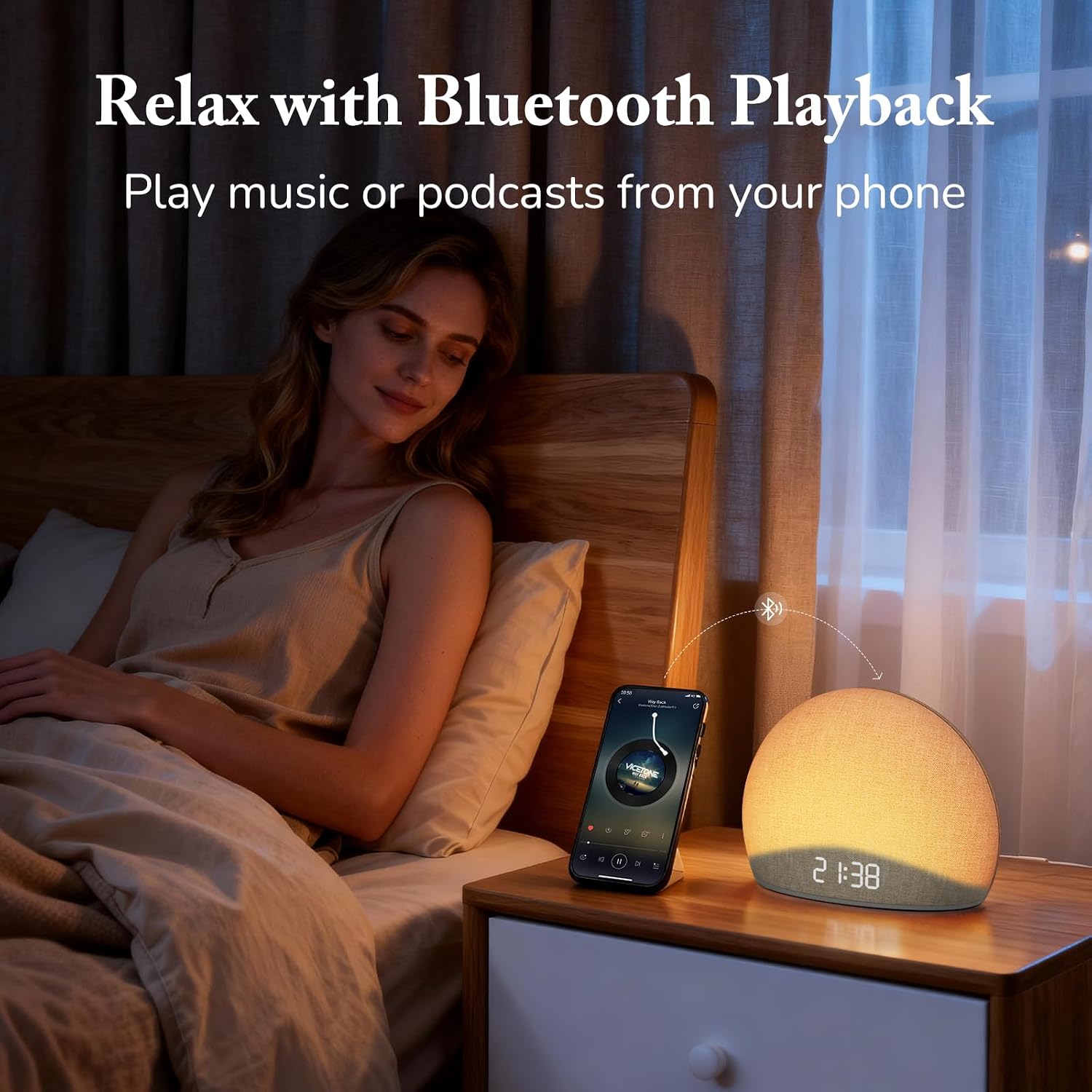
Image: The alarm clock connected via Bluetooth, playing music from a smartphone for relaxation.
Vídeo: Un overview of the HOUSBAY Sunrise Alarm Clock Radio for Bedroom, demonstrating its features including Bluetooth connectivity.
Vídeo: Una breu presentacióview demonstrating the Bluetooth connectivity feature of the HOUSBAY Sunrise Alarm Clock.
Mode de ràdio FM
- Premeu el botó Ràdio FM button (radio icon) to turn on the FM radio.
- Manteniu premut el botó Ràdio FM button to initiate an automatic scan for available stations. The clock will save detected stations.
- Utilitza el +/- buttons to cycle through saved FM stations.
- Ajusteu el volum amb els controls de volum dedicats.
- To turn off the FM radio, press the Ràdio FM botó de nou.

Image: The alarm clock displaying the time 9:00, with visual cues suggesting active FM radio functionality.
Ajust de la brillantor de la pantalla
To ensure a sleep-friendly environment, the clock's display brightness can be adjusted or turned off completely.
- Localitza el Brillantor de la pantalla button (often a sun or dimmer icon).
- Press the button repeatedly to cycle through various brightness levels, including off.
- Seleccioneu la brillantor desitjada.

Image: The alarm clock with its display dimmed to a low setting, suitable for a dark bedroom environment.
Manteniment
- Neteja: Use a soft, dry cloth to clean the surface of the device. Do not use liquid cleaners or abrasive materials.
- Emmagatzematge: If storing the device for an extended period, unplug it from the power source and store it in a cool, dry place.
- Cura del teixit: The fabric finish can be gently wiped with a slightly damp cloth if necessary, then immediately dried.
Resolució de problemes
| Problema | Causa possible | Solució |
|---|---|---|
| El dispositiu no s'encén. | L'adaptador de corrent no està connectat o la presa de corrent està defectuosa. | Ensure the power adapter is securely plugged into both the device and a working electrical outlet. Try a different outlet. |
| L'aparellament de Bluetooth falla. | Device not in pairing mode; mobile device too far; interference. | Ensure the alarm clock is in Bluetooth pairing mode (flashing BT icon). Move your mobile device closer. Restart both devices and try again. |
| Mala recepció de ràdio FM. | Antenna not extended or positioned correctly; weak signal. | Fully extend the FM antenna and adjust its position for better signal. Perform an auto-scan for stations again. |
| Alarm does not sound/light. | Alarm not activated; volume too low; incorrect mode selected. | Verify the alarm is set and activated. Check the alarm volume. Ensure the correct wake-up mode (Sound Only, Sunrise Only, or both) is selected. |
| La pantalla està en blanc o no respon. | Display brightness set to off; temporary software glitch. | Press the Display Brightness button to cycle through brightness levels. If unresponsive, unplug the device for a few minutes and then plug it back in to reset. |
Especificacions
| Característica | Detall |
|---|---|
| Marca | CASA |
| Número de model | TS9RA |
| Tipus de visualització | Digital |
| Font d'alimentació | Elèctric amb cable |
| Dimensions del producte (amplada x alçada) | 6.3 cm d'amplada x 4.72 cm d'alçada |
| Pes de l'article | 0.7 kg |
| Característiques especials | Sunrise Alarm, Bluetooth Speaker, FM Radio, Dimmable Night Light, Adjustable Display |
| Material | Wood (Frame), Fabric Finish |
Garantia
This HOUSBAY product is covered by a manufacturer's warranty. For specific details regarding warranty coverage, duration, and terms, please refer to the warranty card included with your purchase or contact HOUSBAY customer support.
Atenció al client
For any questions, technical assistance, or warranty claims, please contact HOUSBAY customer support through their official weblloc web o la informació de contacte que s'inclou amb l'embalatge del producte.
També podeu visitar el HOUSBAY Store on Amazon per obtenir més informació sobre el producte i recursos d'assistència.