
Introducció
The TELE System UP1 is an advanced Android TV 4K Ultra HD decoder designed to enhance your television viewing experience. It combines the capabilities of a DVB-T2 HEVC terrestrial digital decoder with the smart features of Android TV, offering access to a wide range of streaming services and applications. This manual provides essential information for setting up, operating, maintaining, and troubleshooting your UP1 decoder.
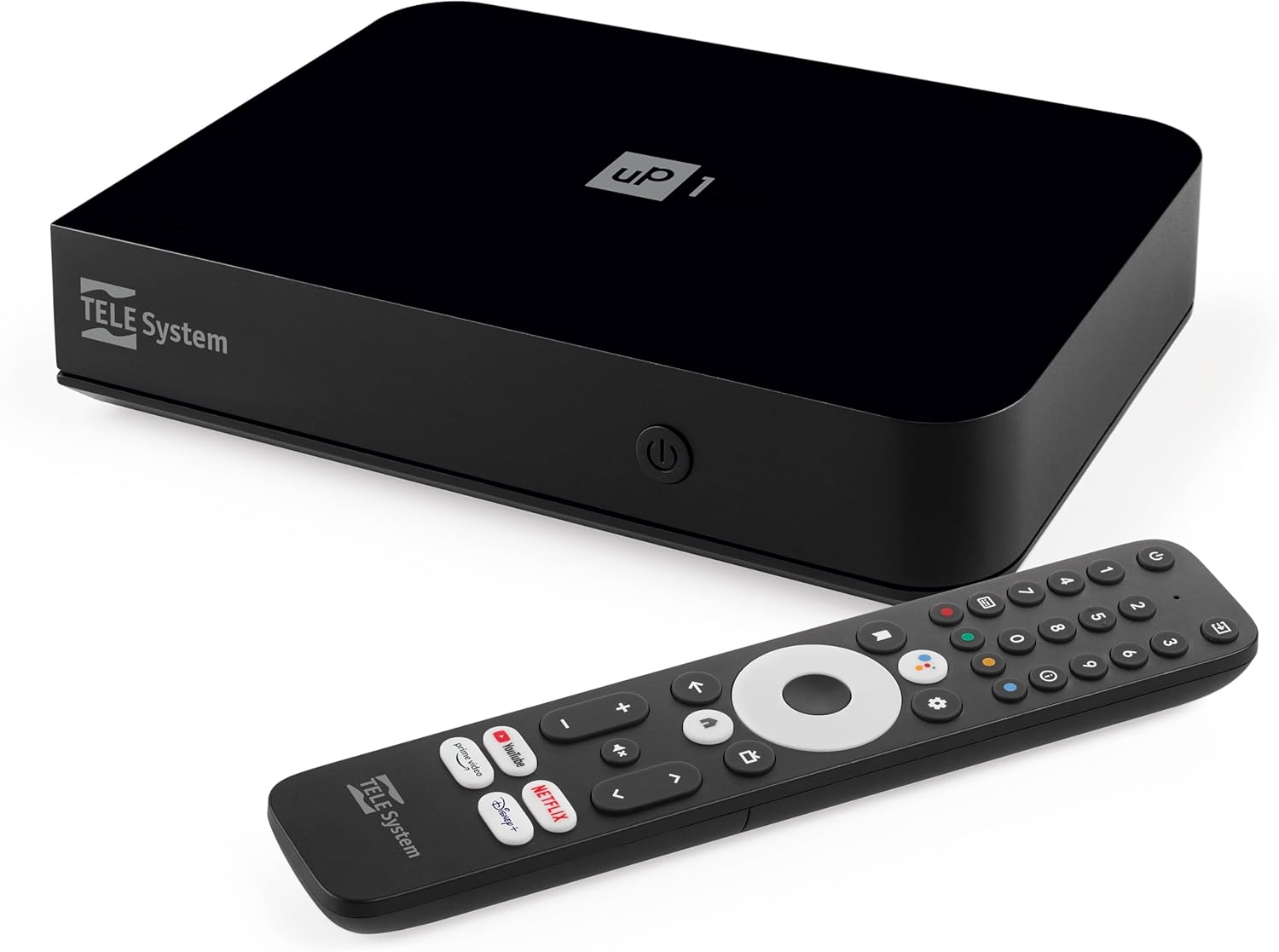
Imatge: Frontal view of the TELE System UP1 decoder, showcasinel seu disseny compacte i la seva marca.
Què hi ha a la caixa
Si us plau, comproveu el contingut del paquet per assegurar-vos que hi hagi tots els elements:
- TELE System UP1 Decoder
- Font d'alimentació externa
- Control remot
- 2x piles AAA
- Cable HDMI
- AV Jack-RCA Cable
Producte acabatview
The TELE System UP1 decoder features a compact design with various ports for connectivity and an intuitive interface for smart TV functionalities.
Panell frontal
The front panel typically includes the power indicator and possibly an IR receiver.
Connexions del panell posterior
The rear panel provides all necessary ports for connecting the decoder to your TV and other devices.

Imatge: Part posterior view of the TELE System UP1 decoder, showing the various input and output ports including RF IN, AV, HDMI, Ethernet, USB, and DC IN.
- RF IN: For connecting your terrestrial antenna.
- MINI AV / SCART: For connecting to older TVs using the provided AV Jack-RCA cable.
- HDMI: For connecting to modern TVs for high-definition video and audio.
- ETHERNET: Per a una connexió a Internet per cable.
- USB: Per connectar dispositius d'emmagatzematge externs.
- DC IN 12V: Per connectar la font d'alimentació externa.
Guia de configuració
Follow these steps to set up your TELE System UP1 decoder:
- Connecteu l'antena: Connect your terrestrial antenna cable to the RF IN port on the rear of the decoder.
- Connectar-se al televisor:
- For modern TVs, use the provided HDMI cable to connect the decoder's HDMI port to an HDMI input on your TV.
- For older TVs, use the provided AV Jack-RCA cable to connect the decoder's MINI AV port to the corresponding AV inputs on your TV.
- Connect to Internet (Optional but Recommended):
- For a wired connection, connect an Ethernet cable from your router to the ETHERNET port on the decoder.
- For a wireless connection, you will configure Wi-Fi during the initial setup process.
- Connectar l'alimentació: Insert the external power supply cable into the DC IN 12V port on the decoder, then plug the power adapter into a wall outlet.
- Inseriu les piles al comandament a distància: Obriu el compartiment de les piles del comandament a distància i introduïu-hi les dues piles AAA, respectant la polaritat.
- Assistent de configuració inicial:
- Turn on your TV and select the correct HDMI or AV input source.
- The decoder will power on and display an initial setup wizard. Follow the on-screen instructions to select your language, connect to Wi-Fi (if not using Ethernet), log in with your Google account, and perform channel scanning for DVB-T2.
- The system may perform an automatic software update during this process, potentially upgrading from Android 10 to Android 12.
- Parella el comandament a distància: During the initial setup, you will be prompted to pair the Bluetooth remote control. Follow the on-screen instructions. The remote also supports IR for basic TV functions.
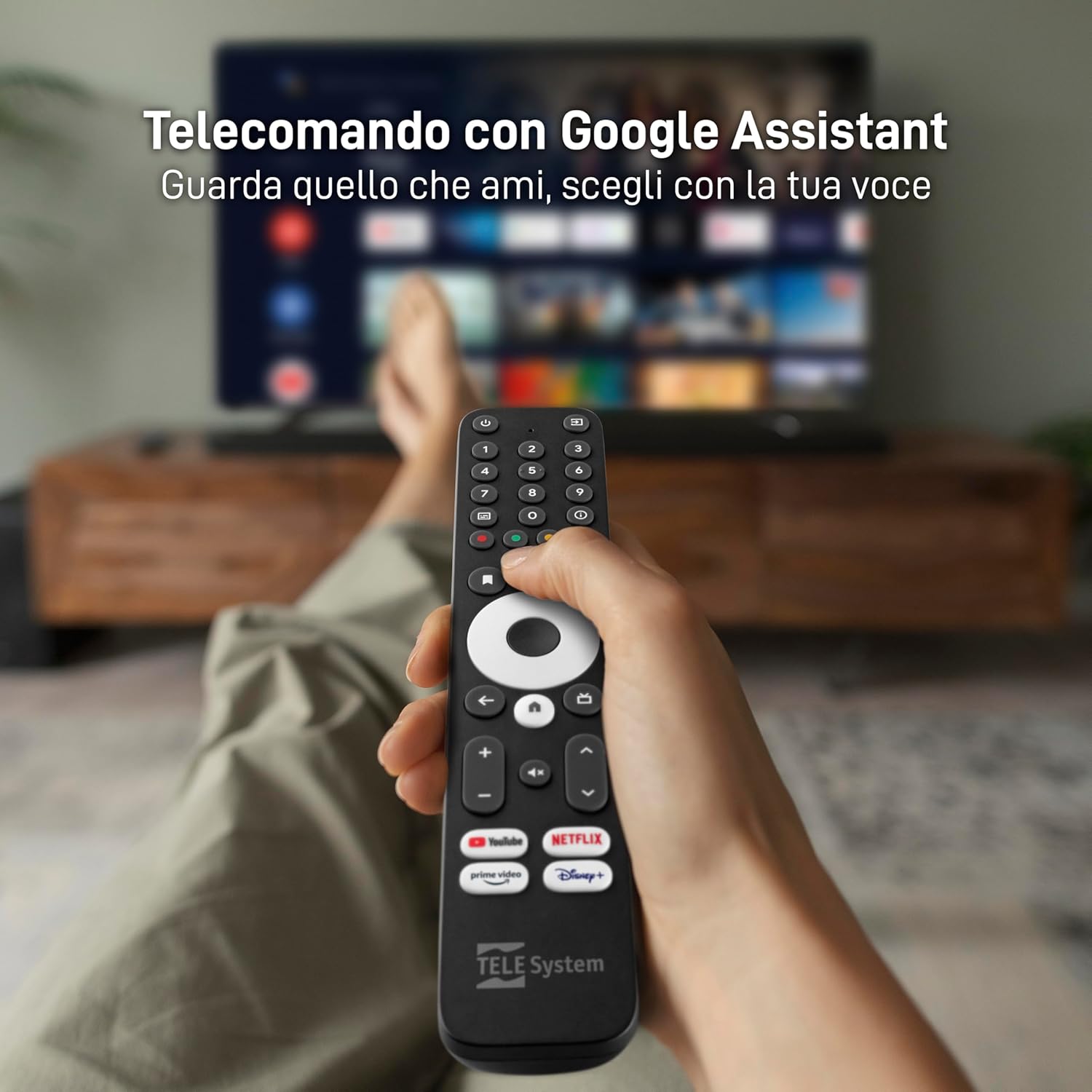
Image: The TELE System UP1 remote control, highlighting its dedicated buttons for streaming services and the Google Assistant button.
Instruccions de funcionament
The TELE System UP1 offers a seamless experience for both terrestrial TV and smart streaming.
Ús del comandament a distància
- Assistent de Google: Press the Google Assistant button to use voice commands for searching content, controlling playback, or asking questions.
- Botons d'aplicació dedicats: Use the dedicated buttons for Netflix, YouTube, Prime Video, and Disney+ for quick access to these streaming services.
- Navegació: Use the directional pad and OK button to navigate menus and select options.
- TV/Smart Mode Switch: A dedicated button allows you to switch between the DVB-T2 terrestrial TV interface and the Android TV smart interface.
- Control de TV: The remote can be programmed to control basic functions of your TV (power, volume, input) using IR. Refer to the official TELE System website for detailed instructions on programming these buttons.
Accés a serveis i aplicacions de streaming
Once connected to the internet and logged into your Google account, you can access a vast library of content.

Image: Screenshot of the Android TV home screen, displaying popular streaming applications like Netflix, YouTube, Prime Video, and Disney+.
- Google Play Store: Baixeu i instal·leu aplicacions addicionals des de Google Play Store.
- Aplicacions preinstal·lades: Many popular apps like Netflix, Prime Video, Disney+, YouTube, RaiPlay, Apple TV Plus, and Mediaset Infinity are often pre-installed or easily accessible.
Chromecast integrat
The integrated Chromecast functionality allows you to cast content directly from your smartphone or tablet to your TV.
- Ensure your smartphone/tablet and the UP1 decoder are connected to the same Wi-Fi network.
- Open a Chromecast-enabled app on your mobile device (e.g., YouTube, Netflix).
- Toca la icona de Cast
 and select your TELE System UP1 device.
Manteniment
To ensure optimal performance and longevity of your TELE System UP1 decoder, follow these maintenance guidelines:
- Neteja: Use a soft, dry cloth to clean the exterior of the decoder. Do not use liquid cleaners or abrasive materials.
- Ventilació: Ensure the decoder is placed in a well-ventilated area to prevent overheating. Do not block ventilation openings.
- Actualitzacions de programari: Regularly check for and install software updates. These updates often include performance improvements, new features, and security patches. You can usually find this option in the Android TV settings menu.
- Cicle d'alimentació: If the device becomes unresponsive, disconnect the power adapter from the wall outlet, wait for 10-15 seconds, and then reconnect it.
Resolució de problemes
If you encounter issues with your TELE System UP1 decoder, refer to the following common problems and solutions:
| Problema | Possible causa/solució |
|---|---|
| Sense alimentació / El dispositiu no s'encén |
|
| No Signal / Black Screen on TV |
|
| Sense connexió a Internet |
|
| El control remot no respon |
|
| Green Colors on Screen (Older TVs) |
|
| Applications Crashing or Freezing |
|
Especificacions
Key technical specifications for the TELE System UP1 decoder:
- Número de model: 21005356
- Marca: Sistema TELE
- Tecnologia de connectivitat: HDMI, Wi-Fi, Ethernet, Bluetooth
- Tipus de controlador: Button (Remote Control)
- Característica especial: Compact Design, Google Assistant, Chromecast Built-in
- Dispositius compatibles: Smartphones, Tablets, Televisions, HDMI devices, SCART devices
- Ports HDMI totals: 3
- Mode de sortida d'àudio: Estèreo, Envoltant
- Configuració del canal de so envoltant: 5.1
- Codificació de vídeo: HEVC, AV1
- Color: Negre
- Dimensions: 20.8 x 13.2 x 8 cm; 620 grams
- Sistema operatiu: Android TV (upgradable to Android 12)
- DVB-T2: Yes, with HEVC Main10 support
Garantia i Suport
Per obtenir informació sobre la garantia i assistència tècnica, consulteu el següent:
- Garantia: This product is covered by the standard manufacturer's warranty. For specific details regarding warranty duration and terms, please consult the documentation included with your purchase or visit the official TELE System weblloc.
- Devolucions: Purchases made through Amazon typically include a 14-day return policy. Please check your Amazon order details for specific return eligibility and procedures.
- Suport tècnic: For further assistance, troubleshooting not covered in this manual, or inquiries about product functionality, please visit the official TELE System support website or contact their customer service. An online manual in PDF format may also be available on their weblloc.