
1. Guia de configuració
1.1 Desembalatge i contingut del paquet
Carefully unpack your GenMachine Ren Pro Mini PC and verify all contents. The package should include the following items:
- GenMachine Ren Pro Mini PC
- Manual d'usuari
- Adaptador d'alimentació
- HD Line (HDMI Cable)
- Suport de muntatge amb cargols
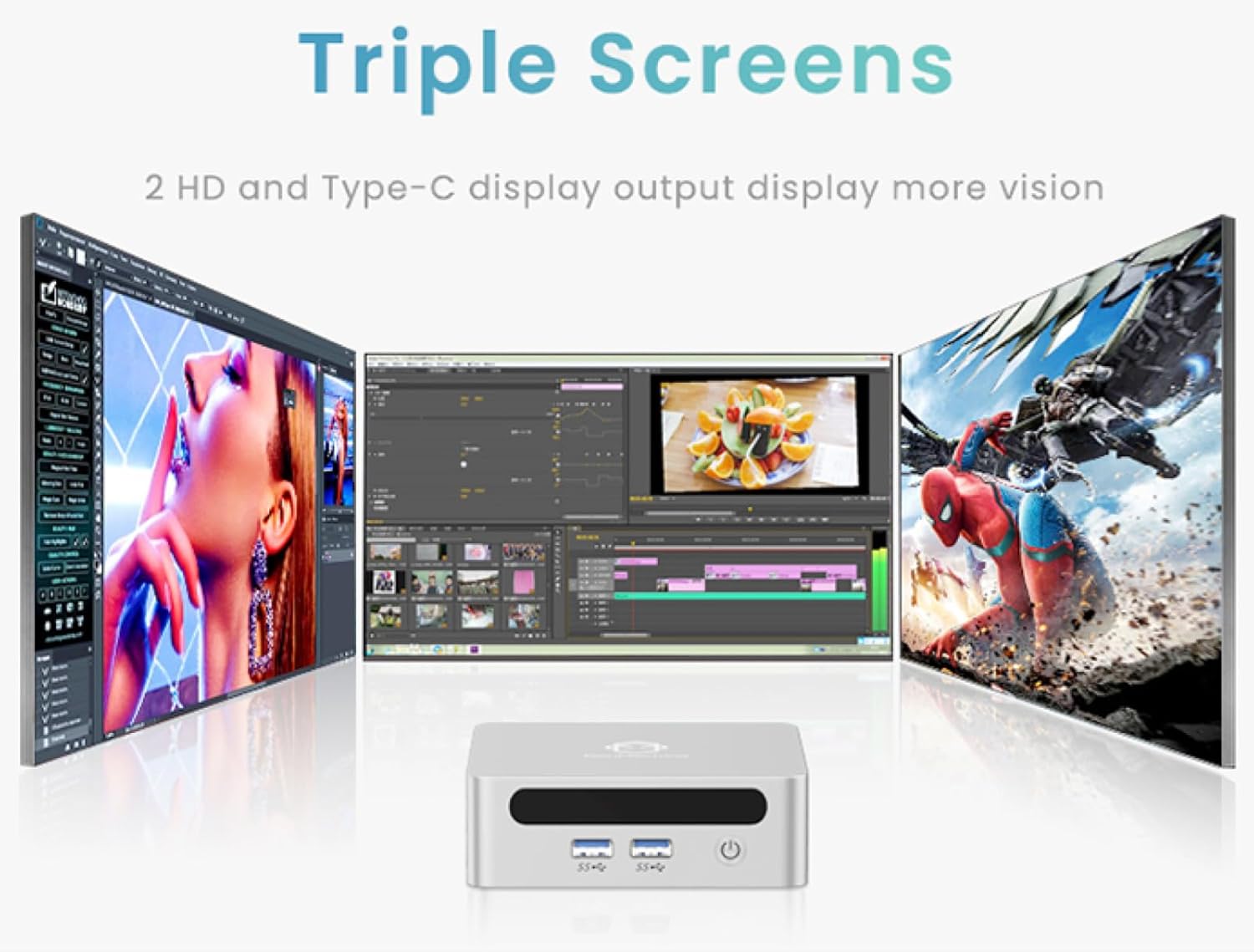
Image: The GenMachine Ren Pro Mini PC and its included accessories, neatly arranged in the packaging. This includes the Mini PC unit, user manual, power adapter, HDMI cable, and a mounting bracket with screws.
1.2 Connexions físiques
Before powering on your Mini PC, connect all necessary peripherals.
Ports del panell frontal:
- Botó d'encesa: S'utilitza per encendre/apagar el dispositiu.
- Jack d'àudio: Per connectar auriculars o altaveus externs.
- Ports USB 3.0 (x2): For connecting USB devices like keyboards, mice, or external storage.
- Port USB tipus C: Supports data transfer and display output.
Ports del panell posterior:
- Entrada d'alimentació de CC: Connecteu l'adaptador d'alimentació inclòs aquí.
- Ports LAN (x2): For wired network connections (Ethernet).
- Port HDMI: For connecting to a display (up to 4K resolution).
- DisplayPort (DP): For connecting to another display (up to 4K resolution).
- Ports USB 3.0 (x2): Ports USB addicionals per a perifèrics.

Imatge: Detallada view of the GenMachine Ren Pro Mini PC's front and rear panels, highlighting the various input/output ports including USB, audio, LAN, HDMI, DisplayPort, and DC power input.
1.3 Mounting the Mini PC
The GenMachine Ren Pro Mini PC comes with a VESA mounting bracket, allowing you to attach it to the back of a compatible monitor or TV for a clutter-free workspace.
- Attach the VESA bracket to the back of your monitor using the provided screws.
- Feu lliscar el Mini PC sobre el suport muntat fins que encaixi fermament al seu lloc.

Image: The compact size of the GenMachine Ren Pro Mini PC is shown alongside an illustration of how it can be mounted to the back of a monitor using the VESA bracket, saving desk space.
1.4 Encès inicial
After connecting all peripherals and the power adapter, press the power button on the front panel to turn on the Mini PC. The system will boot up, and you may be prompted to complete the initial Windows setup if it's the first use.
2. Instruccions de funcionament
2.1 Ús bàsic
The GenMachine Ren Pro Mini PC runs on a pre-installed operating system (OS). Once booted, you can navigate the desktop environment using your connected mouse and keyboard. It is designed for various tasks including office work, creative design, and gaming.
2.2 Suport de pantalla múltiple
The Mini PC supports up to three displays simultaneously, allowing for enhanced productivity. You can connect displays via the HDMI, DisplayPort, and the front USB Type-C port.

Image: A visual representation of the GenMachine Ren Pro Mini PC connected to and driving three separate monitors, demonstrating its multi-display capability for various applications like video editing and gaming.
2.3 Network and Wireless Connectivity
The Mini PC offers robust connectivity options:
- Wi-Fi 6: For fast and stable wireless internet access.
- Bluetooth 5.2: For connecting wireless peripherals such as headphones, speakers, and game controllers.
- 2.5G Ethernet: Two LAN ports provide high-speed wired network connections, offering 2.5 times the speed of traditional gigabit ports.
Image: The GenMachine Ren Pro Mini PC highlighting its advanced connectivity features, including Wi-Fi 6 for fast wireless networking and USB4 ports for high-speed data transfer and display output.
2.4 Rendiment superiorview
The Mini PC is equipped with an AMD Ryzen 7 6800H processor, 16GB of LPDDR5 RAM, and a 512GB SSD, providing powerful performance for demanding applications and smooth multitasking.
Image: A visual breakdown of the GenMachine Ren Pro Mini PC's internal components, emphasizing the AMD Ryzen 7 6800H processor and LPDDR5 memory for efficient performance.
3. Manteniment
3.1 Neteja
Per garantir un rendiment i una longevitat òptims, netegeu regularment el vostre Mini PC:
- Feu servir un drap suau i sec per netejar l'exterior.
- Feu servir aire comprimit per eliminar la pols de les reixetes i els ports de ventilació.
- Eviteu utilitzar netejadors líquids directament sobre el dispositiu.
3.2 Actualitzacions de programari
Keep your operating system and drivers updated to ensure security, stability, and optimal performance. Regularly check for updates through your OS settings.
3.3 Gestió d'emmagatzematge
Periòdicament review and manage your storage to free up space. Uninstall unused applications and delete unnecessary files to maintain system speed.
4. Solució De Problemes
4.1 Sense poder
- Assegureu-vos que l'adaptador de corrent estigui connectat correctament tant al Mini PC com a una presa de corrent que funcioni.
- Verifiqueu que la presa de corrent funciona connectant-hi un altre dispositiu.
4.2 Sense sortida de pantalla
- Check that the HDMI or DisplayPort cable is firmly connected to both the Mini PC and the monitor.
- Assegureu-vos que el monitor estigui encès i configurat a la font d'entrada correcta.
- Prova un cable de pantalla o monitor diferent si estàs disponible.
4.3 Problemes de connectivitat de xarxa
- For Wi-Fi, ensure the Mini PC is within range of your wireless router and the correct password is entered.
- For wired connections, check the Ethernet cable and ensure your router is functioning correctly.
- Reinicieu el router i el mini PC.
4.4 Alentiment del sistema
- Tanca les aplicacions innecessàries que s'executen en segon pla.
- Check for and install any pending operating system or driver updates.
- Assegureu-vos que hi hagi prou espai d'emmagatzematge lliure a l'SSD.
5. Especificacions
| Característica | Detall |
|---|---|
| Processador | AMD Ryzen 7 6800H (3.2 GHz, up to 4.7GHz) |
| RAM | 16 GB LPDDR5 6400 MHz |
| Emmagatzematge | 512GB 2280 SSD |
| Gràfics | Gràfics integrats d'AMD Radeon |
| Resolució de pantalla màxima | 3840x2160 (4K) |
| Connectivitat | Wi-Fi 6, Bluetooth 5.2, 2x 2.5G LAN |
| Ports (frontals) | Power Button, Audio Jack, 2x USB 3.0, 1x USB Type-C |
| Ports (posteriors) | DC Power, 2x LAN, HDMI, DisplayPort, 2x USB 3.0 |
| Dimensions (LxWxH) | 5 x 5 x 1.45 polzades |
| Pes | 1.7 lliures |
| Sistema operatiu | OS (Pre-installed) |
6. Garantia i Suport
6.1 Informació de la garantia
This GenMachine Ren Pro Mini PC typically comes with a manufacturer's warranty. Please refer to the warranty card included in your package or visit the official GenMachine weblloc web per obtenir informació detallada sobre els termes i condicions de la garantia.
6.2 Atenció al client
For technical assistance, troubleshooting, or any product-related inquiries, please contact GenMachine customer support through the following channels:
- Assistència en línia: Visita el GenMachine Store on Amazon per a preguntes freqüents i opcions de contacte.
- Correu electrònic: Consulteu l'embalatge del producte o la fitxa oficial weblloc web per obtenir l'adreça electrònica d'assistència.
7. Vídeos de productes
7.1 GenMachine Mini PC Gaming PC Desktop Overview
Video: An official seller video providing an overview of the GenMachine Mini PC, showcasing its design, features, and potential uses for gaming and desktop applications. This video highlights the compact form factor and connectivity options.