
Introducció
Thank you for choosing the HUANUO HNESD147B-US Standing Desk Frame. This electric height-adjustable desk frame is designed to provide a versatile and ergonomic workspace, allowing you to easily switch between sitting and standing positions. This manual provides essential information for safe assembly, operation, maintenance, and troubleshooting to ensure optimal performance and longevity of your desk frame.
Informació de seguretat
- Assegureu-vos que tots els components siguin presents i no estiguin danyats abans del muntatge. No utilitzeu el producte si hi falta alguna peça o si està trencada.
- Mantingueu els nens i les mascotes allunyats de l'escriptori durant el funcionament per evitar lesions.
- Do not place hands or other objects near moving parts of the desk frame during height adjustment.
- Assegureu-vos que el cable d'alimentació estigui connectat i encaminat correctament per evitar ensopegades o danys.
- No supereu la capacitat màxima de pes de 220 lliures (100 kg).
- Only use the desk frame on a level and stable surface.
- Desconnecteu l'alimentació abans de netejar o realitzar qualsevol manteniment.
Llista de peces
Si us plau, verifiqueu que tots els components següents estiguin inclosos al vostre paquet:
- Desk Legs (2-stage, Black)
- Crossbeam Structure (Double Crossbeam)
- Caixa de control
- Tauler de control amb preajustos de memòria
- Adaptador d'alimentació i cable
- Safata de gestió de cables
- Ganxos d'emmagatzematge
- Maquinari de muntatge (cargols, clau Allen, etc.)
- Manual d'instruccions
Configuració
Follow these steps for proper assembly and installation of your HUANUO Standing Desk Frame.
1. Desembalatge i inspecció
Carefully unpack all components and lay them out on a clean, soft surface to prevent scratches. Check the parts list to ensure everything is accounted for.
2. Muntatge del marc
Assemble the desk legs and crossbeam structure according to the detailed instructions provided in the included assembly guide. Ensure all screws are tightened securely.

Image: Assembled HUANUO Standing Desk Frame with a desktop, illustrating the reinforced dual-beam support for stability.
3. Desktop Compatibility
The adjustable crossbars accommodate desktops ranging from 43.3 inches to 86.6 inches in width and 23.6 inches to 35.4 inches in depth. Choose a desktop that fits within these dimensions and securely attach it to the frame using appropriate screws.

Image: Diagram illustrating the range of desktop sizes compatible with the frame, including width and depth measurements, and the frame's adjustable height range.
4. Connecting the Control System
Connect the control panel and motor cables to the control box. Then, connect the power adapter to the control box and plug it into a power outlet. Utilize the included cable management tray and storage hooks to organize cables and accessories neatly.

Image: The standing desk frame with the control panel and cable management tray, demonstrating organized wiring and accessory storage.
5. Assemblea acabadaview Vídeo
Vídeo: Un overview of the HUANUO Standing Desk Frame, highlighting its features including the brushless motor and sturdy construction. This video provides visual guidance on key aspects of the desk frame.
Instruccions de funcionament
The control panel allows for easy height adjustment and saving preferred positions.
1. Ajust d'alçada
Utilitza el Up i Avall arrow buttons on the control panel to adjust the desk height. The current height will be displayed on the LED screen. The desk frame offers a height range of 28.3 inches to 46.4 inches.

Imatge: Un primer pla view of the control keypad, showing the LED display, up/down arrows, and four memory preset buttons. Illustrations below show ergonomic sitting and standing postures.
2. Preajustos de memòria
To save a preferred height:
- Ajusteu l'escriptori a l'alçada desitjada amb les fletxes amunt/avall.
- Press one of the numbered memory buttons (1, 2, 3, or 4) until the LED display flashes or beeps, indicating the height has been saved.
Per recuperar una alçada desada, simplement premeu el botó de memòria numerat corresponent. L'escriptori es mourà automàticament a la posició desada.
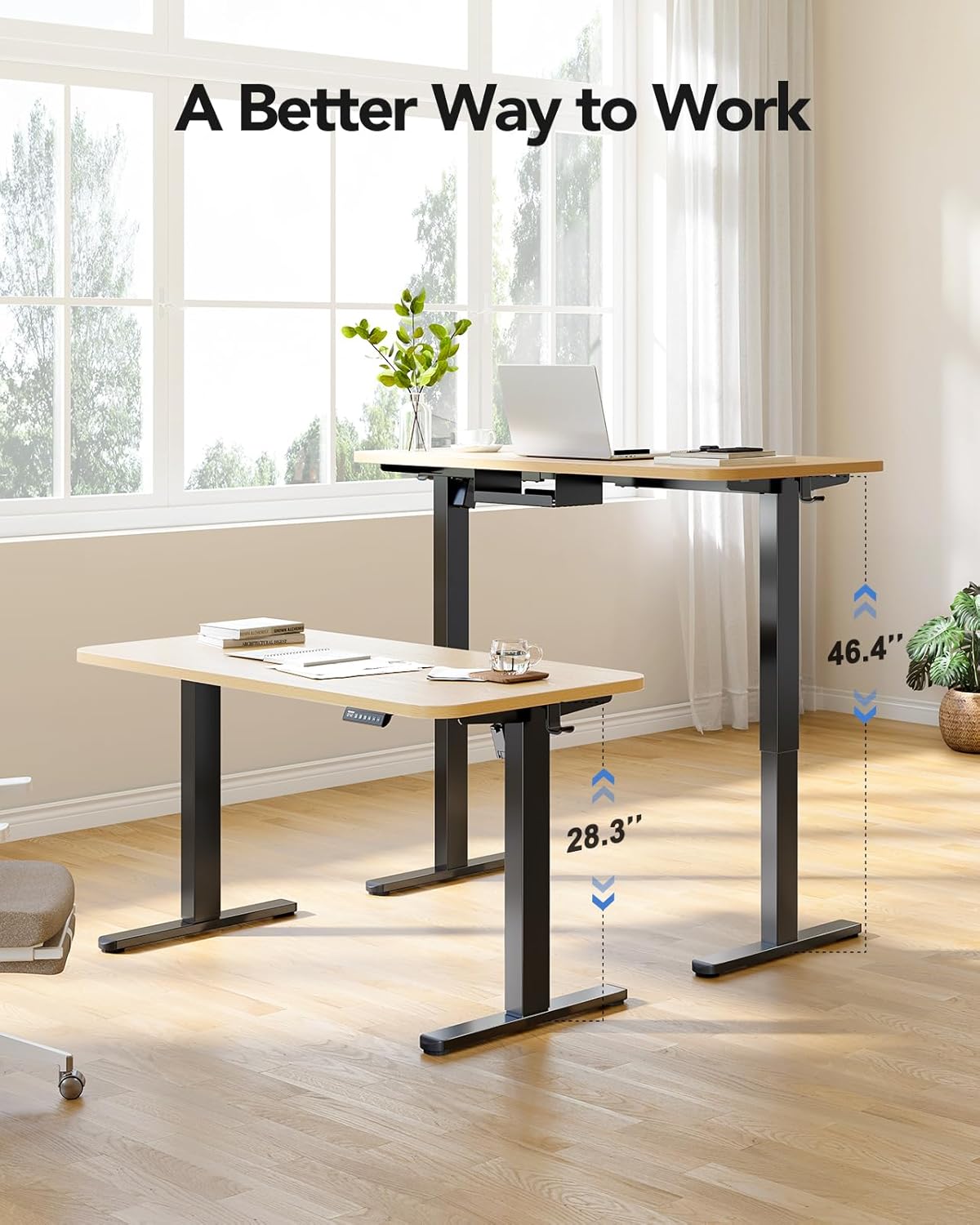
Image: The standing desk frame shown at its lowest (28.3 inches) and highest (46.4 inches) positions, demonstrating its adjustable height range for various working preferences.
Manteniment
Regular maintenance ensures the longevity and smooth operation of your standing desk frame.
- Neteja: Netegeu el marc de l'escriptori amb un drap suauamp drap. Eviteu productes químics agressius o netejadors abrasius.
- Gestió de cables: Periodically check all cables for wear or damage. Ensure they are neatly organized to prevent interference with movement.
- Comprovació de fixació: Cada pocs mesos, comproveu tots els cargols i perns per assegurar-vos que estiguin ben ajustats. Torneu-los a apretar si cal.
- Cura del motor: The brushless motor is designed for durability. Avoid overloading the desk beyond its 220 lbs capacity to prevent strain on the motor.
Resolució de problemes
Si teniu problemes amb l'estructura de l'escriptori de peu, consulteu els problemes i solucions més comuns següents:
| Problema | Causa possible | Solució |
|---|---|---|
| L'escriptori no es mou. | Cable d'alimentació desconnectat, cable del motor fluix, sobrecàrrega. | Comproveu totes les connexions dels cables. Reduïu el pes sobre l'escriptori. Reinicieu el sistema desendollant-lo durant 10 segons i tornant-lo a connectar. |
| Ajust d'alçada desigual. | Obstruction, uneven weight distribution. | Clear any obstructions. Redistribute weight evenly on the desktop. Perform a reset. |
| Codi d'error mostrat. | Error específic del sistema. | Refer to the detailed error code section in the full PDF manual (if available) or contact customer support. Often, a power cycle (unplug and replug) can resolve temporary errors. |
| Soroll inusual durant el funcionament. | Loose fasteners, internal issue. | Check and tighten all assembly fasteners. If noise persists, discontinue use and contact customer support. |
Especificacions
Key technical details for the HUANUO HNESD147B-US Standing Desk Frame:
- Número de model: HNESD147B-US
- Marca: HUANUO
- Disseny d'escriptori: Marc d'escriptori dempeus
- Color: Negre
- Material del marc: Acer al carboni
- Interval d'alçada: 28.3 inches (Minimum) to 46.4 inches (Maximum)
- Capacitat de pes: 220 lliures (100 kg)
- Desktop Compatibility (Width): 43.3 polzades a 86.6 polzades
- Desktop Compatibility (Depth): 23.6 polzades a 35.4 polzades
- Tipus de motor: Motor sense escombretes
- Nivell de soroll: ≤ 55 dB
- Nombre de posicions d'alçada: 4 (Preajustos de memòria)
- Muntatge requerit: Sí (Recomanat 1 persona)
- Components inclosos: 220lbs Powerful Standing Desk Frame, Cable Management Tray, Storage Hooks

Image: Visual representation of the frame's upgraded solid construction, emphasizing features like thicker columns, longer plates, and the maximum load capacity for enhanced stability and durability.
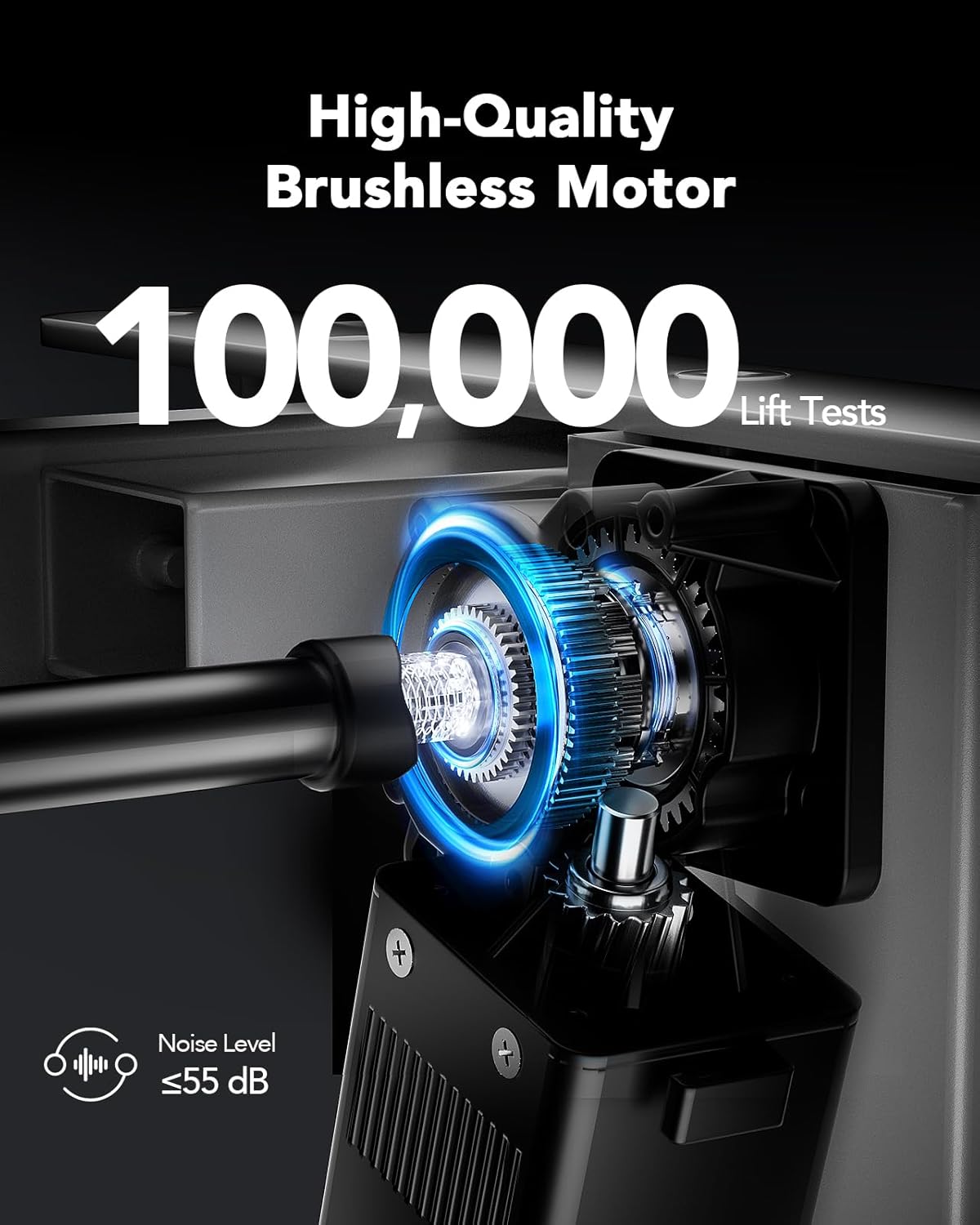
Imatge: Detallada view of the high-quality brushless motor, highlighting its robust design, testing for 100,000 lift cycles, and quiet operation with a noise level of 55 dB or less.
Garantia
The HUANUO HNESD147B-US Standing Desk Frame comes with a Limited Warranty. Please refer to the warranty card included in your package or visit the official HUANUO weblloc web per obtenir termes i condicions detallats sobre la cobertura i les reclamacions.
Suport
For further assistance, technical support, or to explore other HUANUO products, please visit the official HUANUO store: