
1. Introducció i finalview
The Dekala ChronoSense Alarm Clock is a versatile device designed to enhance your daily routine with its advanced features and user-friendly interface. It combines the functionality of an alarm clock with environmental monitoring and customizable display options, providing a comprehensive solution for your bedroom or office.
Key functionalities include a 2.8" IPS full-color screen with auto-dimming, programmable alarms, a selection of sleep sounds, and real-time temperature and humidity readings.
2. Característiques clau
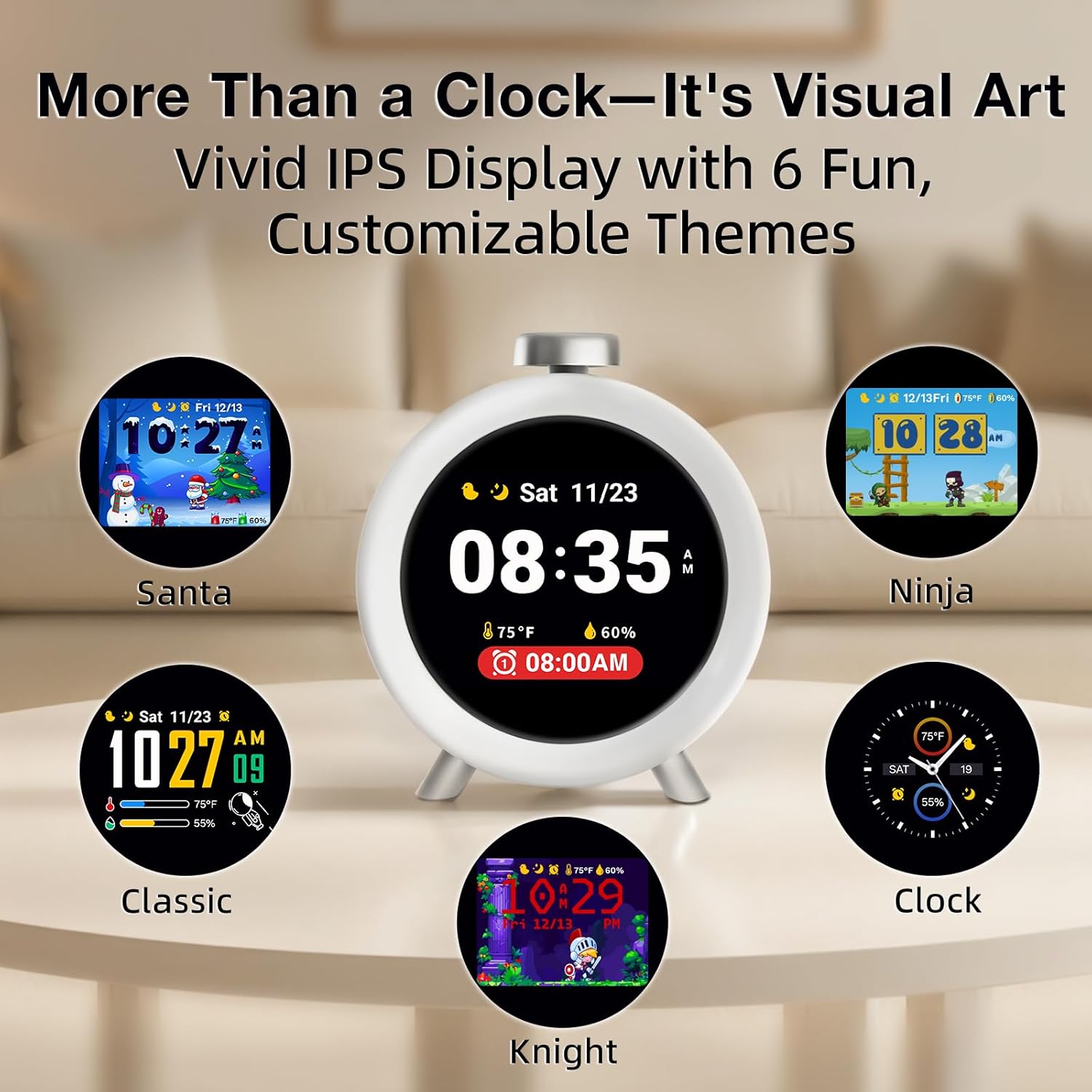
- Artistic Smart Display: 2.8" IPS full-color screen with auto-dimming, displaying vivid clock themes and calming sleep animations.
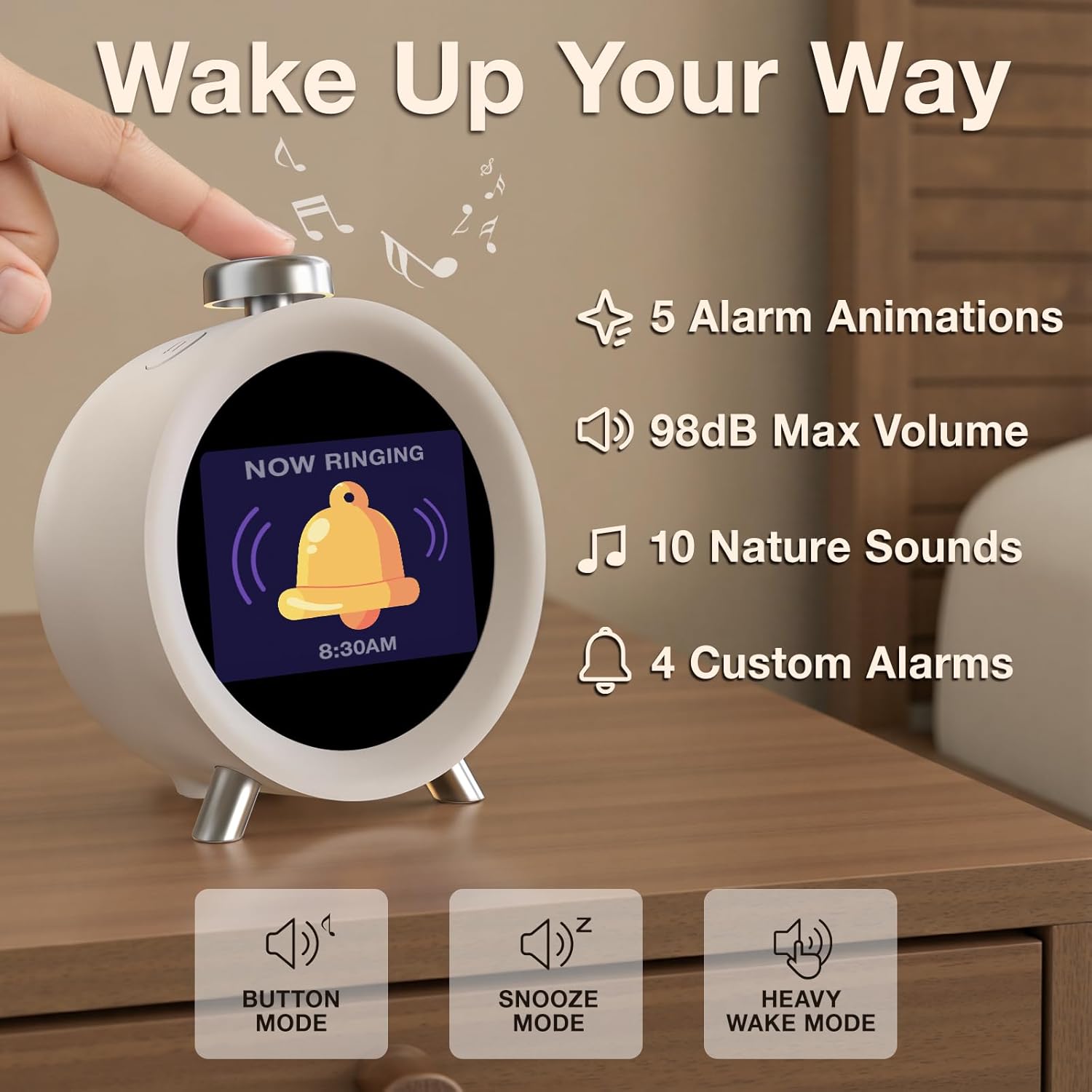
- Alarmes programables: Four customizable alarms for weekdays, weekends, or 7-day programming. Features distinct tones and adjustable volume up to 98dB with gradual increase.
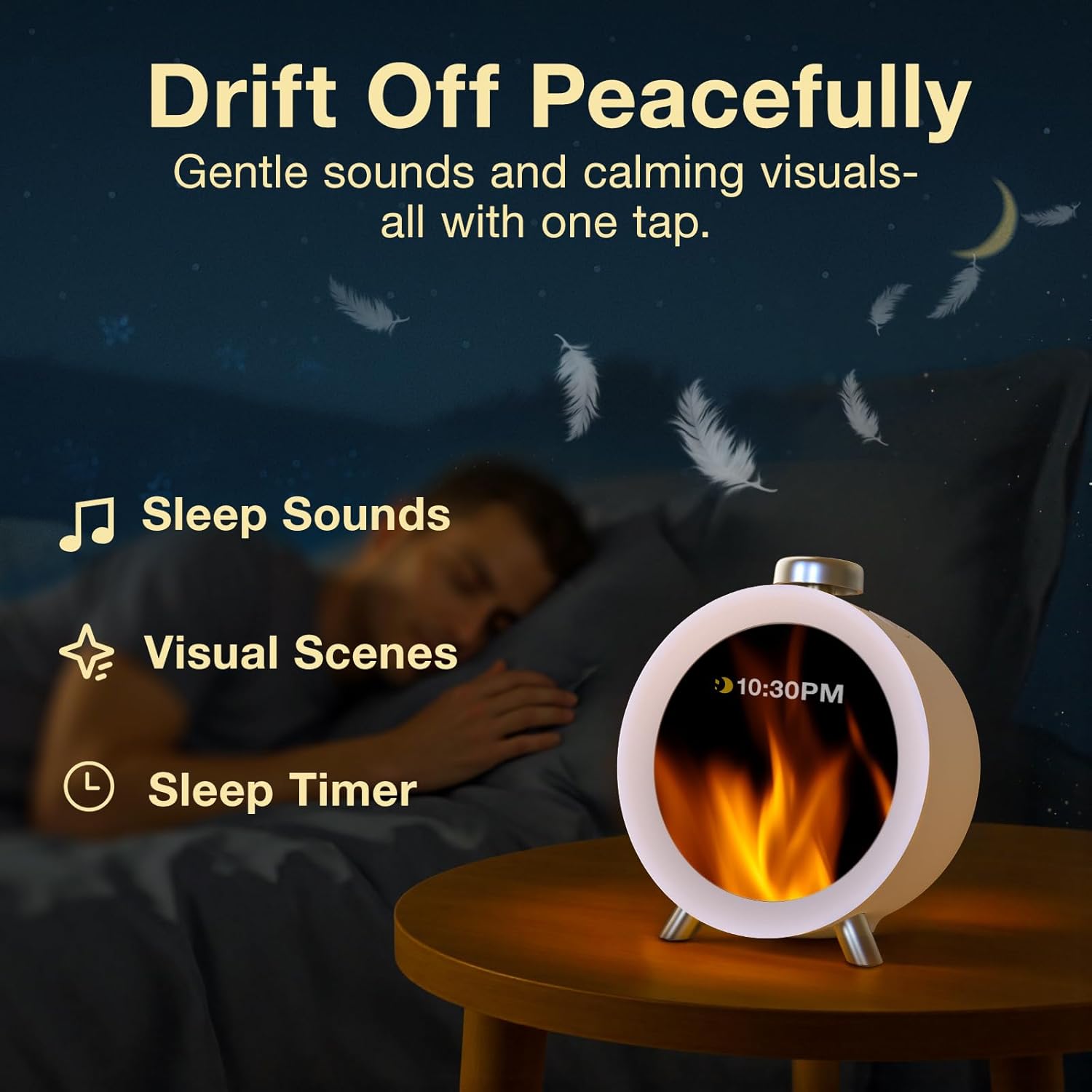
- Sleep Sounds & Visual Scenes: 10 calming sleep sounds (e.g., White Noise, nature ambiances) and animated visual scenes to aid sleep.
- Seguiment ambiental: Built-in ±0.2°C precision thermometer and hygrometer to monitor room temperature and humidity.
- Hourli Campana: Option for gentle hourly reminders.
- Configuració sense esforç: Intuitive 3-button control for easy setup and navigation.
- Setting Saving: Conserva la configuració durant l'apagadatages (requires AC power for operation).

3. Configuració
The Dekala ChronoSense Alarm Clock is designed for easy setup with its intuitive 3-button control system. No extensive manual reading is typically required for basic functions.
3.1 Connexió d'alimentació
The device requires AC power to operate. Connect the supplied USB cable to the clock and plug the wall adapter into a standard electrical outlet. The clock will power on automatically.
3.2 Configuració inicial
Upon first power-up, the clock will guide you through initial settings:
- Selecció d'idioma: Trieu l'idioma que preferiu (per exemple, anglès).
- Ajust de volum: Gently turn the knob to set your desired volume level.
- Region and Time Zone: Select your region and time zone to ensure accurate timekeeping.
- Establir hora: Manually set the current time.
- Home Screen Style: Choose your preferred home screen display style.

4. Instruccions de funcionament
4.1 Configuració d'alarmes
The clock supports up to four customized alarms. You can program them for specific days (weekdays, weekends, or 7-day programmable) and choose from various tones and animations.
- Navigate to the Alarm settings using the control buttons.
- Select an alarm slot (Alarm 1-4).
- Estableix l'hora de l'alarma desitjada.
- Choose the days of the week for the alarm to be active.
- Select an alarm tone from the available options. The volume will gradually increase to 98dB for heavy sleepers.
- Choose an alarm animation for visual cues.
4.2 Sleep Aid and White Noise
To assist with falling asleep, the clock offers 10 calming sleep sounds and visual scenes.
- Access the Sleep Aid settings.
- Select from sounds like White Noise, nature ambiances, or gentle melodies.
- Choose a visual scene to accompany the sound.
- The screen will auto-dim to a night-friendly brightness.
4.3 Display Themes and Hourli Campana
Personalize your clock's appearance with various dynamic animated themes (e.g., Ninja, Spaceman, Knight). You can also enable an hourly chime for gentle reminders throughout the day.

4.4 Visualització de temperatura i humitat
The clock continuously monitors and displays the room's temperature and humidity, helping you optimize your environment for comfort.
5. Manteniment
To ensure the longevity and optimal performance of your Dekala ChronoSense Alarm Clock, follow these simple maintenance guidelines:
- Neteja: Use a soft, dry cloth to wipe the screen and body of the clock. Avoid abrasive cleaners or solvents that could damage the finish or display.
- Col·locació: Col·loqueu el rellotge sobre una superfície estable i plana, allunyada de la llum solar directa, la calor excessiva o la humitat.
- Potència: Always use the original USB cable and wall adapter provided with the device.
6. Solució De Problemes
If you encounter any issues with your Dekala ChronoSense Alarm Clock, please refer to the following common troubleshooting steps:
- Sense alimentació/pantalla: Ensure the USB cable is securely connected to both the clock and the power adapter, and that the adapter is plugged into a working electrical outlet.
- L'alarma no sona: Check that the alarm is enabled in the settings and that the volume is not set to zero. Verify the alarm time and days are correctly programmed.
- Hora/data incorrecta: Re-enter the time, date, and time zone settings through the clock's menu.
- La pantalla no respon: Unplug the device from power for 30 seconds, then plug it back in to perform a soft reset.
For persistent issues not resolved by these steps, please contact Dekala customer support.
7. Especificacions
| Característica | Detall |
|---|---|
| Marca | Dekala |
| Número de model | SR01 |
| Color | Plata |
| Tipus de visualització | Digital (2.8" IPS Full-Color Screen) |
| Dimensions del producte | 4.5 cm d'amplada x 4.5 cm d'alçada |
| Pes de l'article | 10.9 unces |
| Font d'alimentació | Elèctric amb cable |
| Característiques especials | Temperature Humidity Display, 4 Loud Alarms, Auto Dimmable, Calendar, Hourly Chime, Dynamic Animated Display, Adjustable Volume, Snooze Function |
| Bateries | 1 C battery required (included, non-replaceable) |
8. Garantia i Suport
For warranty information and customer support, please refer to the documentation included with your product or visit the official Dekala Store online. The manufacturer is Dekala.
You can visit the Dekala Store at https://www.amazon.com/stores/Dekala/page/9825D8C4-321E-45C5-8BC7-FC33BEF604F6


