
1. Introducció
This manual provides detailed instructions for the setup, operation, and maintenance of your WOSPORTS Trail Camera H41-2. Designed for wildlife monitoring, outdoor security, and research, this camera captures high-quality 32MP photos and 1080P HD videos. Its robust, waterproof design ensures reliable performance in various outdoor conditions.
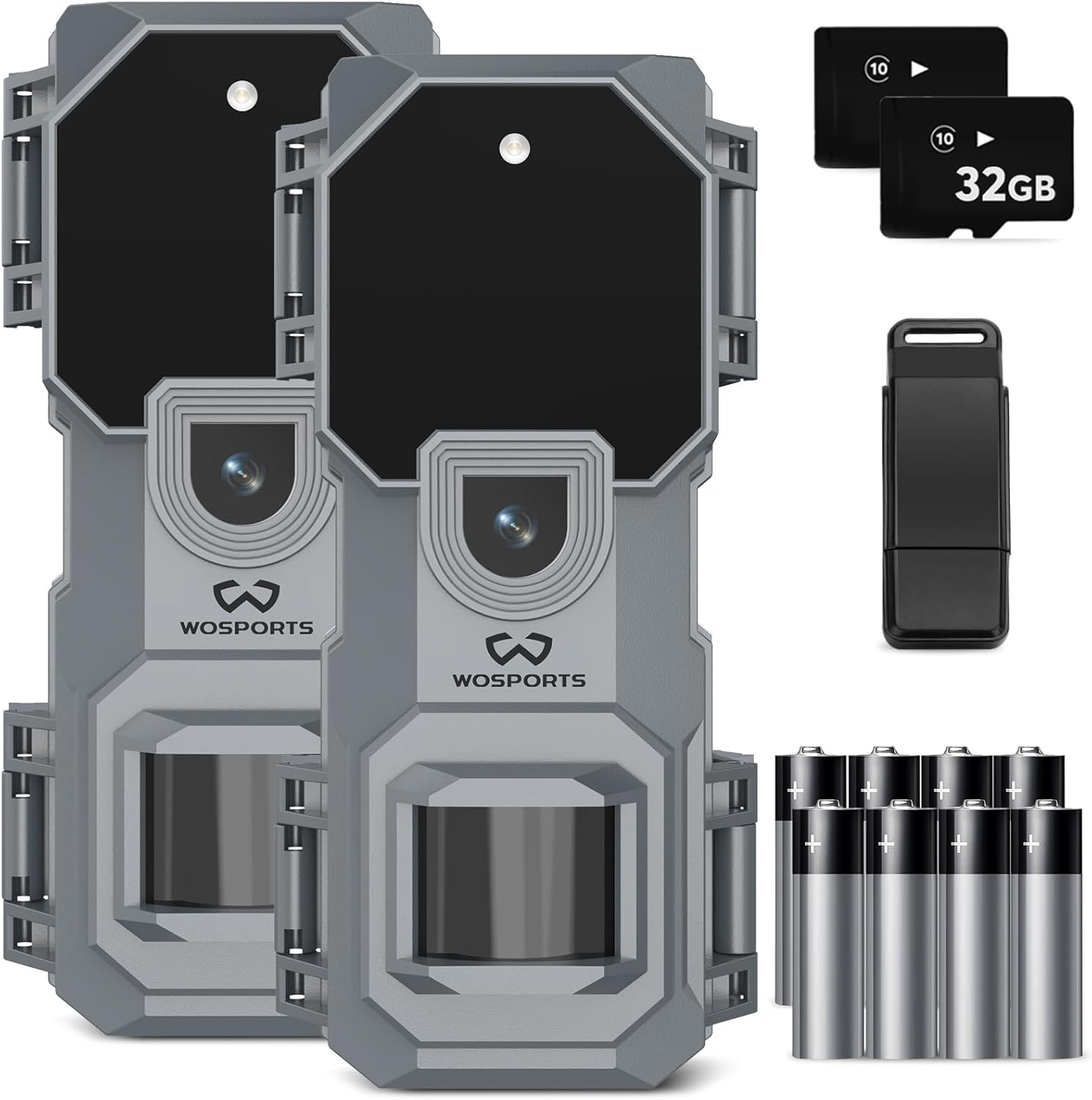
Image 1.1: WOSPORTS Trail Camera H41-2 package contents.
2. Què hi ha a la caixa
- 2x WOSPORTS Trail Camera H41-2
- 2x 32GB Micro SD Memory Card
- 8x piles alcalines AA
- 2x Nylon Strap with Buckle
- 1x USB Card Reader
3. Característiques del producte
- Imatges d'alta resolució: Captures 32MP still photos and 1080P HD videos, ensuring clear and detailed recordings.
- Visió nocturna: Equipped with motion-activated night vision for clear images and videos in low-light conditions.
- Impermeable i a prova de pols: IP65 rated, designed to withstand harsh weather conditions including heavy rain.
- Disseny compacte: Mini and exquisite design (2.67 x 2.34 x 5.57 inches) for discreet placement.
- Llarga vida útil de la bateria: Operates on 4 AA batteries with extremely low power consumption in standby mode for extended use.
- Velocitat de disparador ràpida: Captures up to 3 photos in one second with a 0.2-second trigger speed.
- Ample Viewangle: 120 graus viewAngle d'inclinació per a una cobertura completa.
- Transferència fàcil de dades: Includes a card reader for convenient viewing and transfer of media to a computer.

Image 3.1: Key features of the WOSPORTS Trail Camera H41-2.
4. Configuració
4.1 Instal·lació de la bateria
The camera requires 4 AA batteries for operation. To install, open the camera casing and locate the battery compartment. Insert the batteries according to the polarity markings inside the compartment. Ensure the compartment is securely closed to maintain waterproofing.

Image 4.1: Battery compartment for 4 AA batteries.
4.2 SD Card Insertion & Formatting
Insert the provided 32GB Micro SD card into the designated slot. It is recommended to format the SD card before first use and periodically to ensure optimal performance. This can typically be done through the camera's menu settings.
4.3 Initial Settings (Time, Date, Mode)
Access the camera's internal menu to set the correct time and date. This ensures accurate timestamps on your recordings. You can also select your preferred image capture mode (Photo, Video, or Photo + Video) and adjust photo/video resolution.

Image 4.2: On-screen setup instructions for the camera.
5. Modes de funcionament
The H41-2 Trail Camera offers flexible operating modes to suit various monitoring needs:
- Mode de fotografia: Captures still images at the set resolution (up to 32MP) when motion is detected.
- Mode de vídeo: Records video clips at the set resolution (1080P HD) when motion is detected.
- Mode foto + vídeo: Captures a still photo followed by a video clip upon motion detection.
- Detecció de moviment: The camera utilizes a PIR sensor to detect movement within its 65-foot range, triggering recordings automatically.
6. Viewing capturat media
6.1 On-Camera Playback
The camera features a small display screen for immediate playback of captured photos and videos. Navigate through your media using the control buttons.
6.2 Transfer to PC
A view media on a larger screen or for long-term storage, remove the Micro SD card from the camera and insert it into the included USB card reader. Connect the card reader to your computer to access the files.
7. Manteniment
7.1 Neteja
Regularly clean the camera lens and PIR sensor windows with a soft, lint-free cloth to ensure optimal image quality and motion detection. Avoid abrasive materials or harsh chemicals.
7.2 Cura de la bateria
Replace batteries when the low battery indicator appears. For best performance, use high-quality alkaline batteries. Remove batteries if the camera will not be used for an extended period.
8. Solució De Problemes
- Q: What size SD card will this take?
A: Class 6 or higher class, up to 32GB max. Please format the SD card before using. - Q: How to format the SD card?
A: To format SD card: "For_N" means No Format, toggle to "For_y" to format SD card in the camera's menu. - Q: How do you load pictures to PC?
A: Use the included card reader to view on your PC or phone. If your PC has an SD slot, you can insert the Micro SD card directly. - Q: Can you use rechargeable batteries?
A: It is not recommended due to voltage instability which may affect camera operation. - Q: How do you get it to take video at night?
A: El voltage should be higher than 5.3V when running at night. Ensure the battery has enough power to support night vision functionality.

Image 8.1: Common questions and solutions for the WOSPORTS Trail Camera H41-2.
9. Especificacions
| Característica | Especificació |
|---|---|
| Resolució d'imatge | 32MP |
| Resolució de vídeo | 1080p HD |
| Classificació impermeable | IP65 |
| Font d'alimentació | 4x piles AA |
| Gamma de visió nocturna | 65 peus |
| Viewangle ing | 120 graus |
| Velocitat de desencadenament | 0.2 segons |
| Max Flash Memory Supported | 32 GB Micro SD |
| Dimensions (L x A x A) | 2.67 x 2.34 x 5.57 polzades |
| Pes | 1.54 lliures |
10. Garantia i Suport
As a professional trail camera manufacturer, WOSPORTS is committed to providing excellent customer support. If you have any questions or require assistance, please do not hesitate to contact us. Our after-sales service experts will respond within 24 hours.
Before using your trail cameras, please make sure to read this manual and check the product details page for full guidance. This will ensure you fully understand its features and how to operate it smoothly.