
Introducció
This manual provides detailed instructions for the setup, operation, and maintenance of your WOSPORTS H41 Trail Camera. Please read this manual thoroughly before using the camera to ensure optimal performance and longevity. This camera is designed for wildlife monitoring, hunting, and security applications, offering high-resolution imaging and reliable performance in various outdoor conditions.
Producte acabatview
Característiques clau
- IP66 impermeable i a prova de pols: Designed to withstand harsh outdoor environments, including heavy rain.
- 32MP Photos & 1080P HD Video: Captures high-resolution images and clear video footage.
- Baix consum d'energia: Operates efficiently with 4 AA batteries, extending field time.
- Easy to Install and Operate: User-friendly interface and discreet design for simple deployment.
- Moviment activat: Records only when movement is detected, conserving power and storage.
- Visió nocturna avançada: Infrared technology for clear images and videos in low-light conditions.
- Velocitat de disparador ràpida: Captures events quickly with a 0.2-second trigger speed.
- Extended Trigger Distance: Detecta moviment fins a 65 peus de distància.
- Suport de targeta Micro SD: Compatible with Micro SD cards up to 32GB.
- Múltiples modes d'enregistrament: Supports photo, video, and photo + video capture.
Contingut del paquet
- 6x WOSPORTS H41 Trail Camera (2.67 x 2.33 x 5.57 inches each)
- 6x 32GB Micro SD Memory Card
- 24x piles alcalines AA
- 6x Nylon Strap with Buckle
- 1x USB Card Reader
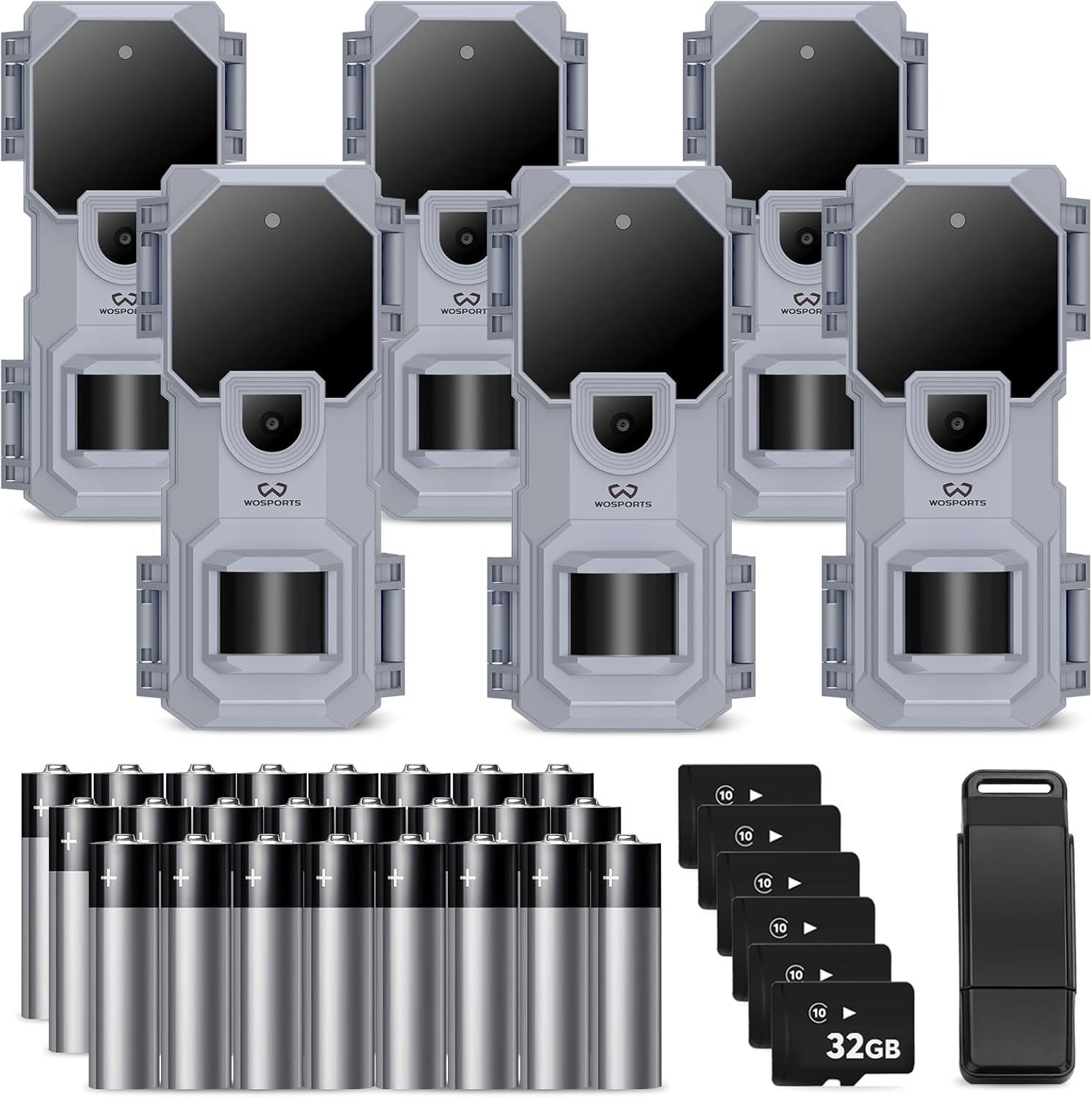
Image: The WOSPORTS H41 Trail Camera 6-pack, including six cameras, 32GB SD cards, AA batteries, and a card reader.
Instruccions de configuració
Follow these steps to prepare your WOSPORTS H41 Trail Camera for use:
- Instal·leu les bateries: Open the camera's battery compartment. Insert 4 AA alkaline batteries, ensuring correct polarity.
- Inseriu la targeta Micro SD: Insert the provided 32GB Micro SD card into the designated slot. Ensure it clicks into place.
- Encès: Switch the camera to the 'SETUP' mode. The internal screen will activate.
- Establir data i hora: Navigate through the menu using the UP/DOWN buttons to set the current year, month, and minute (Fig 1, Fig 2).
- Format de la targeta SD: It is recommended to format the SD card before first use and periodically thereafter. In the setup menu, find the 'Format' option (often displayed as 'For_N' or 'For_y'). Select 'For_y' and confirm to format the card (Fig 7).
- Seleccioneu el mode de captura: Choose your preferred image capture mode: Photo, Video, or Photo + Video (Fig 8, Fig 9).
- Set Camera ID (Optional): If using multiple cameras, you can set a unique Camera ID from '01' to '99' for easier identification of footage (figura 6).
- Muntar la càmera: Use the included nylon strap to securely mount the camera to a tree or other stable surface. Position it to cover the desired monitoring area.

Image: The WOSPORTS H41 Trail Camera with its battery compartment open, showing the slots for 4 AA batteries.

Image: Visual guide for setting up the camera, including time, date, camera ID, SD card formatting, and capture mode selection.
Instruccions de funcionament
Once setup is complete, switch the camera from 'SETUP' to 'ON' mode. The camera will then enter monitoring mode. The indicator light will flash a few times and then turn off, indicating the camera is actively monitoring.
Modes de seguiment
- Mode de fotografia: The camera will capture still images when motion is detected.
- Mode de vídeo: The camera will record video clips when motion is detected.
- Mode foto + vídeo: The camera will capture a still image followed by a video clip when motion is detected.
Viewing capturat media
A view photos and videos, switch the camera to 'SETUP' mode. You can review media directly on the camera's internal screen or remove the Micro SD card and insert it into the provided USB card reader to view on a computer or compatible device.

Image: A collage of sample photos and videos captured by the WOSPORTS H41 Trail Camera, showcasing its ability to record wildlife during day and night.

Image: A clear night vision photograph of a fox, demonstrating the camera's infrared capabilities.
Manteniment
- Neteja: Feu servir un drap suau i sec per netejar la lent i la carcassa de la càmera. Eviteu productes de neteja o dissolvents abrasius.
- Substitució de la bateria: Substituïu les 4 piles AA quan aparegui l'indicador de pila baixa o quan el rendiment disminueixi. Feu servir sempre piles alcalines noves.
- Gestió de la targeta SD: Regularly offload and format the Micro SD card to ensure optimal recording performance and prevent data corruption.
- Emmagatzematge: Quan no la feu servir durant períodes prolongats, traieu les piles i guardeu la càmera en un lloc fresc i sec.

Image: The WOSPORTS H41 Trail Camera partially submerged in water, illustrating its IP66 waterproof design.
Resolució de problemes
Refer to the following common questions and answers for assistance:
- Q: What size SD card is compatible?
- A: The camera accepts Class 6 or higher Micro SD cards, up to a maximum capacity of 32GB. Always format the SD card before initial use.
- P: Com formateo la targeta SD?
- A: In the camera's setup menu, locate the format option. If it displays "For_N" (No Format), toggle it to "For_y" to initiate the format process.
- Q: How do I transfer pictures and videos to a computer?
- A: Use the included card reader to connect the Micro SD card to your PC or laptop. Alternatively, if your computer has a Micro SD card slot, you can insert the card directly.
- P: Puc utilitzar piles recarregables?
- A: It is not recommended to use rechargeable batteries due to potential voltage instability, which may affect camera operation. Alkaline batteries are preferred.
- Q: How can I ensure video recording at night?
- A: For optimal night video performance, ensure the battery voltage is above 5.3V. Always use fresh batteries or replace them when they show signs of depletion to support night vision functions.

Image: A visual representation of common questions and answers regarding the WOSPORTS H41 Trail Camera's functionality.
Especificacions
| Característica | Especificació |
|---|---|
| Número de model | H41 |
| Resolució fotogràfica | 32MP |
| Resolució de vídeo | 1080P HD (AVI format) |
| Velocitat de desencadenament | 0.2 segons |
| Distància de disparador | Fins a 65 peus |
| Visió nocturna | LED infrarojos |
| Classificació impermeable | IP66 |
| Font d'alimentació | 4x AA Alkaline Batteries (per camera) |
| Tipus de memòria | Targeta Micro SD |
| Memòria màxima compatible | 32 GB |
| Dimensions (L x A x A) | 2.67 x 2.33 x 5.57 polzades |
| Tipus de muntatge | Muntanya de l'arbre |
| Entorn d'ús | Interior, Exterior |
Garantia i Suport
Atenció al client
WOSPORTS is committed to providing excellent customer support. If you have any questions or require assistance with your H41 Trail Camera, please do not hesitate to contact us. Our after-sales service experts are available to respond to inquiries within 24 hours.
Informació de la garantia
Specific warranty details may vary. Please refer to the product packaging or contact WOSPORTS customer support for comprehensive warranty information.