
uuffoo 210165XAB
uuffoo Smart Round Side Table with Charging and Sound System
Model: 210165XAB | Brand: uuffoo
Introducció
Thank you for choosing the uuffoo Smart Round Side Table. This versatile furniture piece combines a modern design with advanced functionalities, including Qi-certified wireless charging, an integrated audio system, and ambient LED lighting. Designed for convenience and style, it serves as an ideal bedside table, coffee table, or accent piece for various indoor and outdoor settings.

This manual provides essential information for the safe and efficient use of your new smart table. Please read it thoroughly before assembly and operation, and retain it for future reference.
Informació de seguretat
Per garantir un funcionament segur i evitar danys, observeu les precaucions següents:
- Llegeix el manual: Always read and understand the entire instruction manual before assembly and first use.
- Ús interior / exterior: While designed for versatility, ensure the table is protected from extreme weather conditions when used outdoors. The IP44 rating indicates protection against solid objects larger than 1mm and splashing water from any direction, but it is not fully waterproof for submersion.
- Font d'alimentació: Use only the specified power adapter for charging the table's internal battery. Do not use damaged cables or chargers.
- Càrrega sense fils: Do not place metal objects, credit cards, or other foreign objects on the wireless charging pad as this may cause overheating or damage.
- Ventilació: Ensure adequate ventilation around the table, especially near the speaker and charging components, to prevent overheating.
- Límit de pes: Do not exceed the maximum weight capacity of 45 lbs (20.4 kg) on the tabletop.
- Neteja: Disconnect power before cleaning. Use a soft, dry cloth. Avoid abrasive cleaners or liquids that may damage the surface or electronic components.
- Nens i animals de companyia: Mantingueu les peces petites i els materials d'embalatge fora de l'abast dels nens i les mascotes per evitar riscos d'asfíxia.
Què hi ha a la caixa
Verifiqueu que tots els components siguin presents abans de començar el muntatge:
- Smart Round Side Table Unit (main body with integrated electronics)
- Guia de muntatge (aquest manual)
- Adaptador de corrent (per carregar)
- Potes de taula (3 peces)
Especificacions
| Característica | Detall |
|---|---|
| Marca | uuffoo |
| Número de model | 210165XAB |
| Nom del model | PI-21065XA |
| Color | Negre |
| Dimensions (Diàmetre x Alçada) | 50 cm x 53 cm |
| Pes de l'article | Aprox. 1 kg (0.45 lliures) (Note: This weight is based on provided data and may be a placeholder. Actual weight may vary.) |
| Material | Engineered wood core with steel reinforcement (some components may be plastic/HDPE) |
| Disseny de taules | End Table / Side Table |
| Tipus de base | Trípode |
| Sortida de càrrega sense fils | 10W Max (Qi-Certified) |
| Sistema d'àudio | Dual 15W Speakers, 360° Stereo Sound |
| Interval Bluetooth | Fins a 20 peus (6 metres) |
| Il·luminació LED | 16 Color Options, Dimmable Brightness |
| Port de càrrega | 5V 2A Micro Interface (for table charging), USB-A (for external devices), AUX-in |
| Classificació de resistència a l'aigua | IP44 (a prova d'esquitxades) |
| Capacitat de càrrega màxima | 45 lliures (20.4 kg) |

Configuració
The uuffoo Smart Round Side Table requires minimal assembly. Follow these steps:
- Desempaquetar components: Carefully remove all items from the packaging and place them on a clean, flat surface. Verify all parts listed in the "What's in the Box" section are present.
- Col·loca les cames: Locate the three table legs. Align each leg with the designated mounting points on the underside of the main table unit. Securely screw or click each leg into place until firm. Ensure all legs are tightly fastened for stability.
- Càrrec inicial: Before first use, it is recommended to fully charge the table's internal battery. Connect the provided power adapter to the 5V 2A Micro interface port on the table and plug it into a wall outlet. The charging indicator (if present) will show charging status.

Instruccions de funcionament
Your smart table offers several integrated functions:
Encès/Apagat
Locate the main power button, typically on the side or underside of the table. Press and hold the button for a few seconds to power the table on or off. An indicator light may illuminate when the table is powered on.
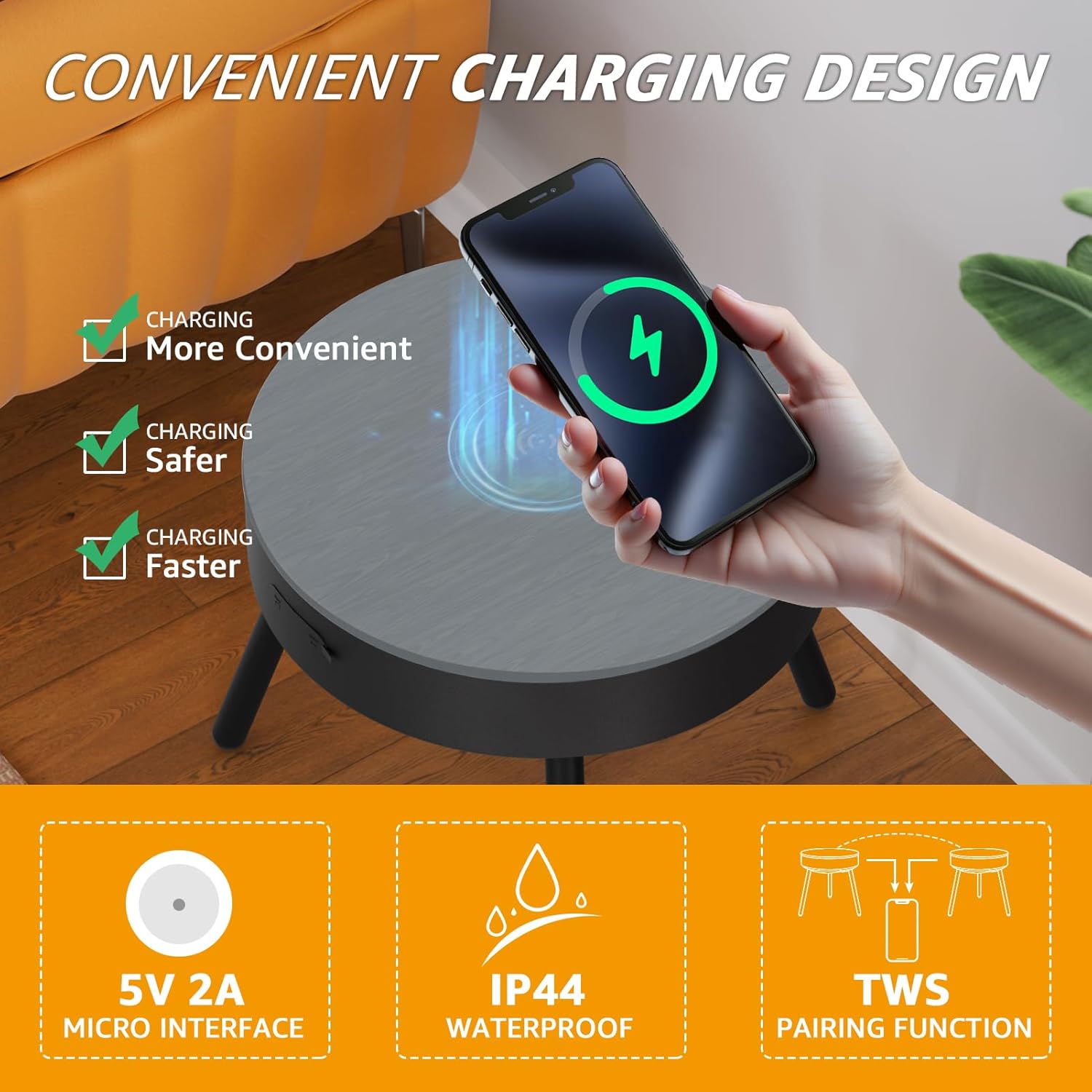
Càrrega sense fils
The tabletop features a built-in Qi-certified wireless charging pad. To charge a compatible device:
- Ensure the table is powered on.
- Place your Qi-compatible smartphone or accessory directly onto the designated wireless charging area on the tabletop.
- The device should indicate that it is charging. If not, slightly adjust its position until charging begins.
Note: For optimal charging, remove thick phone cases or any metal attachments from your device.
Integrated Audio System (Bluetooth)
The table features dual 15W speakers for 360° stereo sound. To connect via Bluetooth:
- Ensure the table is powered on.
- Activate Bluetooth on your audio device (e.g., smartphone, tablet).
- On your device, search for available Bluetooth devices. Select the table's Bluetooth name (e.g., "uuffoo Table" or similar, refer to the table's specific naming if available).
- Once paired, you can play audio through the table's speakers.
TWS Pairing Function: If you have two uuffoo Smart Round Side Tables, you can pair them together for a true wireless stereo experience. Refer to the specific instructions in your assembly guide for TWS pairing steps, typically involving pressing a dedicated TWS button on both units simultaneously.
Ambient LED Lighting
The table features ambient LED lighting with 16 color options and dimmable brightness. Control the lighting using the dedicated buttons on the table or via a remote control if included. Cycle through colors, adjust brightness, or select a dynamic color-changing mode to suit your mood or environment.
Multi-Function Charging Port
In addition to wireless charging, the table includes a multi-function port for wired connections:
- Port USB-A: Use this port to charge other USB-powered devices (e.g., older smartphones, smartwatches, small electronics).
- Port d'entrada AUX: Connect audio devices that do not support Bluetooth using a standard 3.5mm audio cable.
Manteniment
Proper care will extend the life and appearance of your smart table:
- Neteja: Netegeu la superfície amb un drap suau i lleugeramentamp cloth. For stubborn marks, use a mild, non-abrasive cleaner. Avoid harsh chemicals, solvents, or abrasive materials that could damage the finish or electronic components.
- Pols: Regularly dust the table with a dry, soft cloth to prevent buildup.
- Vessaments: In case of spills, wipe them immediately with a dry cloth. Although the table has an IP44 rating, excessive liquid exposure should be avoided, especially near ports and openings.
- Emmagatzematge: If storing the table for an extended period, ensure it is clean, dry, and stored in a cool, dry place away from direct sunlight and extreme temperatures.
Resolució de problemes
If you encounter issues with your uuffoo Smart Round Side Table, refer to the following common problems and solutions:
| Problema | Causa possible | Solució |
|---|---|---|
| Table does not power on. | La bateria està esgotada; el botó d'engegada no s'ha premut correctament. | Connect the table to the power adapter and allow it to charge. Press and hold the power button for 3-5 seconds. |
| La càrrega sense fil no funciona. | Device not Qi-compatible; Misalignment; Obstruction (e.g., thick case, metal object); Table not powered on. | Ensure your device supports Qi wireless charging. Reposition the device on the charging pad. Remove any thick cases or foreign objects. Verify the table is powered on. |
| El Bluetooth no es connecta. | Table not in pairing mode; Device Bluetooth off; Too far from table; Interference. | Ensure the table is powered on and in Bluetooth pairing mode (if applicable). Turn Bluetooth on your device. Move closer to the table (within 20 ft). Restart both devices. |
| No hi ha so dels altaveus. | Volume too low; Device not connected; Audio source issue. | Increase volume on both the table and your connected device. Re-establish Bluetooth connection. Test with a different audio source. |
| LED lights not working or flickering. | Power issue; Malfunction. | Ensure the table is adequately charged. Try cycling the power. If the issue persists, contact customer support. |
If the problem persists after attempting these solutions, please contact uuffoo customer support for further assistance.
Garantia i Suport
uuffoo is committed to providing high-quality products and excellent customer service. Your Smart Round Side Table is covered by a manufacturer's warranty against defects in materials and workmanship. Please refer to your purchase documentation or the uuffoo official weblloc web per conèixer els termes i condicions específiques de la garantia.
For technical support, warranty claims, or any questions regarding your product, please contact uuffoo customer service through the following channels:
- Assistència en línia: Visit the official uuffoo brand store on Amazon: uuffoo Store
- Suport per correu electrònic: Refer to the contact information provided in your purchase confirmation or on the uuffoo weblloc.
When contacting support, please have your product model number (210165XAB) and proof of purchase readily available.
Ask a question about this manual
Ask about setup, troubleshooting, compatibility, parts, safety, or missing instructions. Manuals+ will review the question and use this page’s manual context to help answer it.