
IKIER IKIER X5 Pro
Manual d'usuari del gravador làser IKIER X5 Pro
Model: IKIER X5 Pro
1. Informació important de seguretat
Operating a laser engraver involves inherent risks. Adhere strictly to all safety guidelines to prevent injury and damage. This device is a Class 4 laser product.
- Protecció ocular: Always wear the provided safety glasses or equivalent laser-protective eyewear when the machine is in operation. The panoramic magnetic eye protection shield filters 97% of strong light, but direct exposure to the laser beam can cause permanent eye damage.
- Ventilació: Operate the laser engraver in a well-ventilated area to dissipate fumes and smoke produced during engraving and cutting.
- Seguretat contra incendis: Keep a fire extinguisher nearby. Never leave the machine unattended during operation, especially when cutting materials that may ignite.
- Seguretat del material: Engrave and cut only approved materials. Certain materials can produce toxic fumes or catch fire easily.
- Parada d'emergència: Familiarize yourself with the location of the emergency stop button and how to use it.
Característiques de seguretat integrades:
- Flame Detector: The IKIER X5 Pro is equipped with a flame detector that will automatically stop processing and trigger a buzzer alarm if it detects a flame.
- Tilt Sensor (Gyroscope): The machine will automatically stop operation and sound an alarm if it tilts more than 15 degrees, preventing accidents from unexpected movement.

Image: The IKIER X5 Pro's integrated flame detector and gyroscope for enhanced operational safety.
2. Contingut del paquet
Verify that all components listed below are present in your package before proceeding with assembly.
- IKIER X5 Pro Laser Engraver (main unit)
- Installation Toolkit (screws, wrenches, etc.)
- Cable d'alimentació
- Adaptador d'alimentació
- USB Flash Drive (containing software and drivers)
- Cable tipus C
- X-axis Connecting Line
- Focus Shims
- Ulleres de seguretat
- Manual de producte

Image: All components included in the IKIER X5 Pro Laser Engraver package.
3. Muntatge i muntatge
The IKIER X5 Pro is designed for quick assembly, typically completed within 10-20 minutes. The full aluminum alloy structure ensures stability and durability.
- Desempaquetar components: Traieu amb cura tots els articles de l'embalatge i col·loqueu-los sobre una superfície neta i plana.
- Muntatge del marc: Follow the step-by-step instructions in the included Product Manual to connect the frame components using the provided toolkit. Ensure all screws are securely tightened, but avoid over-tightening, which can cause rail friction.
- Instal·leu el mòdul làser: Mount the laser module onto the gantry. The integral lead screw design ensures precise laser movement.
- Connectar els cables: Connect the power cable, Type C cable, and X-axis connecting line as indicated in the manual.
- Encesa inicial: Connect the power adapter and turn on the machine. Observe for any unusual sounds or movements.

Image: Visual guide for quick assembly, mobile app connection, and direct engraving setup.
4. Instruccions de funcionament
Programari i connectivitat:
The IKIER X5 Pro supports various operating systems and file formats, offering flexible control options.
- Sistemes operatius: Compatible with Linux, Mac OS, and Windows.
- File Formats: Supports SVG, PNG, DXF, TIF, BMP, and PDF.
- Next-Generation APP Control: Utilize the dedicated mobile application for a streamlined user experience and enhanced control functions. This allows for convenient operation directly from your smartphone or tablet.
- Gravat fora de línia: The machine supports offline engraving, enabling you to engrave projects without a continuous computer connection once the file està carregat.
- Recuperació de pèrdua d'energia: En cas d'un poder sobtat outage or accidental interruption, the machine features a power loss recovery function, allowing it to resume engraving from the exact original position.
Procés de gravat i tall:
- Preparació del material: Place your chosen material securely within the working area (410x380mm).
- Enfoca el làser: Use the provided focus shims to set the correct focal distance for optimal engraving and cutting precision. The laser spot area is 0.06*0.06mm, balancing precision and cutting energy.
- Disseny de càrrega: Transfer your design file to the machine via USB or the connected software/APP.
- Establir paràmetres: Adjust engraving/cutting parameters (speed, power, passes) based on the material type and desired outcome.
- Inici de l'operació: Initiate the engraving or cutting process. Monitor the machine closely, especially during the initial stages.
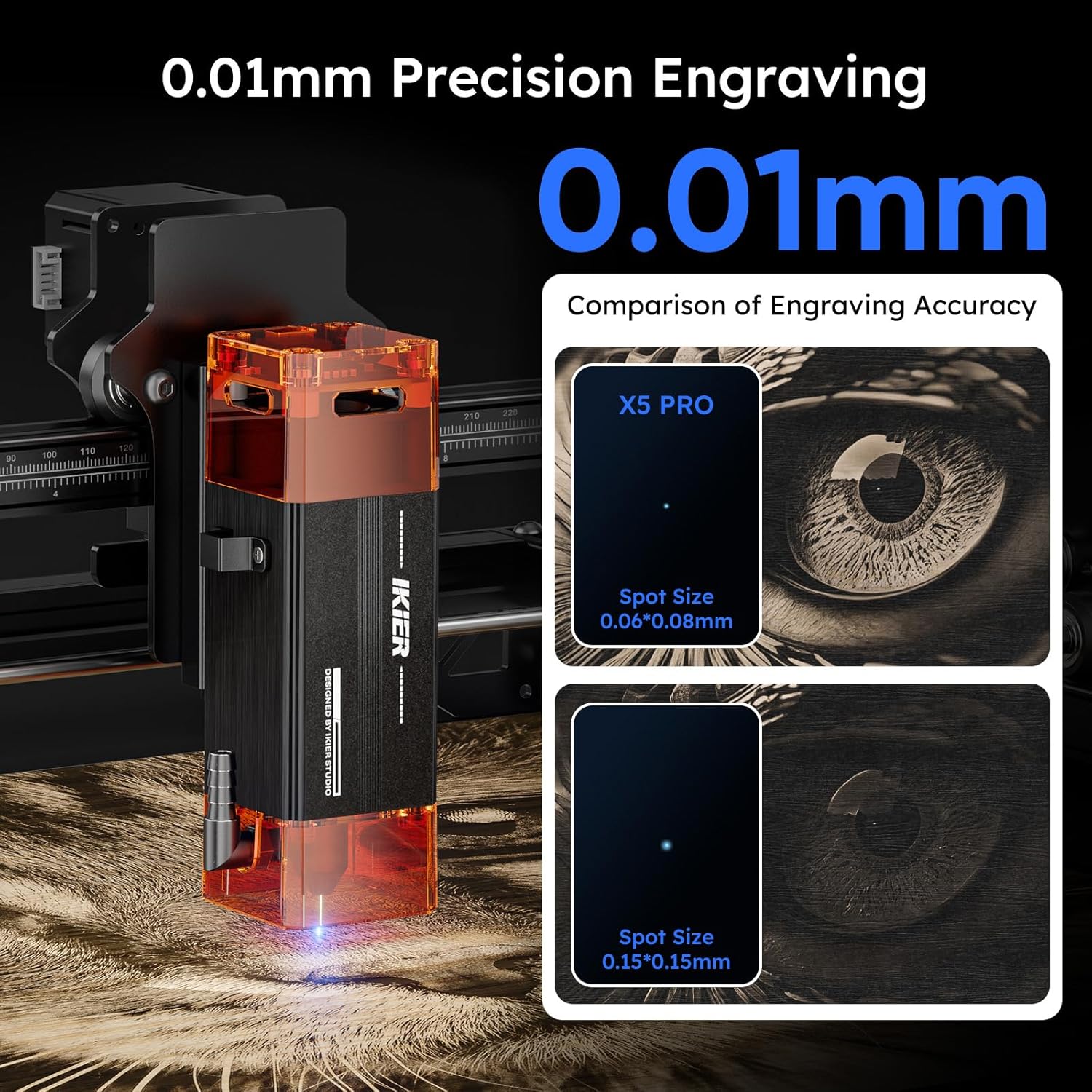
Image: The IKIER X5 Pro offers 0.01mm precision engraving with a fine laser spot size of 0.06*0.06mm.

Image: Demonstrates the 5W laser's ability to cut 5mm Paulownia wood and 3mm black acrylic in a single pass.
5. Compatibilitat de materials
The IKIER X5 Pro is suitable for engraving and cutting a wide range of materials. Always test on a small, inconspicuous area first to determine optimal settings.
- Gravat: Wood, Glass, Plastic, Leather, Rubber, Paper, Cardboard, Anodized Aluminum, Stainless Steel (with coating), Ceramics (with coating), Stone.
- Tall: Wood (up to 5mm Paulownia), Paper, Cardboard, Leather, Non-transparent Acrylic (up to 3mm black acrylic), Fabric.
Nota: Transparent materials like clear acrylic or glass may require a dark coating (e.g., paint or marker) on the surface for the laser to interact effectively.
6. Manteniment
Regular maintenance ensures the longevity and optimal performance of your IKIER X5 Pro laser engraver.
- Neteja la lent làser: Periodically clean the laser lens with a soft, lint-free cloth and lens cleaning solution to ensure clear laser output.
- Neteja de rails i rodes: Keep the X and Y axis rails and wheels free from dust and debris. A build-up can affect movement precision.
- Comprovar la tensió de la corretja: Ensure the timing belts are properly tensioned. Loose belts can lead to inaccurate engraving.
- Actualitzacions de firmware: Consulta l'IKIER oficial website or APP for any available firmware updates to ensure your machine has the latest features and bug fixes.
7. Solució De Problemes
This section addresses common issues you might encounter. For more complex problems, refer to the comprehensive manual or contact customer support.
| Problema | Causa possible | Solució |
|---|---|---|
| La màquina no s'encén. | Power cable loose, power adapter faulty, power switch off. | Check all power connections. Ensure the power switch is in the 'ON' position. Test power adapter if possible. |
| El làser no dispara o és feble. | Laser lens dirty, focus incorrect, power setting too low, laser module faulty. | Clean the laser lens. Re-focus the laser using shims. Increase laser power in software. Contact support if issue persists. |
| Engraving/cutting is inaccurate or skipped lines. | Loose belts, dirty rails, stepper motor issue, material not secured. | Check and tighten timing belts. Clean X and Y axis rails. Ensure material is firmly secured. Verify all assembly bolts are appropriately tightened, as over-tightening can cause rough movement. |
| Machine stops unexpectedly with alarm. | Flame detected, machine tilted, emergency stop pressed. | Check for flames or smoke. Ensure the machine is on a stable, level surface. Release emergency stop button if pressed. |
| Software/APP not connecting to machine. | Incorrect cable connection, driver issues, software version mismatch. | Verify USB/Type C cable connection. Reinstall drivers from the USB flash drive. Ensure software/APP is the latest version. |
8. Especificacions
Key technical specifications for the IKIER X5 Pro Laser Engraver.
| Característica | Especificació |
|---|---|
| Model | IKIER X5 Pro |
| Potència de sortida làser | 5000 mW (5 W) |
| Classe làser | Classe 4 |
| Laser Spot Area | 0.06*0.06 mm |
| Àrea de gravat | 410 x 380 mm (16.14 x 14.96 polzades) |
| Dimensions del producte | 22.8 x 22.6 x 7.6 polzades |
| Pes de l'article | 12.18 lliures |
| Material | Aliatge d'alumini |
| Font d'alimentació | AC/DC |
| Sistema operatiu compatible | Linux, Mac OS, Windows |
| Admet File Formats | SVG, PNG, DXF, TIF, BMP, PDF |

Image: The generous 410x380mm working area of the IKIER X5 Pro.
9. Garantia i Suport
For warranty information, please refer to the documentation included with your product or visit the official IKIER website. If you encounter any issues or require technical assistance, please contact IKIER customer support. They are available to help with troubleshooting and provide guidance for optimal use of your laser engraver.
Informació de contacte: Refer to the official IKIER website or the contact details provided in your product manual for the most up-to-date support channels.
Recursos en línia: Explore online forums, community groups, and official IKIER tutorials for additional tips and project ideas.
Documents relacionatsIKIER X5 Pro


Ask a question about this manual
Ask about setup, troubleshooting, compatibility, parts, safety, or missing instructions. Manuals+ will review the question and use this page’s manual context to help answer it.