1. Introducció
The TRIGKEY S7 Pro Mini PC is a compact and powerful computing solution designed for various applications, including gaming, office productivity, and graphic design. It features an AMD Ryzen 7 7840HS processor, Radeon 780M graphics, high-speed DDR5 memory, and PCIe 4.0 NVMe SSD storage. This manual provides essential information for setting up, operating, maintaining, and troubleshooting your device.

Figura 1: Frontal view of the TRIGKEY S7 Pro Mini PC, showcasinel seu disseny compacte i els ports frontals accessibles.
2. Guia de configuració
2.1 Contingut del paquet
- TRIGKEY S7 Pro Mini PC
- Adaptador d'alimentació
- Cable HDMI
- Manual d'usuari
2.2 Connexió del mini PC
- Connectar l'alimentació: Plug the power adapter into the DC Jack on the rear of the Mini PC, then connect it to a power outlet.
- Connecta la pantalla: Use an HDMI or DisplayPort (DP 1.4) cable to connect your monitor(s) to the corresponding ports on the rear of the Mini PC. The device supports triple display output.
- Connecteu els perifèrics: Connect your keyboard, mouse, and other USB devices to the available USB ports (2x USB3.2 10Gbps, 1x USB2.0, 1x USB-C, 1x USB4.0).
- Connexió de xarxa: For a wired connection, plug an Ethernet cable into the RJ45 2.5G port. For wireless, the device supports WiFi 6.
- Àudio: Connect headphones or speakers to the 3.5mm Audio Jack (HP&MIC) if needed.

Figura 2: posterior view of the Mini PC, illustrating the various connectivity ports including LAN, USB, DP, HDMI, and DC power input.
3. Instruccions de funcionament
3.1 Encès/Apagat
- Encès: Premeu el botó d'engegada situat al panell frontal. L'indicador lluminós d'engegada s'il·luminarà.
- Apagar: To shut down, use the operating system's shutdown procedure. Alternatively, press and hold the power button for 5 seconds to force a shutdown (not recommended for regular use).
3.2 Initial Boot and Operating System
The TRIGKEY S7 Pro Mini PC comes pre-installed with an operating system. Upon first boot, follow the on-screen instructions to complete the initial setup, including language, region, and user account creation.
3.3 Configuració de la pantalla
The Mini PC supports up to three displays simultaneously. You can configure display settings (resolution, orientation, extended/duplicated desktop) through your operating system's display settings menu.
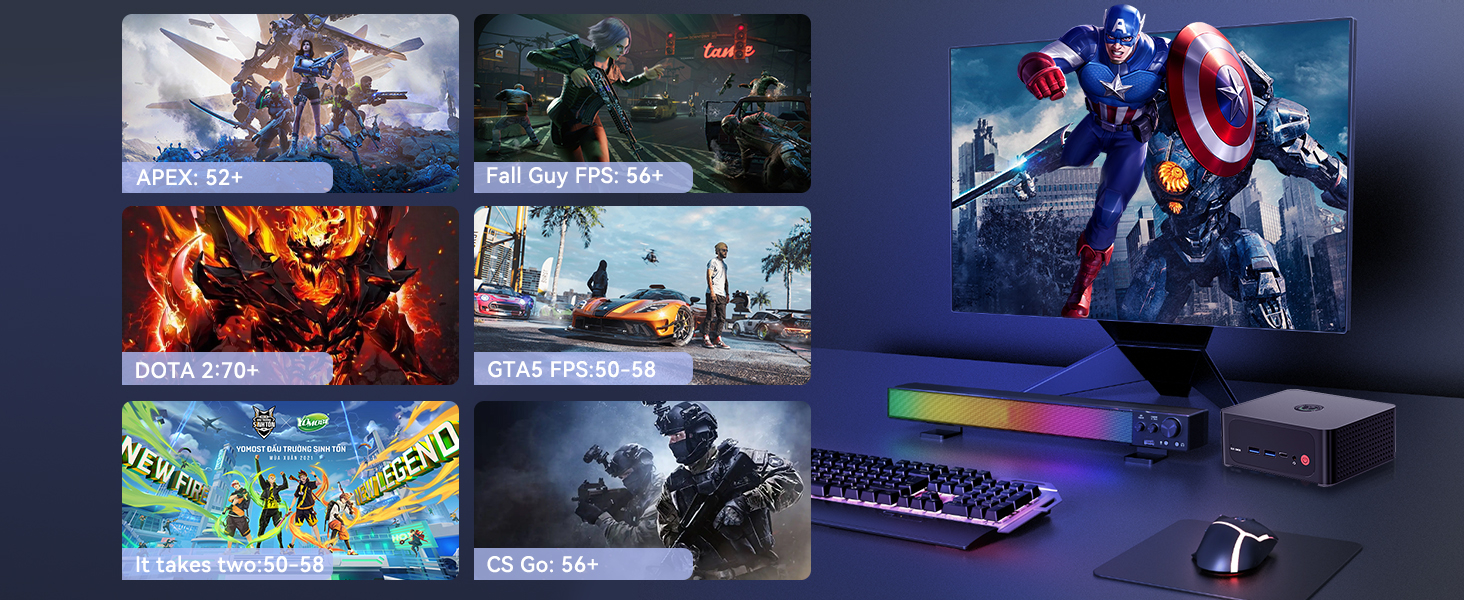
Figure 3: The Mini PC configured with a triple display setup, demonstrating its multi-monitor capability for enhanced productivity.
3.4 Performance and Usage Scenarios
Equipped with the AMD Ryzen 7 7840HS processor and Radeon 780M graphics, the S7 Pro delivers robust performance for various tasks:
- Jocs: Capable of running popular games like Overwatch, PUBG, and CSGO with smooth frame rates.
- Treball d'oficina: Efficiently handles business applications such as Microsoft Office suites.
- Disseny gràfic: Supports demanding applications like Adobe Photoshop, Illustrator, and Premiere Pro.
- Reproducció de vídeo 4K: Enjoy high-quality media consumption.
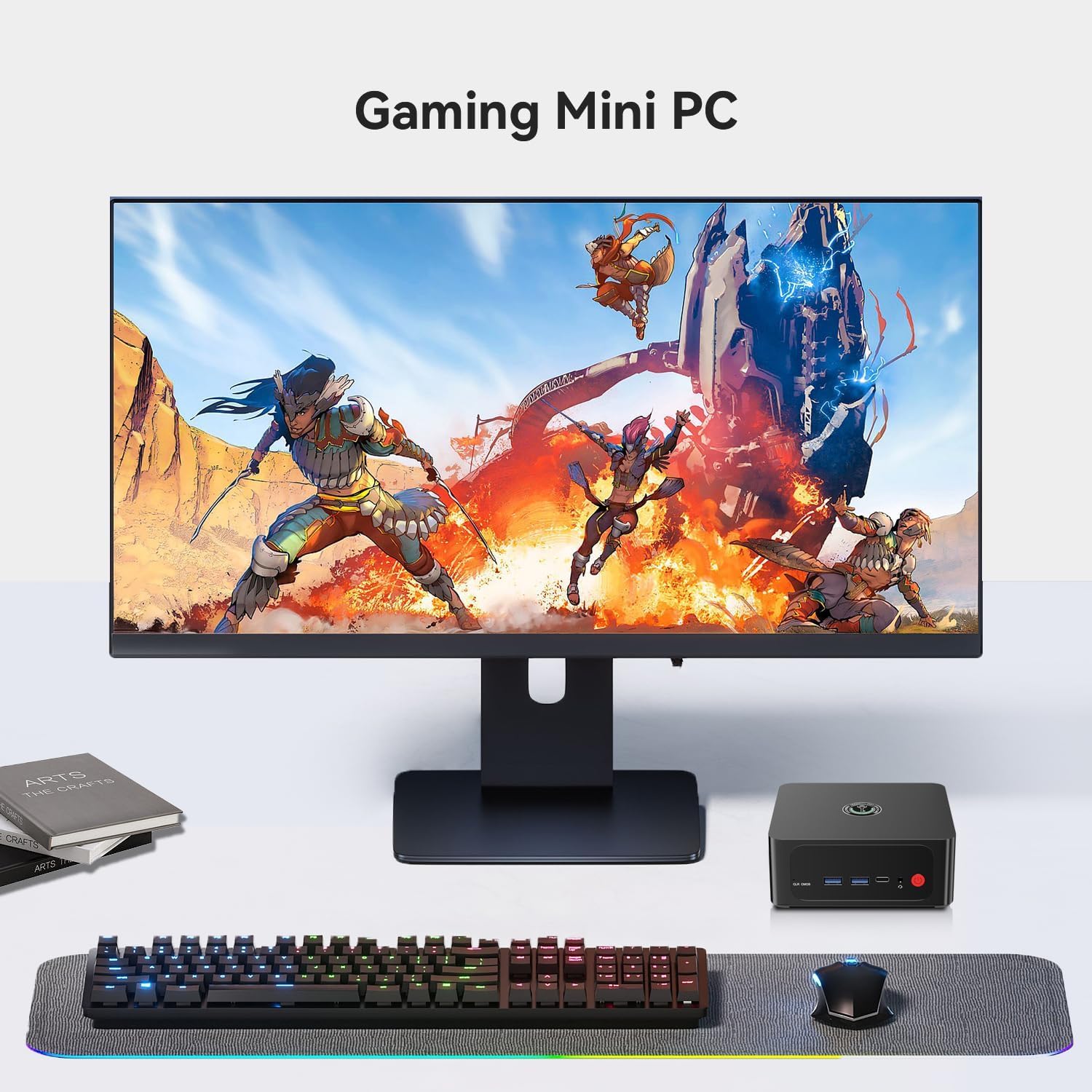
Figure 4: A gaming setup featuring the TRIGKEY S7 Pro Mini PC, demonstrating its suitability for immersive gaming experiences.
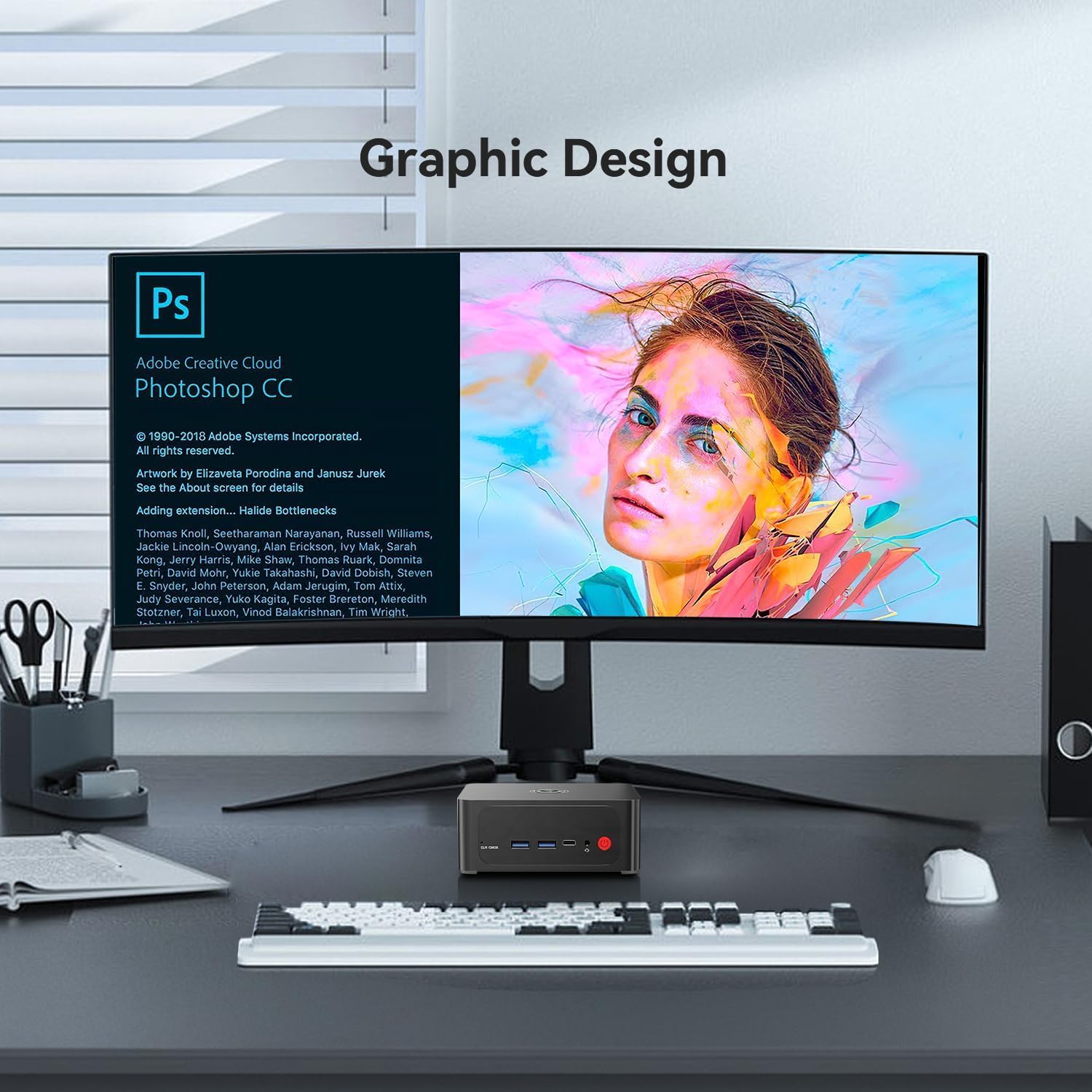
Figure 5: A graphic design workstation utilizing the TRIGKEY S7 Pro Mini PC, highlighting its capability for creative applications.
4. Manteniment i actualitzacions
4.1 Sistema de refrigeració
The Mini PC incorporates a dual-fan system with heat pipes to ensure efficient cooling for the CPU and other components, maintaining stable performance during intensive tasks.

Figure 6: Diagram illustrating the dual-fan cooling system, designed for optimal heat dissipation within the Mini PC.
4.2 Memory (RAM) Upgrade
The device comes with 32GB DDR5 5600MHz RAM (2x16GB). It features two SODIMM DDR5 5600MHz slots, allowing for memory upgrades up to 64GB.
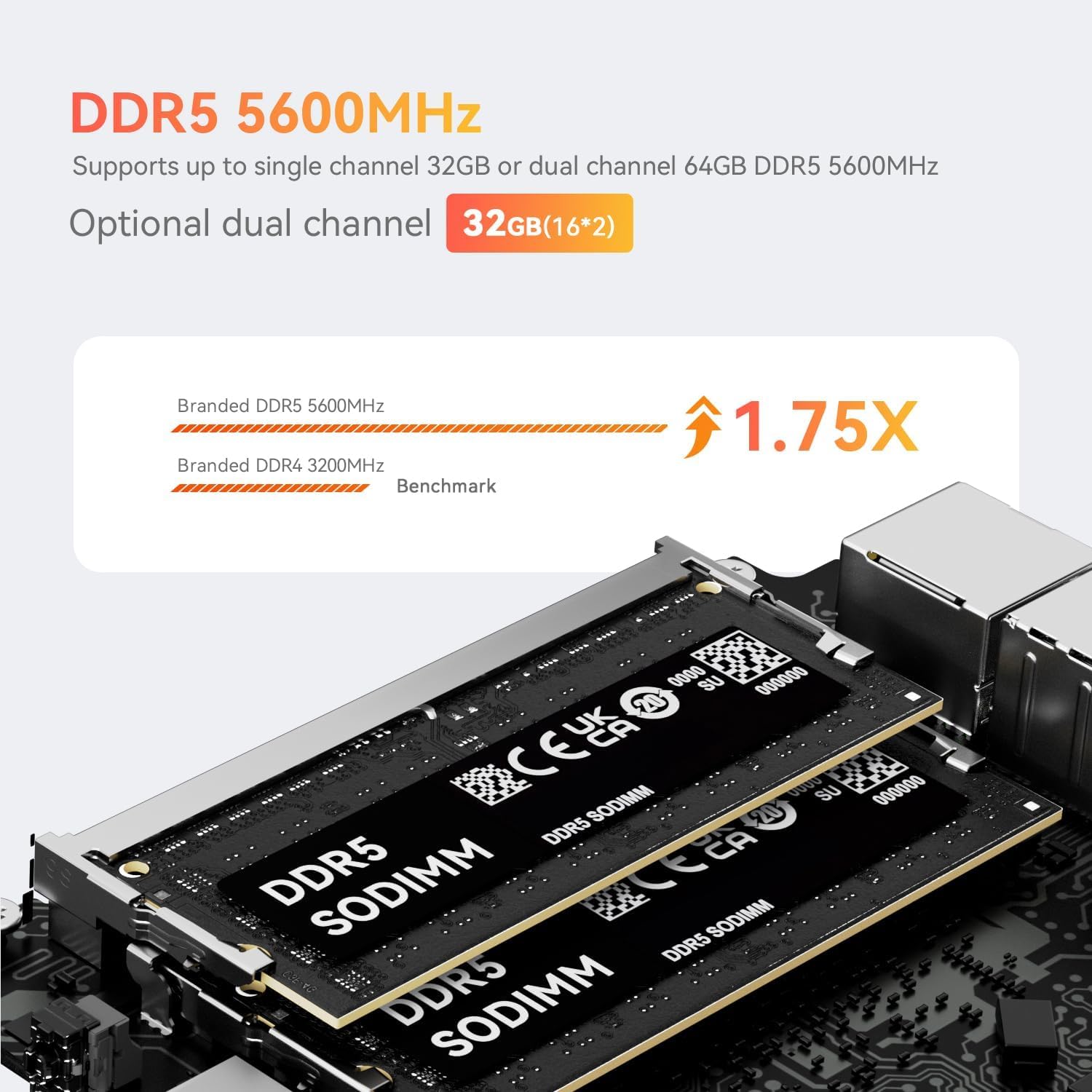
Figura 7: Primer pla view of DDR5 SODIMM memory modules, indicating the type of RAM used for upgrades.
4.3 Storage Upgrade
The Mini PC includes a 500GB PCIe 4.0 NVMe SSD. It has dual M.2 2280 slots supporting PCIe 4.0 NVMe SSDs up to 4TB. Additionally, a 2.5-inch 7mm SATA slot is available for further storage expansion.

Figure 8: An installed PCIe 4.0 NVMe SSD, demonstrating the high-speed storage solution within the Mini PC.
5. Solució De Problemes
5.1 Problemes comuns i solucions
- Sense pantalla: Ensure all display cables are securely connected to both the Mini PC and the monitor. Verify the monitor input source is correctly selected.
- Sense energia: Check if the power adapter is properly connected to the Mini PC and a working power outlet.
- El sistema no respon: Si el sistema es bloqueja, manteniu premut el botó d'engegada durant 5 segons per forçar l'apagada i, a continuació, reinicieu-lo.
- CLR CMOS Button: A 'CLR CMOS' button is available on the front panel. Pressing this button can reset BIOS settings to default, which may resolve certain boot issues. Use with caution.
For persistent issues or advanced troubleshooting, please refer to the support section.
6. Especificacions

Figura 9: Mésview of the TRIGKEY S7 Pro Mini PC's core features and specifications.
| Característica | Especificació |
|---|---|
| Processador | AMD Ryzen 7 7840HS (8 Cores/16 Threads, up to 5.1 GHz) |
| Gràfics | AMD Radeon 780M (12 Cores, 2700MHz) |
| Memòria (RAM) | 32GB DDR5 5600MHz (2x16GB), expandable up to 64GB |
| Emmagatzematge | 500GB PCIe 4.0 NVMe SSD, 2x M.2 2280 slots (up to 4TB), 1x 2.5" 7mm SATA slot |
| Sistema operatiu | Pre-installed OS (e.g., Windows 11 Pro) |
| Connectivitat sense fil | WiFi 6 (2.4Gbps), Bluetooth 5.2 |
| Connectivitat per cable | 1x RJ45 2.5G LAN Port |
| Sortida de vídeo | 1x DP 1.4, 1x HDMI, 1x USB4.0 (supports display output) - Triple Display Support |
| Ports USB | 2x USB3.2 10Gbps, 1x USB2.0, 1x USB-C, 1x USB4.0 |
| Port d'àudio | 1x 3.5mm Audio Jack (HP&MIC) |
| Dimensions | Aproximadament 6.3 x 5.43 x 4.09 polzades |
| Pes | Aproximadament 2.44 lliures |
7. Garantia i Suport
7.1 Certificacions
The TRIGKEY S7 Pro Mini PC is certified with FCC, CE, and ROSH standards, ensuring product quality and safety compliance.
7.2 Informació de la garantia
- Política de devolució: 30 days no-reason return.
- Període de garantia: 1-Year warranty for replacement.
7.3 Suport tècnic
TRIGKEY provides one-to-one customer service and lifetime technical support. Our customer service team is available to assist you with any inquiries or issues.

Figure 10: Icons representing various customer support channels provided by TRIGKEY.
7.4 Automatic Startup Configuration
If you require assistance with setting up automatic startup, please contact our customer service team and provide the barcode located on the bottom of your Mini PC. We will provide the necessary tutorial files.
8. Producte acabatview Vídeo
Vídeo 1: Un oficial acabatview of the TRIGKEY S7 Pro Mini PC, highlighting its features and design.