
1. Introducció
This manual provides detailed instructions for the installation and operation of the QSZN HY SS 04 16-PIN Android Canbus Box and Wiring Harness. This product is designed to integrate an aftermarket Android car radio or DVD system with specific Hyundai IX35 and Tucson models manufactured between 2009 and 2015, ensuring proper communication and functionality with the vehicle's existing systems, such as steering wheel controls and vehicle data.
Please read this manual thoroughly before installation to ensure correct setup and to prevent damage to the product or your vehicle.
2. Informació de seguretat
- Instal·lació professional recomanada: Due to the complexity of vehicle electrical systems, professional installation by a qualified technician is highly recommended.
- Desconnecta la bateria: Always disconnect the vehicle's negative battery terminal before beginning any electrical installation to prevent short circuits and electrical damage.
- Cablejat correcte: Ensure all wiring connections are secure and correctly matched according to the vehicle's wiring diagram and the provided harness. Incorrect wiring can cause damage to the car radio, Canbus box, or vehicle electronics.
- Eviteu l'aigua i la humitat: Do not expose the Canbus box or wiring harness to water or excessive moisture.
- Components segurs: Mount the Canbus box and secure all wiring to prevent interference with vehicle operation or damage from vibrations.
3. Contingut del paquet
Verify that all components are present before proceeding with the installation:
- QSZN HY SS 04 Canbus Box
- 16-PIN Android Head Unit Power Harness
- Vehicle-Specific Wiring Harness (for Hyundai IX35 / Tucson 2009-2015)
- RCA Output/Input Cables (for audio/video connections)
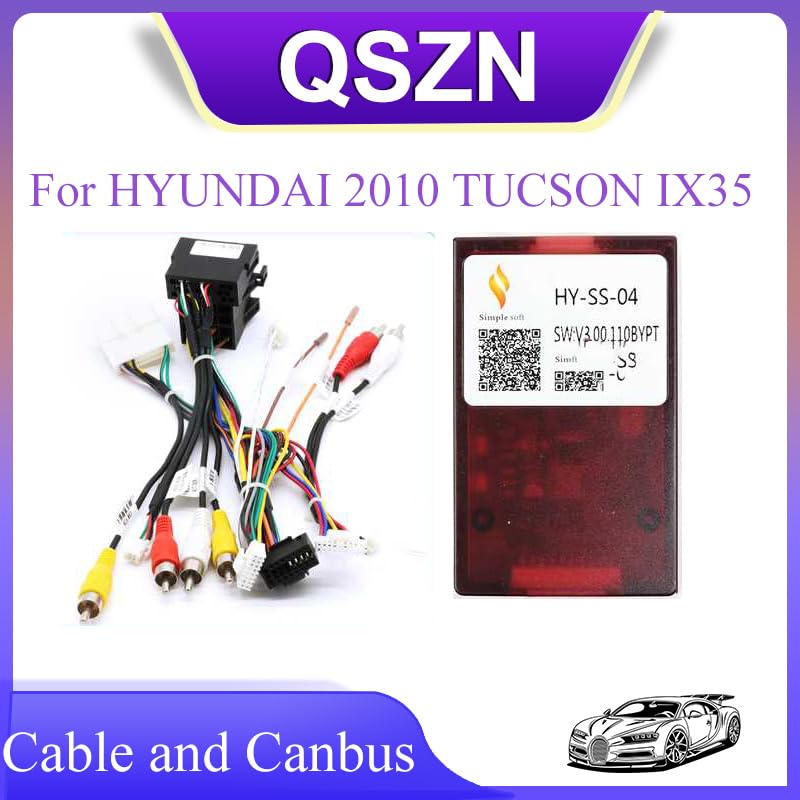
Figura 1: The main wiring harness and associated RCA cables for audio and video connections. This harness connects the aftermarket Android head unit to the vehicle's electrical system and the Canbus box.
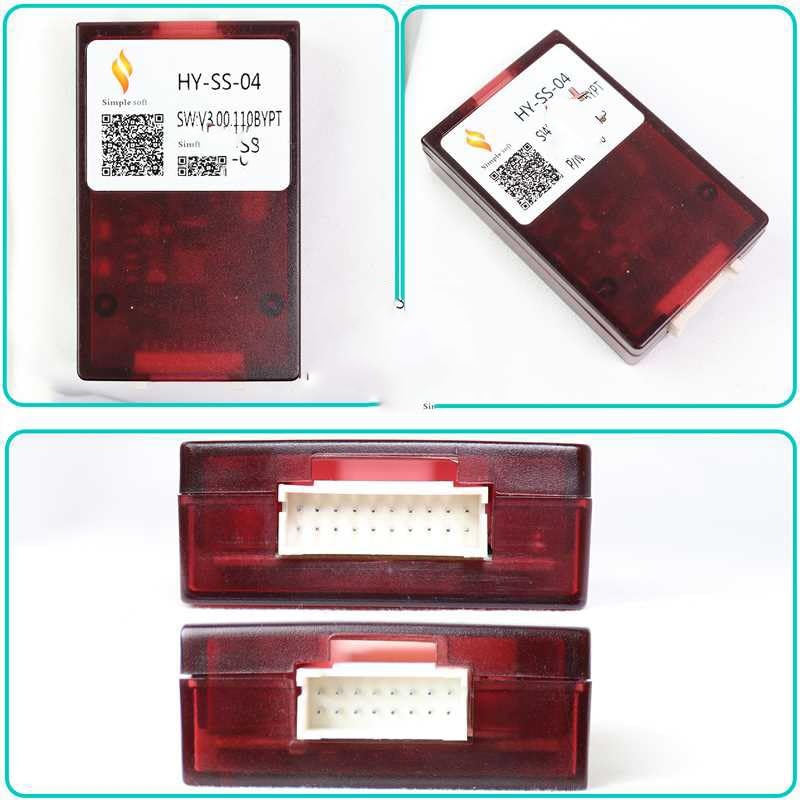
Figura 2: The QSZN HY SS 04 Canbus Box. This module translates vehicle data into a format compatible with the Android head unit, enabling features like steering wheel control integration.
4. Configuració i instal·lació
This section outlines the general steps for installing the Canbus box and wiring harness. Specific vehicle disassembly procedures are not covered and should be referenced from your vehicle's service manual or a professional installer.
- Preparar el vehicle: Ensure the vehicle is turned off and the negative terminal of the battery is disconnected. Remove the factory car radio or head unit from the dashboard.
- Connecta la caixa Canbus: Connect the QSZN HY SS 04 Canbus Box to the designated connector on the 16-PIN Android head unit power harness. Ensure it clicks securely into place.
- Connect Vehicle-Specific Harness: Connect the vehicle-specific wiring harness to the corresponding connector on the 16-PIN Android head unit power harness.
- Connecta't a la unitat principal d'Android: Plug the 16-PIN connector from the combined harness assembly into the back of your aftermarket Android car radio/DVD unit.
- Connexió al vehicle: Connect the vehicle-specific end of the harness to the factory wiring connectors in your car's dashboard. Ensure all connections are firm and correct.
- Connexions RCA: Connect any necessary RCA cables for audio output (e.g., to an amplifier), video input (e.g., reverse camera), or auxiliary input/output as required by your Android head unit and vehicle setup.
- Prova de connexions: Before fully reassembling the dashboard, reconnect the vehicle's battery and perform a preliminary test of the Android head unit and all integrated functions (e.g., steering wheel controls, reverse camera, audio).
- Cablejat segur: Once confirmed working, carefully route and secure all wiring to prevent pinching, short circuits, or rattling. Mount the Canbus box in a safe, dry location behind the dashboard.
- Remunta el tauler de control: Reinstall the Android head unit and reassemble the vehicle's dashboard components.
5. Instruccions de funcionament
The QSZN HY SS 04 Canbus Box acts as an interface between your Hyundai vehicle's data network and your aftermarket Android head unit. Once correctly installed, it enables the following functionalities:
- Integració del control del volant: Allows the factory steering wheel buttons to control functions on the Android head unit, such as volume up/down, track skip, and mode selection. Configuration may be required within the Android head unit's settings (usually under 'Steering Wheel Learning' or 'Canbus Settings').
- Pantalla d'informació del vehicle: Depending on the Android head unit's capabilities and vehicle model, the Canbus box may transmit vehicle data such as door status, climate control information, or parking sensor data to be displayed on the head unit screen.
- Senyals d'encesa (ACC) i il·luminació: Provides the necessary ignition (ACC) and illumination signals to the Android head unit, ensuring it powers on/off with the vehicle and dims with the headlights.
- Senyal de marxa enrere: Transmits the reverse gear signal to the Android head unit, automatically switching to a reverse camera display if one is connected.
Refer to your Android head unit's user manual for specific instructions on configuring Canbus settings and steering wheel controls.
6. Manteniment
The QSZN HY SS 04 Canbus Box and wiring harness are designed for maintenance-free operation. However, consider the following for optimal performance and longevity:
- Connexions segures: Periodically check that all wiring connections remain secure, especially if you experience intermittent issues.
- Mantenir sec: Ensure the Canbus box remains in a dry environment, free from moisture and extreme temperatures.
- Neteja: Keep the area around the Canbus box and wiring free from dust and debris.
7. Solució De Problemes
Si teniu problemes després de la instal·lació, consulteu la guia de resolució de problemes següent:
| Problema | Causa possible | Solució |
|---|---|---|
| La unitat principal d'Android no s'encén. | Connexió d'alimentació fluixa; fusible fundit; cablejat incorrecte. | Check all power connections (12V constant, ACC, ground). Verify vehicle fuses and head unit fuse. Ensure correct wiring. |
| Els comandaments al volant no funcionen. | Canbus box not connected or faulty; Incorrect Canbus settings in head unit; Head unit not compatible. | Ensure Canbus box is securely connected. Check Android head unit's Canbus settings and perform steering wheel learning. Verify head unit supports Canbus. |
| Cap so o so intermitent. | Loose speaker connections; Incorrect RCA connections; Ampproblemes de vida. | Check all speaker wires and RCA audio cables. Ensure external amplifiers (if used) are powered and connected correctly. |
| No es mostra la informació del vehicle (per exemple, l'estat de la porta). | Canbus box not configured; Head unit not supporting feature; Vehicle not transmitting data. | Verify Canbus settings in the Android head unit. Confirm your head unit model supports displaying such information. |
If the problem persists after attempting these solutions, contact customer support or consult a professional installer.
8. Especificacions
- Tipus de producte: Android Canbus Box and Wiring Harness
- Model: HY SS 04
- Configuració del pin: 16-PIN (for Android head unit connection)
- Compatibilitat de vehicles: Hyundai IX35 / Tucson (Model Years: 2009, 2010, 2011, 2012, 2013, 2014, 2015)
- Funció: Integrates aftermarket Android car radio/DVD with vehicle's Canbus system for steering wheel controls and vehicle data.
9. Garantia i Suport
This product comes with a standard manufacturer's warranty against defects in materials and workmanship. The specific duration and terms of the warranty may vary. Please retain your proof of purchase for warranty claims.
For technical support, troubleshooting assistance, or warranty inquiries, please contact the retailer or manufacturer directly through their official support channels. Contact information is typically provided with your purchase documentation or on the product packaging.