
1. Producte acabatview
The SI4732 Shortwave Radio Receiver is a compact and portable full-band radio designed for enthusiasts and casual listeners alike. Featuring a 1.9-inch IPS high-definition color screen and the advanced SI4732 DSP chip, it supports a wide range of frequencies and modes, including LSB, USB, AM, and FM. This manual provides detailed instructions for both the "Ring version" (with a loop antenna) and the "Trolley version" (with a pull rod antenna).
Its small size and lightweight design make it ideal for travel, outdoor activities, or simply enjoying radio broadcasts on the go. The built-in 800mAh battery ensures extended listening pleasure.
2. Característiques clau
- Disseny compacte i lleuger: Measuring approximately 7.3 x 3.2 x 1.2 cm and weighing only 54g, this radio is highly portable.
- Bateria de llarga durada: Equipped with an 800 mAh built-in battery, providing approximately 10 hours or more of continuous operation.
- High-Definition IPS Display: Features a 1.9-inch IPS color screen (170*320 resolution) for clear visibility and easy navigation.
- Full Band Broadcasting: Utilizes the SI4732 DSP chip to support FM, AM, LSB, and USB modes across various frequency bands.
- Versatile Antenna Options: Available with either a portable loop antenna (Ring version) or a 70cm portable pull rod antenna (Trolley version) for enhanced reception.
- ESP32-S3 Master Control: Powered by an ESP32-S3 master control for efficient performance.
3. Contingut del paquet
Si us plau, verifiqueu que tots els elements siguin presents al vostre paquet:
- 1 x MINI SI4732 Radio Receiver (Ring version Blue)
- 1 x Loop Antenna
Note: The specific antenna included depends on the version purchased (Ring version includes a loop antenna, Trolley version includes a pull rod antenna).
4. Especificacions
| Paràmetre | Detall |
|---|---|
| Control Mestre | ESP-32-S3 |
| Banda de freqüència de recepció | HF, SW, MW, VHF |
| Pantalla | 1.9-inch IPS, 170*320 resolution |
| Interfície de càrrega | TYPE-C (Note: Fast charging is not supported) |
| Interfície d'àudio | 3.5mm three-band stereo |
| Capacitat de la bateria | 800 mAh |
| Mida del cos | 7.3 x 3.2 x 1.2 cm |
| Pes corporal | 54 g |
| Freqüència FM | 64 MHz - 108 MHz |
| Freqüència AM | 520 kHz - 1710 kHz |
| Freqüència SW | 2.3 MHz - 26.1 MHz |
| LW Frequency | 153 kHz - 279 kHz |
| Modes compatibles | FM, AM, LSB, USB (Note: Does not support aviation band) |
5. Configuració
5.1 Càrrega inicial
Before first use, fully charge the radio. Connect the provided TYPE-C charging cable to the radio's charging interface and plug the other end into a compatible USB power source (e.g., computer USB port, USB wall adapter). The charging indicator on the screen will show charging status. A full charge typically takes a few hours.
Note: This device does not support fast charging.
5.2 Col·locació de l'antena
For Ring Version:
- Localitzeu el connector de l'antena a la part superior de la ràdio.
- Carefully screw the loop antenna into the connector until it is secure. Do not overtighten.

Image: Blue SI4732 radio with its loop antenna attached, displaying "VHF 103.9" on its screen.
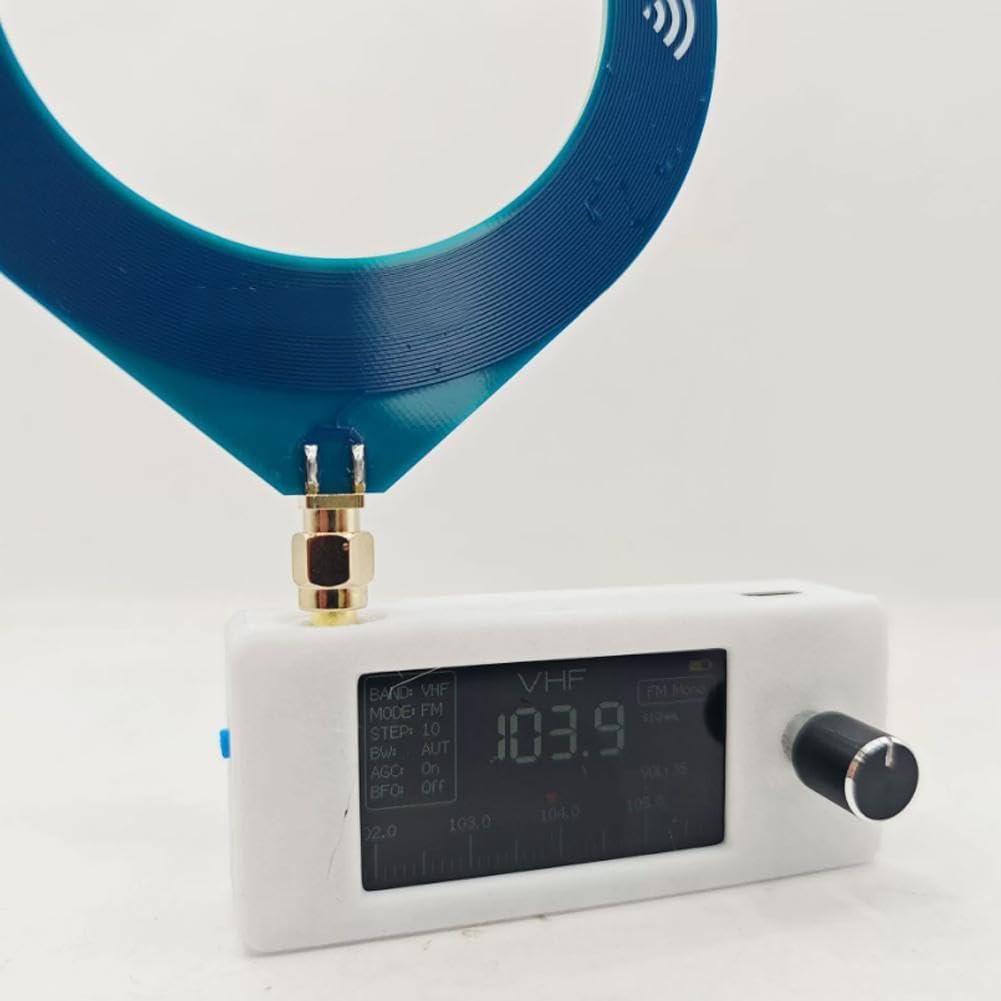
Image: A hand holding the white version of the SI4732 radio with the blue loop antenna, showing the compact size.
For Trolley Version (if applicable):
- Localitzeu el connector de l'antena a la part superior de la ràdio.
- Carefully screw the pull rod antenna into the connector until it is secure.
- Extend the pull rod antenna fully for optimal reception.

Image: The black SI4732 radio body shown alongside its detachable pull rod antenna.

Image: Two blue SI4732 radios, one equipped with a loop antenna and the other with a pull rod antenna, demonstrating the two available versions.
6. Guia de funcionament
6.1 Navegació bàsica
- Encès/apagat: Press and hold the knob to power the device on or off.
- Accés al menú: From the main interface, double-click the knob to enter the menu.
- Navegació pels menús: On any menu page, rotate the knob to scroll through available options and modes. Click the knob once to confirm your selection.
- Changing Frequency Bands: On the main interface, rotate the knob to switch between different frequency bands (e.g., FM, AM, SW). Click the knob once to confirm the selected band.
6.2 Listening with Headphones/External Speakers
The radio features a 3.5mm audio interface for connecting headphones or external speakers. Due to the compact size of the radio, it does not include a powerful internal headphone amplifier. Therefore, the volume output when using headphones directly may be lower than expected. For a higher volume experience, it is recommended to connect external speakers.
7. Manteniment
- Neteja: Use a soft, dry cloth to clean the radio's exterior. Avoid using abrasive cleaners or solvents.
- Cura de la bateria: To prolong battery life, avoid fully discharging the battery frequently. Charge the radio regularly, even if not in use for extended periods. Store in a cool, dry place.
- Emmagatzematge: When not in use, store the radio in a dry environment away from direct sunlight, extreme temperatures, and high humidity.
- Cura de l'antena: Handle the antenna carefully to prevent bending or breaking. For pull rod antennas, retract it when not in use to protect it.
8. Solució De Problemes
| Problema | Causa possible | Solució |
|---|---|---|
| La ràdio no s'encén. | Bateria baixa. | Charge the radio fully using the TYPE-C cable. |
| No sound or very low volume from headphones. | Auriculars amplifier limitation. | This is normal due to the radio's compact design. Connect external speakers for higher volume. Ensure headphone plug is fully inserted. |
| Mala recepció o estàtica. | Weak signal, antenna not properly connected/extended, interference. | Ensure antenna is securely attached and fully extended (for pull rod). Try repositioning the radio. Move away from electronic devices that may cause interference. |
| La pantalla està en blanc o no respon. | Device frozen or low battery. | Try pressing and holding the knob for 10 seconds to force a restart. If it doesn't respond, charge the battery. |
9. Garantia i Suport
For specific warranty information and customer support, please refer to the documentation provided at the time of purchase or contact the seller directly. Keep your proof of purchase for warranty claims.
This product is manufactured by Generic.