
TD Systems PRIME40K20GLE
TD Systems Smart TV User Manual
Model: PRIME40K20GLE
Brand: TD Systems
1. Introducció
Thank you for choosing the TD Systems PRIME40K20GLE Smart TV. This 40-inch Full HD television offers a vibrant visual experience with HDR support, powered by Android 11 for seamless smart features. Enjoy integrated Google Assistant for voice control, extensive connectivity options, and a triple tuner for versatile channel reception. This manual provides essential information for setting up, operating, and maintaining your new television.
2. Què hi ha a la caixa
Si us plau, comproveu que tots els components següents estiguin inclosos al paquet:
- TD Systems Smart TV (PRIME40K20GLE)
- Control remot
- 2x piles AAA
- 2x TV Stands (Left, Right)
- Manual d'instruccions (aquest document)

Image: The TD Systems 40-inch Smart TV, showcasing its frameless design and key features like Android 11 and Google Assistant.
3. Guia de configuració
3.1 Fixació dels suports
Carefully place the TV screen-down on a soft, flat surface. Align the left and right stands with the corresponding slots on the bottom of the TV. Secure them using the provided screws. Ensure the stands are firmly attached before placing the TV upright.
3.2 Muntatge a la paret (opcional)
This TV is VESA MIS-E compatible. For wall mounting, use a compatible VESA wall mount kit (sold separately). Refer to the wall mount kit's instructions for proper installation. Ensure the wall can support the TV's weight (approximately 6 kg).
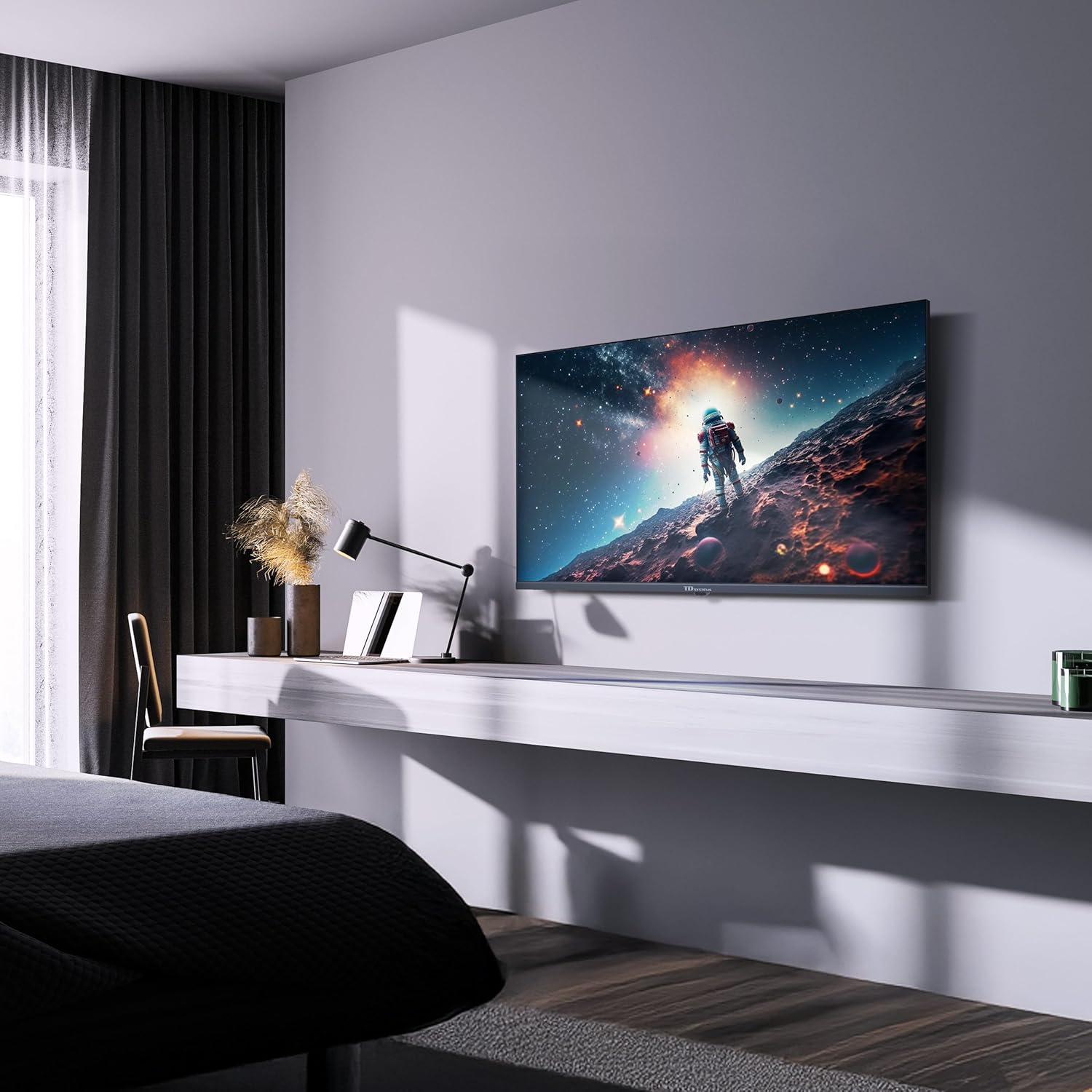
Image: The TD Systems Smart TV seamlessly integrated into a room, demonstrating its suitability for wall mounting.
3.3 Engegada inicial i configuració bàsica
- Connecteu el cable d'alimentació al televisor i després a una presa de corrent.
- Premeu el botó d'engegada del comandament a distància o del televisor.
- Segueix les instruccions que apareixen a la pantalla per seleccionar l'idioma, el país i la zona horària.
- Connect to your Wi-Fi network or use an Ethernet cable for internet access.
- Inicia la sessió amb el teu compte de Google per accedir a les funcions i aplicacions d'Android TV.
3.4 Connecting Antennas and External Devices
Your TV is equipped with a triple tuner (DVB-T2/C/S2) for terrestrial, cable, and satellite reception. Connect your antenna or satellite dish to the appropriate input ports on the back of the TV.
Use the HDMI ports for connecting devices like Blu-ray players, game consoles, or set-top boxes. USB ports can be used for media playback or connecting compatible peripherals.
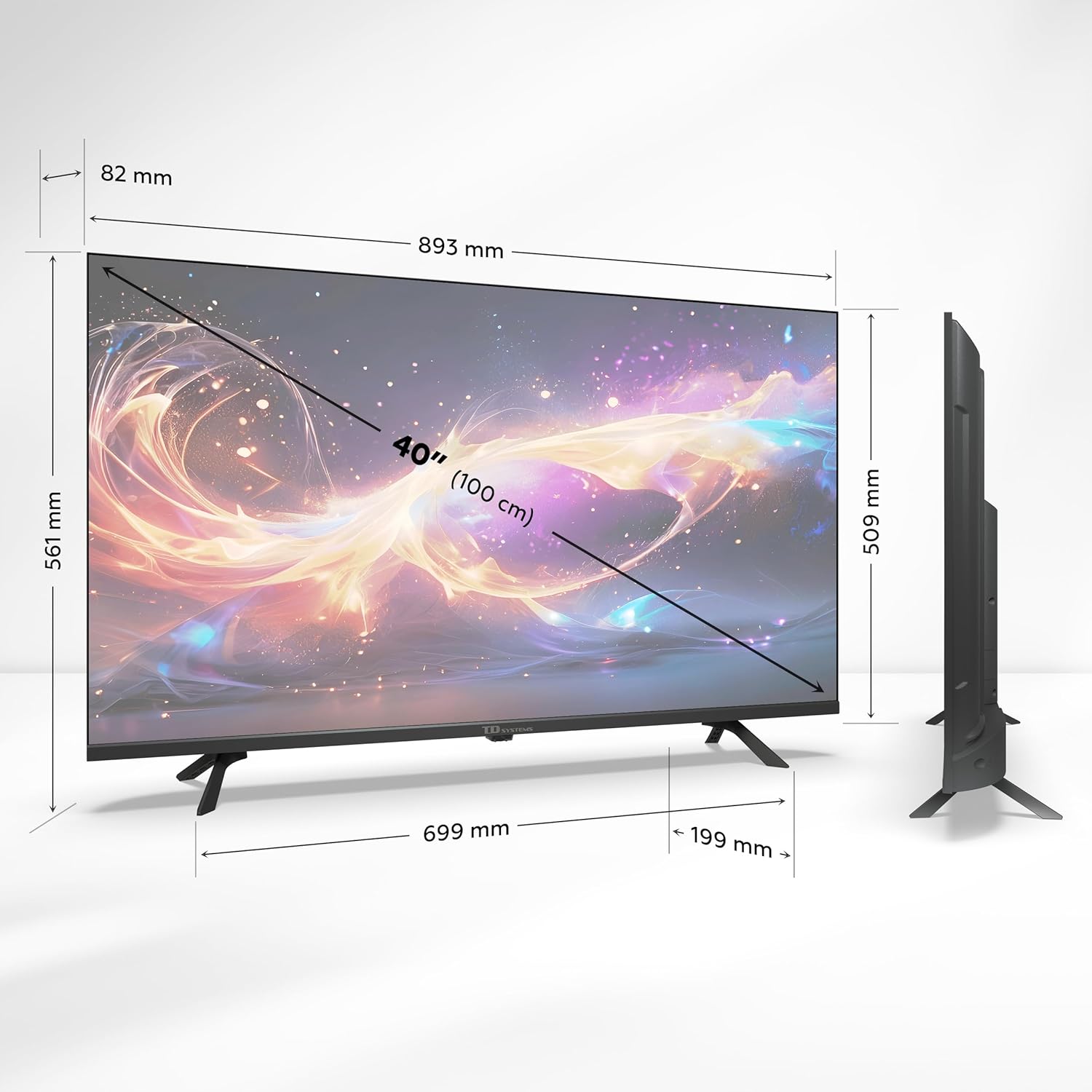
Image: An illustration detailing the various input and output ports available on the TV, including HDMI, USB, Optical, AV, and tuner connections.
4. Funcionament del televisor
4.1 Funcions de control remot
The included remote control allows you to navigate the TV's interface, adjust settings, and access smart features. It features dedicated buttons for popular streaming services and a microphone for voice commands.
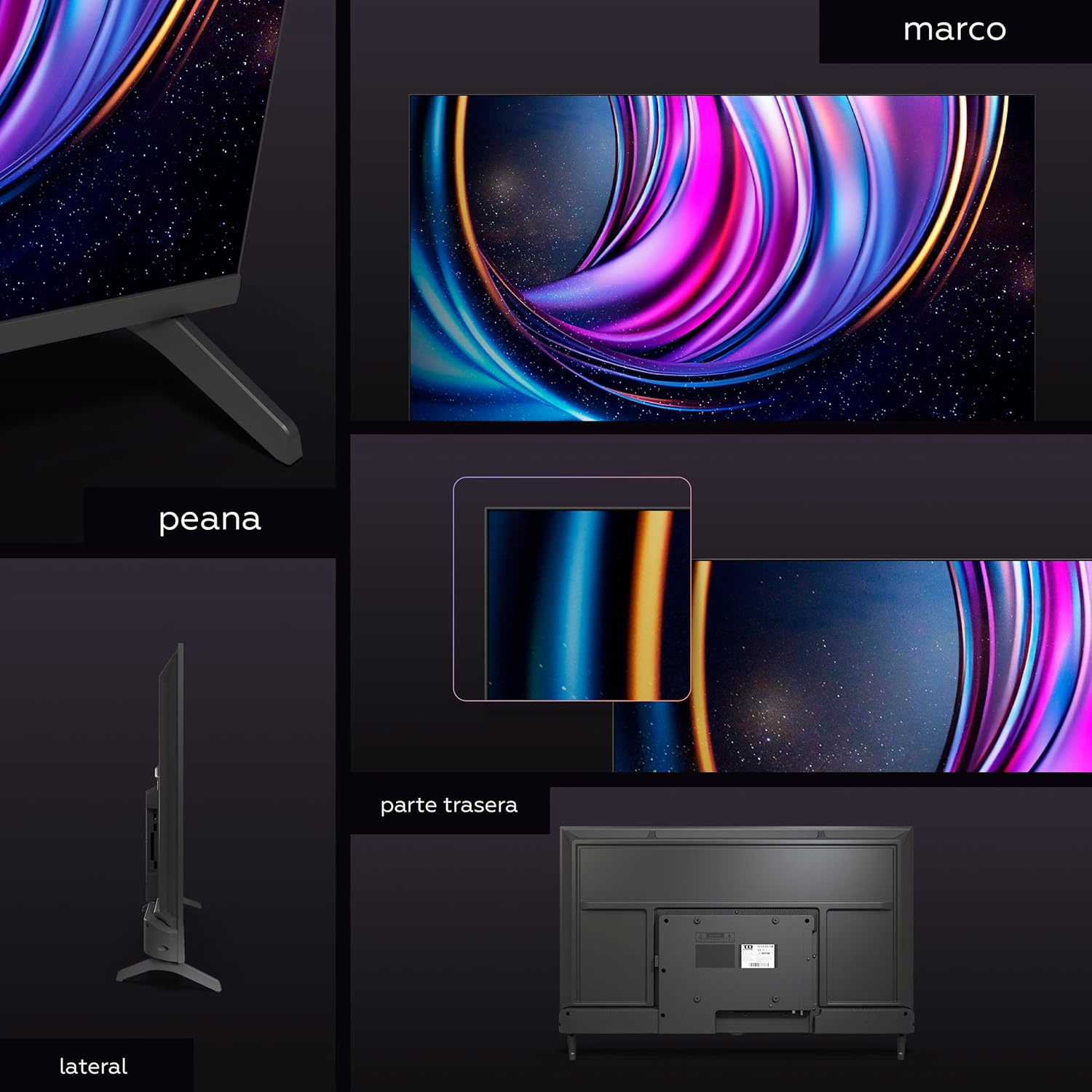
Image: The TV's remote control, emphasizing the voice control button and quick access buttons for streaming applications like Netflix and Prime Video.
4.2 Smart TV Features (Android TV 11)
Your TD Systems Smart TV runs on Android TV 11, providing access to a vast ecosystem of apps and services. The home screen offers personalized recommendations and easy access to your favorite content.
- Google Play Store: Download thousands of apps, games, and streaming services (e.g., Netflix, Prime Video, YouTube, Disney+).
- Assistent de Google: Use voice commands to search for content, control smart home devices, get answers, and manage tasks.
- Chromecast integrat: Cast photos, videos, and music from your smartphone or tablet directly to the TV screen.

Image: The Smart TV's user interface, showing popular streaming applications and content recommendations.

Image: Promotional image highlighting the voice control capabilities with Google Assistant.
4.3 Optimització d'imatge i so
Your TV supports HDR (High Dynamic Range) for enhanced contrast, brightness, and a wider color gamut, providing a more immersive viewing experience. Navigate to the picture settings menu to adjust brightness, contrast, color, and other visual parameters to your preference.
The TV features Dolby Digital Plus audio decoding. Access the sound settings to select audio modes (e.g., Standard, Movie, Music) and adjust equalizer settings for optimal sound quality.

Image: A visual comparison demonstrating the enhanced contrast, brightness, and color range provided by HDR technology.
5. Manteniment
5.1 Neteja del televisor
Desendolleu sempre el televisor abans de netejar-lo. Feu servir un drap suau i sec per netejar la pantalla i la carcassa. Per a marques difícils, netegeu-lo suaument.ampen the cloth with water or a specialized screen cleaner. Avoid using abrasive cleaners, waxes, or solvents as they can damage the TV's surface.
5.2 Actualitzacions de programari
Your Smart TV may receive periodic software updates to improve performance, add new features, or fix bugs. Ensure your TV is connected to the internet to receive these updates. You can usually check for updates in the TV's settings menu under 'About' or 'System Update'.
6. Solució De Problemes
Si teniu problemes amb el televisor, consulteu els problemes i solucions més comuns següents abans de contactar amb el servei d'assistència.
| Problema | Possible solució |
|---|---|
| No hi ha electricitat / El televisor no s'encén | Check if the power cord is securely plugged into the TV and the wall outlet. Ensure the outlet has power. Try pressing the power button on the TV itself. |
| Sense senyal | Verify that the correct input source is selected (e.g., HDMI 1, TV). Check antenna/cable connections. Perform a channel scan if using the built-in tuner. |
| Remote Control not responding | Ensure batteries are correctly inserted and not depleted. Point the remote directly at the TV's IR sensor. Remove any obstructions between the remote and the TV. |
| Les funcions de Smart TV són lentes o no responen | Check your internet connection speed. Close unused applications running in the background. Restart the TV by unplugging it for a few minutes and plugging it back in. |
| Mala qualitat d'imatge | Adjust picture settings (brightness, contrast, sharpness). Ensure the input source is providing a high-quality signal. For broadcast TV, check antenna alignment. |
7. Especificacions
| Característica | Detall |
|---|---|
| Model | PRIME40K20GLE |
| Mida de la pantalla | 40 polzades (100 cm) |
| Tecnologia de visualització | LED |
| Resolució | 1920 x 1080 (Full HD) |
| Suport HDR | Yes (HDR10) |
| Sistema operatiu | Android 11 |
| Assistent de veu | Assistent de Google |
| Emmagatzematge intern | 8 GB |
| Ports HDMI | 2x HDMI 2.0 |
| Ports USB | 2x USB |
| Connectivitat sense fil | Wi-Fi (Dual Band), Bluetooth |
| Ethernet | Port RJ45 |
| Sintonitzadors | DVB-T2/C/S2 |
| Descodificació d'àudio | Dolby Digital Plus |
| Potència de sortida dels altaveus | 12 watts (màx.) |
| Temps de resposta | 9.5 mil·lisegons |
| Viewangle ing | 178 graus |
| Freqüència d'actualització | 63 Hz |
| Dimensions (A x A x P) | 89.3 x 50.9 x 8.2 cm (sense suport) |
| Pes | 6 kg |
| Font d'alimentació | AC |
| Components inclosos | TV, Remote, 2x AAA Batteries, 2x Stands, Manual |

Image: Detailed dimensions of the TD Systems 40-inch Smart TV, including width, height, and depth.
8. Garantia i Suport
8.1 Informació de la garantia
Your TD Systems Smart TV comes with a 3 any de garantia des de la data de compra. Aquesta garantia cobreix defectes de fabricació i avaries en condicions d'ús normal. Conserveu el comprovant de compra per a reclamacions de garantia.

Image: Visual representation of the 3-year warranty provided with the product.
8.2 Atenció al client
For technical assistance, troubleshooting beyond this manual, or warranty service, please contact TD Systems customer support. Refer to the contact information provided on the TD Systems official weblloc web o la documentació de la compra.
Before contacting support, please have your TV's model number (PRIME40K20GLE) and serial number ready. This will help our support team assist you more efficiently.
Documents relacionats - PRIME40K20GLE
 |
TD SYSTEMS LED TV User Manual - Setup, Installation, and Operation Guide Comprehensive user manual for TD SYSTEMS LED TV (Model K58DLJ12US). Includes setup, installation, safety, troubleshooting, and specifications. Get the most out of your television. |
 |
Manual de Usuario TD SYSTEMS TELEVISOR LED 40" SERIE C19 SMART Guía completa del usuario para el televisor TD SYSTEMS 40" Serie C19 Smart, cubriendo instalación, configuración, uso, diagnóstico de averías y especificaciones técnicas. |
 |
TD-Systems K40DLJ12F Replacement Remote Control Guide Detailed comparison of original and replacement remote control button functions for the TD-Systems K40DLJ12F model, assisting users with device operation. |
 |
TD Systems TV Data Privacy Compliance: EU Regulation 2023/2854 TD SYSTEMS provides information on connected TV data handling under EU Regulation 2023/2854, detailing Google OS data management and user access. |
 |
GSS Grundig SAT Systems SAT Programme Catàleg 2009/2010 Exploreu el catàleg del programa SAT de GSS Grundig SAT Systems per al 2009/2010, que inclou receptors de satèl·lit digital, sistemes d'estacions de capçalera, transcodificadors, moduladors, amplificadors i equips de distribució per a aplicacions professionals i comercials. |
 |
Programa d'estacions de capçalera Grundig SAT Systems 2012/2013: Catàleg de productes i especificacions tècniques Exploreu el programa d'estacions de capçalera de Grundig SAT Systems (GSS) per al 2012/2013. Aquest document detalla els sistemes professionals d'estacions de capçalera, els mòduls i els accessoris per a la distribució de televisió per satèl·lit, incloent-hi les especificacions tècniques i la planificació.views. |