
UGREEN CM309
UGREEN Audio Bluetooth 5.0 Adapter CM309 User Manual
Model: CM309
Introducció
The UGREEN Audio Bluetooth 5.0 Adapter CM309 is designed to provide a high-quality wireless audio experience. It allows you to stream music from your Bluetooth-enabled devices to car audio systems or 3.5mm speakers via USB and AUX connections. With its built-in microphone, it also supports hands-free calling, ensuring convenience and safety. This adapter offers stable connectivity and crystal-clear sound without the need for complex software installation.
Informació de seguretat
- Mantingueu el dispositiu allunyat de l'aigua, el foc i les altes temperatures.
- No intenteu desmuntar o reparar el dispositiu vosaltres mateixos.
- Use only compatible power sources.
- Eviteu exposar el dispositiu a la llum solar directa durant períodes prolongats.
- Eliminar el dispositiu de manera responsable d'acord amb la normativa local.
Contingut del paquet
- UGREEN Audio Bluetooth 5.0 Adapter CM309
- Manual d'usuari
Producte acabatview
The UGREEN CM309 adapter is a compact device designed for seamless audio streaming. It features a USB connector for power and an integrated 3.5mm AUX cable for audio output. A small LED indicator shows the connection status, and a built-in microphone allows for hands-free communication.
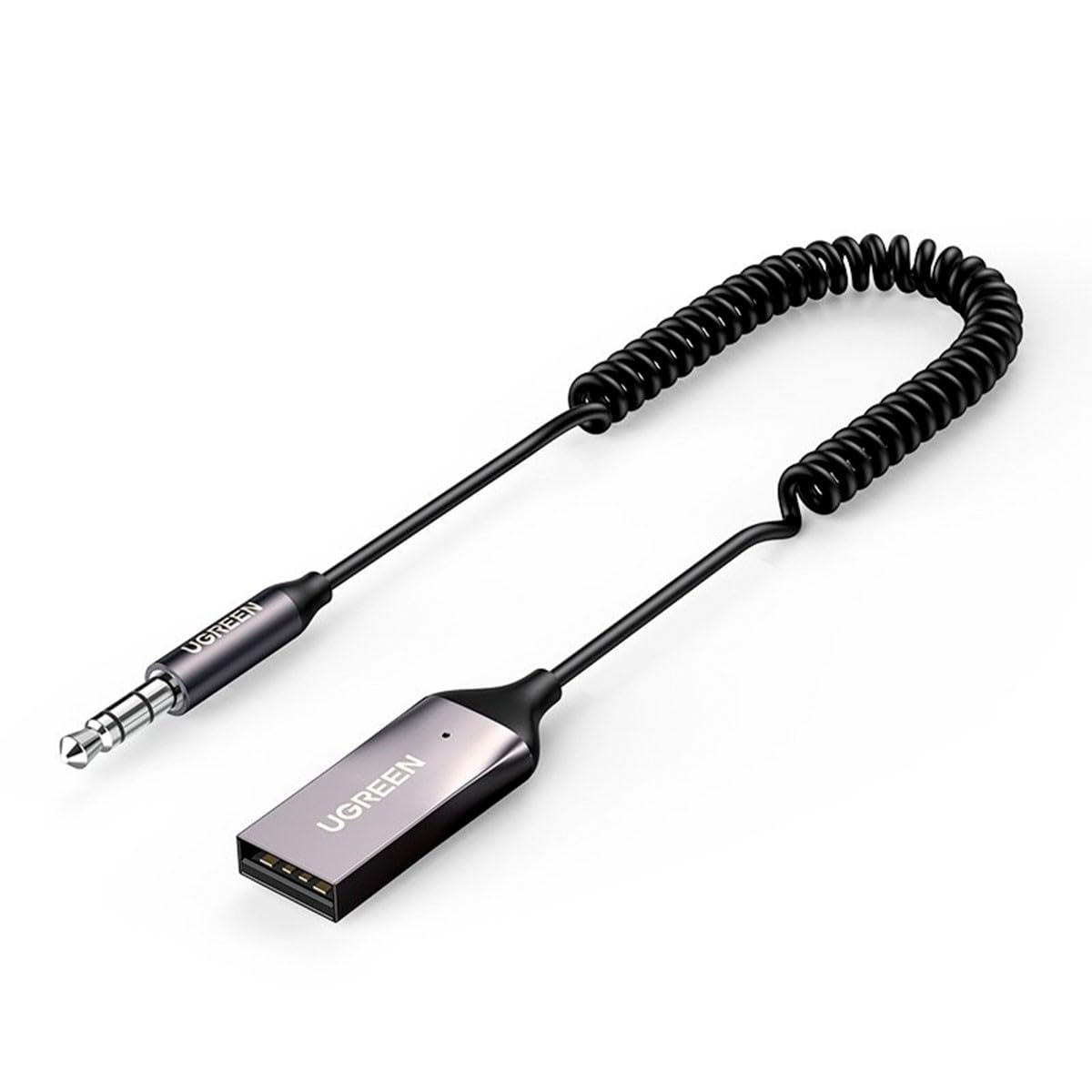
Imatge 1: UGREEN Audio Bluetooth 5.0 Adapter CM309. This image shows the compact design of the adapter, highlighting its USB connector and integrated 3.5mm AUX cable.
Configuració
1. Connexió de l'adaptador
- Connexió d'alimentació: Insert the USB connector of the CM309 adapter into a USB port (e.g., car charger, car USB port, power bank, or USB wall adapter) for power supply. The LED indicator will light up, indicating the adapter is powered on.
- Connexió d'àudio: Plug the 3.5mm AUX cable from the CM309 adapter into the 3.5mm AUX input port of your car audio system or speaker.
2. Vinculació amb un dispositiu Bluetooth
- Once powered on, the adapter will automatically enter pairing mode. The LED indicator will flash, signifying it is ready to connect.
- Al telèfon intel·ligent o a un altre dispositiu amb Bluetooth, aneu a la configuració de Bluetooth.
- Cerca available devices and select "UGREEN-CM309" (or similar name) from the list.
- Once successfully paired, the LED indicator will turn solid, and you will hear a confirmation tone (if supported by your audio system).
Instruccions de funcionament
Tocant música
- After successful pairing, open your preferred music application on your Bluetooth device.
- Start playing music. The audio will be transmitted wirelessly to your car stereo or connected speaker.
- Adjust the volume using your Bluetooth device or the audio system's controls.
Trucades mans lliures
- When a call comes in, the music will pause automatically.
- Answer the call using your phone's controls. Your voice will be picked up by the adapter's built-in microphone, and the caller's voice will be heard through your audio system.
- End the call using your phone's controls. Music playback will resume automatically.
Manteniment
- Neteja: Feu servir un drap suau i sec per netejar l'adaptador. No utilitzeu netejadors líquids ni aerosols.
- Emmagatzematge: Quan no l'utilitzeu, guardeu l'adaptador en un lloc fresc i sec, allunyat de la llum solar directa i de temperatures extremes.
- Manipulació: Avoid pulling on the cables forcefully or bending them sharply to prevent damage.
Resolució de problemes
Sense alimentació/LED apagat
- Ensure the USB connector is fully inserted into a working USB port.
- Proveu un port USB o una font d'alimentació diferent.
No es pot vincular amb el dispositiu
- Make sure the adapter is in pairing mode (LED flashing).
- Assegureu-vos que el Bluetooth estigui activat al dispositiu i que estigui dins del seu abast (normalment 10 metres).
- Forget previously paired devices on your phone and try pairing again.
- Restart both the adapter (by unplugging and replugging) and your Bluetooth device.
Sense sortida d'àudio
- Verify that the 3.5mm AUX cable is securely connected to both the adapter and the audio system's AUX input.
- Ensure your car stereo or speaker system is set to the correct AUX input source.
- Check the volume levels on both your Bluetooth device and the audio system.
- Confirm that the adapter is successfully paired and connected to your Bluetooth device.
Especificacions
| Característica | Detall |
|---|---|
| Número de model | CM309 |
| Versió Bluetooth | 5.0 |
| Entrada | USB (for power), Auxiliary (for audio input from device) |
| Sortida | 3.5mm AUX (for audio output to speaker/car stereo) |
| Característiques especials | Micròfon integrat per a trucades de mans lliures |
| Dispositius compatibles | Desktop computer, Game console, Headphones |
| Dimensions (LxWxH) | 10 x 10 x 10 mm |
| Pes | 1 quilograms |
Garantia i Suport
UGREEN products come with a standard warranty. For detailed warranty information, technical support, or customer service inquiries, please refer to the official UGREEN weblloc web o contacteu directament amb el seu servei d'atenció al client. Conserveu el comprovant de compra per a reclamacions de garantia.
Ask a question about this manual
Ask about setup, troubleshooting, compatibility, parts, safety, or missing instructions. Manuals+ will review the question and use this page’s manual context to help answer it.