1. Introducció
Gràcies per la compraasing the SYMA X100 Drone. This manual provides essential information for safe operation, setup, and maintenance of your new quadcopter. The SYMA X100 is designed for ease of use, featuring automatic obstacle avoidance, one-key controls, and stable flight capabilities, making it suitable for beginners and experienced users alike.

Image 1.1: SYMA X100 Drone, Remote Control, and Batteries
2. Pautes de seguretat
- Ús interior: The drone is designed for safe indoor flying due to its obstacle avoidance and durable build. Ensure sufficient clear space.
- Ús exterior: Fly outdoors only in calm weather conditions (no wind) to maintain control and prevent loss.
- Evitació d'obstacles: The 4-way infrared sensing technology detects obstacles within 30cm. While effective, always maintain visual contact and avoid intentionally crashing.
- Proteccions de l'hèlix: The full-enclosed propeller guard protects against accidental contact with high-speed blades. Do not remove during operation.
- Seguretat de la bateria: Use only approved charging cables and batteries. Do not overcharge or puncture batteries. Discontinue use if batteries show signs of damage or swelling.
- Edat recomanada: Recommended for ages 8-12 and up. Adult supervision is advised for younger users.
3. Contingut del paquet
Verifiqueu que tots els elements siguin presents al vostre paquet:
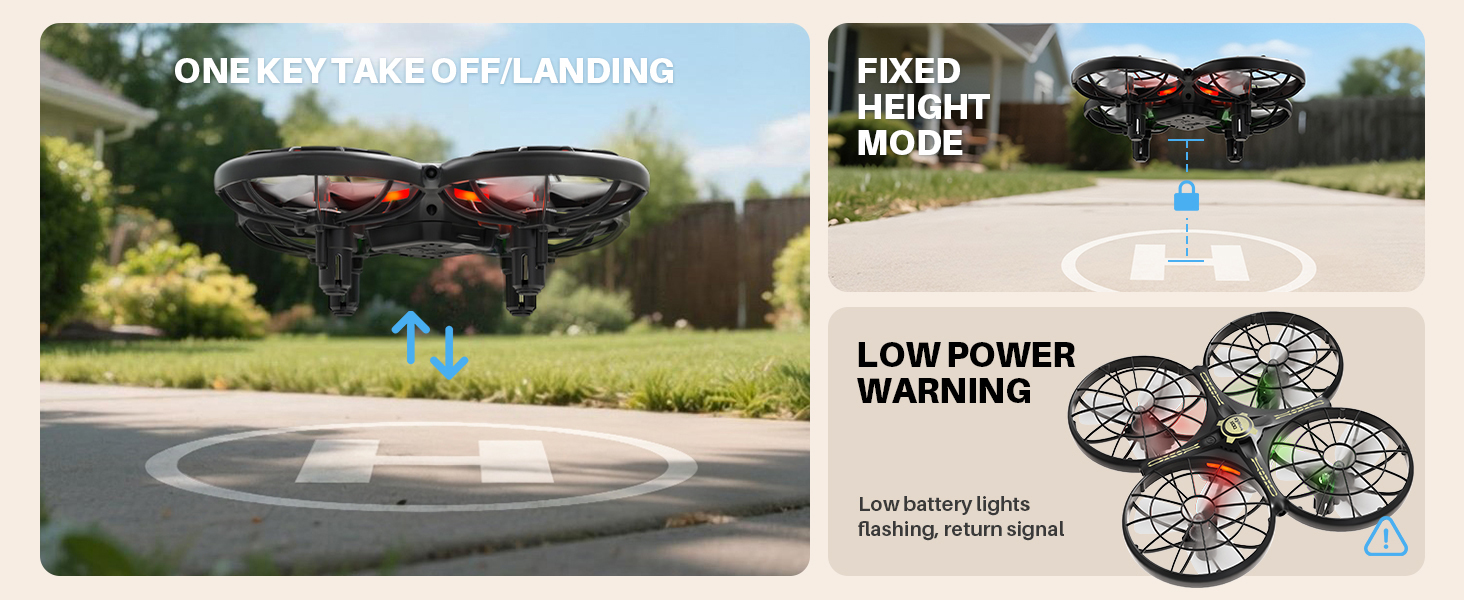
Image 3.1: SYMA X100 Drone Package List
- Drone (including 1 battery) x 1
- Comandament a distància x 1
- Spare battery x 1
- Cable de càrrega USB x 2
- Spare propeller A/B x 2 sets
- Tornavís x 1
- Manual d'usuari x 1
4. Components mésview
4.1 Drone
The SYMA X100 drone features a compact design with integrated propeller guards for enhanced safety and durability. It includes LED lights for visibility and orientation.
4.2 Control remot
The remote control is ergonomically designed for comfortable handling. It provides precise control over the drone's movements and special functions.
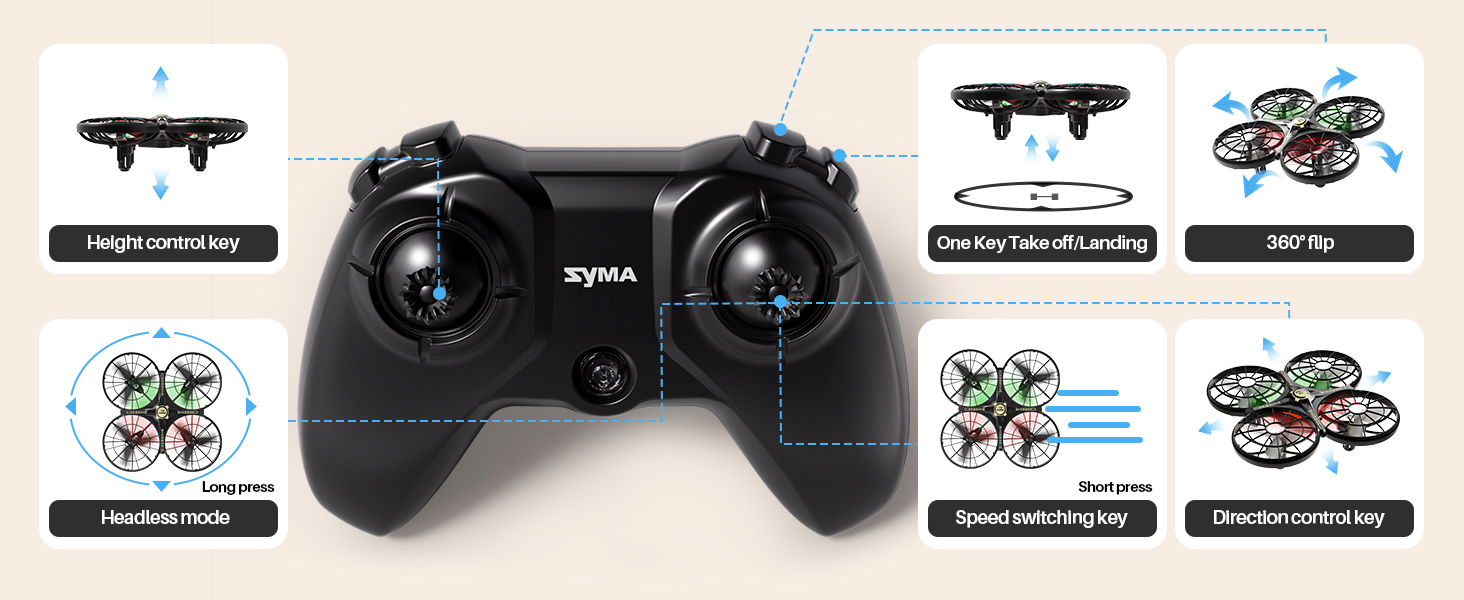
Image 4.1: Remote Control Layout
- Joystick esquerre: Controla l'altitud (amunt/avall) i la rotació (esquerra/dreta).
- Joystick dret: Controla el moviment endavant/enrere i esquerra/dreta.
- Botó d'enlairament/aterratge d'un sol botó: Inicia l'enlairament o l'aterratge automàtic.
- Speed Switching Key: Toggles between slow and fast flight modes.
- Botó de mode sense cap: Activates headless mode for simplified orientation.
- Botó de gir de 360°: Executes aerial flips.
- Height Control Key: Adjusts and maintains flight altitude.
5. Instal·lació i càrrega de la bateria
5.1 Bateria del drone
- Introduïu la bateria del dron al compartiment de la bateria a la part inferior del dron. Assegureu-vos que encaixi correctament al seu lloc.
- To charge, connect the drone battery to the USB charging cable. Plug the USB end into a compatible USB power source (e.g., computer, USB wall adapter).
- Charging time is approximately 90 minutes for a full charge. The LED indicator on the charging cable will show charging status.
- Two batteries are included to extend flight time.
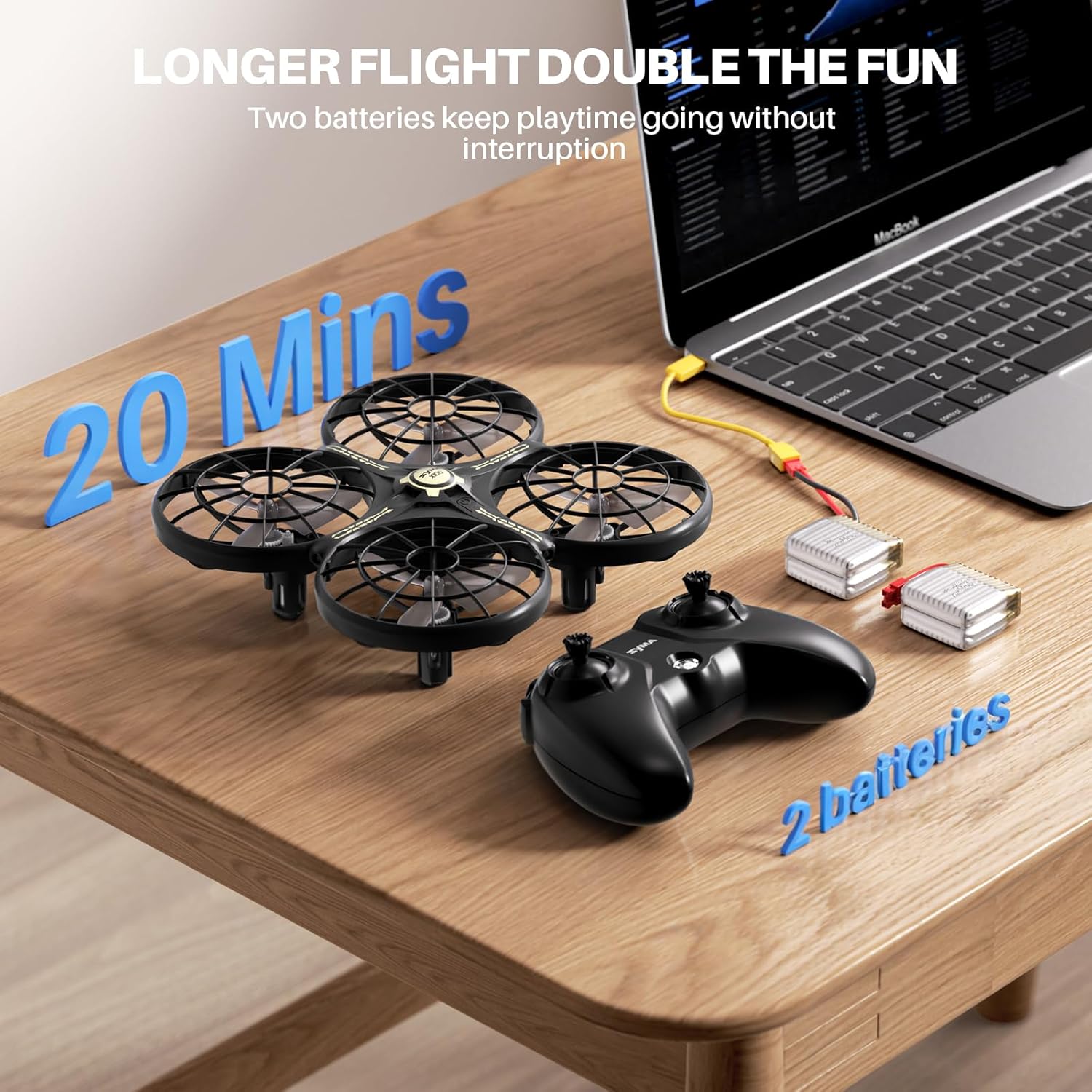
Image 5.1: Charging Drone Batteries
5.2 bateria de comandament a distància
- Open the battery compartment on the back of the remote control using the provided screwdriver.
- Introduïu 2 piles AAA (no incloses) respectant les marques de polaritat.
- Tanqueu el compartiment de la bateria i fixeu-lo amb el cargol.
6. Configuració i emparellament
- Ensure both the drone and remote control batteries are fully charged.
- Col·loqueu el drone sobre una superfície plana i plana.
- Power on the drone by pressing the power button on its underside. The drone's LED lights will flash.
- Power on the remote control. The remote's indicator light will flash.
- To pair, push the left joystick on the remote control fully up, then fully down. The drone's LED lights and the remote's indicator light will become solid, indicating successful pairing.
7. Instruccions de funcionament
7.1 One-Key Takeoff/Landing
After pairing, press the One-Key Takeoff/Landing button. The drone will automatically ascend to a stable hovering altitude or descend gently for landing.
7.2 Altitude Hold
The drone features an altitude hold function, allowing it to maintain a stable height automatically. This simplifies control, especially for beginners.
7.3 Mode sense cap
Press the Headless Mode button to activate. In this mode, the drone's orientation is relative to the pilot, eliminating the need to adjust for the drone's front or back direction.
7.4 Canvi de velocitat
Press the Speed Switching key to toggle between two speed modes: slow (1 m/s) for beginners and fast (1.5 m/s) for more experienced pilots.
7.5 Voltes de 360°
Press the 360° Flip button, then move the right joystick in any direction to perform an aerial flip.

Image 7.1: Performing 360° Flips
7.6 Evitació d'obstacles
The SYMA X100 utilizes 4-way infrared sensing to detect obstacles within 30cm and automatically adjust its flight path to avoid collisions. This feature is particularly useful for indoor flying.

Image 7.2: Smart Obstacle Avoidance in Action
7.7 Gesture Control
The drone supports multi-player gesture control, allowing users to guide its flight with hand movements or pass it mid-air for interactive play.

Image 7.3: Indoor Flying with Gesture Control
8. Manteniment
- Neteja: Feu servir un drap suau i sec per netejar el dron i el comandament a distància. Eviteu l'aigua o productes químics agressius.
- Substitució de l'hèlix: If propellers are damaged, use the provided screwdriver to replace them with spare propellers (A/B types must match their respective positions).
- Emmagatzematge: Store the drone and accessories in a cool, dry place away from direct sunlight. Remove batteries from the remote control if not used for extended periods.
9. Solució De Problemes
- El dron no respon: Ensure both drone and remote are powered on and successfully paired. Check remote control batteries.
- Drone Drifting: Perform a calibration by placing the drone on a level surface and following the calibration instructions in the full user manual.
- Temps de vol curt: Assegureu-vos que les bateries estiguin completament carregades. El temps de vol es pot veure afectat per vols violents o vents forts.
- Avís de baixa potència: The drone's lights will flash when the battery is low, signaling it's time to land and recharge.
10. Especificacions
| Característica | Especificació |
|---|---|
| Nom del model | X100 |
| Dimensions del producte | 5.16 cm de llargada x 5.16 cm d'amplada x 1.77 cm d'alçada |
| Pes de l'article | 58 grams (2.05 unces) |
| Material | ABS |
| Utilitzeu l'entorn | Indoors or outdoors (no wind) |
| Temps de vol | 20 minutes (with 2 batteries) |
| Temps de càrrega | Uns 90 minuts |
| Altitud de vol | A menys de 30 metres |
| Obstacle Avoidance Distance | 30cm sensing distance, 320° sensing range |
| Distància de control remot | Aproximadament 30 metres |
| Tecnologia de connectivitat | 2.4GHz Radio Frequency |
| Tipus de control | Remote Control, Gesture Control |
| Capacitat de la bateria | 700 milionsamp Hores |
| Llums LED | Green light indicates rear, red light indicates front. Four flashing lights indicate low battery warning. |
11. Garantia i assistència
For warranty information or technical support, please contact SYMA customer service:
- Telèfon: +1 (718) 312-0558
- Correu electrònic: usa@symatoys.com (USA)
Conserveu el vostre comprovant de compra per a reclamacions de garantia.