
DOOGEE U11V-Android 15 Black
DOOGEE U11(2025) Android 15 Tablet User Manual
Model: U11V-Android 15 Black
Introducció
This manual provides comprehensive instructions for setting up, operating, and maintaining your DOOGEE U11(2025) Android 15 Tablet. Please read this manual thoroughly before using your device to ensure optimal performance and longevity.
Què hi ha a la caixa
- Tauleta DOOGEE U11
- Film de vidre temperat
- Business leather case
- Teclat Bluetooth
- Stylus
- Ratolí
- Carregador
- Cable USB tipus C
- SIM Card Removal Needle
- Manual d'usuari
- Caixa d'embalatge

Image: The DOOGEE U11 tablet shown with its full suite of accessories, including the keyboard, mouse, stylus, charger, and protective case.
Producte acabatview
The DOOGEE U11 tablet features an elegant metal body design, measuring 10.1 x 0.31 x 6.67 inches and weighing approximately 1.18 lbs. It is equipped with an 11-inch IPS full-color 90Hz display for vibrant visuals and responsive touch. The tablet includes a 13MP main camera and a 5MP front camera, along with professionally tuned dual speakers for clear audio.

Imatge: Un cop mésview of the DOOGEE U11 tablet's key features, highlighting its powerful processor, large battery, ample storage, and high-quality display.

Image: Close-up of the DOOGEE U11 tablet demonstrating its stereo-enhanced dual speakers, ideal for immersive audio experiences.

Image: The DOOGEE U11 tablet's camera system, featuring a 13MP main camera and a 5MP front camera for capturing details and video calls.
Configuració
1. Càrrega inicial
Before first use, fully charge your DOOGEE U11 tablet using the provided charger and Type-C USB cable. The 8580mAh battery ensures long-lasting usage.

Image: The DOOGEE U11 tablet connected to its charger via a USB-C cable, illustrating the charging process.
2. Engegada i configuració inicial
Press and hold the power button until the DOOGEE logo appears. Follow the on-screen prompts to select your language, connect to Wi-Fi, and set up your Google account. The tablet runs on the Android 15 OS, offering a secure and efficient user experience.
3. Installing SIM/TF Card (Optional)
Use the provided SIM card removal needle to open the tray. Insert your SIM card (if applicable) and/or a microSD/TF card for expanded storage up to 2TB. Ensure the tray is securely closed.
Instruccions de funcionament
Característiques d'Android 15
Your DOOGEE U11 tablet comes with the latest Android 15 OS, providing enhanced security, personalized settings, and efficient multitasking. Explore features like widgets, split-screen functionality, parental controls, and multi-user profiles. Data encryption and notification management are built-in to protect your privacy.

Image: The DOOGEE U11 tablet showcasing the clean and intuitive interface of the Android 15 operating system.
Pantalla i experiència visual
The 11-inch IPS display with a 90Hz refresh rate offers smooth scrolling and vibrant colors. With Widevine L1 certification, you can enjoy 1080P HD content on streaming platforms like Netflix, YouTube, HBO, and Amazon Prime Video.

Image: The DOOGEE U11 tablet highlighting its 11-inch IPS ultra-clear display with a 90Hz refresh rate for a smooth visual experience.
Rendiment i emmagatzematge
Powered by a T606 Octa-core processor, the tablet ensures efficient and smooth performance for gaming, streaming, and productivity. It features 16GB RAM (4GB physical + 12GB expandable) and 128GB internal storage, expandable up to 2TB via microSD/TF card.
Funcionalitat de la càmera
Utilize the 13MP main camera for capturing photos and the 5MP front camera for video calls and selfies.
Experiència d'àudio
The tablet's dual speakers are professionally tuned to deliver clear and loud sound, enhancing your entertainment and communication experiences.
Connectivitat
Enjoy stable and fast internet with Dual-Band WiFi (5GHz/2.4GHz). Bluetooth 5.0 allows for seamless connection to wireless accessories, and AGPS positioning provides reliable navigation.
Desbloqueig facial
For convenient and secure access, the tablet supports face unlock technology.
PC Mode and Productivity
The included Bluetooth keyboard, mouse, and stylus allow you to switch to a PC-like mode for efficient work. The tablet also supports built-in WPS Office for document, spreadsheet, and presentation tasks.
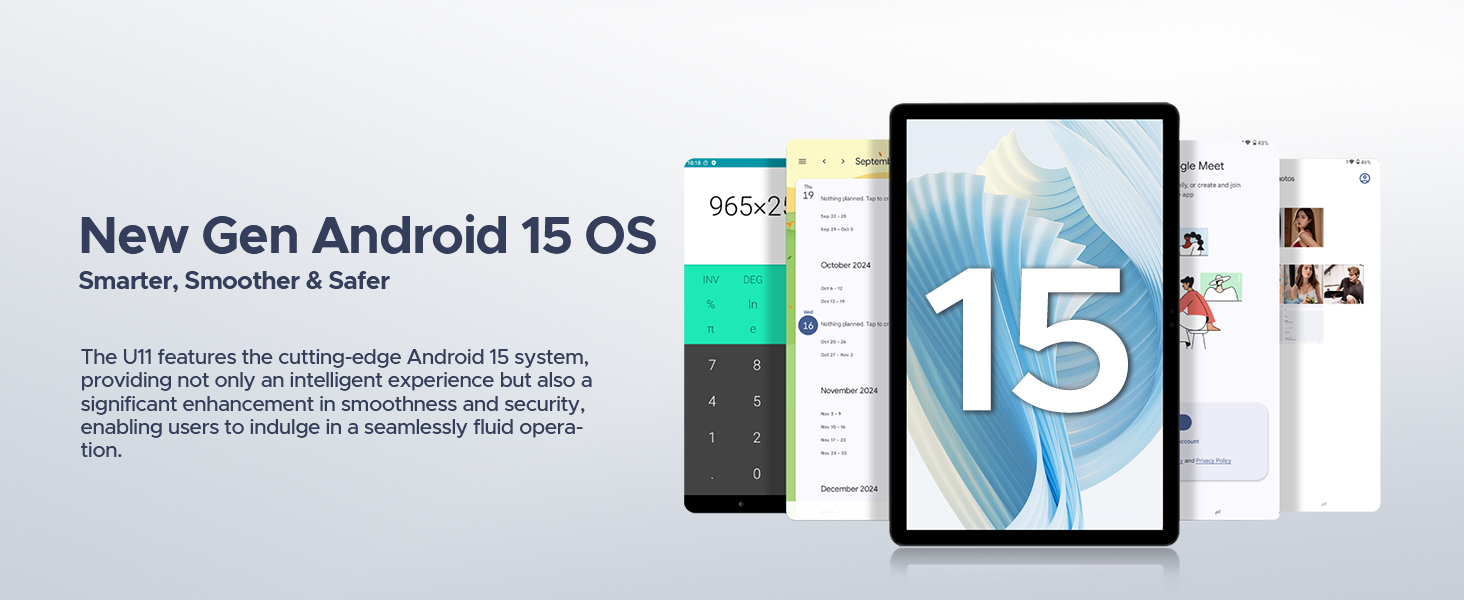
Image: The DOOGEE U11 tablet displaying the WPS Office suite, including Word, Excel, and PowerPoint, demonstrating its productivity capabilities.
Multitasca amb pantalla dividida
Utilize the split-screen feature to run two applications simultaneously, enhancing your productivity and multitasking efficiency.
Video: Demonstration of the DOOGEE U11 tablet's split-screen functionality, showing two applications running concurrently for enhanced multitasking.
Vídeo: Una passada ràpidaview of the DOOGEE U11 tablet, highlighting its features and smooth operation, including split-screen mode.
Manteniment
- Keep the tablet clean by wiping it with a soft, dry cloth.
- Avoid exposing the tablet to extreme temperatures, direct sunlight, or moisture.
- Use only the original charger and accessories to prevent damage.
- Netegeu regularment innecessaris files i aplicacions per mantenir un rendiment òptim.
Resolució de problemes
La tauleta no s'encén
Ensure the tablet is fully charged. Connect it to the charger for at least 30 minutes before attempting to power it on again. If the issue persists, perform a forced restart by holding the power button for 10-15 seconds.
Rendiment lent
Close unused applications running in the background. Clear cache and temporary files regularly. Consider uninstalling apps you no longer use to free up storage space. A factory reset can also resolve persistent performance issues, but remember to back up your data first.
Problemes de connectivitat Wi-Fi
Restart your Wi-Fi router and the tablet. Ensure you are within range of the Wi-Fi signal. Check if the Wi-Fi password entered is correct. If problems persist, try forgetting the network on your tablet and reconnecting.
La bateria s'esgota ràpidament
Reduce screen brightness. Disable unused features like Bluetooth, GPS, and Wi-Fi when not needed. Close background apps. Check battery usage in settings to identify power-hungry applications.
Especificacions
| Característica | Detall |
|---|---|
| Marca | DOOGEE |
| Nom del model | U11-V |
| Sistema operatiu | Android 15 |
| Mida de la pantalla | 11 polzades |
| Resolució de pantalla | 1280 x 800 píxels |
| Processador | 1.6 GHz Octa-core (Unisoc T606) |
| RAM | 16GB (4GB physical + 12GB expandable) |
| Emmagatzematge intern | 128 GB |
| Emmagatzematge ampliable | Up to 2TB (microSD/TF) |
| Capacitat de la bateria | 8580 mAh |
| Càmera principal | 13MP |
| Càmera frontal | 5MP |
| Connectivitat | Dual-Band WiFi (5GHz/2.4GHz), Bluetooth 5.0, AGPS |
| Dimensions (LxWxH) | 10.1 x 0.31 x 6.67 polzades |
| Pes de l'article | 1.18 lliures (aprox.) |
Garantia i Suport
The DOOGEE U11 tablet comes with a two-year warranty service. We also offer lifetime technical support. Should you encounter any issues or have questions, our customer support team is available to answer your inquiries within 24 hours, ensuring a worry-free communication experience.
For support, please refer to the contact information provided in your product packaging or visit the official DOOGEE weblloc.
Ask a question about this manual
Ask about setup, troubleshooting, compatibility, parts, safety, or missing instructions. Manuals+ will review the question and use this page’s manual context to help answer it.