Introducció
Thank you for choosing the Generic Mini 4G Wireless WiFi Camera. This compact and versatile camera is designed for various surveillance needs, offering high-definition video, wide-angle viewing, and advanced features like night vision and motion detection. This manual provides detailed instructions to help you get the most out of your device.

Figura 0.1: The Mini 4G Wireless WiFi Camera can be used for various purposes, including security monitoring and observing family activities.
Producte acabatview
Característiques clau
- 1080P HD Quality: Captures crystal clear video with 1080P HD resolution, ensuring vivid detail.
- Lent gran angular de 140 graus: Provides extensive coverage for monitoring large areas.
- 8x Zoom Capability: Allows focusing on distant objects while maintaining clarity.
- Llarga vida útil de la bateria: Dissenyat per a un funcionament prolongat sense recàrregues freqüents.
- Ús versàtil: Suitable for home security, outdoor monitoring, and personal use.
- Visió nocturna: Experience unparalleled visibility even in complete darkness.
- Enregistrament d'àudio: Built-in pickup for clear video and surrounding sound.
- Detecció de moviment: Automatically starts recording when human body sensing is triggered.
- Suport de memòria: Supports up to 128GB memory for continuous recording.
- Disseny impermeable: Provides durability for various environmental conditions.
Vídeo d'alta definició
The camera delivers true 1080P HD video, allowing you to see faces clearly up to 10 meters away. The image can be enlarged without blurring, providing superior detail compared to lower resolutions.
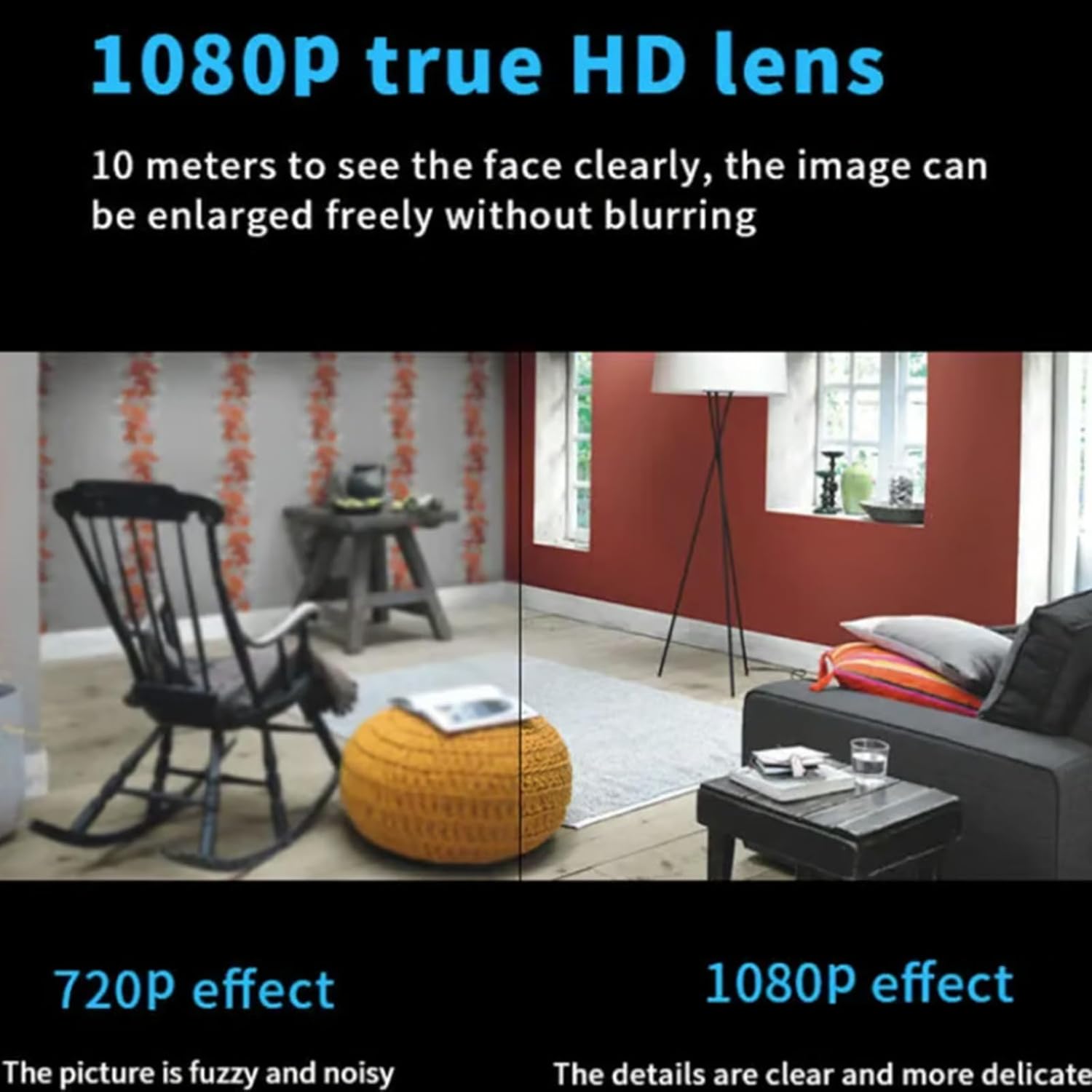
Figura 1.3: Visual comparison demonstrating the superior clarity and detail of 1080P HD resolution over 720P.
Contingut del paquet
Si us plau, verifiqueu que tots els elements siguin presents al vostre paquet:
- Mini 4G Wireless WiFi Camera (32g variant)
- Cable de càrrega USB
- Manual d'usuari (aquest document)
Guia de configuració
1. Càrrega de la càmera
Before first use, fully charge the camera. Connect the provided USB charging cable to the camera's charging port and plug the other end into a standard USB power adapter (not included) or a computer USB port. The charging indicator light will show the charging status and turn off when fully charged.
2. Inserció d'una targeta de memòria
The camera supports up to 128GB memory cards for continuous video recording. Locate the memory card slot on the camera (refer to the diagram below) and gently insert a compatible microSD card until it clicks into place. Ensure the card is inserted in the correct orientation.

Figura 2.1: Memory card slot and approximate recording durations for different card sizes (16GB for 2 days, 32GB for 5 days, 64GB for 10 days, 128GB for 20 days).
3. Instal·lació de l'aplicació i connexió Wi-Fi
Per accedir en directe view, recordings, and settings, you need to download the dedicated mobile application. Scan the QR code provided in the camera's packaging or search for the app name (usually mentioned in a quick start guide or on the packaging) in your device's app store. Follow the in-app instructions to connect the camera to your Wi-Fi network. The camera supports both 4G and Wi-Fi connectivity.

Figura 3.1: Camera with Wi-Fi signal indicating wireless connectivity.
Instruccions de funcionament
1. En directe View i Monitorització Remota
Once connected to the app, you can view the live feed from your camera remotely. This allows for real-time monitoring of your desired area. The camera's 140-degree wide-angle lens provides a broad perspective.

Figura 1.1: The Mini 4G Wireless WiFi Camera in use, demonstrating remote monitoring capabilities on a smartphone.

Figura 1.2: Examples of easy installation without punching holes, showing the camera's versatility in different indoor environments.
2. Enregistrament i reproducció de vídeo
The camera supports continuous video recording to the inserted memory card. You can also configure recording settings within the app, such as video recording when an alarm is triggered, all-day video recording, or regular scheduled recording. Recorded footage can be accessed and played back through the mobile application.

Figura 2.1: The camera supports both video recording and audio capture, ensuring clear sound quality without noise.
3. Visió nocturna
The camera is equipped with night vision capabilities, allowing it to capture clear images and videos even in complete darkness. This feature automatically activates in low-light conditions.

Figura 3.1: The camera provides unparalleled visibility even in complete darkness, enhancing security during nighttime.
4. Detecció de moviment i alarmes
Utilize the motion detection feature to receive alerts and initiate recording when movement is detected. The camera employs human body sensing to minimize false alarms. You can customize sensitivity settings and notification preferences in the app.

Figura 4.1: Comparison of standby mode and human body sensing, where recording starts when someone passes by.
5. Funcions avançades
The camera offers a range of advanced functionalities accessible through the mobile application:
- Vídeo en alta definició: High-definition recording.
- Smart Full Color: Enhanced color imaging.
- Intercomunicador de veu: Comunicació d'àudio bidireccional.
- Panoramic Surveillance: Gran angular view per a un seguiment exhaustiu.
- Alarm with Voice and Light: Alerts with audible and visual indicators.
- Emmagatzematge al núvol: Option for cloud-based video storage.
- AP Hotspot: Direct connection to the camera without a router.
- Impermeable: Provides durability for various environmental conditions.

Figura 5.1: Acabatview of the camera's powerful functions, including HD, motion detection, voice intercom, and cloud storage.
Manteniment
1. Neteja de la càmera
To ensure optimal performance, regularly clean the camera lens and body. Use a soft, dry cloth to wipe away dust and smudges. For stubborn dirt, slightly dampen the cloth with water. Avoid using harsh chemicals or abrasive materials, as these can damage the lens or casing.
2. Cura de la bateria
To prolong battery life, avoid exposing the camera to extreme temperatures. Recharge the battery when the low battery indicator appears. If storing the camera for an extended period, ensure it is partially charged (around 50%) to prevent deep discharge.
3. Actualitzacions de firmware
Periodically check the mobile application for available firmware updates. Keeping your camera's firmware up-to-date ensures you have the latest features, performance improvements, and security patches. Follow the in-app instructions for any update procedures.
Resolució de problemes
| Problema | Causa possible | Solució |
|---|---|---|
| La càmera no s'encén. | Bateria baixa; cable/adaptador de càrrega defectuós. | Charge the camera fully. Try a different USB cable and power adapter. |
| No es pot connectar a la Wi-Fi. | Incorrect Wi-Fi password; camera too far from router; router issues. | Double-check Wi-Fi password. Move camera closer to router. Restart router. Ensure camera supports your Wi-Fi band (2.4GHz usually). |
| Poca qualitat de vídeo. | Dirty lens; insufficient lighting; weak Wi-Fi signal. | Clean the camera lens. Ensure adequate lighting or enable night vision. Improve Wi-Fi signal strength. |
| Recording not saving. | Memory card full or faulty; incorrect recording settings. | Check memory card capacity and format if necessary. Ensure recording settings are correctly configured in the app. Try a different memory card. |
| L'aplicació es bloqueja o es bloqueja. | Outdated app version; phone storage issues; software conflict. | Update the app to the latest version. Clear app cache or reinstall. Ensure your phone has sufficient storage and RAM. |
Especificacions
| Característica | Detall |
|---|---|
| Model | Mini 4G Wireless WiFi Camera (32g variant) |
| Marca | Genèric |
| Resolució de vídeo | 1080P HD |
| Angle de la lent | Gran angular de 140 graus |
| Capacitat de zoom | Zoom òptic de 8x |
| Emmagatzematge | Admet targetes MicroSD de fins a 128 GB |
| Connectivitat | 4G, Wi-Fi |
| Visió nocturna | Sí |
| Àudio | Built-in pickup for sound recording |
| Detecció de moviment | Yes (Human body sensing) |
| Fabricant | Genèric |
Garantia i Suport
For warranty information and technical support, please refer to the documentation included with your purchase or contact the seller directly. Keep your proof of purchase for any warranty claims.
For further assistance, please visit the product support page on the retailer's weblloc o contacteu amb el servei d'atenció al client.


