
Introducció
Thank you for choosing the SURFOU Wireless Doorbell Kit N128. This kit provides a reliable and convenient solution for your home or office, ensuring you never miss a visitor. Featuring an extended wireless range, weather-resistant design, and customizable melodies and volume levels, this doorbell is designed for optimal performance and user comfort. This manual will guide you through the installation, operation, and maintenance of your new doorbell.
Contingut del paquet
Si us plau, assegureu-vos que tots els articles estiguin presents al vostre paquet:
- 1 x Wireless Doorbell Transmitter (Push Button)
- 1 x Plug-in Doorbell Receiver (Chime Unit)
- Mounting Hardware (Screws, Anchors, Adhesive Tape)
- Manual d'usuari

This image displays the SURFOU Wireless Doorbell Kit, featuring the sleek, dark grey transmitter button and the matching plug-in receiver unit. Both components are designed for modern home aesthetics.
Configuració i instal·lació
Follow these steps to set up your SURFOU Wireless Doorbell Kit:
1. Install the Transmitter (Push Button)
- Trieu una ubicació: Select a suitable location near your door. Ensure the surface is clean and dry.
- Opcions de muntatge:
- Cinta adhesiva: Peel off one side of the double-sided adhesive tape and stick it to the back of the transmitter. Peel off the other side and firmly press the transmitter onto the desired surface for at least 30 seconds.
- Cargols: Use the provided screws and anchors to securely mount the transmitter to the wall. Mark the drill points, drill holes, insert anchors, and then screw the transmitter into place.
2. Install the Receiver (Chime Unit)
- Connectar: Insert the receiver into any standard electrical outlet within the wireless range of the transmitter.
- Col·locació: For optimal performance, place the receiver in a central location where the chime can be heard throughout your home or office.

This image demonstrates the impressive 400-meter wireless range of the SURFOU doorbell. The transmitter is shown outside a modern house, and the receiver is depicted inside, indicating reliable signal transmission across a large area, ensuring you never miss a visitor.
Instruccions de funcionament
Your SURFOU Wireless Doorbell Kit offers several customizable features:
1. Canvi de melodies
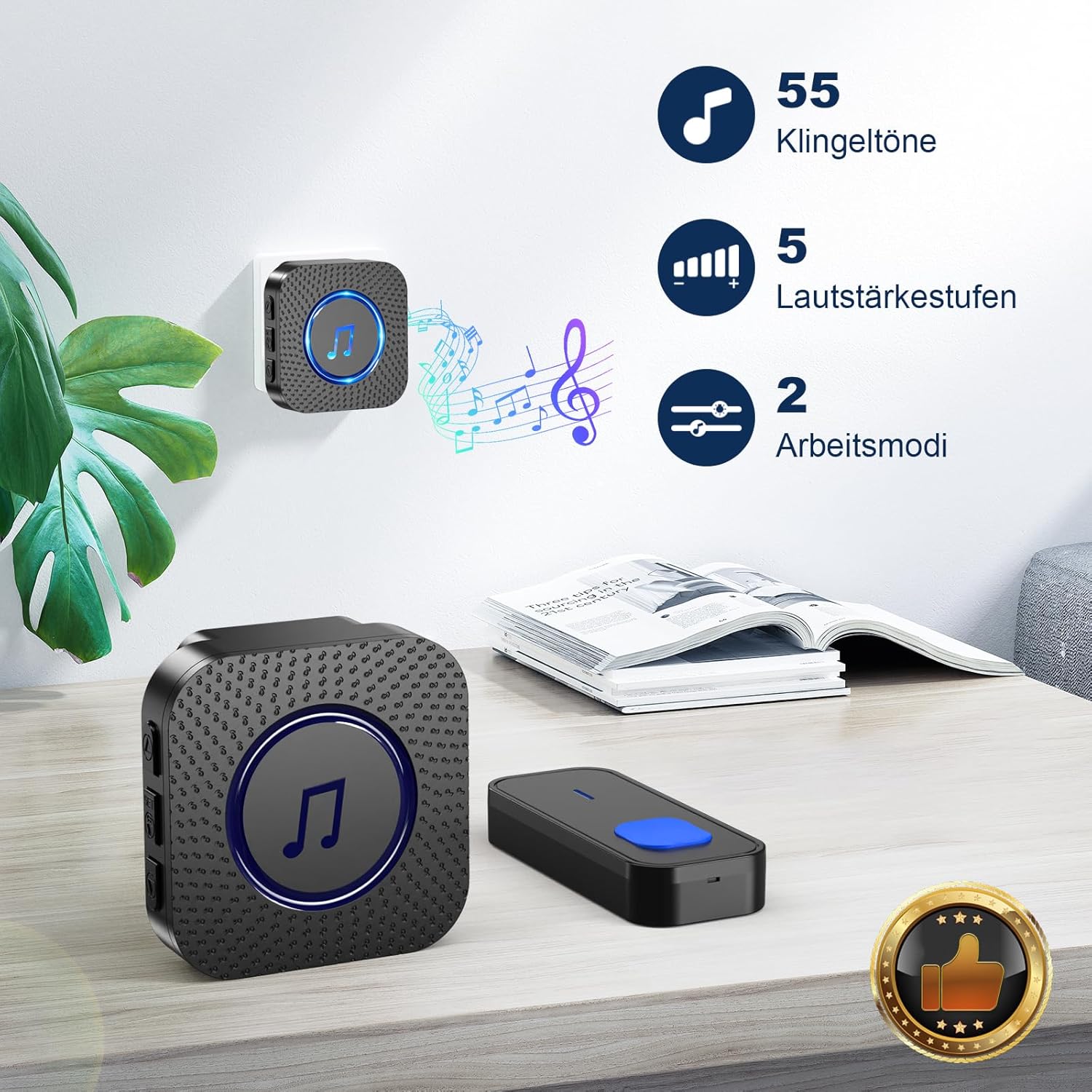
- Premeu el botó Ringtone Selection Button on the side of the receiver to cycle through the 55 available melodies.
- The receiver will play a preview of each melody as you press the button.
- Your last selected melody will be saved automatically.
2. Ajust de volum
- Premeu el botó Botó de control de volum on the side of the receiver to adjust the volume level.
- There are 5 volume levels, ranging up to 110 dB.
- The lowest setting is a mute mode (LED only).
3. Operating Modes (LED Indicator)
- The receiver features an LED indicator that flashes when the doorbell is pressed.
- This visual notification is particularly useful for individuals with hearing impairments or in noisy environments.
- Podeu triar entre Només LED mode (mute) or LED + sound mode.

This image displays the SURFOU doorbell receiver and transmitter, highlighting key customizable features. It indicates a selection of 55 distinct melodies, 5 adjustable volume levels, and 2 operating modes (sound + LED, or LED only), allowing users to personalize their doorbell experience.

This image illustrates the accessibility features of the SURFOU doorbell receiver. It shows the flashing LED light, which provides a visual alert, making it helpful for individuals with hearing impairments. The image also depicts the mute mode and a range of sound levels from 0 dB to 110 dB, catering to different preferences and needs.
Manteniment
To ensure the longevity and optimal performance of your SURFOU Wireless Doorbell Kit, consider the following:
- Neteja: Wipe the transmitter and receiver with a soft, dry cloth. Avoid using harsh chemicals or abrasive cleaners.
- Battery Replacement (Transmitter): The transmitter is designed for a long battery life of 1-3 years. When the battery is low, the signal strength may decrease. Replace the battery as needed (battery type not specified in provided data, typically a 12V 23A or CR2032 coin cell).
- Resistència a la intempèrie: The transmitter is dustproof and waterproof, designed to withstand temperatures from -30°C to 70°C (-22°F to 158°F). While robust, avoid submerging it in water or exposing it to extreme conditions unnecessarily.
This image emphasizes the durability of the SURFOU doorbell transmitter, showcasing its dustproof and waterproof design in a challenging weather environment. It highlights an operating temperature range of -30°C to 70°C (-22°F to 158°F) and a battery lifespan of 1-3 years, ensuring reliable performance in various climates.
Resolució de problemes
If you encounter any issues with your doorbell, please refer to the following common solutions:
| Problema | Causa possible | Solució |
|---|---|---|
| El timbre no sona | Receiver unplugged or power outage. Transmitter battery low or dead. Out of range. | Ensure receiver is plugged in and powered. Replace transmitter battery. Move receiver closer to transmitter. |
| abast sense fil curt | Obstructions (thick walls, metal structures). Interference from other wireless devices. | Relocate receiver or transmitter to minimize obstructions. Avoid placing near large metal objects or other wireless devices. |
| Chime is too quiet or too loud | La configuració del volum és incorrecta. | Press the Volume Control Button on the receiver to adjust to the desired level. |
| Doorbell chimes randomly | Interference from other devices. Faulty transmitter. | Try re-pairing the transmitter and receiver (if applicable, refer to specific pairing instructions if provided with product). Contact customer support if issue persists. |
Especificacions
Key technical details for the SURFOU Wireless Doorbell Kit N128:
- Número de model: N128
- Interval sense fil: Fins a 400 metres (zona oberta)
- Melodies: 55 campanes seleccionables
- Nivells de volum: 5 adjustable levels (up to 110 dB)
- Modes de funcionament: Sound + LED, LED only
- Temperatura de funcionament: -30 °C a 70 °C (-22 °F a 158 °F)
- Resistència a la intempèrie: Dustproof and Waterproof (Transmitter)
- Potència del transmissor: Battery-powered (1-3 years lifespan)
- Potència del receptor: Endoll de CA
- Dimensions del producte (L x A x A): Approximately 7 x 7 x 6.5 cm (Receiver); 8.6 x 3.5 cm (Transmitter)
- Pes: Aproximadament 92.2 grams
- País d'origen: Xina
This detailed diagram provides an overview of the SURFOU doorbell components, including their dimensions. It labels the buttons on the receiver for ringtone selection, volume control, and the 'next' button, as well as the LED display. The transmitter button is also clearly shown, indicating its function as the doorbell button.
Atenció al client
SURFOU is committed to providing exceptional customer service. If you have any questions, concerns, or require assistance with your Wireless Doorbell Kit N128, please do not hesitate to contact our support team. Our customer service is available 24/7 to ensure a worry-free user experience.
For support, please refer to the contact information provided with your product packaging or visit the official SURFOU weblloc.