
Introducció
This manual provides essential instructions for the safe and efficient use of your Philips TAT5000 True Wireless Bluetooth Earbuds. Please read this guide thoroughly before operating the device and retain it for future reference. These earbuds feature Adaptive Noise Canceling Pro, 6-mic call technology, and Bluetooth 5.4 multipoint connectivity, designed for a superior audio experience.
Què hi ha a la caixa
- Philips TAT5000 True Wireless Earbuds (Left and Right)
- Estoig de càrrega
- Cable de càrrega USB-C
- Puntes d'orella (petites, mitjanes, grans)
- Manual d'usuari

Image: Philips TAT5000 True Wireless Earbuds shown inside their open charging case, ready for use.
Configuració
1. Càrrega dels auriculars i l'estoig
Before first use, fully charge the earbuds and charging case. Connect the USB-C charging cable to the charging port on the case and to a power source. The charging indicators on the case will show the charging status. A full charge provides up to 40 hours of total playtime (10 hours from earbuds + 30 hours from case with ANC off). A 15-minute quick charge provides approximately 3 hours of playtime.

Image: The Philips TAT5000 charging case, closed, displaying its USB-C charging port on the front.
2. Emparellament amb el dispositiu
- Assegureu-vos que els auriculars estiguin carregats i col·locats a l'estoig de càrrega.
- Obre l'estoig de càrrega. Els auriculars entraran automàticament en mode d'emparellament.
- Al dispositiu (telèfon intel·ligent, tauleta, ordinador portàtil), activeu el Bluetooth i cerqueu dispositius nous.
- Select "Philips TAT5000" from the list of available devices to connect.
- For Android devices, Google Fast Pair allows for instant connection. For Windows devices, Microsoft Swift Pair offers quick pairing.
- The earbuds support Bluetooth 5.4 multipoint connectivity, allowing connection to two devices simultaneously.
3. Seleccionar les puntes d'orella adequades
Choose the soft silicone eartips (S/M/L) that provide the most comfortable and secure fit for optimal sound quality and noise cancellation performance.
Instruccions de funcionament
1. Encendre/apagar
- Encès: Obriu la funda de càrrega i els auriculars s'encendran automàticament.
- Apagar: Torna a col·locar els auriculars a l'estoig de càrrega i tanca la tapa. S'apagaran automàticament.
2. Music Playback (Touch Controls)
- Reproduir/pausa: Toqueu el panell tàctil de qualsevol dels auriculars una vegada.
- Pista següent: Double-tap the touch panel on the right earbud.
- Pista anterior: Double-tap the touch panel on the left earbud.
3. Call Management (Touch Controls)
- Respondre/Finalitzar la trucada: Toqueu el panell tàctil de qualsevol dels auriculars una vegada.
- Rebutja la trucada: Press and hold the touch panel on either earbud for 2 seconds.
4. Modes de control de soroll
The earbuds feature Adaptive Noise Canceling Pro. Tap the touch panel (specific earbud/pattern may vary, refer to app for customization) to cycle through modes:
- Adaptive Noise Canceling (ANC): Redueix el soroll ambiental.
- Mode de consciència: Et permet escoltar el teu entorn.
- Quick Awareness: Amplifies voices for quick conversations without removing earbuds.
5. Philips Headphones App
Download the Philips Headphones App for additional features, including:
- Personalització dels controls tàctils.
- Adjusting Equalizer (EQ) settings.
- Managing ANC levels and modes.
- Recepció d'actualitzacions de firmware.
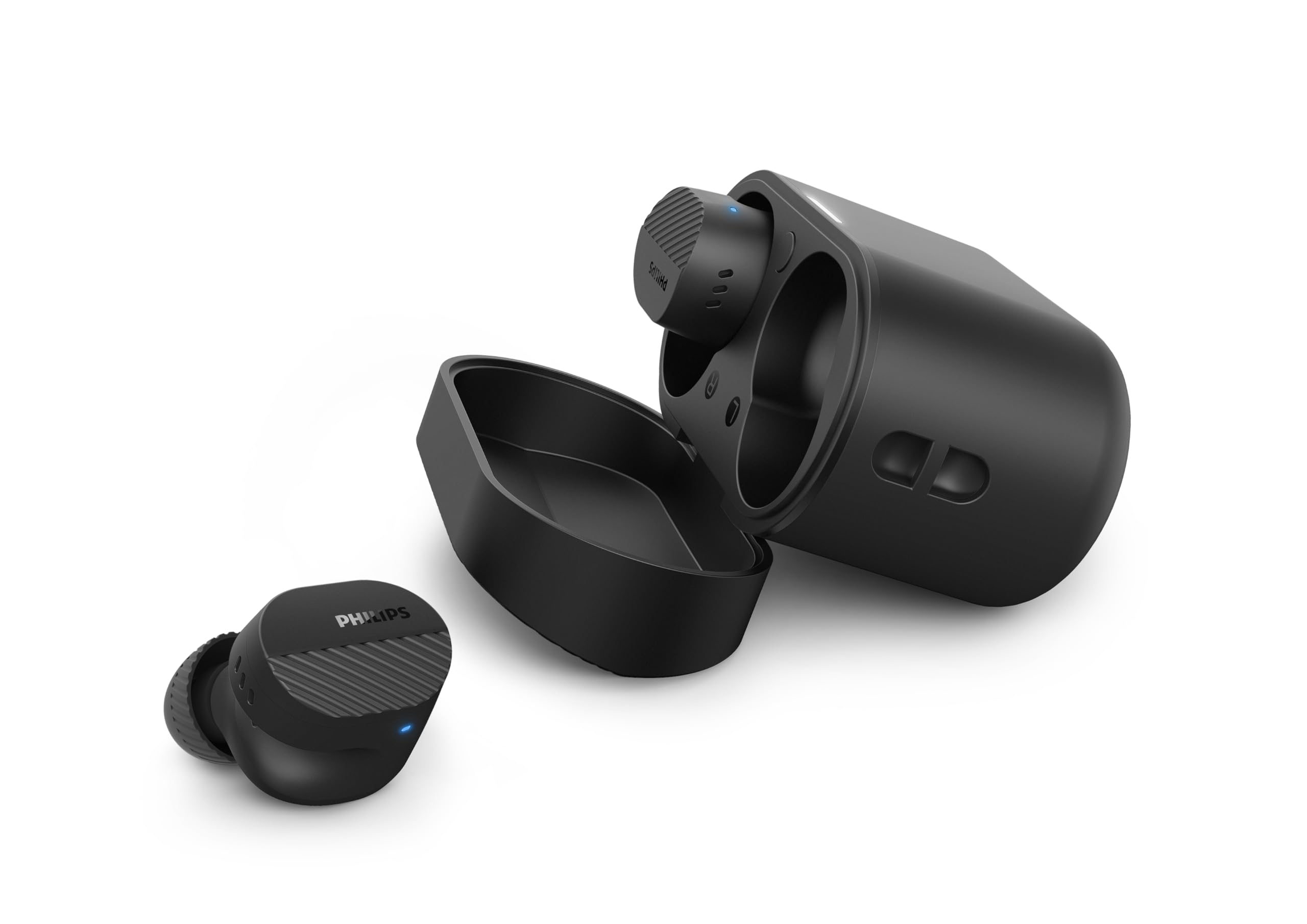
Image: A person holds the Philips TAT5000 earbuds in their charging case in one hand and a smartphone displaying the Philips Headphones app settings in the other, demonstrating app control.
Manteniment
Neteja
- Netegeu suaument els auriculars i l'estoig de càrrega amb un drap suau, sec i sense borrissol.
- Traieu les puntes de les orelles i netegeu-les amb aigua i sabó suau, i després eixugueu-les bé abans de tornar-les a col·locar.
- No utilitzeu netejadors abrasius, alcohol ni dissolvents químics.
Resistència a l'aigua
The earbuds are IPX5 water resistant, meaning they are protected against sweat and splashes of water. They are not designed for submersion in water. Ensure the charging port is dry before charging.
Emmagatzematge
Store the earbuds in their charging case when not in use to protect them and conserve battery life. Avoid extreme temperatures.
Resolució de problemes
| Problema | Causa possible | Solució |
|---|---|---|
| Els auriculars no s'encenen | Bateria baixa | Col·loca els auriculars a l'estoig de càrrega i carrega'ls completament. |
| No es pot emparellar amb el dispositiu | Bluetooth off, earbuds not in pairing mode, or device too far | Ensure Bluetooth is enabled on your device. Open the charging case to activate pairing mode. Move device closer to earbuds. Try forgetting the device in Bluetooth settings and re-pairing. |
| Sense so ni amb una mala qualitat de so | Incorrect eartip size, low volume, or connection issue | Adjust eartips for a secure fit. Increase volume on your device. Reconnect earbuds to your device. |
| L'ANC no funciona eficaçment | Improper fit, or ANC mode not active | Ensure earbuds are properly seated in your ears with the correct eartip size. Verify ANC is enabled via touch controls or the Philips Headphones App. |
| La funda de càrrega no es carrega | Cable o font d'alimentació defectuosos | Try a different USB-C cable and power adapter. Ensure the charging port is clean and dry. |
If issues persist, refer to the Philips Headphones App for further assistance or contact customer support.
Especificacions
- Nom del model: TAT5000BK/00
- Connectivitat: Bluetooth 5.4
- Controladors d'àudio: 8mm Graphene-Coated Dynamic Driver
- Durada de la bateria: Up to 40 Hours Total (10 hours earbuds + 30 hours case, ANC off)
- Càrrega ràpida: 15 minuts durant 3 hores de joc
- Resistència a l'aigua: IPX5 (Sweat and splash proof)
- Mètode de control: Toca
- Control de soroll: Adaptive Noise Canceling Pro
- Pes: Approximately 4.16 ounces (earbuds and case)
- Components inclosos: Earbuds, Charging Case, USB-C Cable, Eartips, User Manual
Garantia i Suport
Your Philips TAT5000 True Wireless Bluetooth Earbuds are covered by a limited warranty. Please refer to the warranty card included in your product packaging or visit the official Philips weblloc web per obtenir informació detallada sobre els termes i condicions de garantia específics de la vostra regió.
For technical support, product registration, or frequently asked questions, please visit the Philips support website or contact Philips customer service directly. Contact information can typically be found on the Philips weblloc web o a la documentació del producte.